Accelerate Feedback Loops with Video
Feedback is essential for success, but meetings take time and add friction. Use video to get fast feedback during campaign or design reviews – no meetings required.


PREP TIME
30m

Run TIME
15m

Persons
2-10
5-second summary
- Record a video of your campaign, design, or progress to share with stakeholders.
- Get faster, clearer feedback from stakeholders without the need for live meetings.
- Use time-stamped comments and actionable feedback to iterate and improve.
WHAT YOU WILL NEED
- Video communication tool (i.e., Loom).
- Digital collaboration tool (i.e., Confluence)
- Preferred communication tool (i.e., Slack)
PLAY resources
How to accelerate feedback loops with video
Get fast feedback during campaign or design reviews – no meetings required.
What is a feedback loop?
In the context of a campaign, design review, or creative presentation, a feedback loop happens when a team member gets input from others on their work, analyzes it, makes changes based on that input, and presents the updated version – creating an ongoing cycle of learning and improvement.
A feedback loop can be as simple as collecting comments on a design and making revisions, or as advanced as using AI to analyze user interactions and automatically suggest improvements.
Feedback loops help teams quickly identify what’s working and what isn’t, allowing them to iterate and improve without waiting for lengthy review cycles or meetings.
Why run the Accelerate Feedback Loops with Video Play?
Feedback makes all our work better, but receiving it during a live design review or working session can take time and add friction. Stakeholders have busy schedules that are hard to coordinate. It can also be challenging for reviewers to provide thorough and thoughtful feedback on the spot. Plus, it takes even more time for the presenter to digest and act on that feedback.
Using asynchronous video messages with a tool like Loom instead of a meeting can accelerate this process by:
- Enabling busy, distributed stakeholders to provide feedback when it’s most convenient for them – no meetings required
- Using features like automatic summaries, overlays, and filler word removal to make feedback clearer and faster
- Ensuring feedback is actionable and specific with time-stamped comments
When should you run this Play?
You can run this Play anytime. It’s especially helpful when new creative assets (e.g., campaign visuals, UI, branding) need review, or when the process of gathering and implementing feedback becomes time-consuming or cumbersome.
4 benefits of video feedback:
Here are some additional benefits to using video to present and collect feedback:
- Gather more diverse design feedback
Async design briefs make it easier to collect feedback from a wider group of stakeholders. Instead of scheduling in-person meetings, simply share a link to your recording on Slack or email to request feedback. - Tighten feedback cycles
Not having to wait for live meetings and being able to present async means that more time-sensitive work gets feedback faster, creating faster iteration cycles. - Receive more thoughtful responses
Providing detailed design feedback in live meetings can be difficult. Async design briefs give stakeholders more time to review a proposal, gather their thoughts, and respond with timestamped comments. - Tell the perfect story
Live design presentations can be nerve-racking. Async design briefs enable unlimited recordings, providing the flexibility to deliver the best version of a proposal every time.
1. Plan your message and create your video
Est. time: 5 MINs
The first step of this Play is to record a video that walks through your campaign, design, or concept. Run the Record a Great Loom Play for a step-by-step guide on how to do this.
Note: While this Play focuses on Loom, you can apply most of these tips to other video communication tools as well.
Tip: Consider change management
If you’re working on a design, campaign, or launch that will require change management for users or stakeholders, use this Play to convey the message in a clearer, faster, more personable way.

2. Share your video with a call to action
Est. time: 15 MIN
Once your video is ready, let Loom AI autogenerate a summary and a call-to-action link. Loom AI can also draft a message to share the video with reviewers.
Share the Loom video link with your team via email or chat, and include a clear call to action and deadline to add their feedback.
tip: Record live sessions with Loom
Even if you run feedback sessions live, record them with Loom. Loom’s AI notetaker instantly summarizes all feedback and can syncs notes to Confluence, so everyone can review key takeaways and action items quickly.

3. Async review
Est. time: 10 min
Your video will make it easy for stakeholders to review and respond on their own time. You can use Loom’s analytics to track data like total views, unique viewers, and view completion rate. If you notice someone hasn’t completed their review, send them a reminder the day before it’s due.
When all feedback is in, review time-stamped comments and emoji reactions directly in the Loom video. Respond to comments directly on Loom, or summarize feedback in a document (like a Confluence page or whiteboard) for broader visibility.

4. Iteration and follow-up
Est. time: 15 min
It’s called a “feedback loop” because it’s a cycle. Once you review the feedback, make revisions. Then, you can repeat the process if you’d like, presenting the updates to your stakeholders and asking for more async feedback.

Still have questions?
Start a conversation with other Atlassian Team Playbook users, get support, or provide feedback.
Other plays you may like

Optimize with AI
AI Innovation Day
Get the most out of GenAI with a focused day of learning and doing.

Optimize with AI
AI Teammate
Build your first AI agent

Innovate with AI
AI Training Workshop
Run a workshop to help anyone learn the basics of how to use AI at work.

Innovate with AI
Define AI’s Project Role
Identify opportunities to use AI to support the success of your next project.
Stay up to date
Get the latest Plays and work life advice when you sign up for our newsletter.


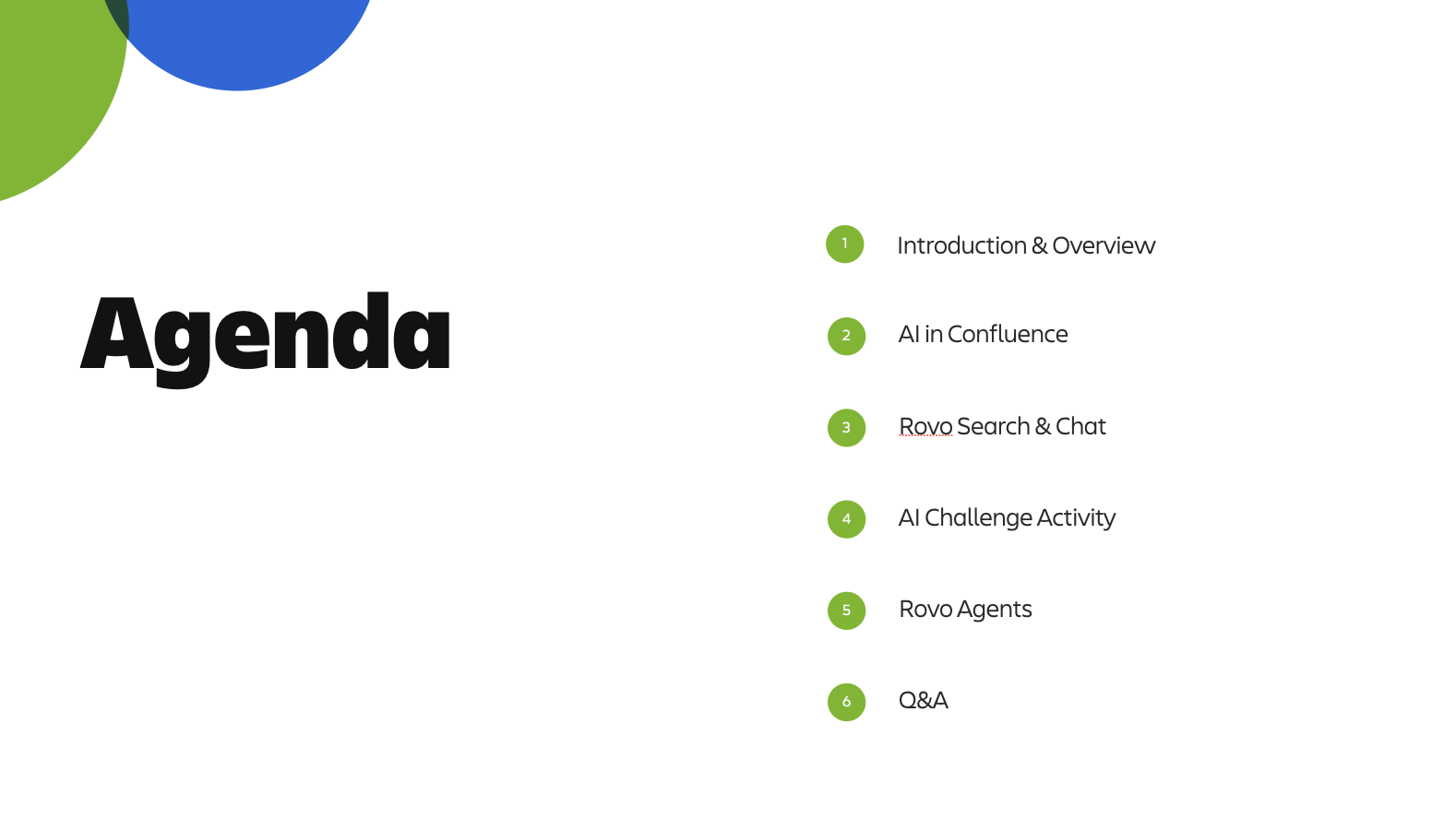
Sample agenda for the AI Training Workshop
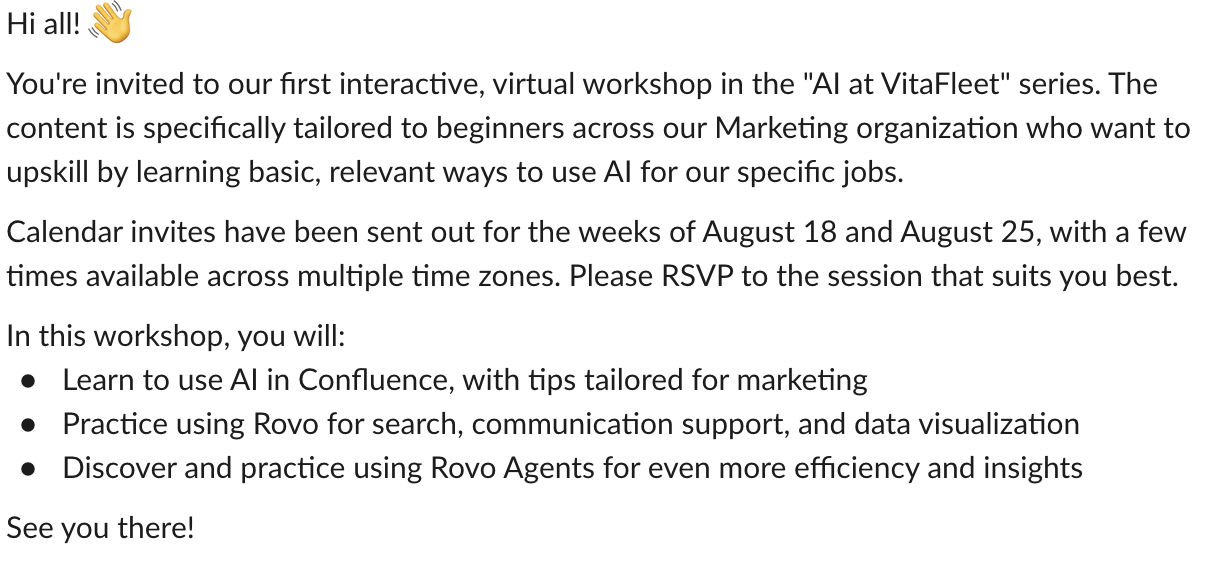
Sample announcement in Slack
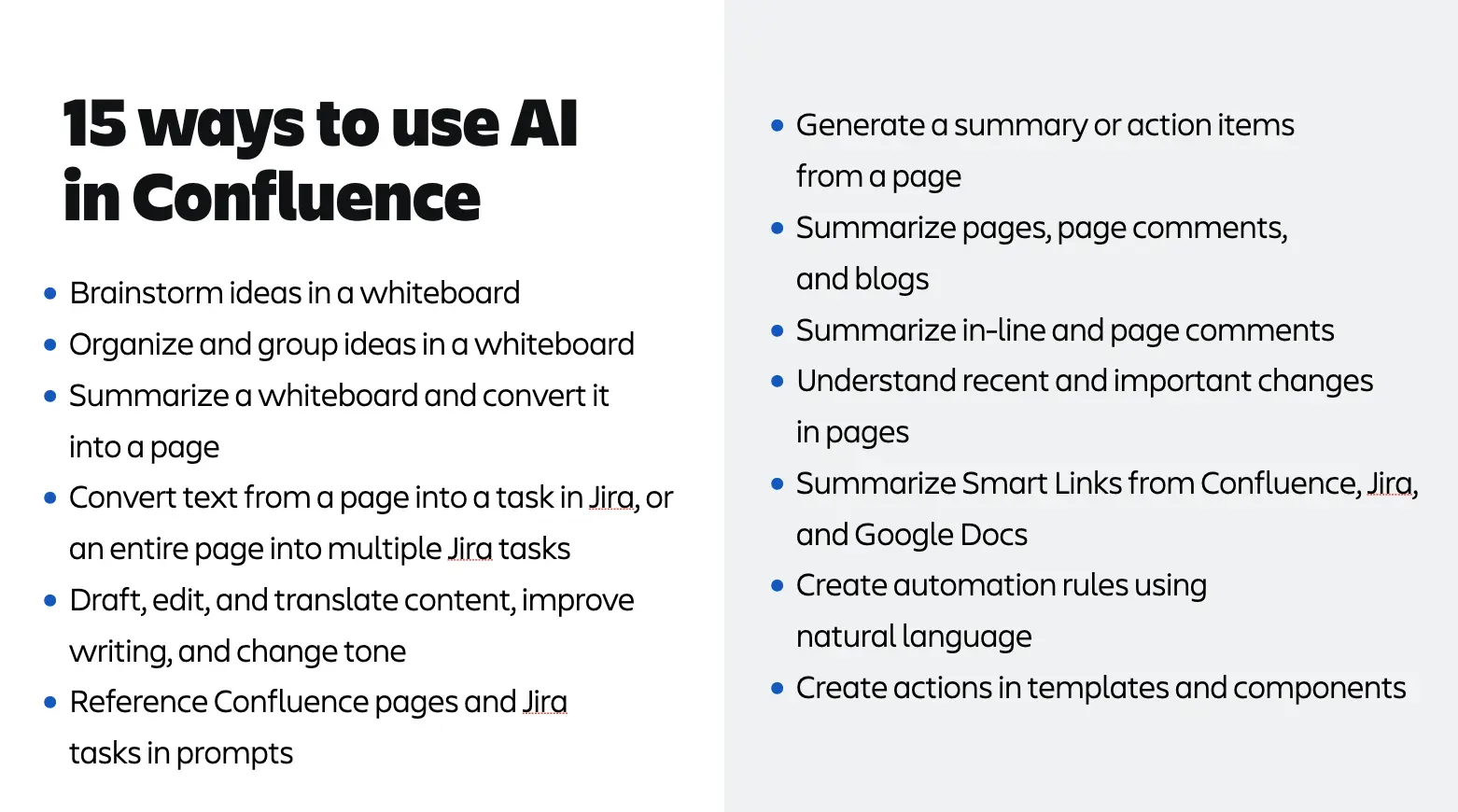
Sample use cases: AI in Confluence
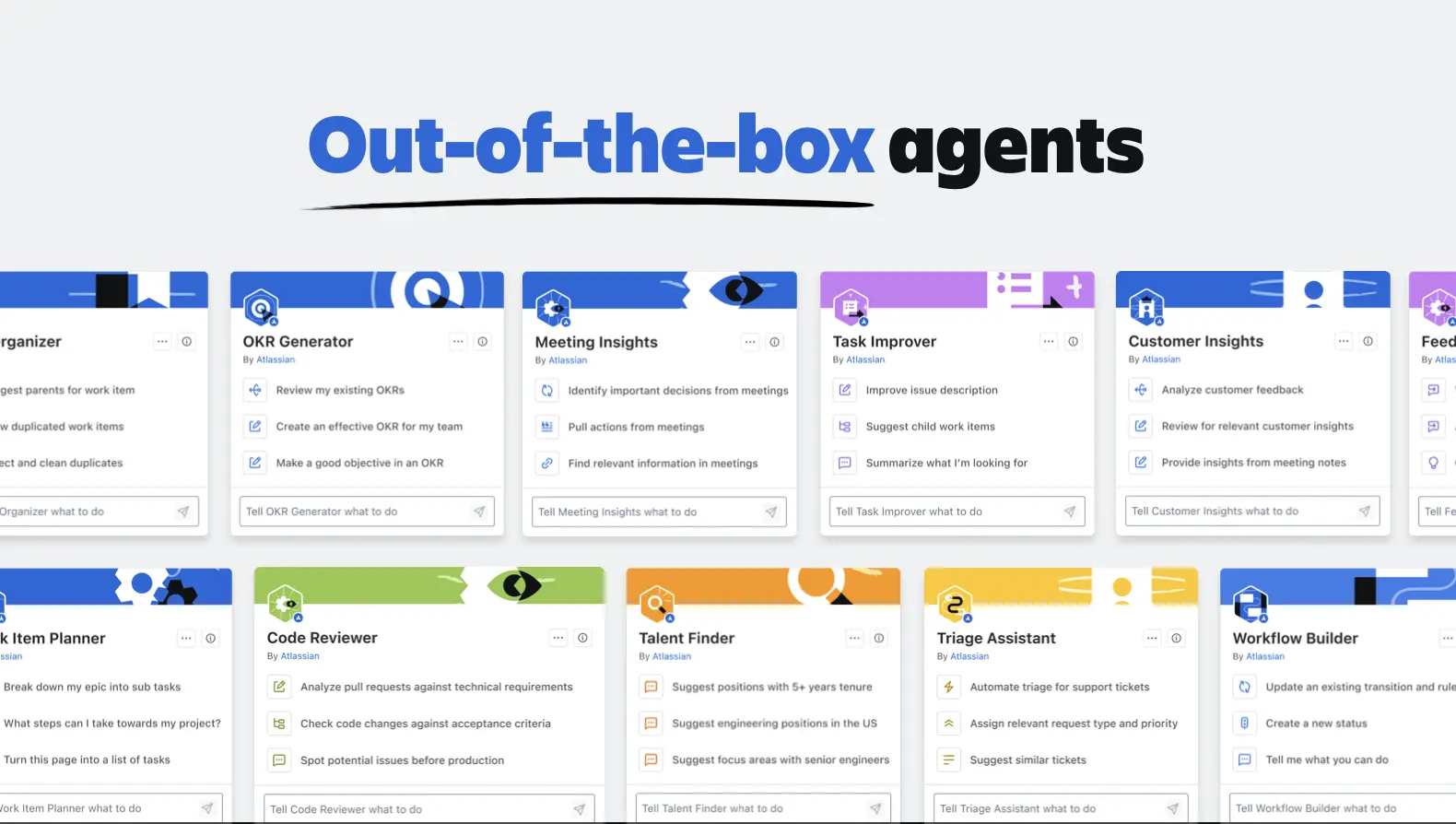
Do: Try using an out-of-the-box Rovo Agent
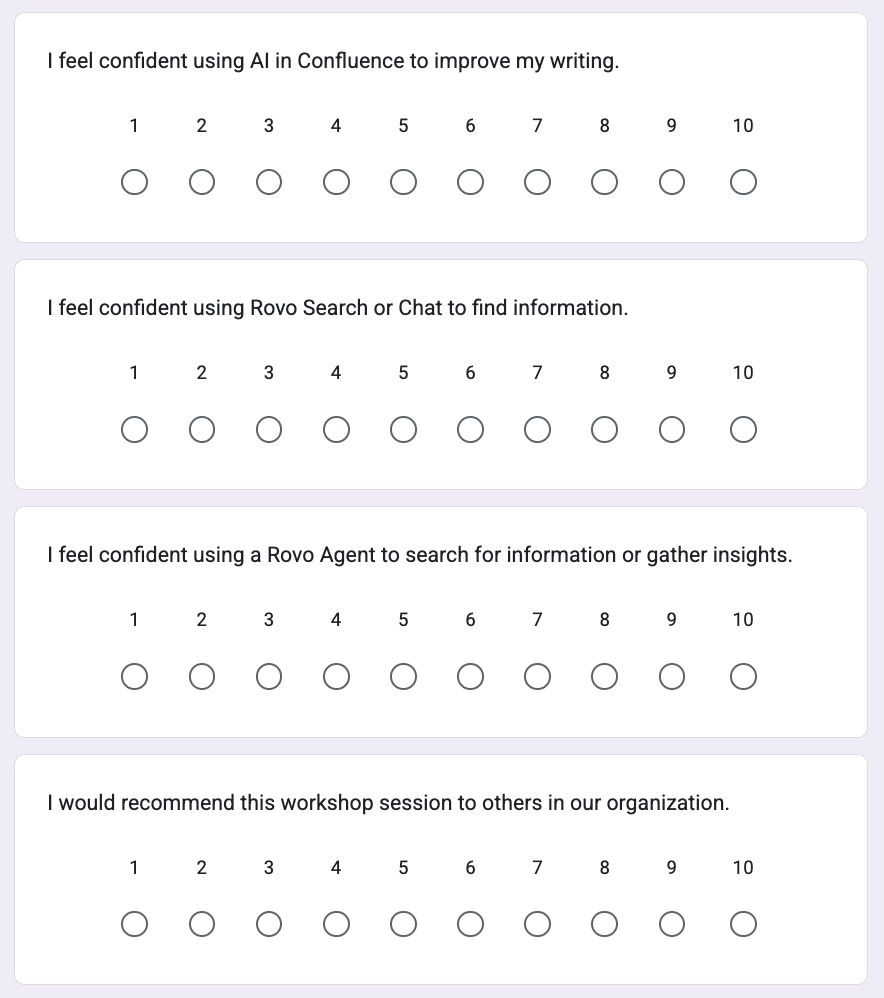
Sample closing survey
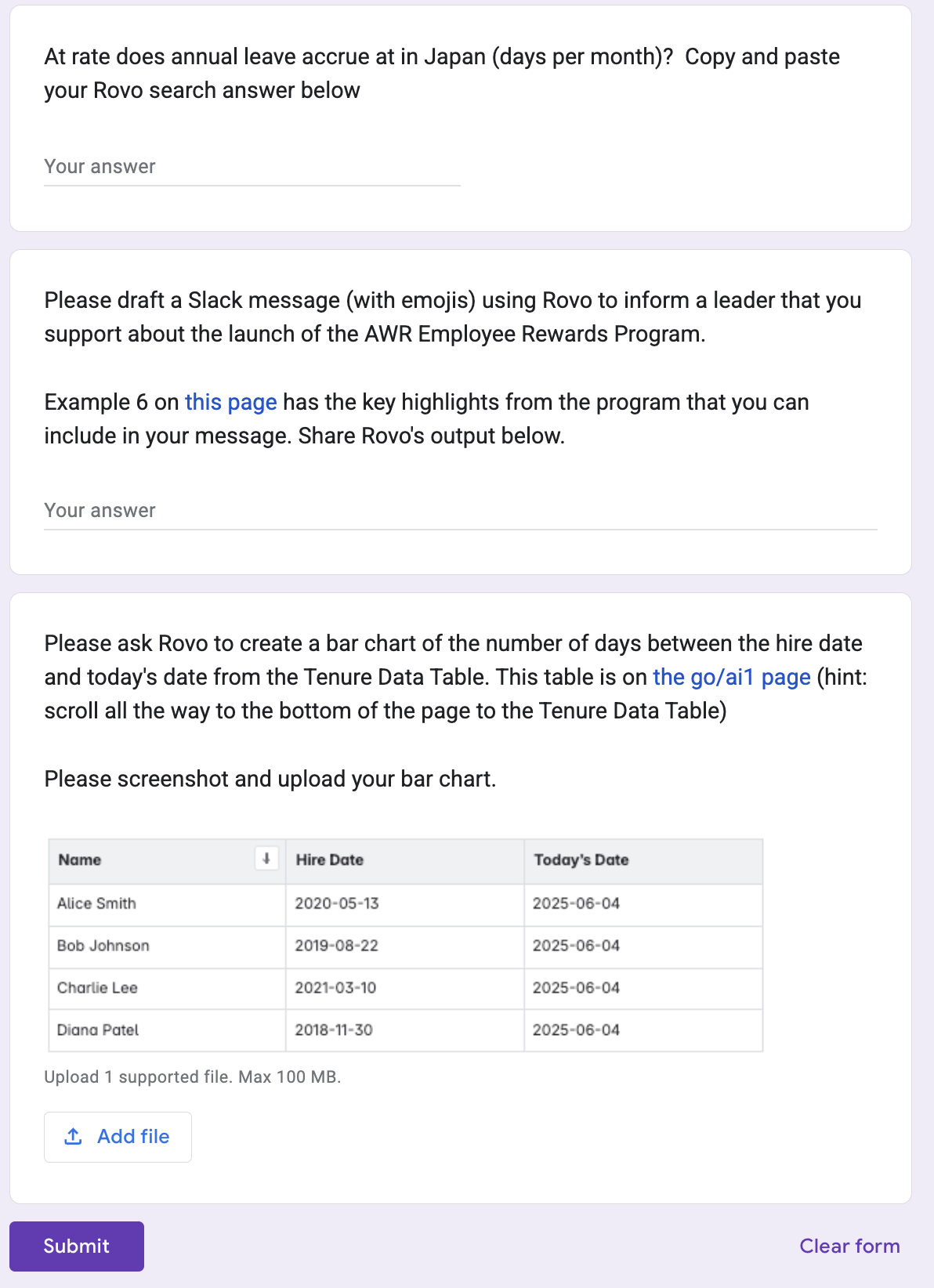
Sample interactive exercise, using a simple Google form survey