
Content calendar template
A content calendar template is your roadmap for consistent content creation across all marketing channels. It organizes your publishing schedule, tracks deadlines, and keeps your team aligned.
BEST FOR
Project management
Marketing
KEY FEATURES
Task planning
Prioritization
Pipeline management
What is a content calendar template?
A content calendar template is your central command center for planning, scheduling, and coordinating content across multiple platforms. While a social media content calendar template focuses specifically on social channels like Instagram and Facebook, a content calendar template can actually be used for any marketing channel.
This template could be used for managing and scheduling email newsletters, blog posts, and video content. It should work as an organizational tool to maintain brand consistency and improving your content timing.
With a bird’s-eye view of you content, marketing teams stay organized, avoid last-minute scrambles, and ensure their content strategy supports broader business goals. The content calendar template creates structure around what can often feel like chaotic content creation workflows.
Best practices for using a content calendar template
Getting the most out of your content calendar and marketing software means you’ll need to establish consistent processes and maintain regular oversight. These practices help ensure your calendar remains an effective tool that supports your team's productivity and content quality:
Create standardized processes: Create clear, repeatable processes that define how content moves from idea to publication, including approval stages and task assignments for consistent execution.
Use naming conventions: Establish uniform naming systems for content pieces, campaigns, and files so team members can easily locate and organize materials.
Schedule regular check-ins: Schedule weekly or monthly calendar reviews to assess progress, identify gaps in your strategy, and make changes based on changing business needs.
These practices work together to keep your calendar current and relevant while ensuring your team maintains consistency in their content creation approach.
What does the content calendar template include?
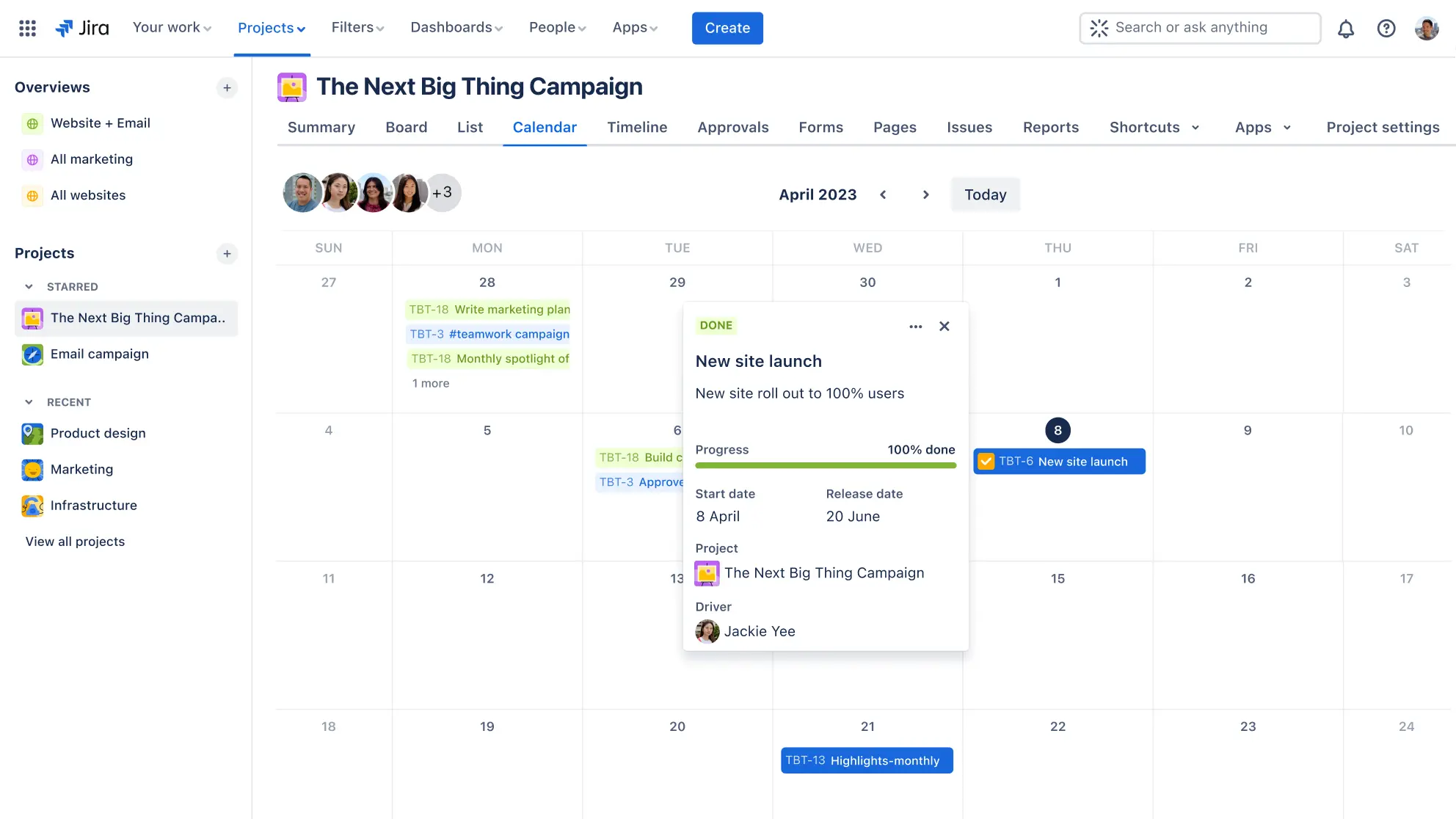
The calendar view enhances project planning with a timeline to schedule content publication dates, deadlines, and key events. This visual representation helps you plan and manage content delivery to maintain consistency and project timelines.
You can easily spot busy periods, ensure even content distribution, and align your publishing schedule with important dates or campaigns.
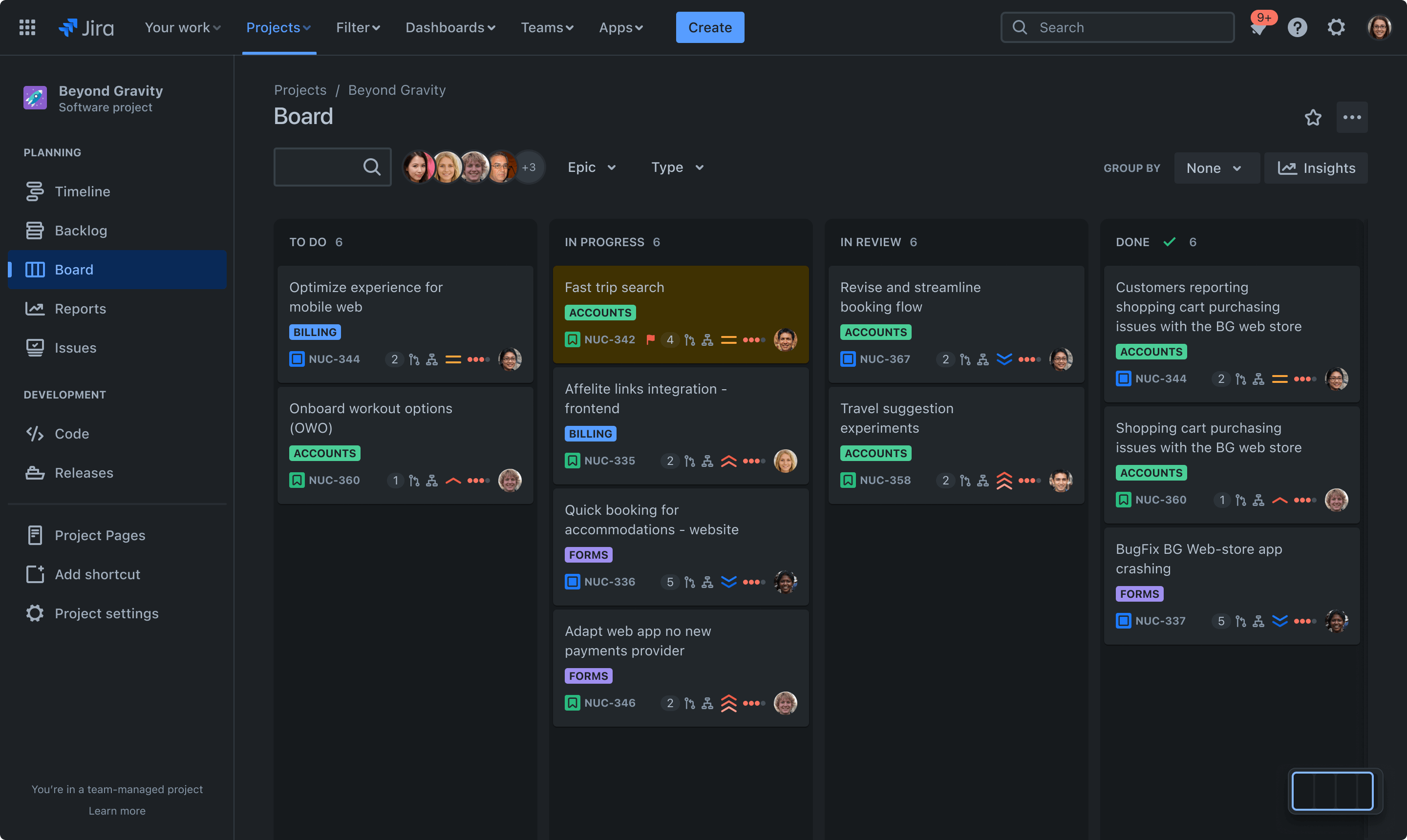
The visual board in your content calendar template acts as a resource management tool and allows you to track content progress through various stages, such as planning, drafting, and publishing. This Kanban board view provides a quick overview of your entire content workflow and the status of each piece.
It allows you to visualize your content pipeline and identify bottlenecks, move content items through different stages of production, and promote continuous delivery of high-quality content.
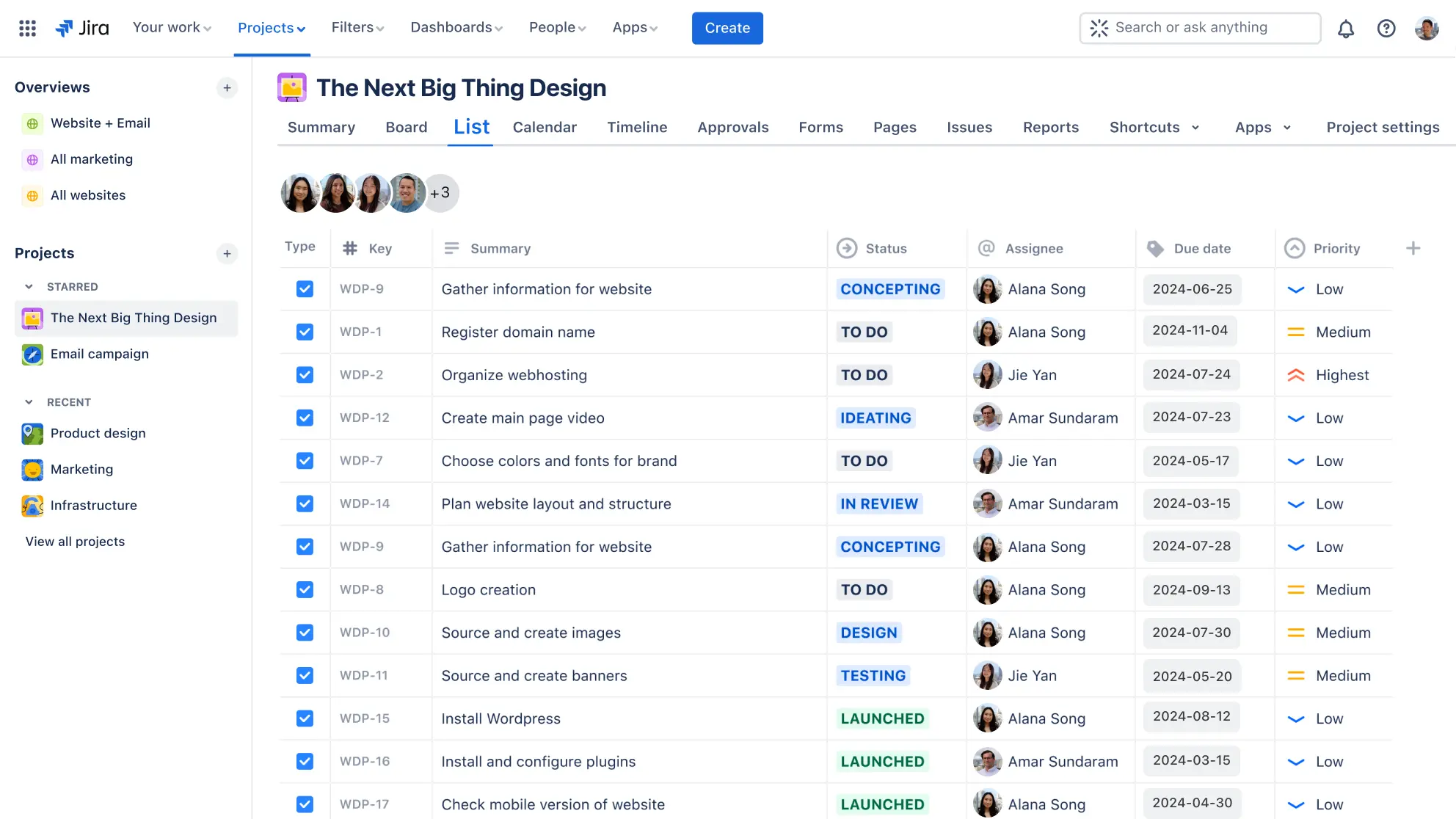
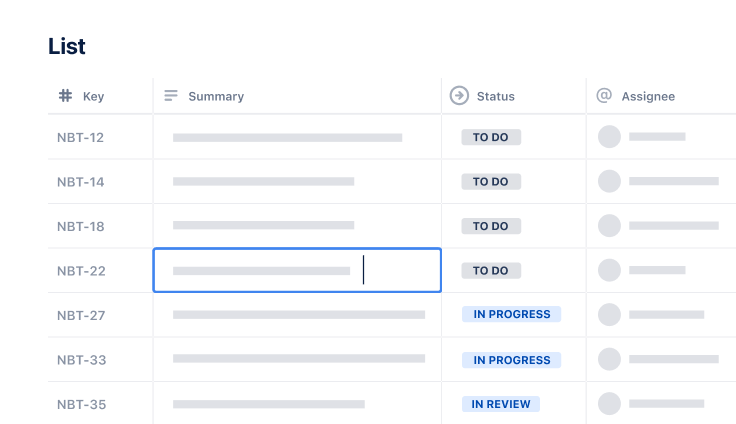
The list view in the content calendar template improves collaboration by allowing you to create a detailed breakdown of actionable steps required for creating, editing, and approving content. Easily assign tasks and track progress to ensure timely completion.
This spreadsheet-style view provides a familiar interface for organizing and tracking work across your content project, the ability to sort and filter for better organization, and the flexibility to adapt to changing plans and priorities.

Structured workflows in your content calendar template ensure every piece of content follows a consistent path from creation to publication. Set up automated processes that move content through stages like Draft → Review → Published, with clear approval gates and task assignments at each step.
Jira's workflow automation eliminates manual handoffs and reduces the risk of content getting stuck or forgotten in your production pipeline.
How to get started with the content calendar template
- 1
Define your goals
Setting goals ensures your content strategy directly supports the business objectives you set during monthly, quarterly, or annual planning processes. Identify the goals you want to achieve with your content through strategic planning, such as increasing engagement, driving traffic, or generating leads.
Regularly review and measure your content's performance against these goals to stay on track and make data-driven adjustments to your strategy. Creating a vision for your content helps guide every decision you make about topics, timing, and distribution.
- 2
Determine your content types
Choose the types of content you will produce, such as blog posts, social media updates, newsletters, or videos. Tailor your content calendar template to accommodate different content formats and distribution channels.
This will help you maintain a diverse content mix that caters to various audience preferences and platform requirements. Consider how different content types support your broader marketing software ecosystem and team collaboration efforts.
- 3
Plan your content
Populate your content calendar with topics, publication dates, and deadlines. Consider key events, holidays, and marketing campaigns to align your content with relevant dates.
This step helps you create a cohesive content strategy supporting your marketing efforts through effective time management and resource planning. Use brainstorming sessions to generate content ideas that resonate with your target audience and support your business objectives.
- 4
Assign responsibilities
Delegate tasks for content creation, editing, and approval to team members. This task assignment is one of the critical content creation best practices that can significantly improve your workflow.
Include these responsibilities in your calendar to ensure accountability and track progress. Clear action plans help everyone understand their role in the content creation process and eliminate confusion about who handles what tasks.
- 5
Track and adjust
Regularly review your content calendar to monitor progress and make necessary adjustments. Fine-tune your content strategy with performance data to keep your material impactful and in sync with your objectives.
This approach allows you to refine your content strategy over time and maximize its effectiveness.
Related templates

Marketing
Content management template
Manage the content lifecycle from prioritization to delivery.
Task & Time Management
Personal task tracker template
Keep personal tasks organized with ease.
Marketing
Email campaign template
Plan and execute on email campaigns from draft to launch
Ready to use this free template?
Explore more templates to supercharge teamwork
Empower everyone, on every team. Build, connect, and deliver your biggest ideas seamlessly across Atlassian apps using our complete collection of ready-made workflows.