Construction schedule template
Streamline your projects with a construction schedule template to help teams coordinate tasks, track progress, and deliver projects on time.
BEST FOR
Project Management
Operations
KEY FEATURES
Task planning
Prioritization
Pipeline management
What is a construction schedule template?
Every successful construction project starts with solid planning. A free construction project schedule template provides the framework needed to organize, track, and execute complex building projects from start to finish. From managing a home renovation to overseeing commercial development, having the right scheduling tools makes all the difference in a project.
Project scheduling
Construction projects involve countless moving parts. Effective project management helps coordinate these elements by breaking down large projects into manageable phases and tasks. Teams working with a clear schedule can better understand dependencies, allocate resources efficiently, and keep work moving forward.
Proper project scheduling, clear deadlines, and a defined sequence of tasks help teams know exactly what needs to be done and when. This approach can help teams work more efficiently and avoid costly delays. It also ensures foundational work is completed before framing begins, electrical runs are completed before drywall installation, and so on.
Time management
Construction delays can cascade into significant cost overruns. A construction project schedule template supports time management, helping teams stay on track by providing clear timelines and deadlines for each phase of work.
Smart scheduling includes buffer periods for weather delays, permit approvals, or material delivery issues. In construction, planning for the unexpected is better than being caught off guard.
What does the construction schedule template include?
Timeline
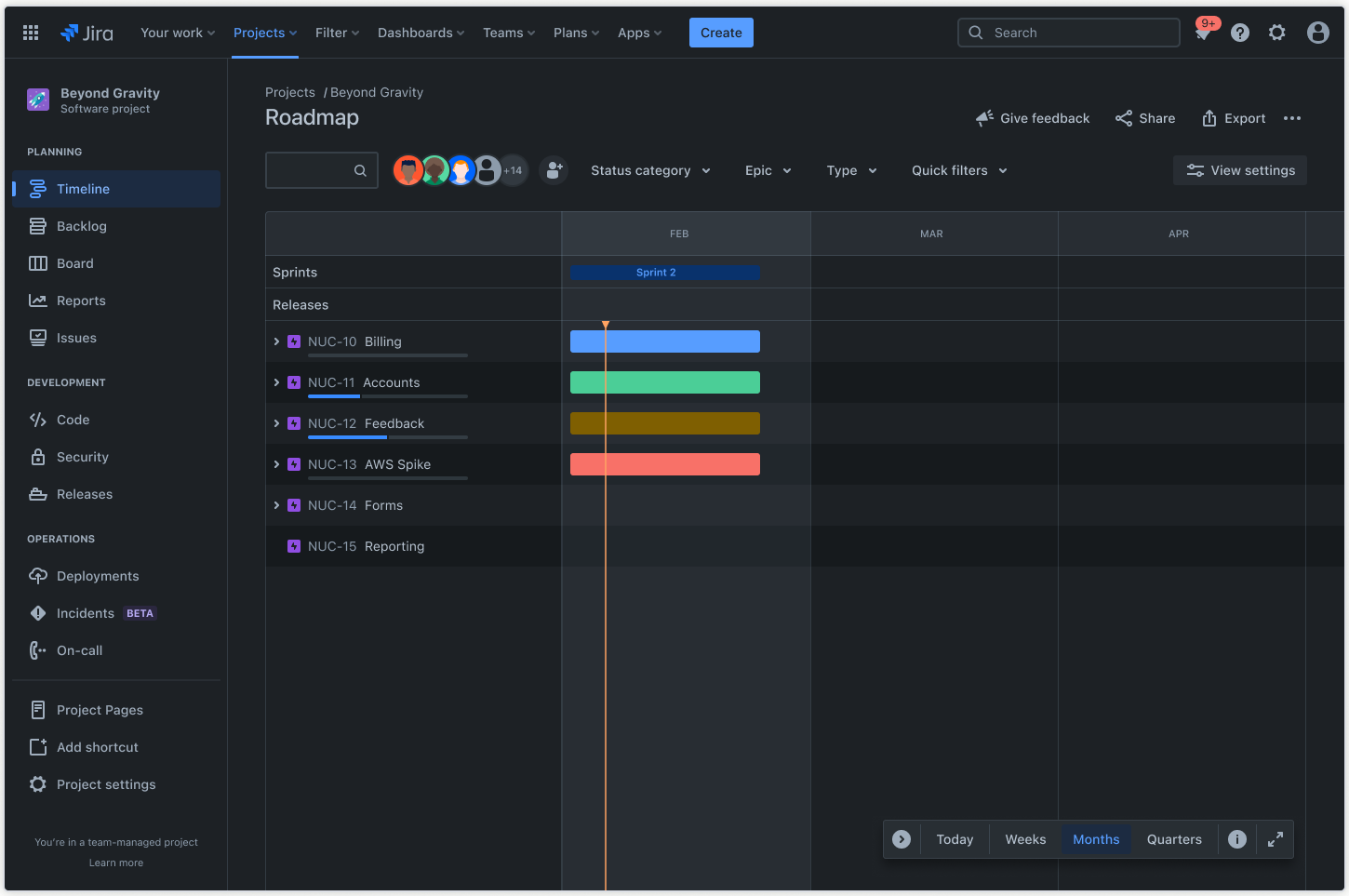
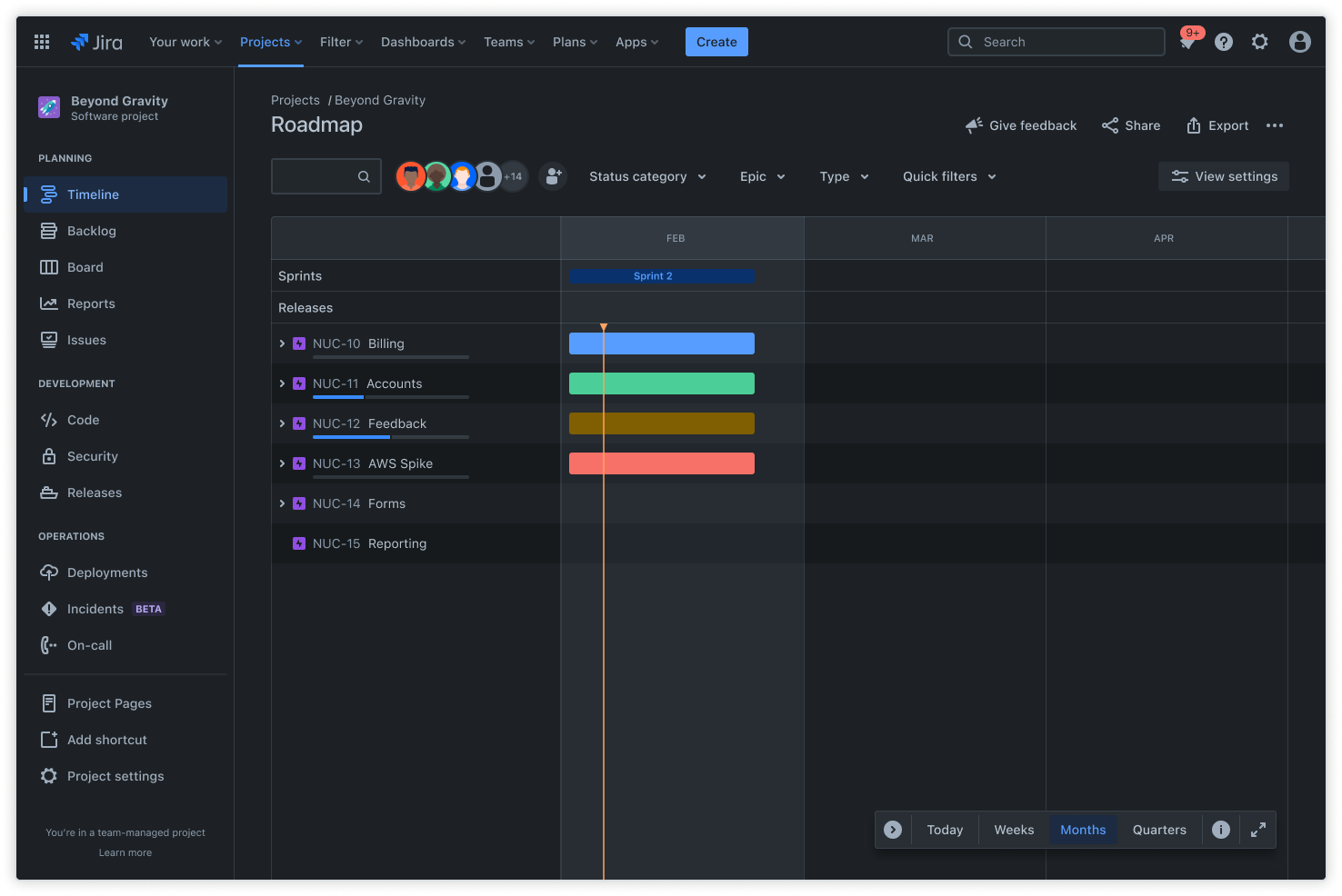
The timeline feature in Jira provides a visual roadmap of your project, making it easy to see how different phases overlap and connect. Teams can quickly identify critical paths, spot potential bottlenecks, and adjust schedules.
Visualizing your project timeline helps you communicate progress better to stakeholders and ensure everyone understands upcoming milestones. The timeline view helps teams focus on immediate tasks and long-term goals, keeping the project moving steadily toward completion.
Board
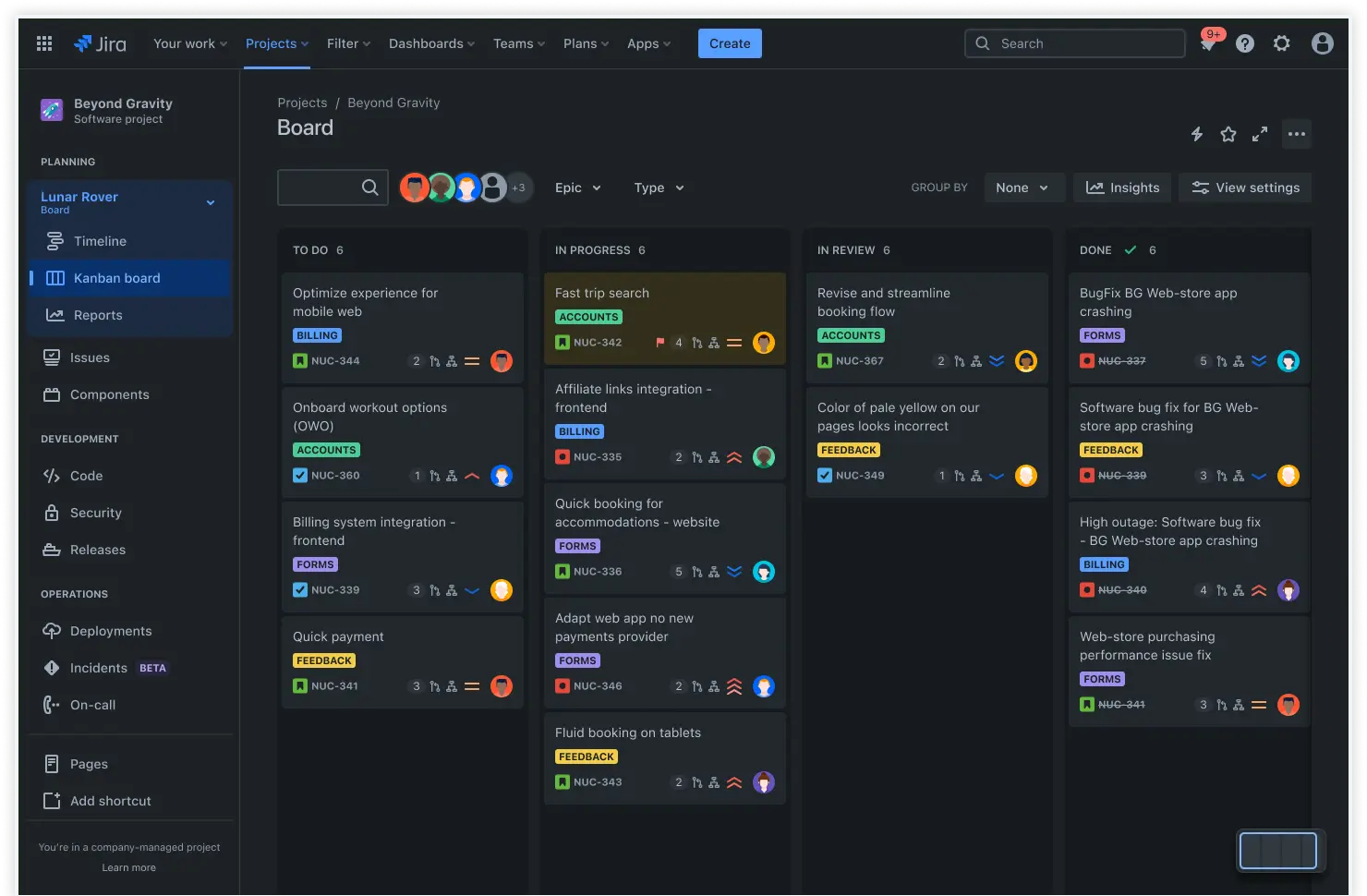
A kanban board brings agility to construction planning by making work visible and manageable. Teams can easily track tasks as they move from "To Do" to "In Progress" to "Done," ensuring nothing gets missed. This visual task management approach can help identify bottlenecks quickly and keeps everyone on the same page regarding priorities.
Jira’s board view can be customized to match specific workflows. For example, you might create columns for "Material Ordered," "In Progress," "Quality Check," and "Complete" to better reflect your teams' actual process.
Workflows
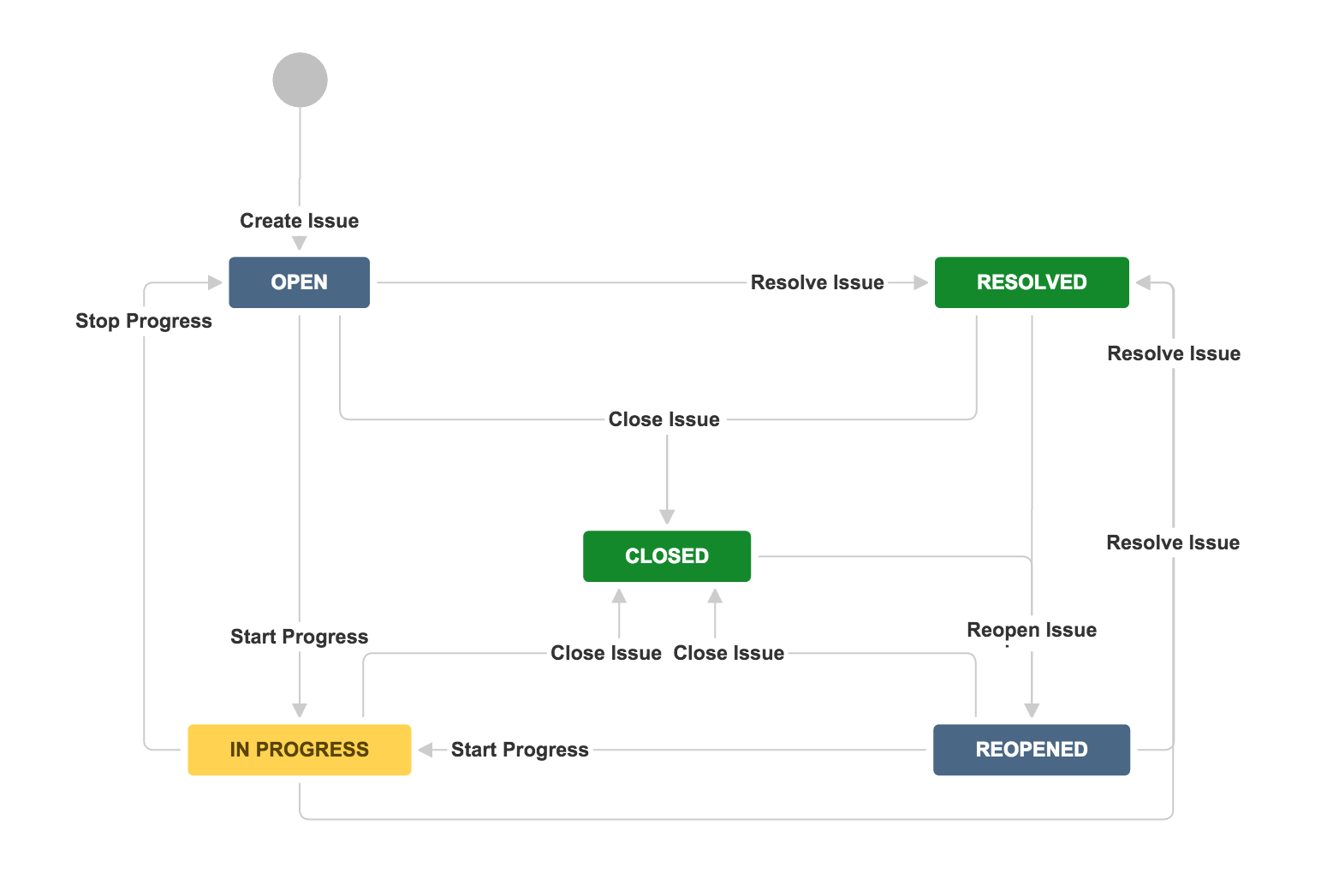
Custom workflows in Jira ensure tasks move through the proper steps in the correct order. For construction projects, this might mean creating specific pathways for different types of work — separate flows for structural elements, mechanical systems, and finish work. These workflows maintain quality control by ensuring no critical steps are skipped.
Workflows also streamline task management by allowing teams to see what needs to happen next. Custom workflows can include approval steps, quality checks, and documentation requirements.
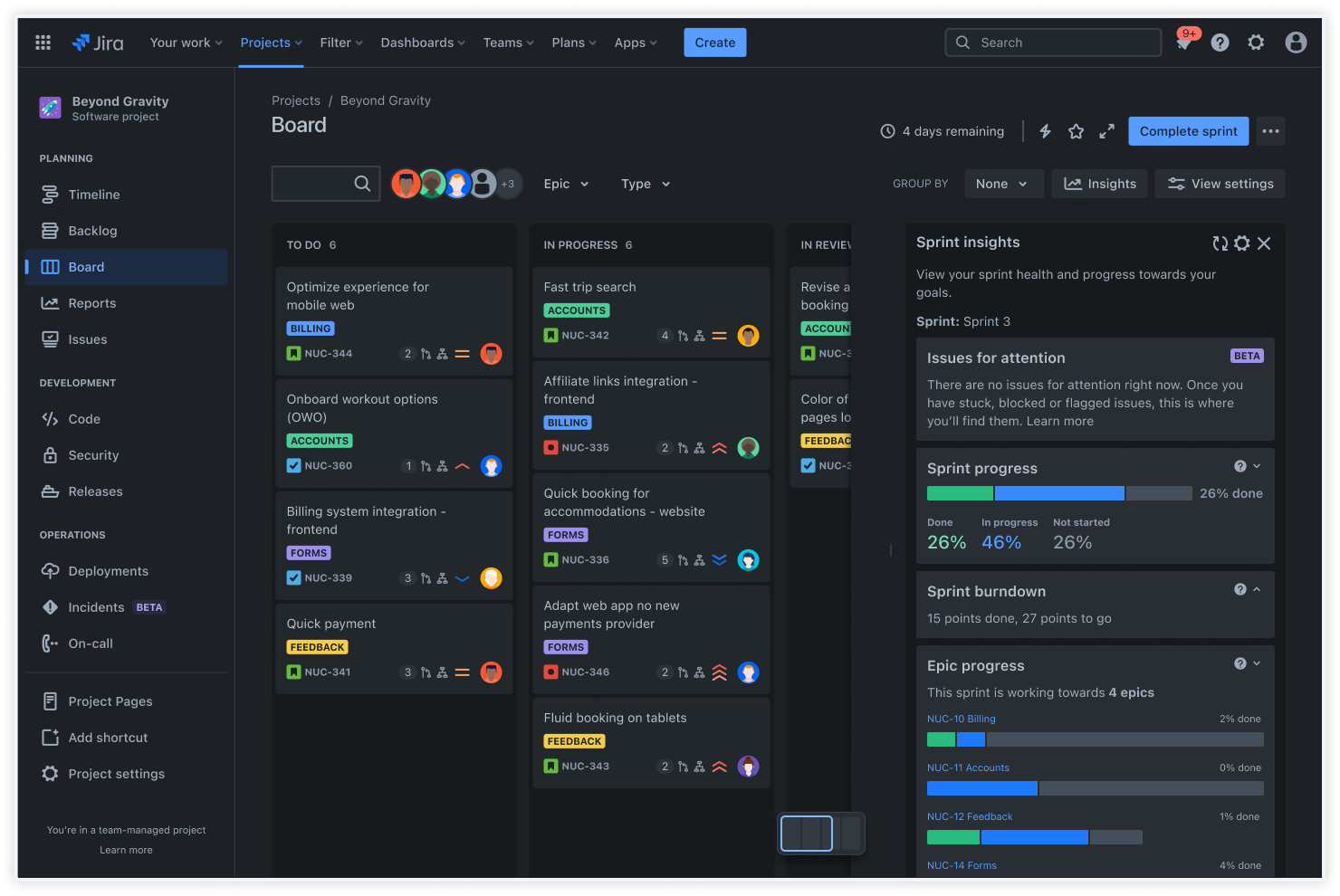
Insights
Built-in reporting tools provide valuable insights into project progress and team performance. Jira boards offer real-time visibility into work status, while customizable dashboards help track key metrics like completion rates and time estimates versus actuals.
These insights help teams work smarter by identifying patterns, spotting potential issues early, and making data-driven resource allocation and scheduling decisions. When teams see how their work impacts the project timeline, they're better equipped to prioritize effectively and maintain momentum.
How to get started with the construction schedule template
- 1
Define project milestones
Setting clear milestones keeps your construction project on track. These key checkpoints break down the larger project into manageable phases and provide natural points for reviewing progress. Common construction milestones include site preparation completion, foundation placement, rough-in inspections, and final walk-through.
Working with stakeholders to establish these milestones early ensures everyone shares the same vision for project progression. This decision-making process should consider permit requirements, seasonal weather patterns, and resource availability.
- 2
Break down tasks
Once you've established major milestones, break them into smaller, actionable tasks. Using a work breakdown structure helps ensure nothing is overlooked. For example, the "foundation" milestone might include excavation, forming, reinforcement placement, concrete pour, and curing time.
In Jira, Epics represent significant project phases, and individual Stories capture specific goals. This hierarchy makes it easier to track high-level progress and day-to-day work completion.
- 3
Establish task dependencies
Understanding how tasks relate to each other is essential for efficient scheduling. Some work can happen simultaneously, while other tasks might follow a strict sequence. For example, drywall installation can't begin until the electrical rough-in is complete and inspected.
Mapping these dependencies using Jira's Advanced Roadmaps can help you create a realistic timeline that accounts for the natural flow of construction work. This helps prevent situations where crews show up to work but can't proceed because prerequisite tasks aren't complete.
- 4
Assign resources
When assigning resources, you must match the right people, equipment, and materials to specific tasks. Your schedule should clearly show who is responsible for each task and what resources they need. This level of detail helps prevent conflicts and ensures teams have what they need to complete their work.
With Jira, you can allocate resources with features like assignee fields, custom fields for equipment tracking, and capacity planning tools. Teams can see who is working on what, track equipment availability, and manage material deliveries in one place.
- 5
Set deadlines and durations
To set realistic deadlines, you need to balance optimistic estimates with practical constraints. Consider typical task duration, potential delays, and the impact of weather or other external factors. Including buffer time for unexpected issues is often helpful, especially in areas with higher uncertainty.
When setting durations, consult with experienced team members and review historical data from similar projects. This helps create schedules that are both ambitious and achievable.
- 6
Monitor progress
Regular progress monitoring keeps projects on track and helps you identify potential issues before they become significant problems. Use daily or weekly check-ins to update task status, review upcoming work, and adjust schedules as needed.
Project scope changes and unexpected challenges are common in construction. Having a clear system for tracking progress makes it easier to assess the impact of these changes and adjust plans accordingly.
Related templates
Software Development
Kanban board template
Manage a continuous delivery of work on a powerful board.
Software Development
Scrum template
Visualize, track, and manage your work easily from sprint to sprint.
Marketing
Jira project management template
Manage activities for completing a business project.
Ready to use this free template?
Explore more templates to supercharge teamwork
Empower everyone, on every team. Build, connect, and deliver your biggest ideas seamlessly across Atlassian apps using our complete collection of ready-made workflows.