Content Audit Template
A content audit template helps you inventory and evaluate content in one place so you can spot what’s working, what needs updates, and what to retire—without relying on messy spreadsheets.
BEST FOR
Marketing
KEY FEATURES
Project Management
Marketing
Performance reporting
What is a content audit template?
A content audit template is a structured framework for cataloguing and evaluating your existing content. It organizes information like URLs, publication dates, content performance metrics, and asset types in a consistent format.
This allows content managers to spot patterns and make informed decisions on what to revise or implement in the future. The template also works as a visual project roadmap to know your current content, where it lives, and how well it’s performing against your goals.
Different types of content management templates serve different purposes. For example, an SEO content audit template focuses on search rankings and keyword performance.
However, a website content audit template takes a broader view of user experience and navigation. Some teams use specialized templates for social media content, email campaigns, or video libraries.
Ultimately, you should choose a template structure that matches your audit objectives and content ecosystem.
What does the content audit template include?

Workflows
With workflows, you track the lifecycle of content from draft to review, update, or archive. Set up automated status changes so when someone marks content for review, it automatically assigns the right team member and updates the workflow.
This automation removes manual handoffs and keeps your audit moving forward without constant status checks or reminder emails.

Lists
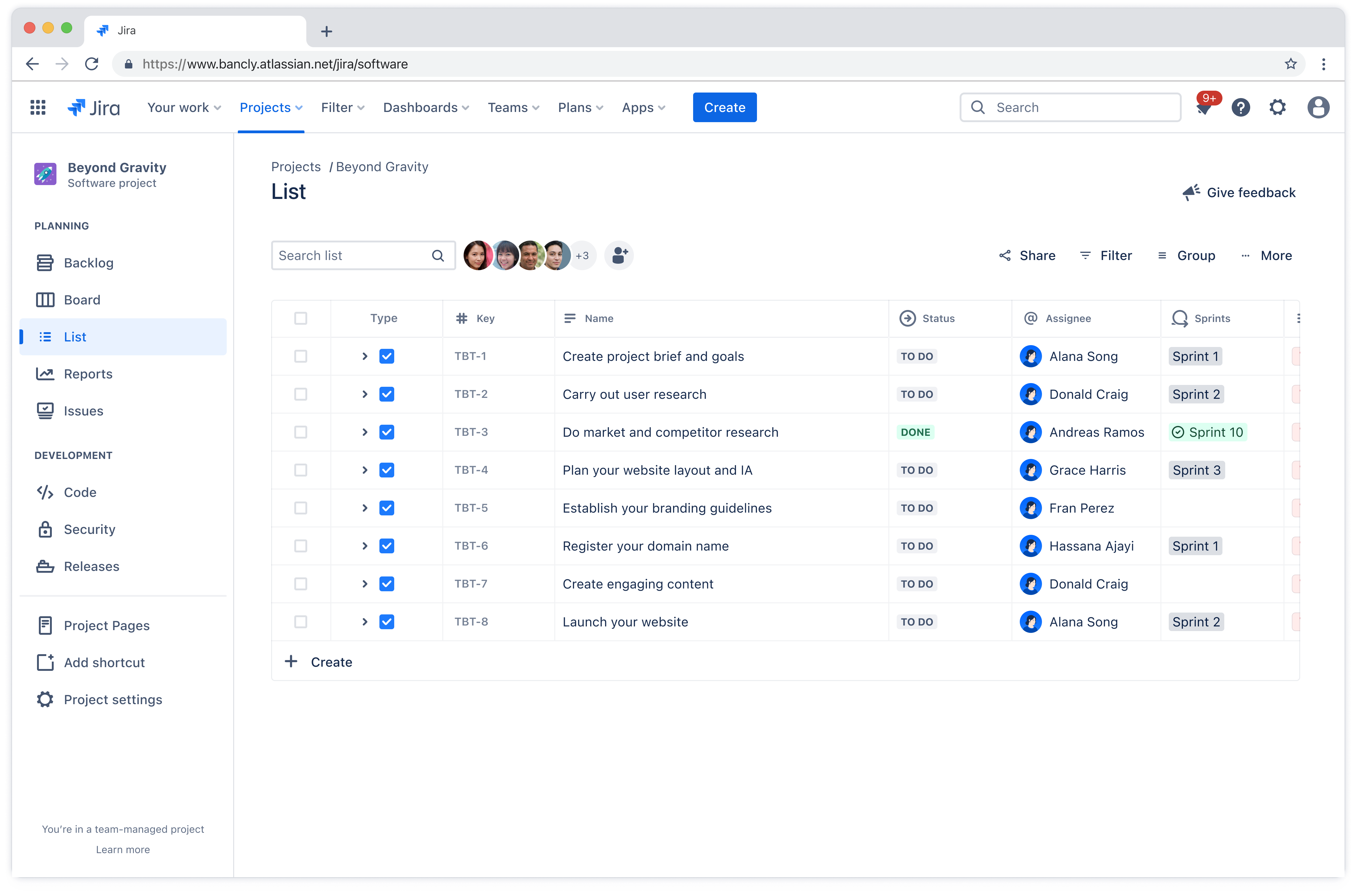
Lists give you a complete view of every piece of content in your audit, organized in a way that makes sense for how your team works. You can sort by content type, filter by owner or status, visualize types of content with tags, and adjust priority levels to surface what needs attention first.
Lists are extremely= helpful when you’re coordinating updates across multiple team members. Set up saved filters for different scenarios like visibility into high-priority items, archived content, or assets waiting on external reviews.

Reports
Reports let you understand what’s actually happening with your content beyond just having a list of URLs. Generate custom reports to reveal performance trends, show traffic sources, and tag assets driving engagement.
This data helps you spot patterns, like content gaps in certain topic areas or outdated pages that used to perform well but have dropped off. Track metrics like page views, time on page, conversion rates, and when content was last updated.

Dashboard
With customized dashboards, you get all your audit information into one centralized view. Combine charts, reports, and custom filters to see content health at a glance.
Dashboards are useful when you need to update stakeholders on audit progress or the status of a specific piece of content. Everything is right there, making it easy to answer questions and make decisions based on current data.
How to perform a content audit with this template
- 1
Start with the List view in Jira and set up custom fields
Use the List view to start adding your live content assets into a single space. Next, you want to choose the primary fields that will let you sort and organize content.
This includes fields like performance summary, author, date published, priority, URL, and audit status. You’ll also want to create custom fields to further organize your content.
These fields can be whatever would help you visualize your content audit. Consider things in your audit like asset type (guide, blog, etc.), your specific content pillars, or performance metrics.
Include fields for the metrics that matter to your team. SEO score, engagement rate, conversion rate, and last updated date are common starting points.
Make these fields visible on the issue view so anyone can quickly check a piece of content’s performance without digging through multiple screens. Make faster decisions about which content to prioritize for updates and then build an action plan based on what your data is telling you.
- 2
Configure content workflows
Set up statuses like draft, review, needs update, published, and archived. Use Rovo to help you set up automations between these statuses to keep your audit process consistent.
For example, when content moves to “needs update,” the workflow can automatically pass it on and assign it to the correct content owner. This prevents content from sitting in limbo.
Teams managing marketing in Jira often find that granular issue types help them track campaign-specific content alongside evergreen material.
- 3
Organize content with dashboards
While you use the List view to filter content by type, status, or owner, you may need a 10,000-foot view of your progress. This is where setting up a Dashboard view will allow you to give stakeholders or team leads a visual representation of where each piece sits in your audit process.
Create custom dashboards in Jira to bring multiple projects into a single view, especially useful for teams managing content across different sites or brands. Jira’s Progress Tracker in Rovo gives you another way to monitor audit progress over time.
- 4
Add reports for insights to track performance
Build dashboards that show content health, identify gaps, and highlight items needing attention. Add reports that monitor your top-performing content alongside work items requiring updates.
You can take advantage of performance reporting with Jira and Confluence by embedding Jira reports directly into Confluence pages. Create a central hub where everyone can view performance data without switching tools.
Ready to use this free template?
Explore more templates to supercharge teamwork
Empower everyone, on every team. Build, connect, and deliver your biggest ideas seamlessly across Atlassian apps using our complete collection of ready-made workflows.