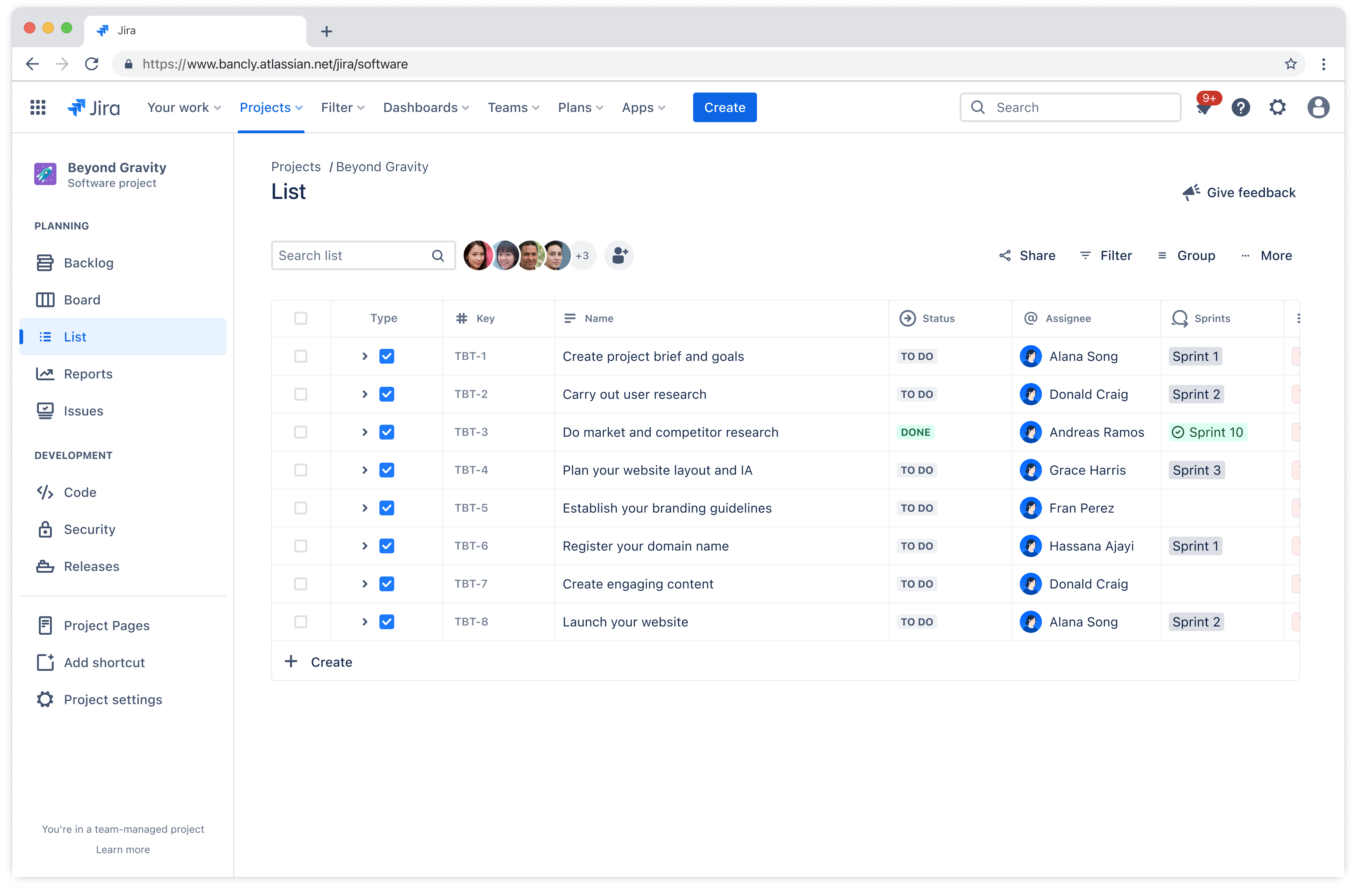
Free SEO audit template
An SEO audit template helps teams evaluate website performance, uncover optimization opportunities, and review technical, content, and UX factors affecting search rankings.
BEST FOR
Marketing
KEY FEATURES
Marketing
Work Management
Goal setting
What is an SEO audit template?
An SEO audit template streamlines how teams assess website health and search performance. It creates consistency across audits, making it easier to compare results and identify trends.
The template helps organize findings, prioritize fixes, and coordinate team efforts around strategic planning or better search visibility.
Why use an SEO audit template?
Using an SEO audit report template turns what could be a scattered review into a focused, systematic process. The template provides a repeatable workflow that teams can follow for every audit cycle, whether that’s quarterly, biannually, or annual planning.
This organized approach ensures teams don’t miss critical issues that hurt rankings or frustrate users.
Beyond just finding problems, a technical SEO audit template helps teams understand the bigger picture. It reveals patterns across pages, highlights which issues deserve immediate attention, and shows how different SEO factors connect.
When everyone follows the same framework, collaboration becomes smoother because team members know exactly where to find information and how to contribute their expertise. The template also supports better work management by turning audit findings into actionable tasks with clear owners and deadlines.
Instead of generating a report that sits unused, the template creates a roadmap that drives real improvements. Teams can track progress, measure results, and demonstrate the impact of their optimization efforts.
What does the SEO audit template include?
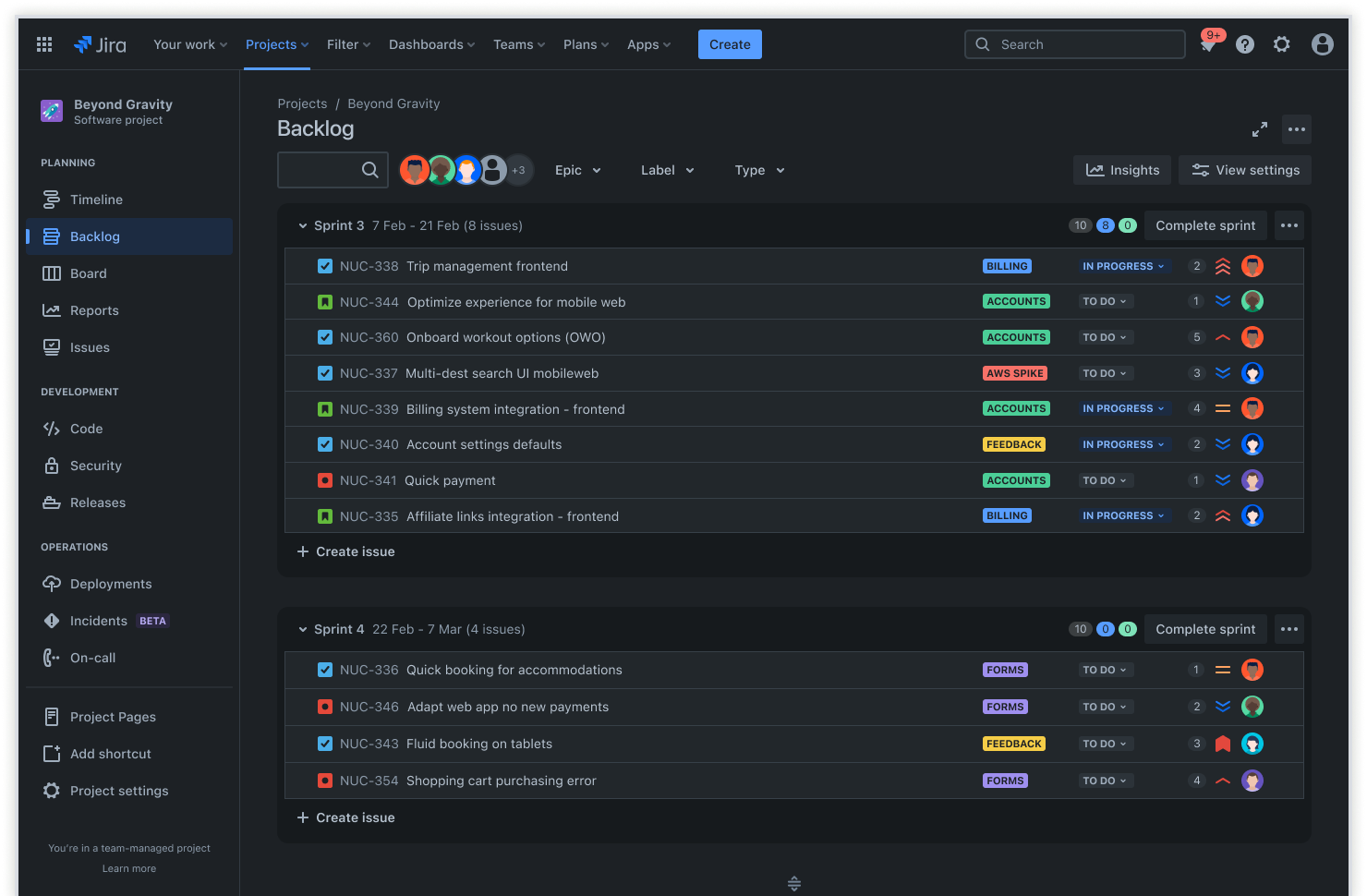
Backlog
The backlog captures all SEO tasks and opportunities in one centralized location where nothing gets lost. Teams can add items as they discover issues during audits, then prioritize them based on potential impact and effort required. This creates a clear roadmap for ongoing optimization that aligns with your marketing strategy.

Kanban board
Tasks move through columns based on their current status, giving everyone visibility into what’s in progress, what’s blocked, and what’s completed. The board allows for smooth collaboration between developers, content creators, and SEO managers.
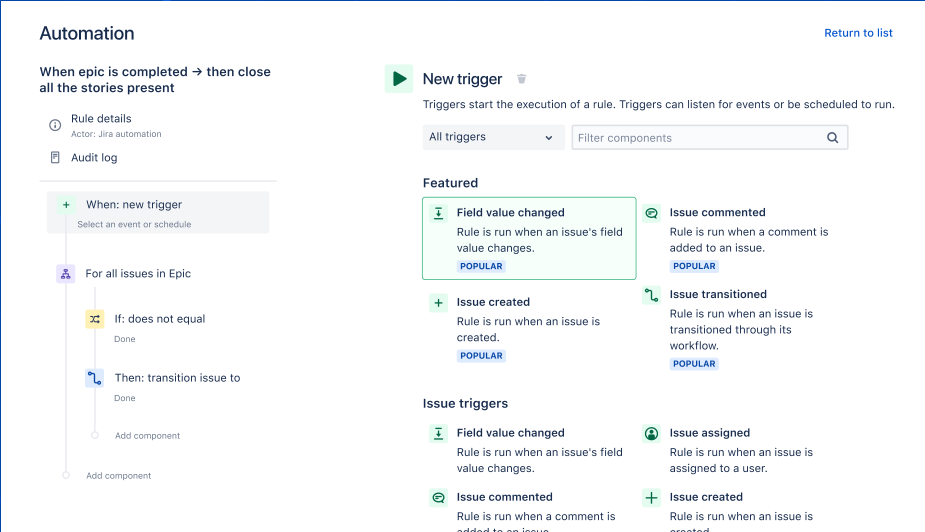
Automation
Built-in automation triggers reminders when tasks sit too long in one status or automatically moves items forward when certain conditions are met. For example, when a page audit is marked complete, automation can notify the developer responsible for implementing fixes.
Atlassian’s Rovo chat agents take automation even further by bringing AI-powered assistance directly into your workflow. Rovo Chat helps teams quickly find keywords or performance data across all their tools and documentation without switching context.
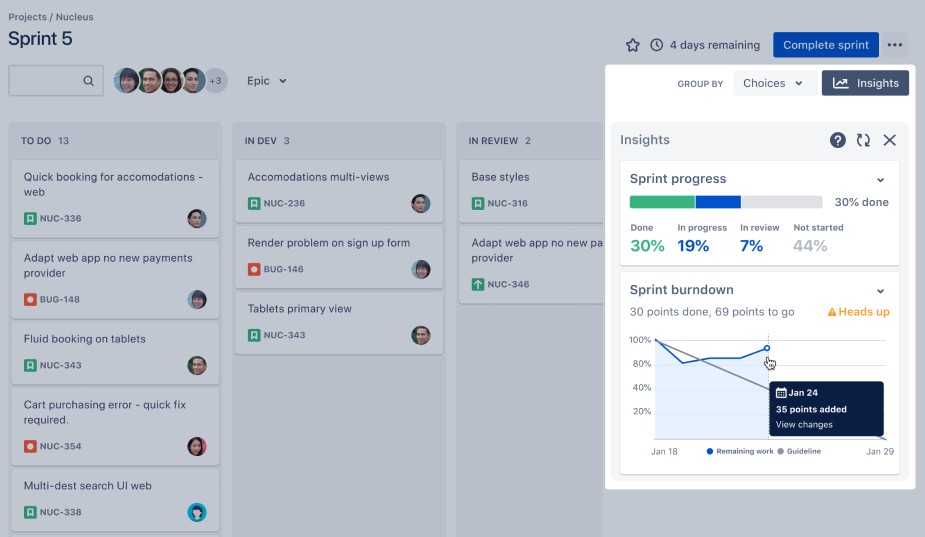
Insights
The insights section displays performance trends across all audited pages, showing which metrics are improving and which need attention. Teams can quickly spot patterns, like a group of pages with similar technical issues or content gaps.
How to get started with the SEO audit template
- 1
Set specific project goals in Jira with Epics and Goals
Create epics for each major SEO objective, such as improving keyword rankings, increasing organic traffic, or enhancing site performance. These epics break down your broader vision into manageable focus areas that teams can rally around.
Use Jira Goals to link these epics to broader business objectives, giving your team a clear direction. This connection between day-to-day tasks and company goals helps everyone understand why their work matters and supports effective goal-setting practices.
- 2
Identify high-priority pages and add them to the backlog as work items
Determine which pages are most critical, like your homepage, product pages, or top-performing blog posts. These pages typically drive the most traffic or conversions, so improving them delivers the greatest return. Consider creating a project timeline to map out when you’ll audit each page.
Create a Jira issue or story for each page and add them to the backlog. Use labels or components to categorize pages by type, traffic potential, or business priority so teams can easily filter and focus on specific segments during the audit.
- 3
Track SEO metrics with custom fields and dashboards
Add custom fields to each work item to record key metrics such as keyword rankings, page speed, crawl errors, and organic sessions. This structured data capture makes it simple to compare pages and measure progress over time.
Build a dashboard in Jira to visualize these metrics across pages and monitor progress over time. The dashboard becomes your central source of truth for SEO performance.
- 4
Analyze pages according to your criteria and record issues as Jira tickets
Review each page for on-page, technical, and off-page SEO factors using a free SEO audit template checklist. Look at elements like title tags, meta descriptions, header structure, internal linking, mobile responsiveness, and page speed.
Document findings like missing metadata, broken links, or slow load times by creating Jira tickets or subtasks. Use checklists or attachments in each issue to keep detailed notes for your team so developers and content creators have all the context they need to implement fixes correctly.
- 5
Prioritize and assign action items using automation
Prioritize SEO tasks by their potential effect on performance and level of effort required, creating an action plan that balances quick wins with longer-term improvements. Some fixes might take 15 minutes but significantly boost rankings, while others require substantial development work for modest gains.
Assign clear action items with owners and deadlines to move improvements forward. Configure automation rules to notify team members, escalate high-priority issues, or update statuses as tasks progress so nothing stalls unnecessarily.
Ready to use this free template?
Explore more templates to supercharge teamwork
Empower everyone, on every team. Build, connect, and deliver your biggest ideas seamlessly across Atlassian apps using our complete collection of ready-made workflows.