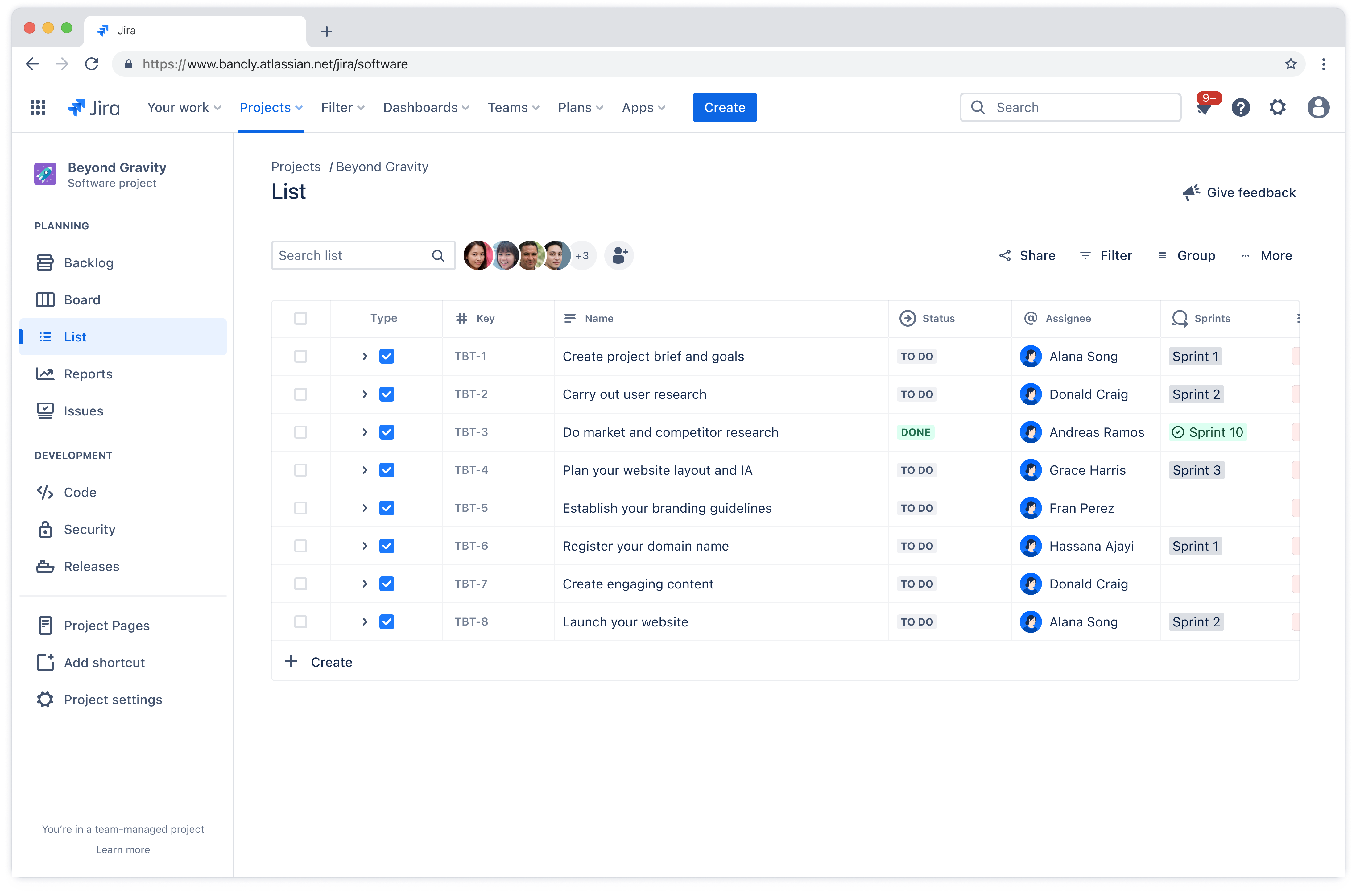
Project list template
Organize tasks, track deadlines, and assign responsibilities in one place. A project list template helps teams manage complex work, reduce miscommunications, and ensure alignment toward project goals.
BEST FOR
Project Management
KEY FEATURES
Project Management
Agile Project Management
Project Planning
What is a project list template?
A project list template is a framework that helps teams document and manage all the work required to complete a project. It ensures everyone on the team understands what needs to be done, who's responsible, and when things are due.
Using a project list template keeps your projects organized, reducing the risk of missing important tasks or letting deadlines slip through the cracks. A well-organized list makes it simple to monitor progress at a glance.
Team leads can quickly identify what's on track, what's behind schedule, and where bottlenecks are forming. This real-time visibility supports better project fast tracking and decision-making, helping teams adjust before small issues become bigger problems.
Benefits of using a project list template
A project list template delivers concrete advantages that make work smoother from day one:
No more reinventing the wheel: Stop building a new task tracking system every time you start a project. The template is ready to go, so you can jump straight into the actual planning process instead of spending hours setting up spreadsheets or debating which tool to use.
New team members get up to speed faster: When someone joins your project halfway through, they don't need a 90-minute walkthrough to understand what's happening. The standardized format means they can look at the list and immediately see what's done, what's in progress, and what's coming next.
One place for everything: No more confusion around where important documentation is stored. Everyone looks at the same list, which means fewer miscommunications and better project collaboration across the board.
Fewer "what's the status?" interruptions: Stakeholders can check progress themselves instead of pulling team members into meetings or firing off Slack messages. Your team spends less time giving updates and more time actually doing the work.
Decisions happen faster: When information is organized and visible, you don't need to wait for someone to compile a status report before making decisions. You can see what's working and what's not, then act on it.
Who should use a project list template?
Project task list templates work for anyone managing work that involves multiple tasks, deadlines, and people. The structure adapts to different team sizes and industries, making it valuable across various contexts.
Project managers: These professionals coordinate multiple workstreams and need a central place to track everything. Templates help them keep stakeholders informed without constant status meetings.
Marketing teams: Campaigns involve many moving parts across different channels. A project list keeps all the pieces organized from planning through execution.
Software development teams: These teams use templates to track features, bug fixes, and technical debt. The structure helps prioritize what to build next and keeps sprints organized.
Operations teams: Templates help standardize processes across different initiatives. This consistency makes it easier to onboard new team members and maintain quality.
The template scales to fit projects of any size, from a two-week sprint to a year-long initiative.
Types of project list templates
Different teams work in different ways, so various project list template styles have emerged to match those preferences. These include:
Simple to-do lists: These basic templates center on tasks and completion status. They work well for straightforward projects where the main goal is making sure nothing gets forgotten.
Detailed checklists: These include additional fields like priority levels, task dependencies, and notes. Teams that need more context around each task appreciate the extra detail.
Sprint backlogs: These templates organize work into sprints and stories, making them ideal for development teams using iterative approaches. They emphasize flexibility and regular reprioritization, which is essential for agile project management.
Milestone trackers: These focus on deliverables and milestones rather than individual tasks. They're useful for keeping projects aligned with original goals and preventing project scope creep.
Phase-based templates: These break larger initiatives into phases with clear owners and timelines. They work well when you need to show how different workstreams connect, functioning as an action plan that guides execution.
Each template type fits different team needs and workflows. Some teams prefer minimal templates they can customize, while others want comprehensive structures with built-in time management features.
What does the project list template include?

Customizable workflows
Workflows can be adapted to match exactly how your team operates. Whether you follow a linear process or need something more flexible, the project list template adjusts to your workflow rather than forcing you into a rigid structure.
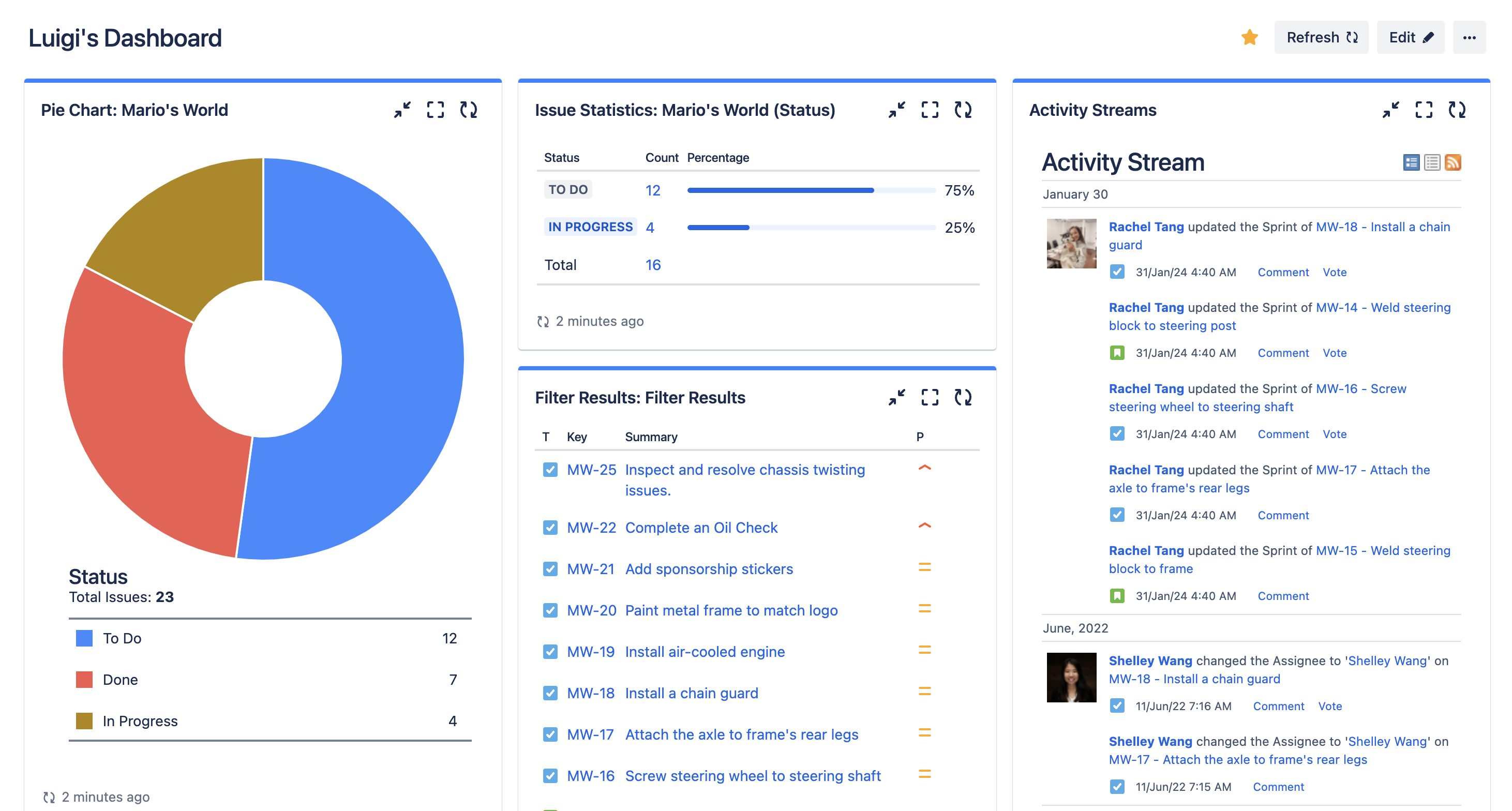
Dashboards
Dashboards provide a high-level view of how work is progressing across all your projects. Leaders and stakeholders can quickly understand status, identify risks, and see where resources are being spent. Instead of requesting updates from individual team members, everyone can check the dashboard and access the latest information instantly.

Backlog
The backlog is where future work lives until you're ready to tackle it. It helps teams capture ideas and requests without cluttering the active project list. When it's time to plan the next phase, the backlog makes it easy to review options and prioritize what should move forward based on current goals and capacity.
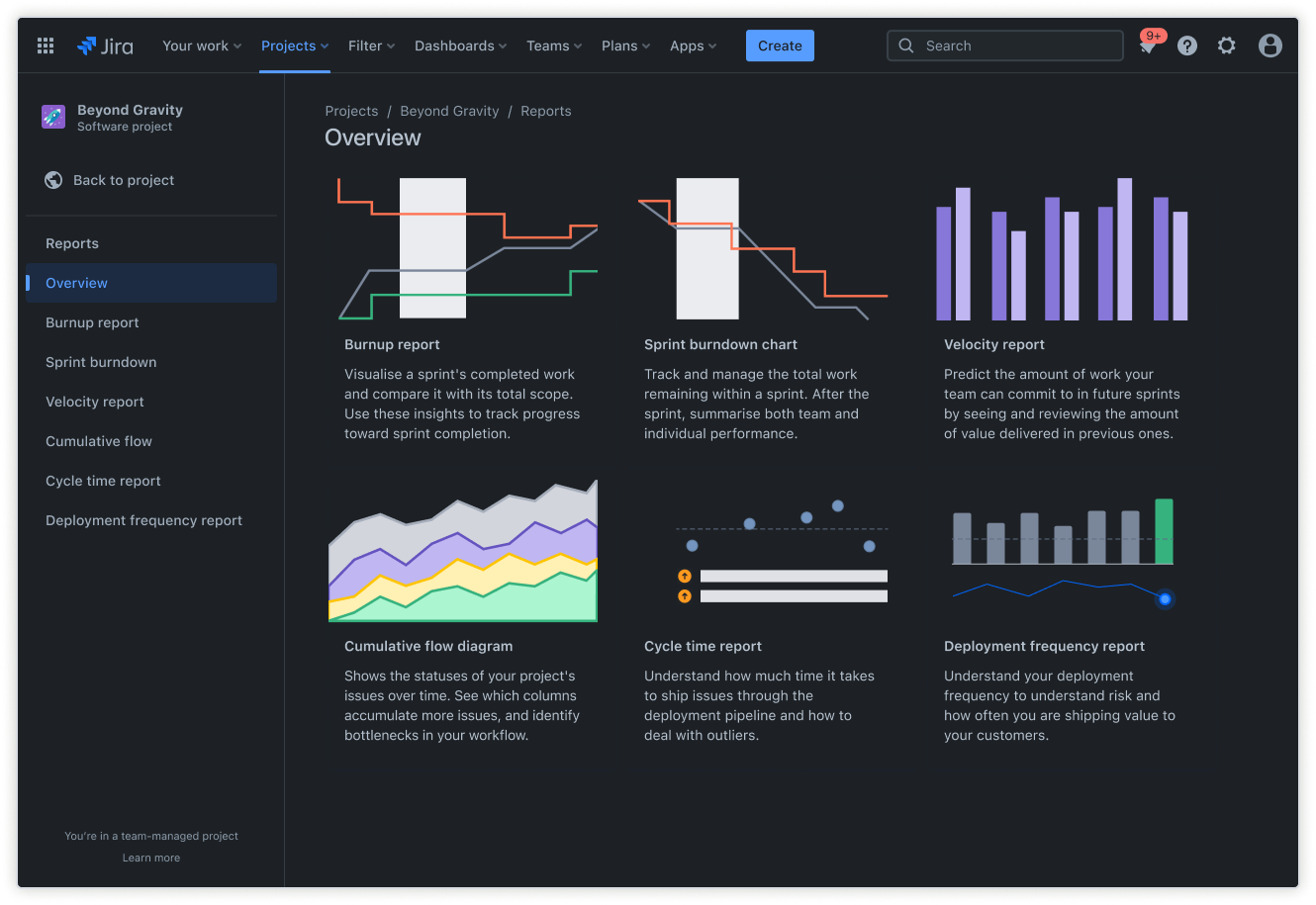
Reports
Reports offer insights into performance, timelines, and what's blocking progress. They help you spot patterns like tasks that consistently take longer than expected or team members who might be overloaded. This data supports better planning and more realistic project timeline estimates for future work.
How to get started with the project list template
- 1
Define your project name, key details, and project lead
Naming your project and designating a lead clarifies ownership and purpose. Documenting key details upfront ensures the team understands the goal, scope, and success criteria.
- 2
Configure task categories and map out the workflow stages
Break work into logical categories that make sense for how your team operates in your project to-do list template. Set up workflow stages that reflect the actual path tasks take from start to completion. This might be as simple as "To Do," "In Progress," and "Done," or it might include additional stages like "Review" or "Blocked," depending on your process.
- 3
Assign each task to a team member and set due dates
Assigning clear owners for each task ensures everyone knows their responsibilities. Due dates create urgency and help sequence work properly. When tasks have both an owner and a deadline, accountability increases and work moves more predictably through your workflow.
- 4
Organize the list with labels, priorities, and custom fields
Use labels to categorize tasks by theme, client, or any other dimension that helps with filtering and reporting. Priority flags help team members focus on what matters most when they have competing demands. Custom fields let you track project-specific information like budget, client name, or technical dependencies.
- 5
Track progress and share updates to keep stakeholders aligned
Monitor progress regularly using dashboards or reports to catch issues early. Share updates proactively so stakeholders don't need to ask for status. This transparency builds trust and ensures everyone stays aligned as the project evolves. Regular communication through your paid or free project management software keeps work visible and reduces the need for status meetings.
Ready to use this free template?
Explore more templates to supercharge teamwork
Empower everyone, on every team. Build, connect, and deliver your biggest ideas seamlessly across Atlassian apps using our complete collection of ready-made workflows.