We’ve all been there – toggling between six tabs, copying content from one tool into another, and wondering if anyone actually read the brief. The promise of AI was supposed to fix this. Instead, most teams got a chatbot bolted onto the side of their screen.
We think AI should work the way a great teammate does: show up where the work happens, understand what’s going on, and actually move things forward. Not from a separate window. Not after a five-paragraph prompt. Right there, in the project, on the page, inside the ticket.
That’s what we’re shipping. At Team ’26 in Anaheim, we’re introducing a wave of updates across Jira, Confluence, Loom, and Rovo that put AI agents and your team on the same page — literally. Ideas flow to execution, agents pull context from your actual projects, and the line between “human work” and “AI work” starts to disappear.
Let’s get into it.
Put your AI tools to work
Agents don’t sit in chat or separate side tools – they live in Jira, with the same context your teammates have.
Agents in Jira (now generally available) take ownership of tasks, such as assigning issues or updating the code in a Jira bug. Agents pull context directly from your work items, whether they’re assigned, @mentioned in comments, or automatically tapped in when work moves into a designated status. Atlassian’s first-party Studio agents work alongside third-party tools your team already relies on, such as: Amplitude, Canva, Cursor, Figma, Gamma, GitHub Copilot, and more.
Every agent action is logged in Jira with a full audit trail. Admins control which agents run and where. Your team picks the right agent for the job. Agents and teammates work from the same Jira space, moving work forward together. Together, that’s the foundation of an AI-native organization: agents that take real ownership of work, with the same accountability, visibility, and guardrails as the rest of your team.
And agents don’t stop at Jira. Third-Party Agents in Confluence (now available in open beta) let you @mention an agent in a Confluence page the same way you’d tag a teammate. Agents from Lovable, Replit, Databricks, and Gamma read the page context and take action across your connected tools. Ideas move from doc to outcome without leaving the source of truth.
Make your content more visual and consumable
Let’s be honest, nobody wants to read a wall of text. Teams pour hours into writing up decisions, plans, and research, and then half the audience skims past it. The information is there. It’s just trapped in the wrong format. Remix with Rovo (now available in beta) changes what you can do with text-based content that you’ve already written.
Here’s how it works: select any content on a Confluence page and transform it into a chart, timeline, infographic, geo map, org chart, quadrant, or flip card, without touching your original source of content. Remix with Rovo then turns your written content into a visual format, all based on your Confluence page. Confluence pages that include visual elements are nearly 2x as likely to be read by a wider audience compared to pages without. Remix with Rovo makes that accessible without the help of a designer or an extra tool.
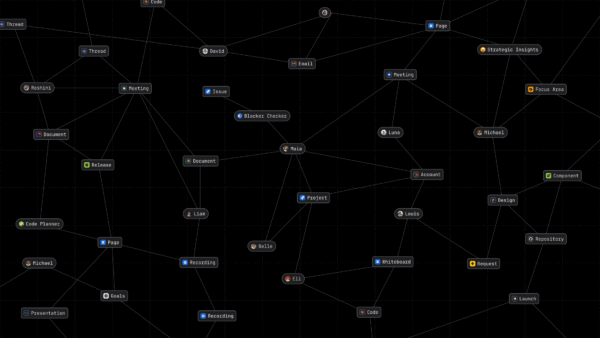
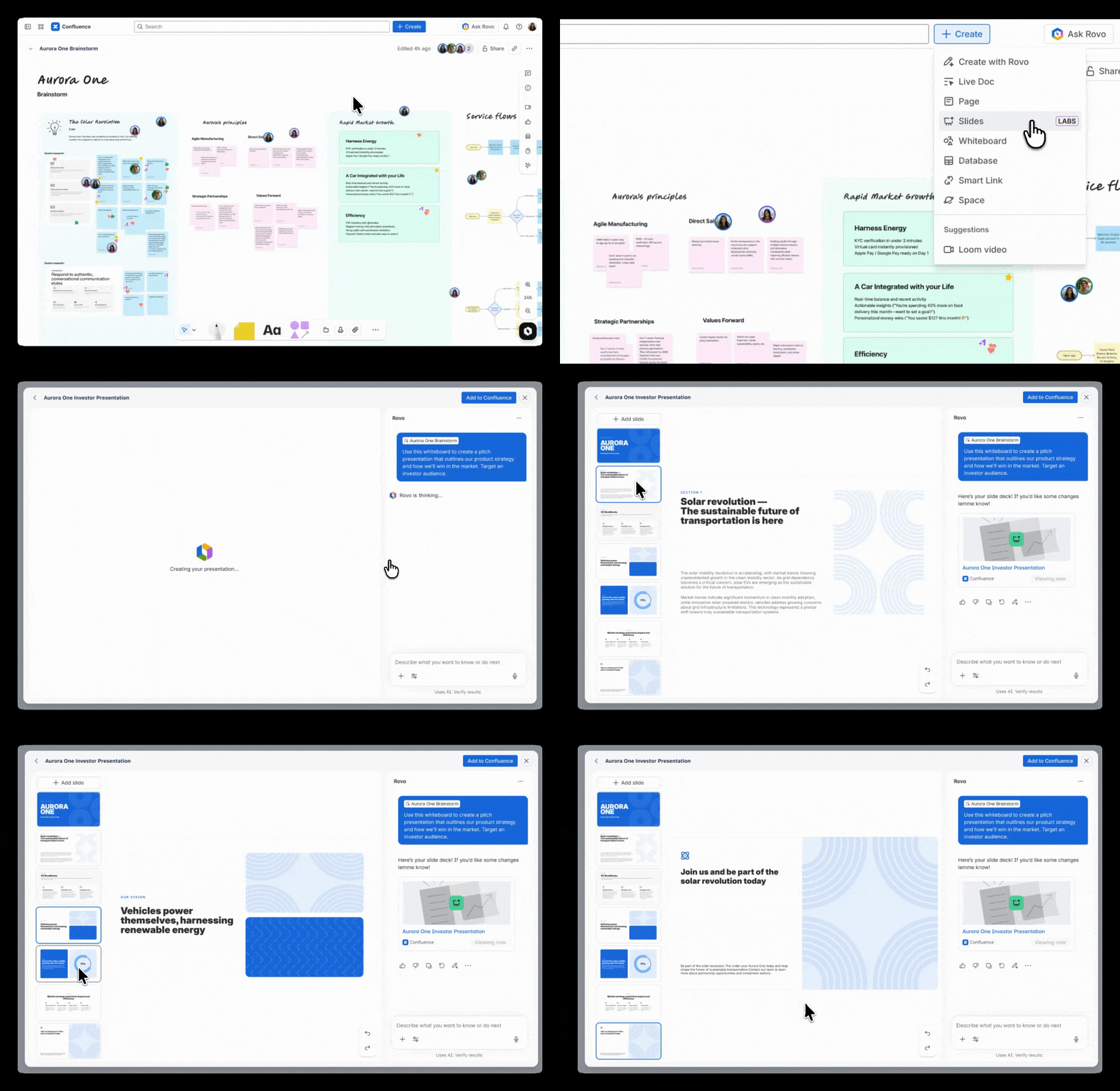
With Confluence slides (available in beta this month), teams can now create AI‑generated presentations in seconds. This feature sits on top of the Teamwork Graph – Atlassian’s map of how your teams actually work – enabling Rovo to pull context from across Atlassian apps ensuring your final product has all of the relevant context included. To create context-rich slides grounded in your team’s work, simply ask Rovo to create or edit your slides, and Rovo does the rest – determining slide structure, creating content, and even building visualizations like charts and graphs. You’ll also be able to present your slides directly in Confluence without switching to another tool, helping you share knowledge, collaborate, and align teams all within Confluence.
When it’s time to move from planning to doing, Create with Rovo in Jira closes the loop (now available in beta). Turn your Confluence docs, meeting summaries, and email threads into structured Jira work items automatically — helping teams start up to 30% faster with less coordination overhead. Rovo can then generate work items, write status updates, and break large bodies of work into smaller tasks, all from inside Jira.
Brief AI agents with Loom, and fix bugs faster
Written prompts lose context. Agent briefings in Loom (coming soon) let you talk to agents the way you’d talk to a teammate: by showing them exactly what you mean.
Record a walkthrough of your requirements, designs, or feedback. What you say, show, and click gets captured as multimodal input and translated into a structured prompt that agents can act on. From there, Loom generates a suggested action plan that can be turned into Jira work items in one click. Teams already use Loom to brief each other. Now they can brief agents the same way.
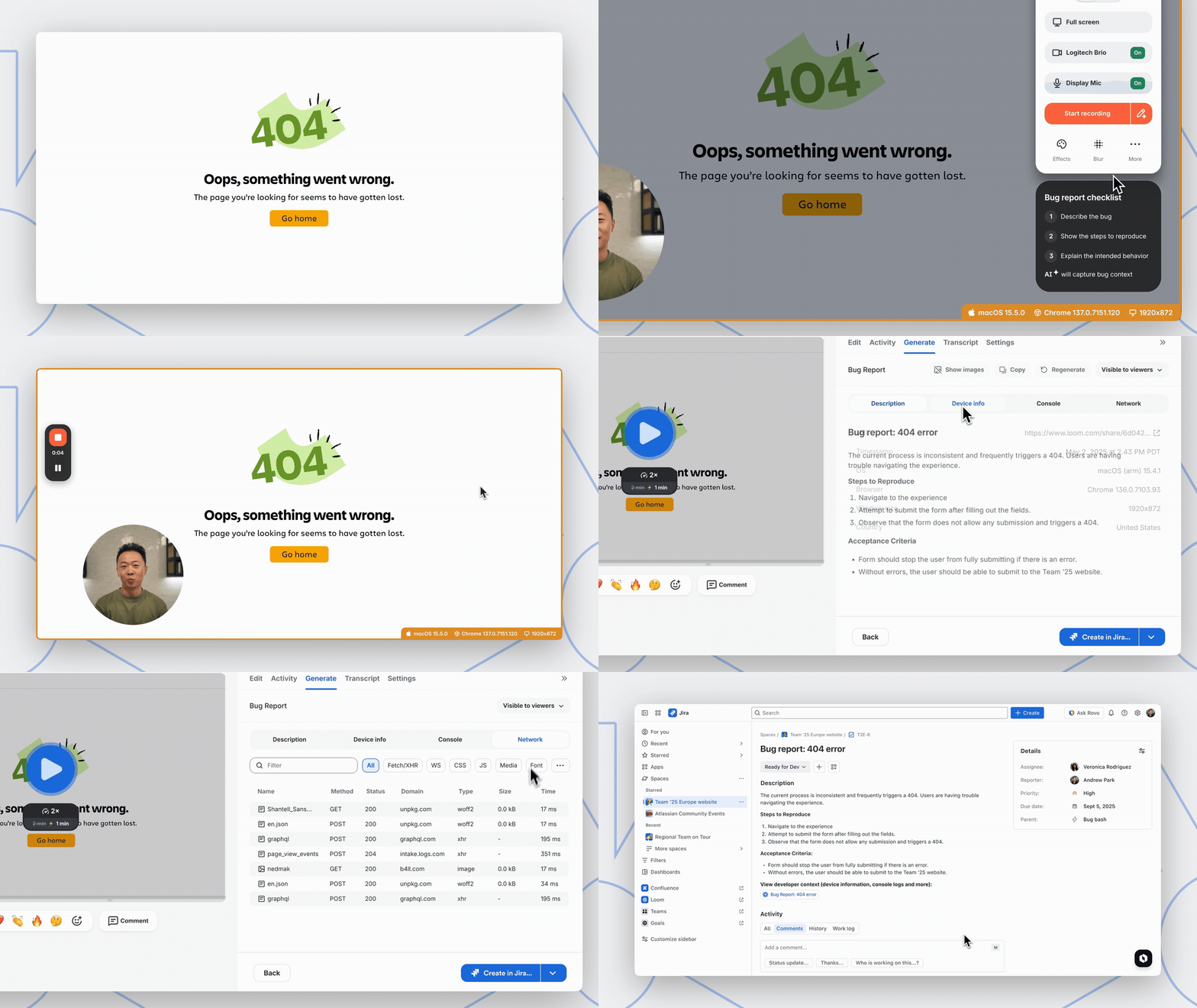
That same “show don’t tell” power extends to bug reporting. Bug reporting with Loom and Jira (now generally available) means anyone can file a dev-ready bug report in seconds. Record a Loom with the Dia or Chrome extension to capture device info, console logs, and network data in the background. Loom packages up this rich developer context in a Jira ticket that can be assigned to Rovo Dev to automatically draft a fix. Whether you’re briefing an agent on a new feature or flagging a bug, Loom gives you the fastest path from observation to action.
Try Teamwork Collection today
Every announcement here works better because Jira, Confluence, and Loom share the same foundation via the Teamwork Graph. Agents assigned in Jira get context from Loom recordings. Bug reports become complete tickets Rovo Dev can act on. Remix turns a page into a presentation. A Loom becomes a brief that generates structured work.
We can’t wait to see what you build with them.
Explore more from Team ’26
These Teamwork Collection features were unveiled at our annual user conference, Team ’26 Anaheim, alongside several other exciting announcements. Dive deeper into what’s new with our live-streamed and on-demand sessions.