🎉 Teamwork Graph CLI is now GA!
Since Open Beta, we’ve introduced OAuth support, audit logs, granular scope controls, admin self-serve, expanded command coverage, and usability improvements so organizations can adopt Teamwork Graph CLI at scale. Learn how Teamwork Graph reimagines how enterprise AI is done, getting you better answers with fewer tokens.
AI agents are only as good as what they know. Right now, most don’t know enough.
Not because the AI is broken, but because the data is. Information is scattered across tools, siloed by department, stripped of the human context that makes it useful. Agents guess. They hallucinate. Teams splinter around different versions of the truth.
Context isn’t a file or a ticket. It’s the space in between: why a decision was made, who owns it now, what broke last time. That’s where Atlassian tools come in.
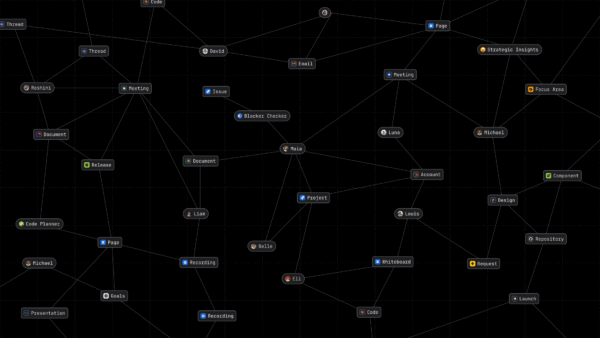
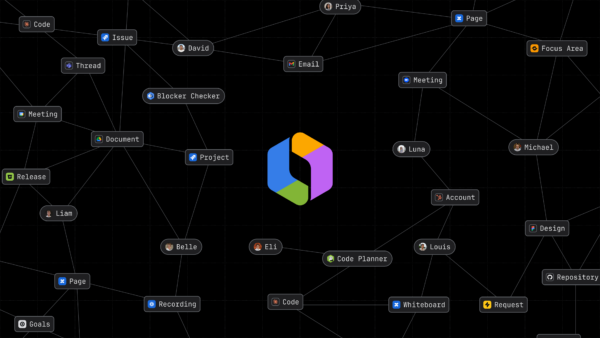
The Teamwork Graph connects those dots, stitching together people, goals, code, and content across Atlassian and other connected SaaS apps. It becomes your enterprise’s living map of how work actually happens.
That graph now holds over 150 billion objects and relationship, and every Jira update, every pasted link, and every connected tool compounds the context your AI can reach.
By mapping these connections before AI starts reasoning, the Teamwork Graph gives your agents the precision of a teammate who’s been there since day one.
What’s new: your context, everywhere
Today, Teamwork Graph will become accessible across your favorite agents—whether you’re in a browser, a mobile app, or a terminal. Every AI tool your team uses can now run on the collective context you’ve already built.
Context is the difference between AI that guesses and AI that knows. Per our benchmarks, grounding responses in Teamwork Graph data delivered 44% more accurate results while using 48% fewer tokens. Translation: faster, cheaper, and more trustworthy answers across the board.
Here are the key updates helping you extend, explore, and experience the Teamwork Graph.
1. Bringing Teamwork Graph to the Developer
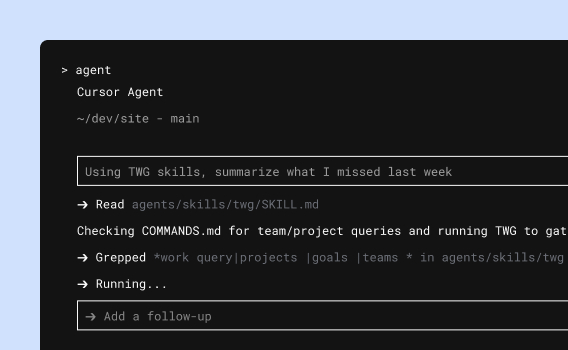
Introducing the Teamwork Graph CLI (Open Beta).
Live in the terminal? We’ve got you covered.
We think every AI tool your teams use should benefit from that context, not just ours. That’s why we’re releasing the Teamwork Graph CLI to let developers pipe graph context directly into any AI tool, agent, or workflow they’re building.
The Teamwork Graph CLI gives coding agents like Claude Code and Cursor a unified way to query work and relationships without stitching together data from individual product APIs.
With over 300 available commands, Teamwork Graph CLI gets your most technical users fast, structured access to everything that’s happening, while admins retain tight control over scopes and permissions.
What’s possible:
- Explore: Browse entities (people, projects, issues) and freshness signals across 3P platforms.
- Query: Run parameterized lookups, such as “Who are the owners of this decision?” or “Show related work across all apps.”
- Operationalize: Bake graph queries directly into your CI/CD pipelines, incident runbooks, or governance scripts, so agents (and humans) can reason over consistent context.
Learn more here.
The CLI isn’t read-only. Developers can use it to write and update the graph too, creating relationships, updating work items, and pushing context back from whatever tool or agent they’re building.
The same is true for MCP: AI tools connected through MCP can take action, not just answer questions.
2. Bringing Teamwork Graph to every knowledge worker
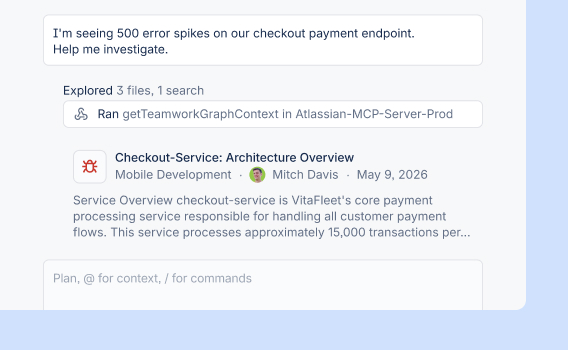
Introducing Teamwork Graph tools in Rovo MCP Server (Open Beta).
Any AI assistant that speaks to MCP can now speak Teamwork Graph.
The Rovo MCP Server gives users and their agents access to data from any platform—like Claude Cowork or ChatGPT. Translation: agents actively update your ecosystem—not just extract from it.
You might think that these MCP and CLI integrations sounds like what have been called “headless apps” (software operating through APIs and AI rather than a UI). You’d be right. While others are talking about getting there someday, the Teamwork Graph already supports it: any tool, any agent, any workflow can both read and act on your organization’s work, programmatically, at scale.
What’s possible:
- Incident response with history: Incident agents get a unified view of related Jira issues, deployments, and past remediation steps for faster triage, and richer, evidence‑backed remediation advice.
- Smart notifications: Agents can automatically identify the true owners of a project as work changes, not just static watchers.
- Authoritative retrieval: Assistants navigate relationships across Confluence and Jira to surface the single sources of truth, rather than just relevant pages.
Learn more here.
3. Bring in your own data.
Your data. Your graph. Your AI.
The Teamwork Graph already connects to many popular SaaS applications via built-in connectors. But for many enterprises, the most critical data lives in proprietary, industry-specific systems that no vendor can build a pre-packaged connector for.
That’s why Teamwork Graph Connectors are now generally available via Forge, Atlassian’s cloud development platform. Customers and partners can now build their own connectors to bring data from any source—internal tools, legacy systems, industry-specific platforms—into the Teamwork Graph, with permissions intact. Once it’s in, that data automatically lights up across Rovo and Atlassian Analytics.
What’s possible:
- Connect any system: Bring data from proprietary, legacy, or industry-specific platforms into the graph via custom Forge connectors—no pre-built integration required.
- Preserve permissions: Data enters the graph with its access controls intact, so AI respects who can see what.
- Light up AI automatically: Once connected, your data powers Rovo agents and Atlassian Analytics without additional configuration.
Mercedes-Benz is already showing what this can unlock. By building custom Forge connectors for their specialized automotive systems—defect management, requirements traceability, release workflows—they’ve connected defects to requirements to test cases, components to vehicle models, and engineering discussions to the decisions they produce.
The results: a 90% improvement in defect intake quality, 85% faster duplicate detection, and 10x faster software delivery.
This is the Teamwork Graph’s deepest promise: becoming the connective tissue for your entire operation, no matter how specialized your stack.

“Rovo is providing our team members with the right data exactly when they need it. Having agents find, connect, and act on information from across our Atlassian platform is a great enabler.”
4. Clearer Signals of Graph Intelligence
Users want to know when (and where) the graph is working for them.
We’re unveiling new in-product visuals and “expressions” that highlight exactly where the Teamwork Graph is adding value:
- Related work: Instantly see connected issues, pages, and runbooks across apps, so teams spend less time searching and more time solving.
- People signals: The right owners and recent contributors are surfaced inline, making it faster to figure out who can help.
- Decision trails: Upstream and downstream dependencies highlighted during changes, giving teams confidence that nothing falls through the cracks.
These expressions show up across Jira, Confluence, Loom, and Rovo experiences, so agents and humans are always working off of the same data.
WHat’s possible:
- Connected context: It no longer matters which platforms you work on; you can now benefit from the connected context of the Atlassian platform. The teams that solve the “context gap” first will move faster and get the most out of their AI investment—and we’re here to support them.
- Material improvements. That 44% accuracy gain we mentioned? This is where it comes from. When an agent has the Teamwork Graph as its context layer, instead of scavenging each product one by one, you get substantially better results.
You asked for a way to see your data in action. Introducing TeamworkGraph.com, the new destination to explore what your Teamwork Graph knows—and make it smarter.
See who you collaborate with most. Visualize the relationships between people, projects, and tools without writing a line of code. Get proactive recommendations on connecting more data sources to sharpen your AI’s precision.
The Teamwork Graph grounds your AI in:
- Context: Connecting people, priorities, code, incidents, docs, designs, and decisions across all apps.
- Trust: First-class permissions so you can always find the source behind an AI’s action.
- Orchestration: Moving beyond summarization to taking action in Jira, Confluence, Bitbucket, and partner tools via MCP.
Get Started
The Teamwork Graph is available for you to use in any tool you like. Try live examples, download the CLI to inspect your objects, and connect your agents via MCP to start building.
Explore more at Team ’26
These new updates were unveiled at our annual user conference, Team ‘26, alongside several other awesome announcements. To dig deeper, explore our live-streamed and on-demand sessions on your own schedule.