Teams of all stripes have run billions of cross‑functional, multi‑tool workflows on Atlassian. After decades spent helping them plan, build, ship, and do, those same workflows are now lighting up with millions of agentic automations, up 7x in the last six months alone.
All signals point to the rise of the AI‑native organization, where humans operate at critical junctures, deciding what matters and why, and agents do more of the execution. Our belief is clear: what will separate these organizations isn’t the latest frontier model, but the context their people and agents can tap to take autonomous action and coordinate across teams.
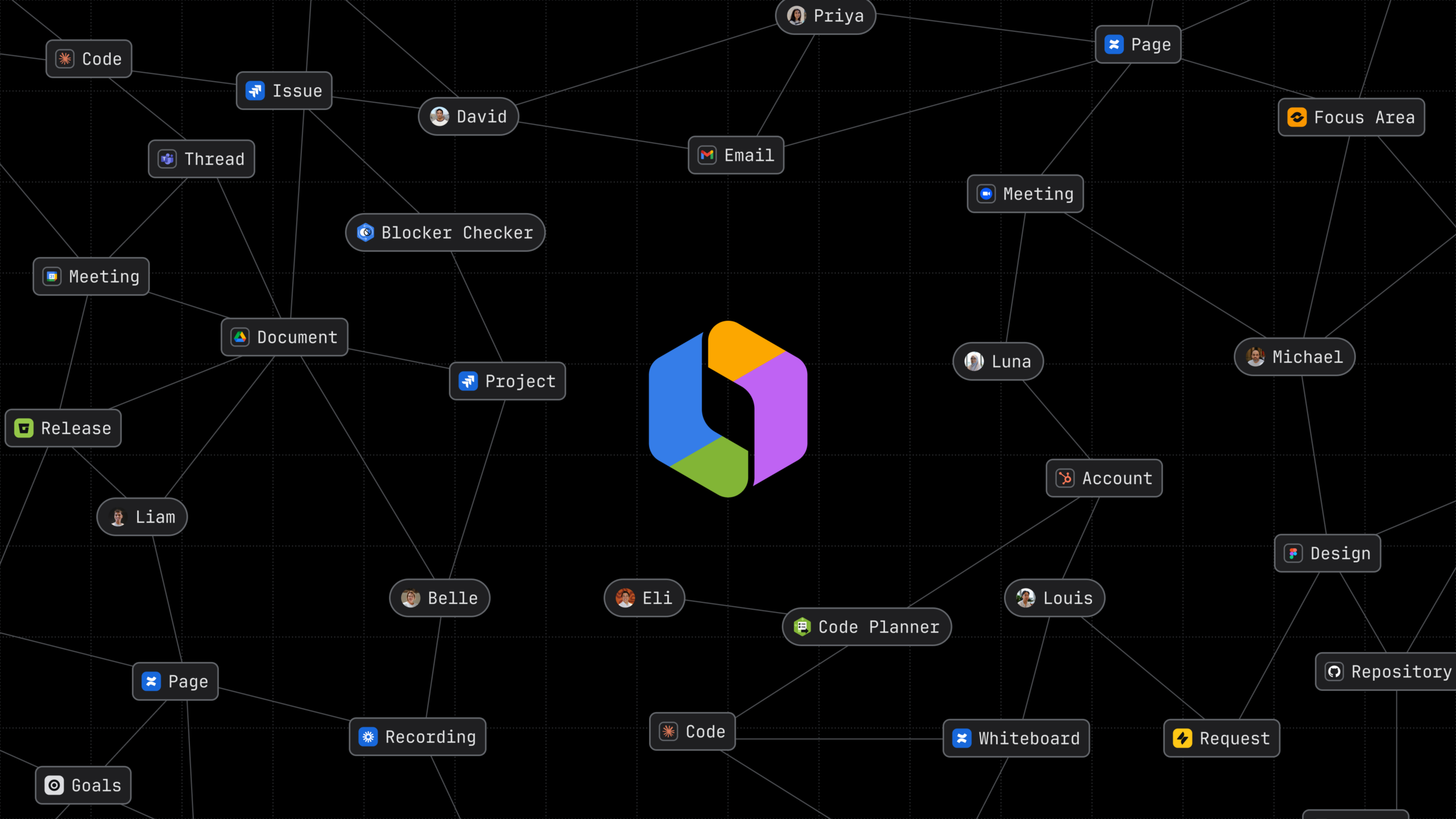
The best part? Atlassian customers are already sitting on one of the richest, most connected context graphs in the entire world. No, seriously! We call it Teamwork Graph: a living, evolving map of how work gets done across your teams, tools, goals, and decisions.
This graph is so powerful it has over 150 billion connections. And the longer you use it, the smarter it becomes, transforming years of Jira history, Confluence decision‑making, and signals from Atlassian and connected SaaS apps across your stack into unparalleled organizational context.

“Rovo and Atlassian’s Teamwork Graph are the connective spine – pulling together Jira, Confluence, JSM, Slack, email, and more – so agents can reason across all of it. That’s what takes us from AI hovering at the edges to AI embedded in the core of how the organization operates.”
From “answer this” to “take this on”
Rovo is where the Teamwork Graph rubber meets the road of your work. Every day, teams use it for everything from quick answers to complex workflows, racking up more than 14 million Rovo‑assisted actions just last month. Now, we’re putting even more power in your hands, making it easier to design those workflows yourself and tackle the complex, multi-step work behind them.

Rovo meets you everywhere across Atlassian apps, collections, and beyond. At its core, it’s built to help you:
- Find and act: Rovo Search reshapes around your intent and the app you’re in, pulling live context from every connected tool on Atlassian and beyond so you can jump straight from “what’s going on?” to “what should we do next?”
- Think and delegate: Rovo Chat that doesn’t just answer questions, it plans and executes multi‑step workflows across your stack. It takes on delegated work like a champ, and always knows exactly when to loop you back in.
- Build and ship: Rovo Studio lets anyone put AI to work, turning any problem into a governed agent, automation, or app, grounded in your team’s real context and ready to run across your stack. No code, no IT ticket, no shadow AI.
- Show up and stand out: It runs in the browser, on mobile, on desktop, through CLI and MCP, fitting itself to the surface and the moment.
All powered by the indomitable Teamwork Graph, which gives every AI action the full story behind your work.
“Rovo reduces noise, enables self-service, and helps teams find blind spots earlier. It sees our entire Teamwork Graph, searches our collective knowledge, helping us surface broader connections, reduce mundane work, and automate intelligently.”
The new Rovo Studio building experience, now generally available, is an enterprise-grade unified workspace where anyone (not just power users or engineering) can shape how the work runs and turn their ideas into agents, automations, and apps that plug straight into the Teamwork Graph.
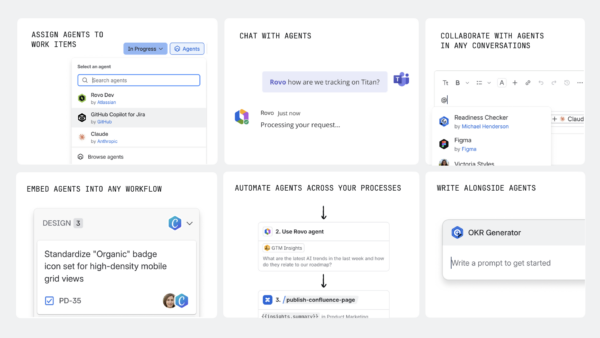
Rovo Studio lets the people closest to the work:
- Build agentic workflows. Just tell Studio what you need, and it assembles the right agents, automations, and views to make it real—no code, no stitching tools together by hand.
- Wire in automations, not just prompts. Now, everyone can trigger agents when the real world moves (a new hire joins, a Sev‑1 opens, a big deal advances) and have them coordinate work end‑to‑end across Jira, Confluence, service portals, and chat.
- Create custom apps. Describe the app you want and Studio scaffolds, previews, and turns your description into a proper Forge app that’s ready to publish.
- Get built-in governance. Roles, approvals, versioning, and insights are built in, so everything ships governed, auditable, and free from shadow AI.
“I created a Digital Transformation Update Agent in Rovo that generates my weekly reports from Jira and our Google Sheets. It gets me about 60–70% of the way there, and then I refine it. The structure it provides has been a great partner in my work.”
Now, we’re taking the next step with Max, a new reasoning mode in Rovo Chat that breaks down complex tasks into multi-step action plans, completes them autonomously, and shares outputs the whole team can build on. Coming soon in early access, Max mode:
- Builds a plan, not just a reply. It breaks your request into concrete steps, pulling statuses from Jira, decisions from Confluence, customer signals from support queues, and more from across your stack. Say goodbye to micromanagement, just hand off work and get real outcomes.
- Runs the workflow across your tools. In the background, Rovo creates the assets your team needs: it drafts the doc and slide deck, creates or updates Jira work items, pings your teammates with next steps, and even finds time on calendars. Meanwhile, you stay focused on decisions, priorities, and the work that actually needs you.
- Keeps you in the loop by design. Rovo asks for clarification where it matters, gives you the plan to review and approve, and always shows its work. If something in the workflow breaks, Rovo first tries to resolve it on its own and then loops you back in, like the sharp teammate you trust to run with things and still know when to check in.
Agents and context in every corner of modern work
You’ve spent years building your Teamwork Graph with every ticket filed, every page edited, and every decision made. That collective context is what makes AI actually useful at work. It simply can’t be replicated, so we’re opening it up.
Teamwork Graph tools in Rovo MCP Server
Through new Teamwork Graph tools in Rovo MCP Server and the Teamwork Graph CLI, we’re putting your graph behind any agent, in any app. That means you get to choose the best agent for the job, whether that’s inside Atlassian or in the other tools your teams rely on, and give it the full picture as if it’s attended every meeting and read every page. And because each action feeds back into the graph, your agents build context that makes the whole team sharper over time.
“We built a highly tailored sales support Rovo agent in Slack, and the results were clear. Rovo answered 95% of questions in the channel, and our clean deflection rate increased from 40% to 53%. That gave us measurable impact, not just anecdotal value.”
Go big on AI, govern with confidence
As agents scale across your organization, governance is just as important as capabilities. At Team ’26, we’re giving you everything you need to move fast with trust:
- See every agent in one place. New org‑wide agent lists and insights give admins a live inventory of who built what, where it’s running, and how often it’s being used.
- Control who can build and who can run. Separate AI access from agent‑building permissions so you can open up usage broadly without inviting agent sprawl behind the scenes.
- Put guardrails around data, not just prompts. Tighten policies for what third‑party data Rovo can ingest, how chats are filtered, and where AI features are enabled across your Atlassian products.
- See how AI is used: Give admins a clear picture of AI adoption, credit usage, and activity across Atlassian with new insights, dashboards, and audit logs.
- Keep everything under one roof. The same admin surfaces you already use to manage Atlassian are where you configure Rovo controls, from data residency and Atlassian-hosted LLM choices to AI access permissions and agent policies.
That combination is why more than 90% of our enterprise cloud customers are using Rovo. You can move fast with AI knowing your data is protected, your agents are visible, and you stay in control.
“We’re picky about AI. What convinced us was Atlassian’s focus on secure, governed agents and their willingness to build alongside us. That’s why we trust Rovo in our System of Work.”
Ready to go AI-native?
You already have the ingredients: work structured in Jira, decisions in Confluence, and the Teamwork Graph tying it all together across your whole stack. Rovo turns that context into something AI can search, reason, and act on across your organization.
The only question left is: which workflow will you hand to Rovo first?
Explore more at Team ’26
These new updates were unveiled at our annual user conference, Team ‘26, alongside several other awesome announcements. To dig deeper, explore our live-streamed and on-demand sessions on your own schedule.