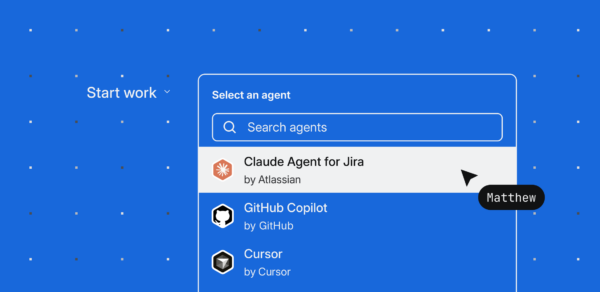
Starting today, Jira teams can assign work directly to Cursor, where a cloud agent will pick it up and begin working.
You can steer agents directly from Jira, your IDE, or Cursor on the web. When Cursor needs input or is ready for review, it will notify you in Jira. When it opens a pull request, it will be automatically linked back to Jira.
Based on a multi-year DX study of AI usage and engineering throughput, we’ve seen developer velocity failing to keep pace with model capability because agents lack context. The respondents cite things like context switching, planning, alignment, bug triage, and review as primary friction points outside of their IDE.
Now, Atlassian is enabling AI-native workflows right from Jira for any engineering team using Cursor.

“The question we’re asking isn’t how do we get engineers to use more AI. It’s how do we build a system where humans and agents are working from the same context, toward the same goals. Assigning work directly to Cursor from Jira, with all that rich context, is a meaningful step towards being able to orchestrate agents effectively at scale.”
Intent to action with Cursor in Jira:
- Trigger agents directly from Jira: Assign a work item to @Cursor or mention @Cursor in a comment to start a new agent session for the task at hand.
- Automate workflows: Create rules that automatically assign certain tasks to Cursor, helping you tackle repetitive work and improve code quality.
- Enable the whole team to make changes: Any team member can use Cursor to start tasks and open a pull request, without needing to set up a local dev environment.
- Work with rich context: Use Rovo to enrich your task with context from across Atlassian’s Teamwork Graph, then assign to Cursor so it has more context with less manual effort.
- Enable spec-driven development flows: Automatically sync agent-readable specs with collaboration documents in Confluence, and work items, plans, and goals
“We’re seeing teams ship the fastest when they give their agents as much context as possible. Jira is where work is defined, and engineers build in Cursor. Now that context can easily be shared, with Jira as the orchestration layer connecting all of it.”
All context. No switch. Update Jira directly from Cursor.
Atlassian holds the full context of work: issues, linked specs, dependencies, decisions, and the teams working on all of it.
Now, local agents can access that context directly within the terminal, browser, or app with Atlassian’s Teamwork Graph CLI or the Rovo MCP.
With a simple command, engineers in Cursor can update work items, tag teammates for review, surface Confluence specs and decisions attached to their work, check release status and dependencies, and more. The Teamwork Graph from Atlassian provides a live, intelligent map of your organization’s people, work, and knowledge. It gives coding agents the precise context they need to deliver more accurate results with fewer tokens. In our internal testing, agents that leverage Teamwork Graph context achieved a 44% improvement in answer quality and used 48% fewer tokens.
“With Atlassian’s Teamwork Graph CLI, developers have full project context—issues, dependencies, Confluence pages—right inside Cursor. With Cursor in Jira, anyone on the team can go from a ticket to a merge-ready PR without switching tools. This partnership connects your planning tools with your coding agents so they share the same context. Our shared customers tell us it’s fundamentally changing the first hour of every task and allowing them to ship faster.”
Teams can keep Jira work items and Confluence documentation up to date directly from Cursor. This turns single-player AI software development into a multiplayer workflow grounded in the same system of record. No context switching required.
Availability
Cursor in Jira is now available with every paid Jira subscription.
To get started: Install the Cursor agent from the Atlassian Marketplace.
To learn more: Read the Cursor + Jira instructions.