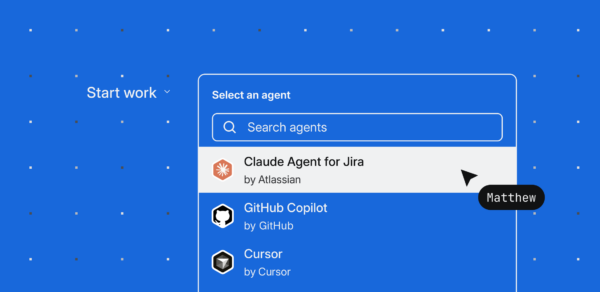
TL;DR: I wanted to see what would happen if I mapped AI agent capabilities to the functions of a software team. So I built a team of specialized agents in Jira, assigned each one to a stage of the software development lifecycle, and used them to build a new feature for my Forge app. It ended up being one of the smoothest development workflows I’ve tried so far.
Jira is becoming the delegation layer for software teams.
For a long time, Jira was where you went to track work. You updated a status, closed a ticket.
Something important has shifted now that agents can be assigned to work items. Jira is still a record of what happened, but now it’s something else too: a place where work can move between humans and agents.
That shift got me thinking. What if I leaned into it fully and ran an experiment? What if each stage of the SDLC had its own specialized agent and the board itself handled the routing between them?
I picked a real feature, mapped a specialized agent to each stage of my Jira board, and let them coordinate the work. Here’s what that actually looked like.
The Project: Launchpad
To pressure-test this workflow, I wanted to use something I was already building instead of creating another demo app.
I’ve been working on a Forge app called Launchpad. At its core, it’s a place where I can work through an idea with an AI agent before turning it into something a team can actually start working on.
For this experiment, I wanted to add a Teamwork Graph-powered context discovery layer.
The goal was simple: before I started implementing a feature, I wanted Launchpad to automatically surface the organizational context around it: related Jira issues, relevant Confluence pages, implementation patterns, known blockers, and the people who might already have context on the problem.
It felt like the perfect feature to pressure-test assignable agents. It wasn’t a single coding task; it naturally broke down into research, planning, implementation, and review, giving each agent a meaningful role in the workflow.
Designing the Workflow
My first instinct was to start building agents, but I quickly realized I was thinking about it backwards. I asked myself, “If this feature were built by a small software team, what would the natural stage boundaries look like?” That led me to four stages: Research → Planning → Implementation → Review. I updated my Jira board to match that workflow, with each column representing a stage of the SDLC instead of just another status.
That small shift changed everything. The board stopped feeling like a place to track work and became a place to delegate it. While a work item sat in a column, that stage owned the work.
Mapping Agents to Columns
With the workflow defined, I created four specialized agents in Studio and mapped one to each stage of my Jira board. That was the piece I was most excited to try.

Instead of manually invoking an agent every time I needed help, moving a work item into a new column automatically delegated that stage of the workflow to the agent assigned to it.
After reviewing the output, I saved it as a comment on the Jira issue before moving the work forward. Those comments became the shared context between agents, giving each stage what it needed while preserving a record of every decision along the way.
From that point on, the pattern was simple:
The board determined ownership.
The Jira issue preserved context.
And I decided when the work was ready to move forward.
That’s when the workflow stopped feeling like I was using AI tools.
It started feeling like I was coordinating agents mapped to the roles of a software team.
Creating the First Work Item
With the workflow and agent team in place, it was time to give them something to work on.
Rather than opening Jira and creating the issue manually, I used Rovo MCP directly from my development environment and described the feature in a sentence: “a Teamwork Graph-powered context discovery layer for Launchpad that surfaces related Jira issues, Confluence pages, and stakeholders before implementation begins.” Rovo MCP turned that into a Jira work item with a title, description, and enough scaffolding to serve as a starting point. (I walk through that workflow in more detail in [a previous post].)
One thing I noticed while building this workflow was that it made me much more intentional about how I described the work.
When another engineer picks up a ticket, they can ask follow-up questions if something isn’t clear. An agent is much more dependent on the intent you provide up front. That doesn’t mean I needed to write a full design document or define every implementation detail before the workflow even started. That’s exactly what the Research and Planning stages are for.
But it did mean giving the workflow a clear starting point: what I wanted to build, where it belonged, and what I was trying to accomplish.
From there, the rest of the workflow could do its job.
I moved the issue into the Research column, and within seconds, the Research Agent picked it up and got to work.
Moving the Work Through the Workflow
From there, the workflow became surprisingly simple. As the ticket moved from one column to the next, each agent picked it up, did its stage’s work, and left its findings on the issue. I reviewed, saved the response as a comment, and moved the work forward.
The interesting part wasn’t that it worked. It was what it produced.
When the ticket entered the Research column, the Research Agent went to work on the organizational context around the feature. Instead of spending time digging through Jira and Confluence myself, it surfaced related work, implementation guidance, blockers, and the context I needed before writing a single line of code.

That’s the entire “gather context” phase, done in the time it took me to grab a coffee. I reviewed the output, saved it as a comment on the ticket, and moved the issue into Planning.
The Planning Agent picked up where the Research Agent left off, turning that context into a concrete implementation plan. Instead of handing my coding agent a vague feature request, I was handing it a researched, reviewed, and structured plan.
From there, the workflow followed the same pattern. The Implementation Agent worked from the approved plan, and the QA Agent reviewed the results — with me responsible for approving each transition before moving the work to the next stage.
By the end, it didn’t feel like I was bouncing between a collection of AI tools.
It felt like I was coordinating a small software team.
Once the workflow was in place, moving work through the software development lifecycle became as simple as moving a Jira issue from one column to the next.
What Changed?
The biggest thing that stood out to me wasn’t that the agents were fast. It was that there was so much less ambiguity.
Instead of starting implementation with a rough idea and figuring everything out as I went, the work got a little more refined at every stage. By the time it reached implementation, the coding agent already had the research, context, and implementation plan it needed.
That changed my role too.
Instead of chasing context or wondering what to do next, I was reviewing decisions, approving transitions, and keeping the work moving.
To me, that’s the interesting part of assignable agents.
They’re not replacing software teams. They’re giving teams a structured way to move work forward, while letting people focus on judgment instead of gathering information.
Give it a Try
If you’ve been experimenting with AI in your development workflow, don’t try to build the whole team on day one.
Start with one column.
Pick the stage of your workflow that costs you the most time or context. For most developers, it’s the stage before the code gets written — research, planning, or discovery — because that’s where ambiguity lives and where context gets lost between stages.
Then do just four things:
- Add a column to your Jira board that represents that stage.
- Build one specialized agent in Rovo Studio scoped tightly to that stage. Not a general assistant — an agent that does one thing well.
- Assign the agent to the column so it picks up any work item you move into it.
- Move one real ticket through it. Review the output. Iterate on the agent’s instructions until you trust it with the next stage.
That’s it. One column, one agent, one ticket.
Once that stage feels reliable, add the next column. Then the next. Before long, you’ll have a workflow where the board is doing the coordinating, the agents are doing the specialized work, and you’re doing what you actually should be doing — reviewing, deciding, and moving the work forward.
The point isn’t to build a team of agents. It’s to change how work flows through your workflow, one stage at a time.
And this pattern isn’t limited to one developer or one project. Any team building on Atlassian — internal or Marketplace — can compose the same primitives: Jira for coordination, Rovo Studio for agents, Forge for the app surface. The workflow you build for your own bottleneck today can become the workflow your teammates run tomorrow, or the pattern a partner ships to thousands of customers next quarter.
If your organization has Rovo enabled, you can build your first agent in Rovo Studio and assign it to a Jira column today. Get started here.