Earlier this year, we wrote about turning Atlassian Design System guidance into structured content that AI agents can actually use. Since then, agents have reached that content through our MCP server tools and an agent skill.
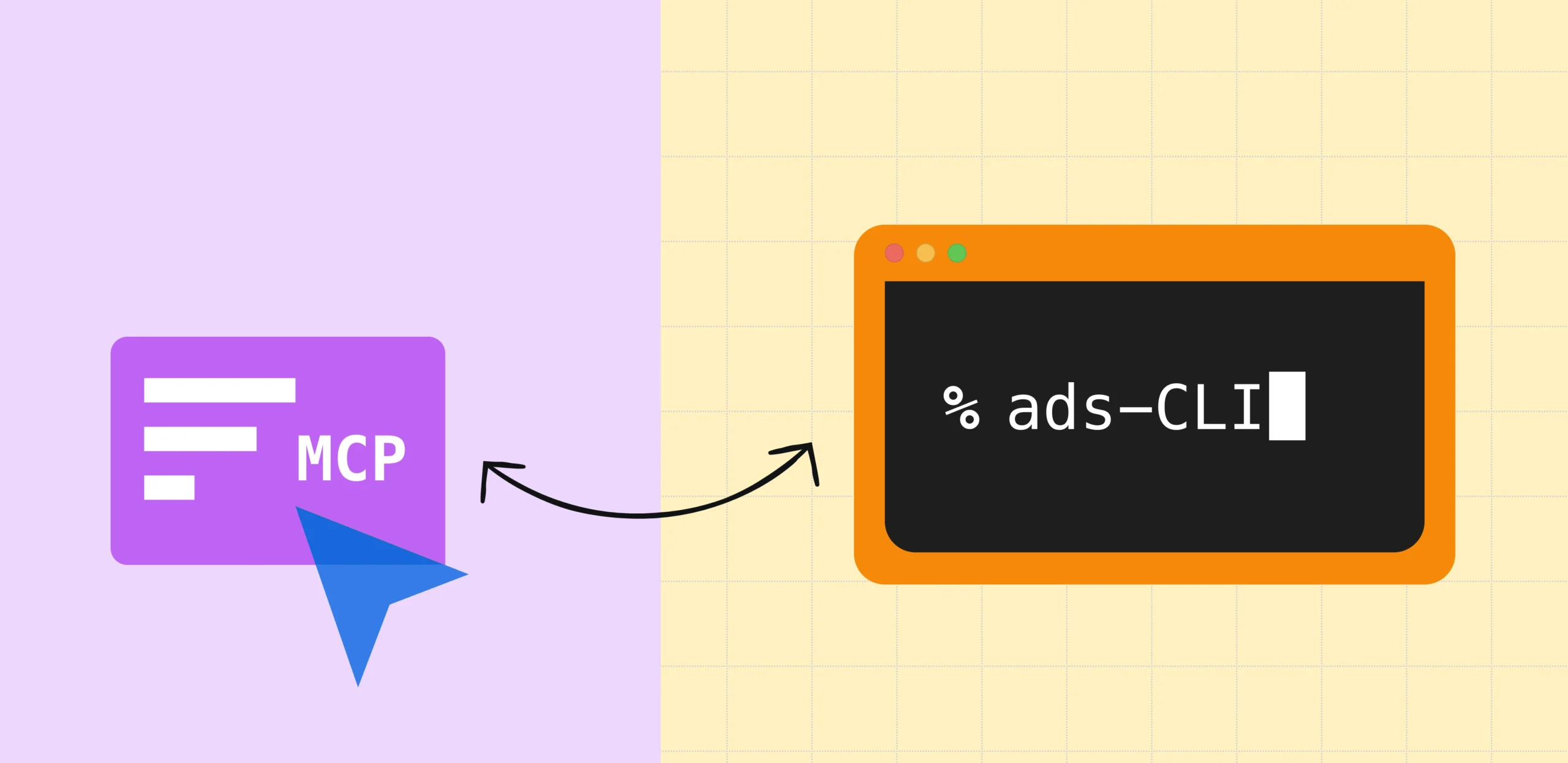
We recently added a third distribution method: a command-line tool. The first question from our own engineers was a fair one: Why ship a CLI when you already have an MCP server?
The short answer is that our CLI helped us reach more agents where an MCP client wasn’t accessible, while maintaining quality, reducing token costs, and improving speed.
We’ll also get into why a design system needs multiple agentic entry points, how we were able to ship the first version in less than a week, and why we benchmarked the CLI instead of assuming it was better.
Learn more about the foundations from other recent blogs:
- Teaching AI to speak our design language
- Atlassian’s DESIGN.md is here: what we learned testing portable design context in practice
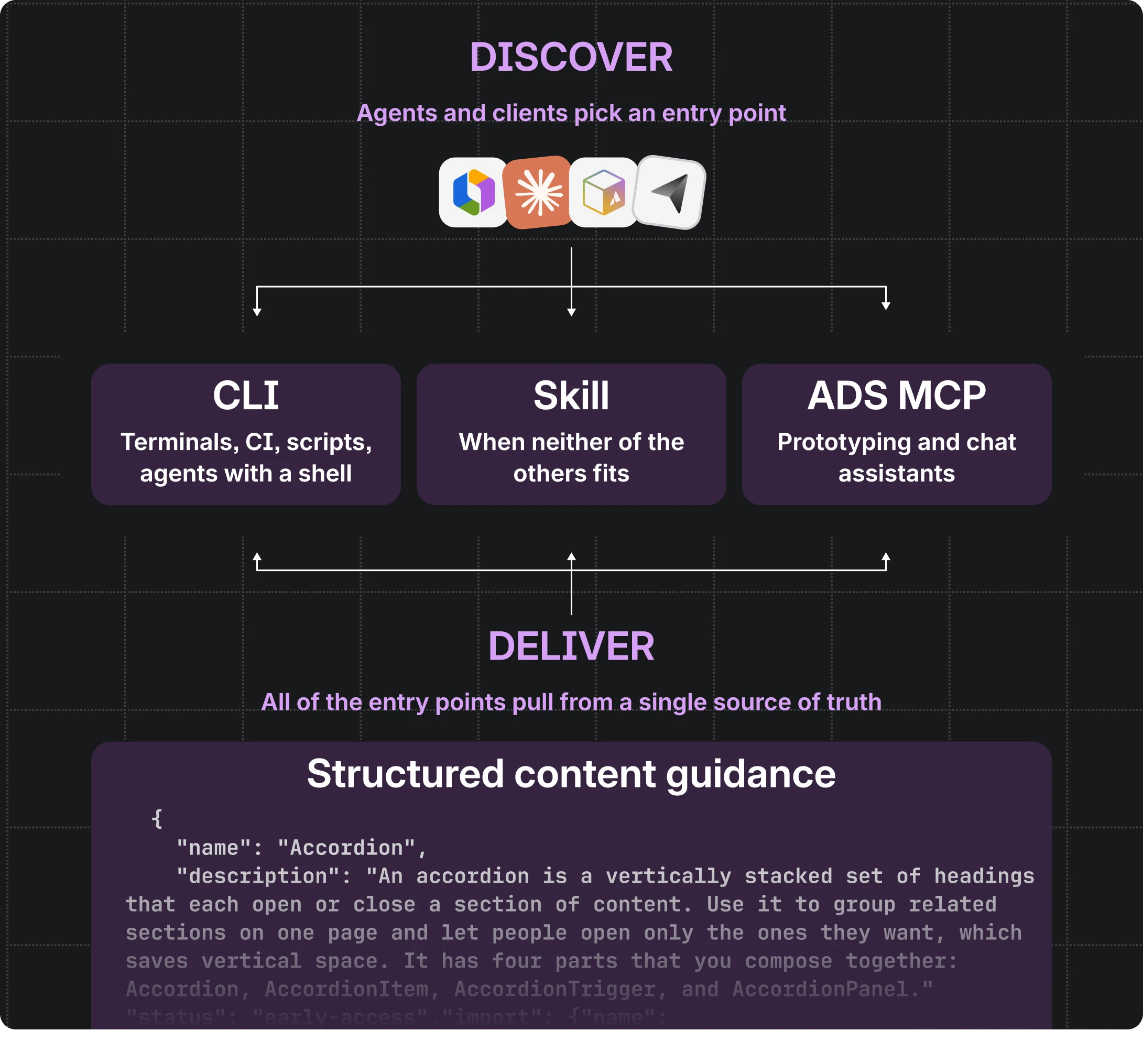
One source of truth, three entry points
Everything starts from the same structured content: component APIs and usage guidance, design tokens, icons, accessibility guidance, and lint rules, all maintained alongside the code.
We use the skill and MCP server to help agents discover our agentic context and map it to tools and CLI commands. We use the skill, MCP server, and CLI to deliver that context to agents.
- The skill is a set of instructions and reference files that a coding agent loads when a task looks like Atlassian UI work. It’s how the agent learns that design system guidance exists, when to go looking for it, and which interface to use. It also carries the content directly for when neither of the other two is available.
- The MCP server exposes the content as tools an agent can call: search components, look up a token, fetch accessibility guidance. It’s the right fit when the agent lives inside someone else’s product, such as a prototyping tool or a chat assistant.
- The CLI exposes the same content as terminal commands. It’s a better fit anywhere there’s a shell: local development, scripts, CI, and coding agents without an MCP client configured.
The CLI and the MCP server call the same handlers, and the skill’s reference files are generated from the same source, so changes land across all three at once with no possible drift.
The developer never has to choose: the skill routes the agent to whichever entry point is appropriate, and the agent gets the same answer either way.
Why a CLI at all?
Because MCP servers don’t reach everyone. Not every developer tool or coding agent has an MCP client configured. An agent that already has a terminal, on the other hand, can just run a command, with no client to set up first.
This isn’t a novel arrangement: this is the same complementary split Atlassian draws for its own work data. The Rovo MCP server serves MCP-capable hosts such as web-based assistants, IDEs, and third-party sandboxes, while the Teamwork Graph CLI is best for terminals and automation. Multiple entry points simply mean the same guidance reaches more environments.
Why the first version only took a week
The first release of the CLI took us a week to ship.
We’d like to say that’s because we’re fast, but it’s mostly because the hard parts had already been established with infrastructure powering our agentic tooling.
When we restructured our design system documentation into structured content, we made two decisions that paid off here. First, the content lives in typed schemas alongside the code, which gives us one generated dataset instead of a collection of hand-maintained docs. Second, the logic that searches and ranks that dataset lives in shared modules, separate from anything that talks to an agent. The MCP server imports those modules, and so does the pipeline that generates the skill and our DESIGN.md files.
The CLI is simply another consumer of the same modules. It adds only what a terminal needs: argument parsing, readable output for humans, JSON output for agents and scripts, and a way to distribute it. Because it doesn’t re-implement handlers or bundle its own copy of the data, there is nothing to drift.
npx @atlaskit/ads-cli search button --json
That week we shipped a working package with search, exact lookups, and JSON output. The tool agents use today, the one our skill now reaches for first, is the product of another month of benchmarking and iteration: a way to invoke it that skips the npx startup cost, a batch command, more compact output, richer search keywords in the shared content underneath (which the MCP server picked up too), and a long list of changes to the skill around it.
We treated the rollout as an experiment
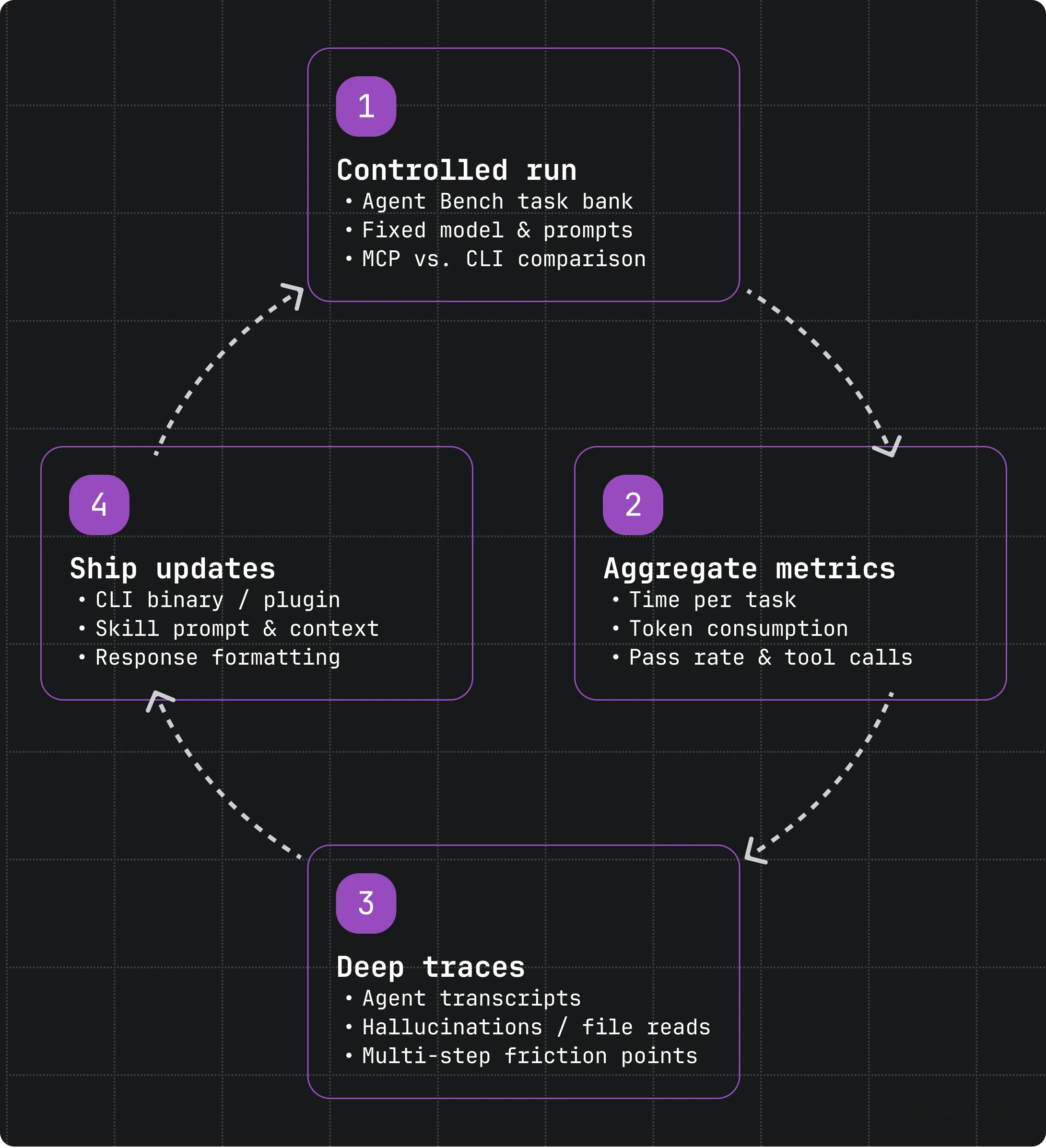
We had a working CLI, but no evidence that an agent using it would do as well as one using the MCP server.
So we ran some comparisons using our internal agent benchmark: a bank of real front-end tasks, each graded automatically, run by the same agent and model on the same questions.
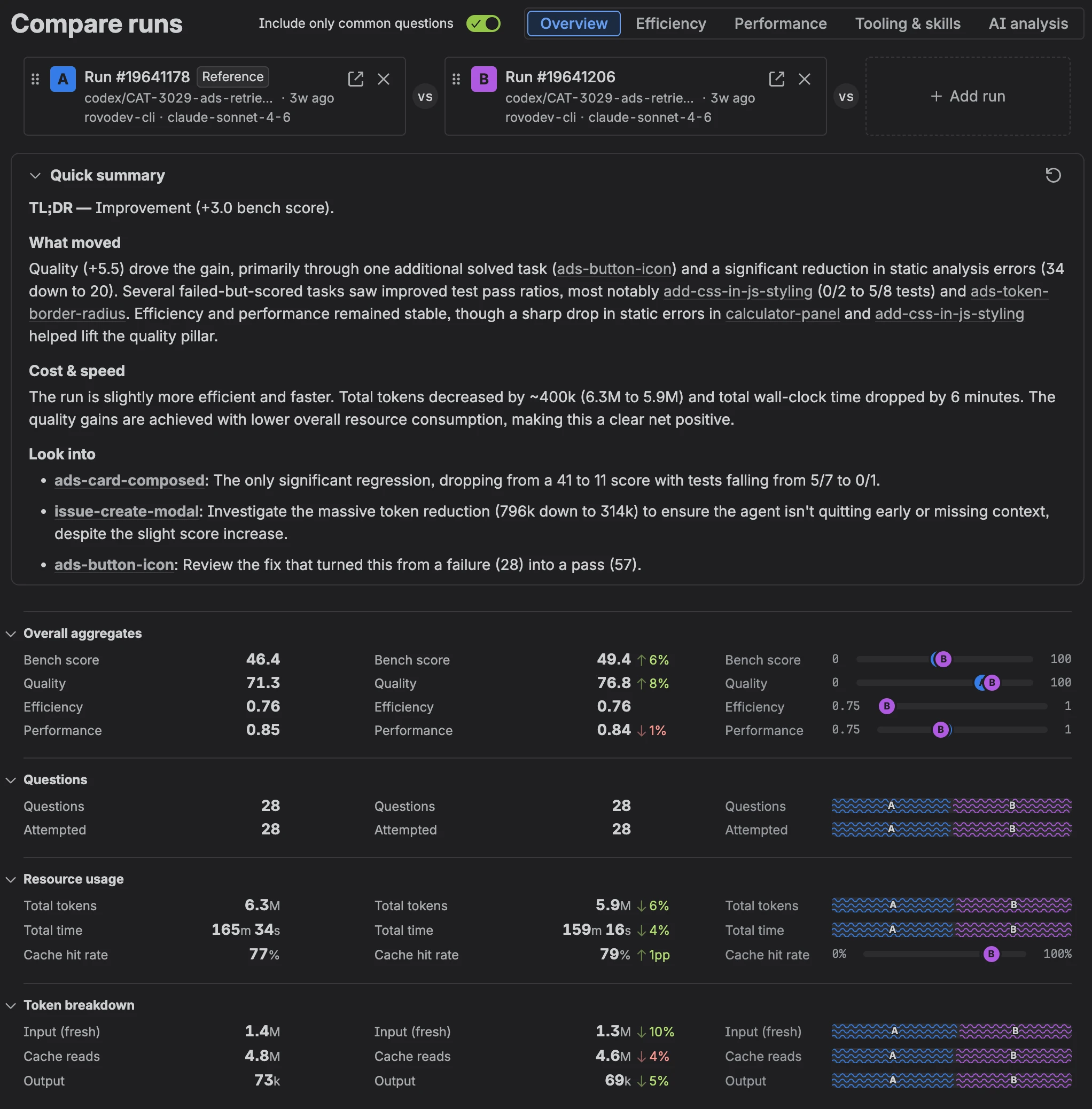
The only thing we changed between configurations was how the skill told the agent to fetch design system context: through the MCP server (our baseline), through the CLI directly, through wrapper scripts around the CLI, or through reference files bundled with the skill.
For each run we recorded pass rate, time per task, tokens reported by the agent, and tool calls. We also kept every transcript, and that turned out to matter more than the dashboard because a benchmark tells you whether the agent succeeded, whereas the transcript tells you whether it succeeded the way you intended or if it ignored your carefully written instructions and read source files instead.
What benchmarking helped us fix
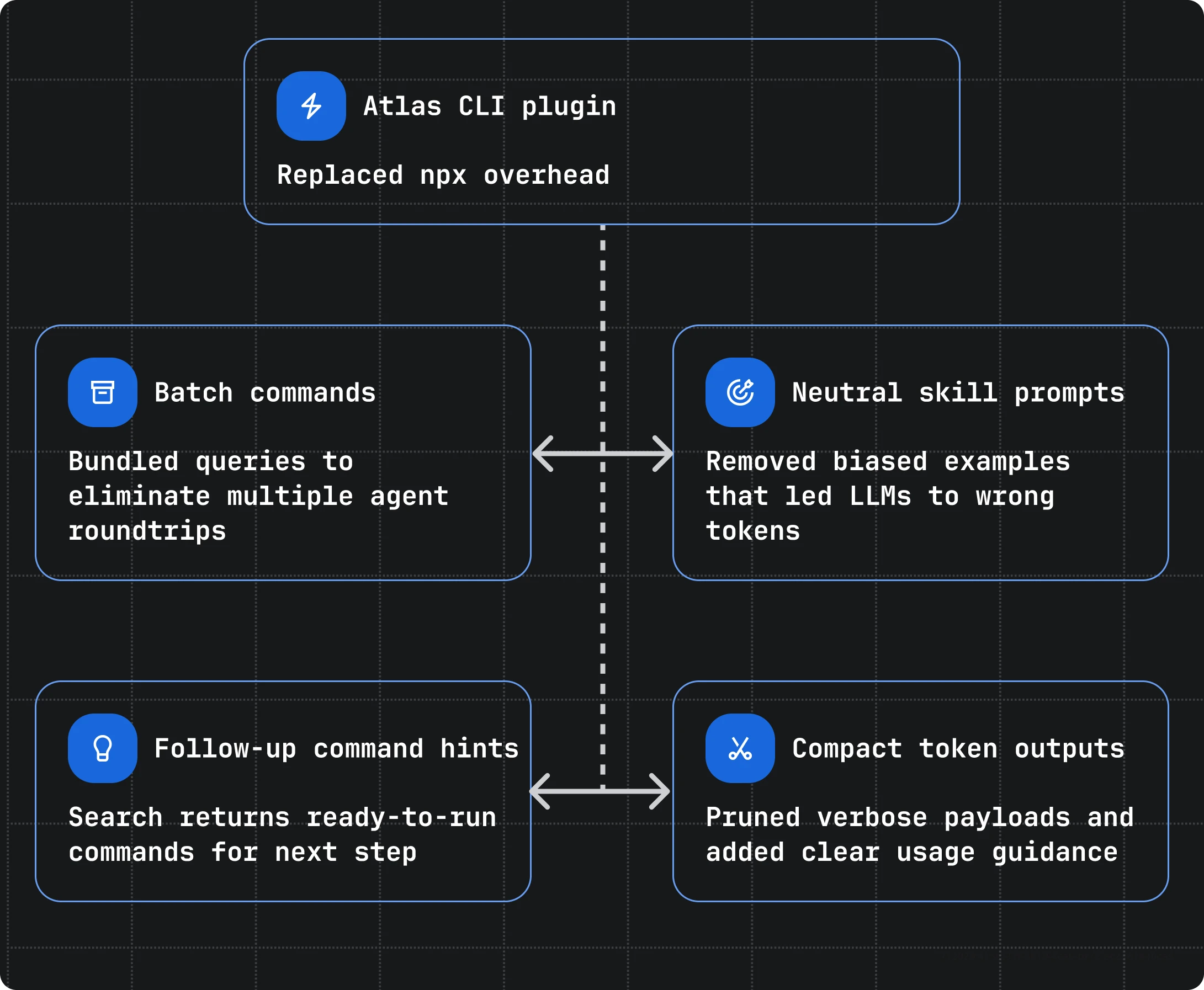
Reduce startup time by 95%
Our first version utilized npx, which downloaded and booted the package on every call. In our monorepo, that ran with more than 15 seconds of overhead per query. Agents making multiple lookups could spend more time invoking Node than generating the changes.
So we moved our CLI into our internal atlas CLI, which Atlassians already use, shifting to a pre-installed plugin to reduce the overhead to milliseconds. We still maintain npx as a fallback where our internal CLI does not exist.
Batch queries to reduce another 50%
Inspecting early traces, we saw agents making multiple round trips, so we added a batch command and better fuzzy searching to consolidate queries and remove hundreds of milliseconds of remaining overhead and far more when using the npx variant.
npx @atlaskit/ads-cli batch \
--command component Button \
--command token space.200 \
--command docs spacing
Guide the agent on next steps
We noticed when agents needed to filter down from dozens of tokens or components to one, they sometimes had to re-reference our skill or invoke --help for guidance.
Rather than letting an LLM guess, we give it the commands to follow up for next steps:
> npx @atlaskit/ads-cli search buttonButton @atlaskit/button (13 props, 3 examples) → npx @atlaskit/ads-cli component Button ButtonGroup @atlaskit/button (3 props, 1 example) → npx @atlaskit/ads-cli component ButtonGroup
A promising result
We made data-driven experiments over a few weeks of running benchmarking and analyzing traces, primarily comparing our Skill + CLI vs. Skill + MCP. The chart below shows how we’ve improved the CLI compared to that MCP baseline over that period.
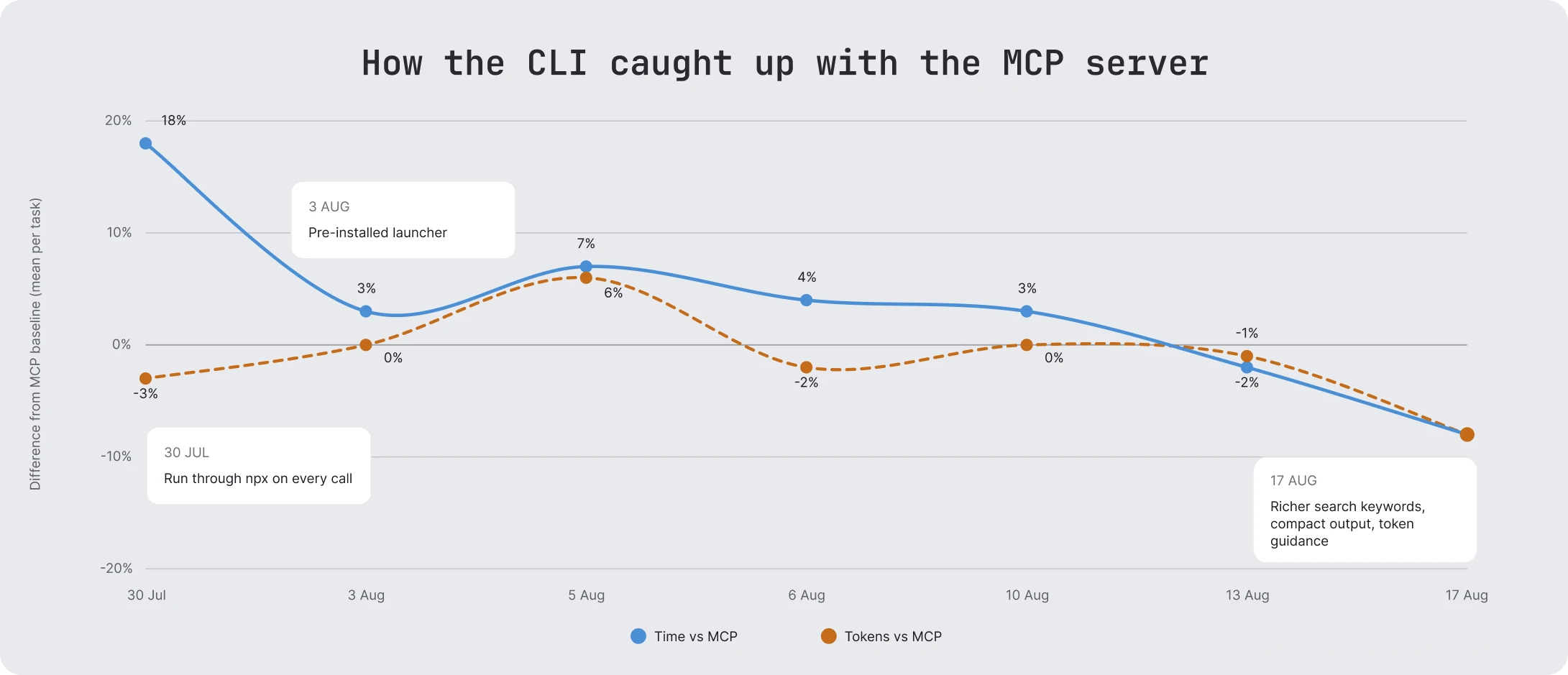
We finally accomplished our goal of maintaining quality, but we also found ways to make our CLI beat out our MCP. When running tasks that use this context, we’ve also seen:
- Sessions completed 8% faster with mean time per task reducing from 352s to 325s
- Agents burned 8% fewer tokens with mean tokens per task reducing from 218k to 201k
- Agents preferred it almost immediately, with CLI usage surpassing MCP by 60%
Given that success, our agent skill now surfaces the CLI command by default, only falling back to an MCP server when a sandbox is having issues accessing the terminal.
What we’d tell other teams
- Don’t vibe your agentic tools, keep them in sync instead. New agentic interfaces are cheap to build without constant drift. Our first CLI release took a week because we invested in this area.
- Judge the whole task, not only the payload. The startup overhead, end-to-end instructions, retry rate, and agent interpretation mattered just as much as the context itself.
- Benchmark and read the transcripts. Metrics tell you where to look, but the agents’ behavior gives you signals. Our most useful improvements came from things no metric flagged.
- Treat skills, CLIs, and MCPs as a product rather than a guide to be interpreted. What you instruct an agent to build will be followed and shipped to customers.
Try it
npx @atlaskit/ads-cli search button
The CLI is published on npm as @atlaskit/ads-cli. If your agent can’t use a shell, the same content is also available on npm with the ADS MCP server. The ADS Skill is not publicly available at this time.
Where this goes next
Agents will keep turning up in new places, and the interfaces will keep changing over time. Your system’s underlying content shouldn’t have to be rebuilt with every iteration. If you’re working on your own design system, that’s the first part to build.