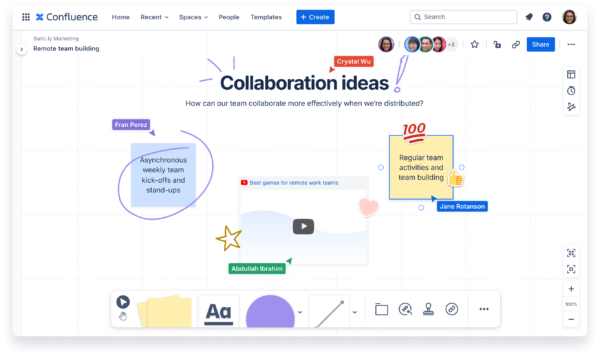
Recently, we’ve made some exciting AI updates to Confluence, along with speed improvements that make it twice as fast. Now we’re bringing that speed to life with a fun racing game inside Confluence whiteboards, inspired by our partnership with Atlassian Williams Racing.
Atlassian’s partnership with Williams Racing brings together two organizations driven by a passion for innovation, speed, and teamwork. We aim to accelerate progress both on and off the track, inspiring teams everywhere to push boundaries, embrace new technologies, and achieve their boldest goals. The spirit of this collaboration is now brought to life for Confluence users, celebrating the shared values of agility, creativity, and high performance.

Announcing Atlassian Williams Racing
As the legendary Williams team Official Title and Technology Partner, Atlassian brings its industry-leading teamwork solutions to the Formula One racetrack.
Our team collaborated to bring the thrill of racing to your workspace with a custom racetrack, music, and Formula 1-inspired icons. We’ve also included some fun facts on sticky notes, true to the look and feel of Confluence whiteboards. This is our first time ever rolling out a gaming experience in an Atlassian product, and we’re excited for you to check it out!
How to play Race Mode
Race Mode will be available on the desktop version of Confluence whiteboards for a limited time, starting to roll out on November 18, 2025. Put your skills to the test as you race around the track in a time trial, then challenge your team to beat your fastest time.
- Select the gear shift on the right side panel in whiteboards and click “Start trial time”.
- Wait for the red lights to go off, then use your keyboard arrows to race your car around the track, and see how fast you can go. Look out for fun facts and icons along the way!
- Share your results and challenge your teammates to beat your time so they can join in on the fun! The fastest times among you and your teammates will be featured on a leaderboard. Share your experience on social media using #ConfluenceRaceMode and tag Atlassian for a chance to win swag.
Looking for an extra challenge? Williams Racing driver Alex Albon had a blast playing Race Mode, setting a groundbreaking time of 31.3 seconds. See if you can beat his best time!
What’s new in Whiteboards
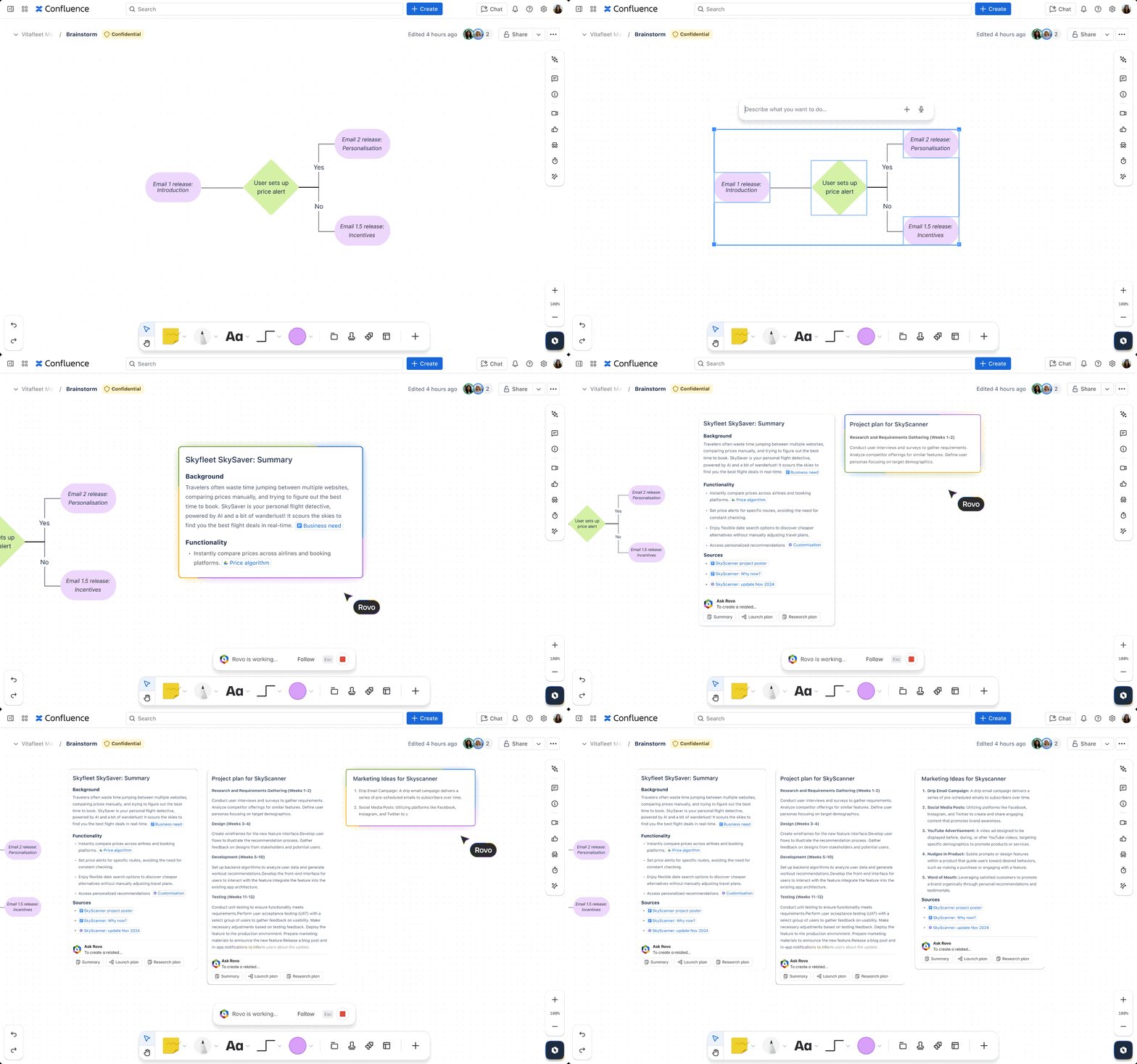
Whiteboards are built for real-time collaboration, so you can turn ideas into action without losing momentum. Along with the ultra-fast speed improvements in Confluence that inspired the game, we’ve also rolled out new features for Whiteboards, powered powered by Rovo AI. Now it’s easier than ever to move from brainstorming to creation.
Next-gen brainstorming with Rovo AI
- Create with Rovo: Instead of starting with a blank page, let AI generate content for you using knowledge from your Confluence ecosystem. Rovo can gather historical context for ideas to inform your research plan. Or choose from various templates to get started faster.
- Create diagrams: Describe your diagram, and Rovo will create and organize the shapes for you. Rovo creates mind maps and flowcharts, allowing you to effortlessly map out ideas. Rovo pulls from all sources your account has access to and refers to linked content for extra context.
- Explore ideas: Rovo will take the contextual knowledge from your Confluence workspace to help you brainstorm relevant topics. After auto-generating ideas, Rovo can also cluster similar concepts to help you summarize themes.
Play now
Now that you’re up to speed on the latest Confluence improvements, you’re ready to play the game. Start your engines and try Race Mode now!