


Your team has always been able to watch your Looms and act on them. Now, your agents can too.
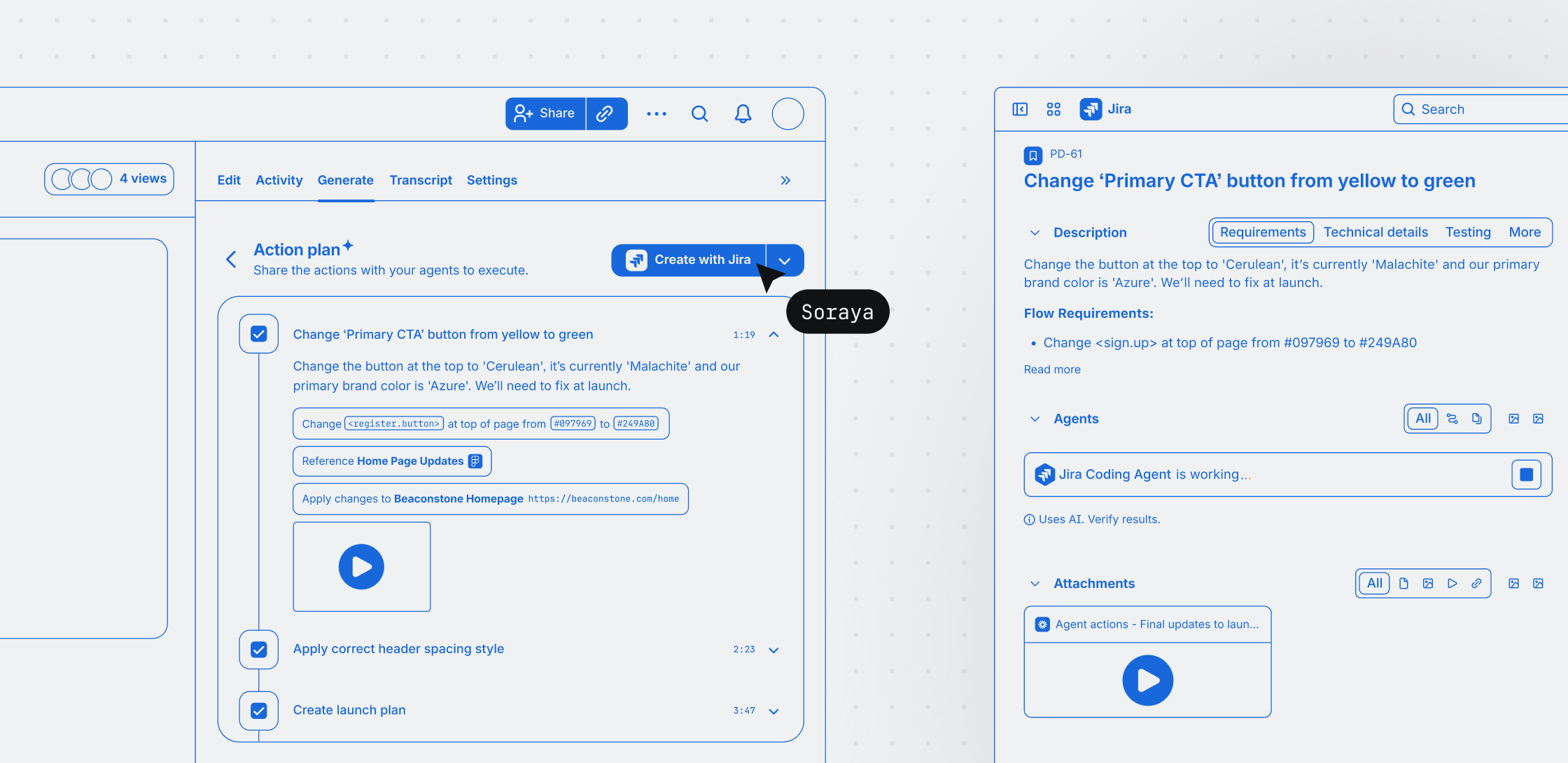
Loom introduces a new way to instruct your agents with video prompts. Record your screen, talk through what you want done, and get a structured action plan with rich instructions you can share with any agent, or turn into Jira work items in a few clicks.
Stop engineering prompts. Start showing your agents what to do.
AI agents promise to automate our most tedious workflows, but they have a massive bottleneck: human input. Getting an agent to successfully execute a task like bringing a prototype to life, making a UI change, or updating a design requires critical visual context.
Up until now, that meant text prompts, copy-pasting screenshots, and cycles of back-and-forth clarification when the agent inevitably misses something. The overhead of creating these prompts often offsets the time saved by the agent. Text prompts lack visual context, voice transcripts lack technical structure, and static screenshots miss the actual click paths and screen states.
Loom eliminates this manual documentation by converting a standard screen recording into structured, machine-readable instructions. By automatically parsing your narration, keyframes, target UI elements, and visited links, Loom produces an agent-ready action plan. You get the speed of real-time communication, combined with the structured metadata an AI agent needs to execute ideas, code changes, or workflows – without the need to engineer prompts.
How it works
Go from idea to agent handoff in just a few steps:
- Record your screen and talk through the task. Open the Loom Chrome extension and navigate to the Generate tab to start recording in video prompt mode. Share your screen and walk through what you want done, narrating as you go. Loom captures your transcript, on-screen clicks, links visited, and snapshots of the screens you share. For best results, record over 30 seconds.
- Get structured instructions for agents, without the busywork. Loom processes your recording and packages it into an AI-ready specification. It combines your transcript with precise on-screen clicks, visited URLs, and visual keyframe snapshots of the screens you share. The result is a deterministic action plan agents can use to execute tasks with zero ambiguity.
- Hand off to any agent or create Jira work items for agents to execute. Share the action plan directly with Rovo or a third-party agent like Claude or Cursor. Alternatively, create Jira work items from the plan in a few clicks, with the full context already attached.
Availability
Video prompts are now rolling out in beta via the Loom Chrome extension for Loom customers on Business + AI or Enterprise plans. Customers who have a Jira account and permission to create can also create work items directly from their action plan.
Getting started
Next time you spot a UI fix, need a design change, or want to create a prototype, record a video prompt to get structured instructions for an agent to execute. Open the Loom Chrome extension and navigate to the Generate tab. Video prompt mode will appear automatically.
Have questions? Visit support resources to learn more.


