



Why did your build fail? Ask Rovo, get a clear answer, and even a way to fix it, from anywhere in Bitbucket
Pipeline debugging is one of the most common and most painful parts of the development workflow. In our Atlassian research: AI adoption is rising, but friction persists, over 50% of developers reported losing more than 10 hours each week searching for information, onboarding to new code, or toggling between apps. Failed pipelines make that worse, with developers spending 20–45 minutes per failure, most of it just parsing logs.
With Rovo Chat, when your build goes red, you don’t have to pause to scroll through thousands of lines of output. Just ask Rovo, and you’ll get the answer – the failing step, the root cause, and what to do next – summarized, clear, and in context, right where you’re already working.
What you can do
Open Rovo Chat in Bitbucket and ask questions the way you actually think about your builds, no log spelunking required.
Here are three simple examples:
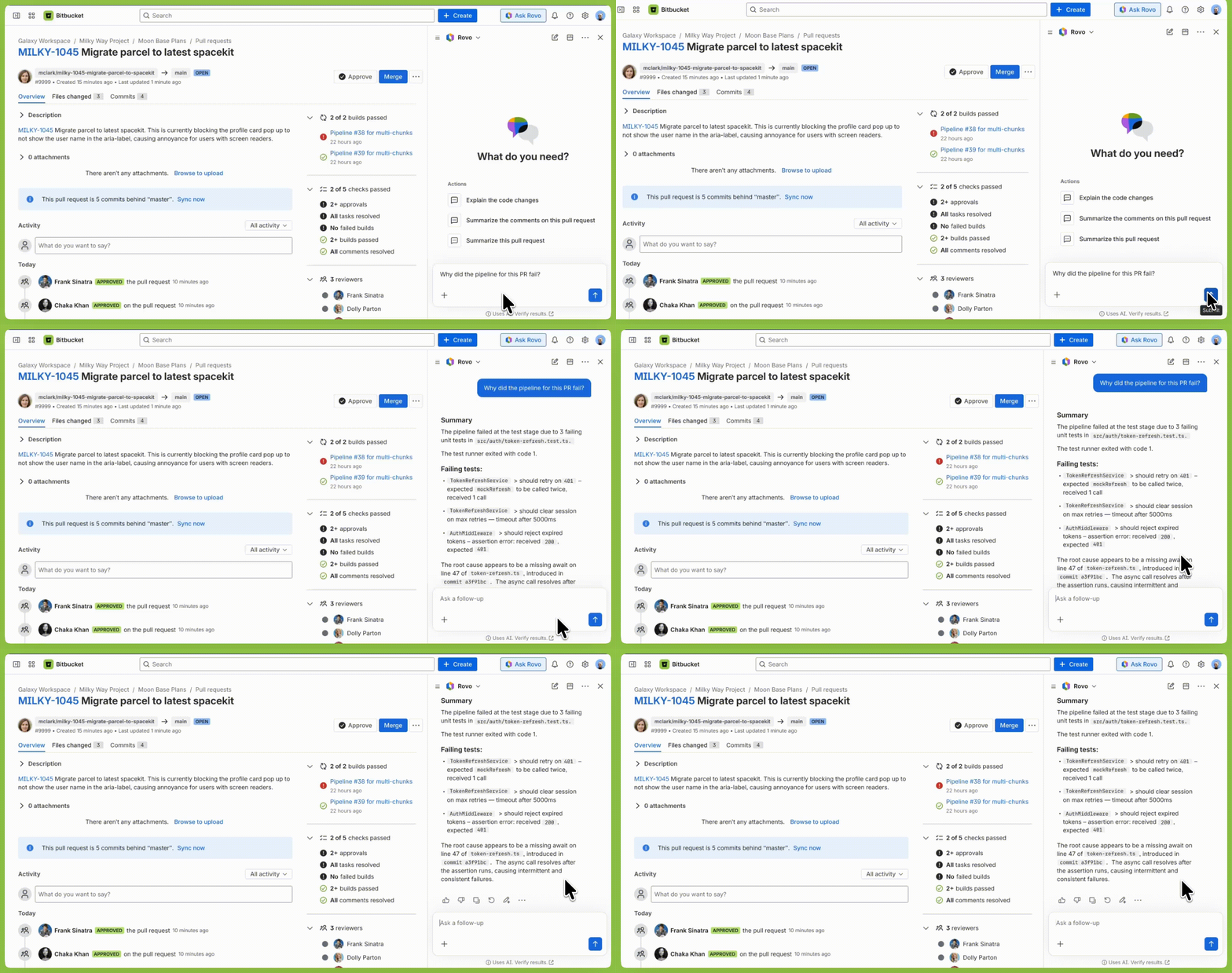
“Why did my last pipeline fail?”
Get a plain‑English explanation of the root cause and not a log dump or just an error code, but a relevant answer that tells you which step failed, why it failed, and how to fix it.
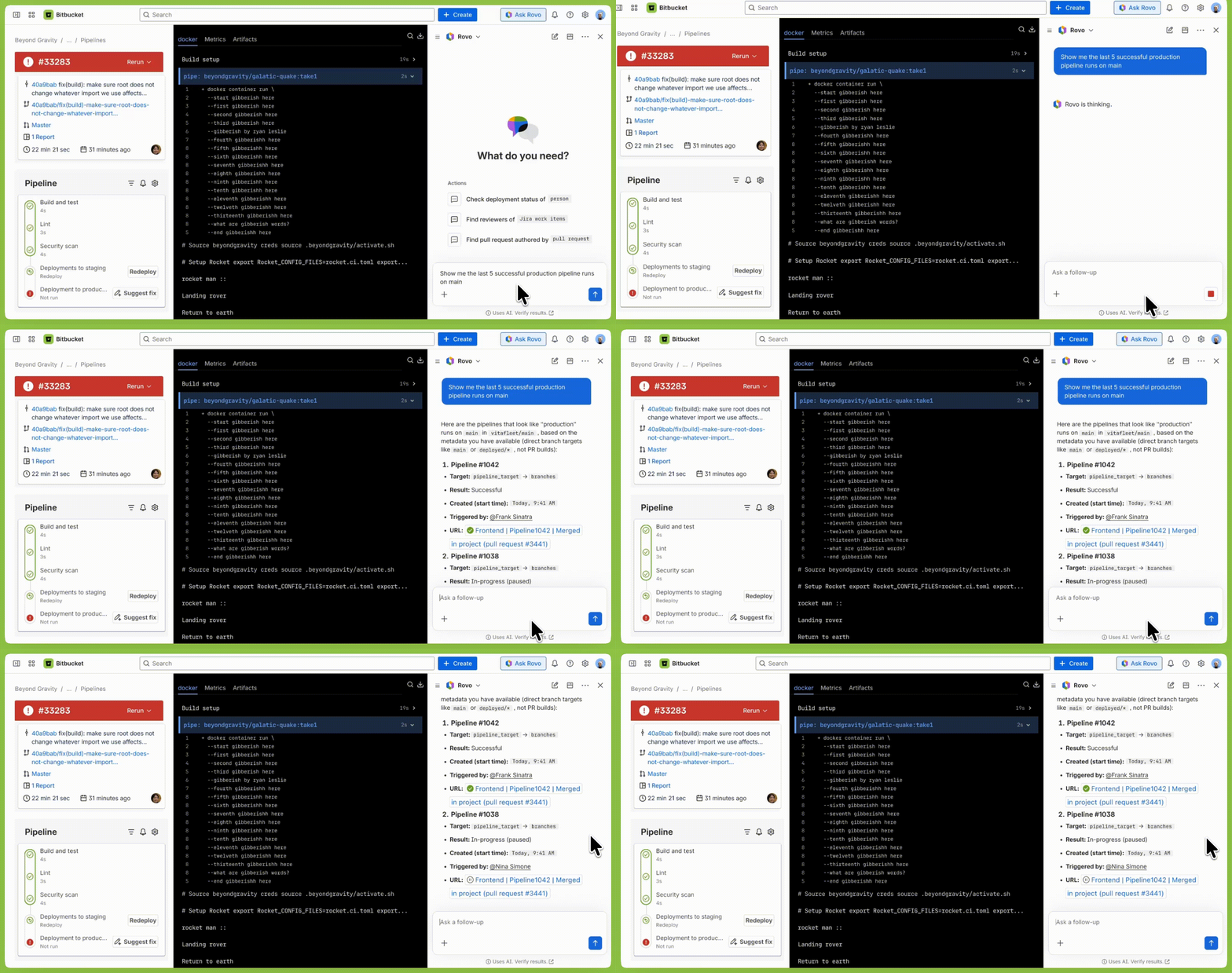
“When was the last successful run on main?”
Check the health of your main branch at a glance.
“Explain the error in this step”
Turn cryptic exit codes and stack traces into plain English, so you can decide what to do next faster.

Why we built this
The problem isn’t that the information isn’t there. It’s that extracting meaning from raw logs is a specialized skill that takes years to develop and even experienced engineers spend more time than they should on it.
Rovo Chat changes the interface. Instead of reading logs, you ask a question and get an answer. The same information, but dramatically less friction.
How it works
Rovo Chat brings your Bitbucket Pipelines context into every answer:
- The pipeline run and overall status
- The failing step
- The logs for that run
- Your pipeline configuration (e.g.,
bitbucket-pipelines.yml)
When you ask a question, Rovo combines this context with a large language model to generate an answer that’s specific to your pipeline, not a generic response.
It doesn’t just surface log excerpts. It reasons about what went wrong, why it went wrong, and what you can do about it – all inline, without leaving your current view in Bitbucket.
What’s coming next
Today’s release is the first step. Here’s what we’re building towards:
Taking actions – not just answers, but the ability to retry, cancel, and trigger pipelines directly from Chat.
Deployment intelligence – ask what shipped in a deployment, what changed since the last release, and what environments your code is currently running in.
Get started
Rovo Chat with pipelines context is available now for all paid Bitbucket Cloud users with a Rovo & Jira connection.
- Open any Bitbucket Cloud repository
- Click Rovo Chat in the top navigation
- Ask: “Why did my last pipeline fail?”
If you’re not yet on Rovo, learn more about Rovo and how to get started.
We’d love to hear from you
This is a new capability and we’re actively improving it based on feedback. If you try it and have thoughts, on quality, accuracy, missing context, or anything else, we want to hear from you.


