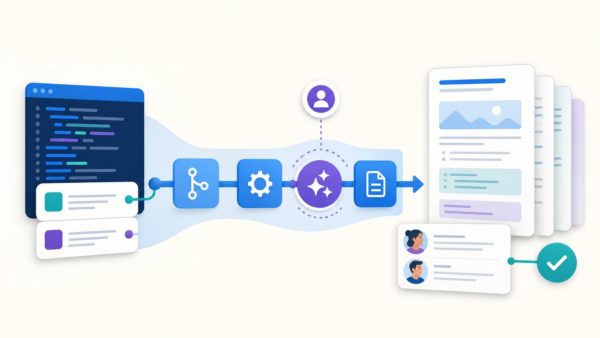
Bring your Codex agent into Bitbucket Pipelines.
A few weeks ago, we announced support for Claude agents in Bitbucket Pipelines. Today, we’re adding OpenAI Codex as a supported agent.
If your team is already using Codex on the desktop, you can now move that same workflow into your pipeline — triggered by a merge, a schedule, a failing build, or a pull request comment.
Agentic automation with Codex
Just like with Rovo Dev and Claude, getting Codex running in your pipeline is a single keyword provider: codex in bitbucket-pipelines.yml:
definitions:
  agents:
    my-agent:
      prompt: "Explain this repository"
      provider: codex
pipelines:
  default:
    - step:
        script:
          - agent: my-agent
If you don’t include provider: codex, Bitbucket will automatically default to using Rovo Dev.
For teams that want to go deeper, Codex in Agentic Pipelines respects the same codex-config-overrides.toml pattern you already use locally — so you can pin a specific model, tighten the sandbox, or wire in extra MCP servers without leaving your repo.
Note: Using Codex with Agentic Pipelines falls under our Third-Party Product agreement. Your source code, prompts, and logs will be sent to OpenAI, and Atlassian is not responsible for the privacy, security, or costs involved.
Sample use cases
Not sure where to start? These are the kinds of jobs teams hand to a Codex agent on day one — all triggered from your existing pipeline:
- To auto-fix failing builds, add a step to your pipeline with a prompt to “investigate the build failure in this run, identify the root cause, apply a fix, and open a draft pull request with the change.”
- To patch security vulnerabilities, after the code scan step, add a step to your pipeline with a prompt to “read the latest Snyk report, apply safe dependency upgrades and code changes one at a time, and open a separate PR for each.”
- To keep documentation in sync, after the deploy step, add a step to your pipeline with a prompt to “review the changes merged into main and update the README, API docs, and changelog so they match what actually shipped.”
- To clean up stale feature flags, add a step to your pipeline with a prompt to “find feature flags that have been fully rolled out, remove the dead code paths, and open a PR for each flag removed.” Schedule this pipeline to run on a weekly or monthly schedule to reduce future tech debt.
- To triage and label new PRs, add a step to your pipeline with a prompt to “summarise this pull request, suggest the right reviewers based on the files changed, and apply the appropriate labels.”
Check out our support page for more use cases and sample agents.
The bigger picture: Bitbucket as your agent orchestration layer
Bitbucket Pipelines is evolving into the orchestration layer for agentic work in your SDLC — you can pick which agent runs, when it runs, what context it gets, and what it’s allowed to touch.
- Triggers — Orchestration can be triggered by merges, schedules, failed builds, PR comments, or custom events. Your agents fire automatically at the right stage of the workflow.
- Context — the code, build artifacts, secrets, environment variables, and MCP connections your agents need are already there. No separate runtime or glue code.
- Policy — approval policies, auth scopes, and audit trails are defined once in YAML and applied consistently, whether the agent is Rovo Dev, Claude, or Codex.
- Choice — the right agent for the task can change week to week. Orchestration means you can change the agent without rebuilding the pipeline around it.
What’s next
Agentic Pipelines is still in open beta, and we’re shipping fast. Codex is the next step on a roadmap to support orchestration across all major coding agents.
If you haven’t tried Agentic Pipelines yet, all you need is a Bitbucket Cloud repo — you can use it even if you run CI/CD via another tool. Pick one repetitive chore your team keeps deferring, and hand it to an agent.
Docs:
- Get Started with agents in Bitbucket Pipelines
- Codex advanced config docs.