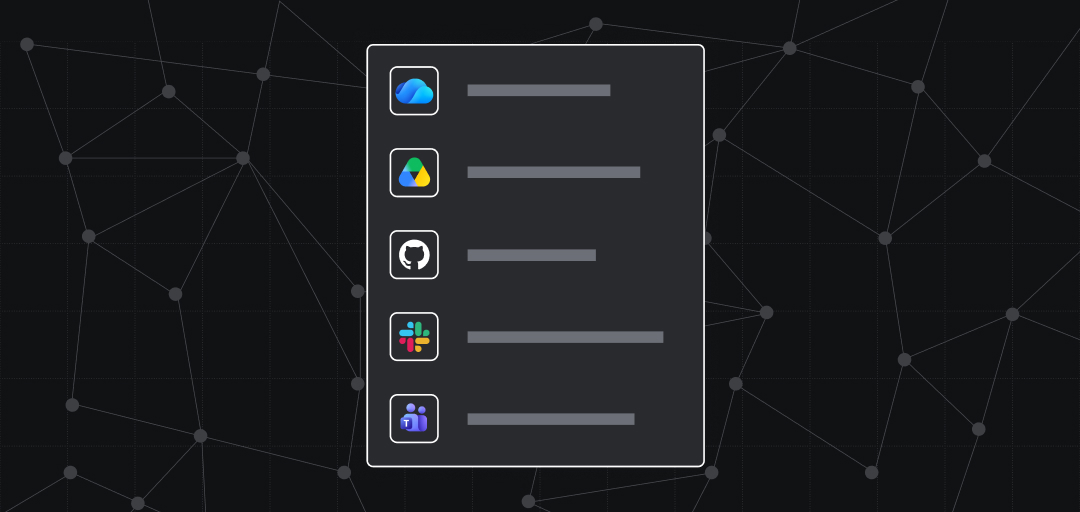
Bring document knowledge you already have access to from Google Drive, SharePoint, and OneDrive into Rovo Search, Chat, and Agents so teams can move from questions to useful context faster.
The project plan is in Google Drive. The financial model is in SharePoint. The work is tracked in Jira, and the decisions are documented in Confluence.
Your team has the information it needs. The hard part is bringing the right pieces together when it is time to make a decision, prepare for a meeting, or move work forward.
Teamwork Graph connectors for Google Drive and Microsoft SharePoint help turn scattered document knowledge into useful context.
External document connectors add your outside content to the Teamwork Graph. Once it’s there, that content shows up wherever the graph is used—Rovo Search, Chat, and Agents, plus every other Atlassian surface that pulls from the graph. This brings more of your organization’s knowledge right next to the work you’re already doing in Atlassian, and the added context makes AI results better.
Start with the outcome, not the document folder
Knowledge workers should not need to remember which doc, site, or folder contains the answer before they can ask a question.
Imagine preparing for a project review. Instead of opening several tools and collecting material manually, start with the outcome and ask Rovo:
I’m preparing for a Project Meridian launch review. Summarize the overall status, major risks, decisions already made, and what needs attention next. Flag inconsistent information and link me to the supporting sources.
Rovo can help locate relevant content from Google Drive, SharePoint, Confluence, and Jira, and create a grounded starting point. You’ll be able to review the sources, add your judgment, and decide what happens next.
Find, understand, and use your document knowledge
Find relevant information across connected sources
Search by topic instead of guessing where a file was saved:
Find the current Project Meridian customer onboarding plan and the Jira initiative it supports.
Rovo Search can surface permitted Google Drive and SharePoint content alongside Atlassian knowledge, giving people a more complete place to begin.
Understand documents alongside the work around them
A file rarely tells the entire story. The presentation may describe the strategy, while a Confluence page records the decision and Jira shows the work underway.
Try asking:
Summarize the Project Meridian onboarding proposal and related decisions. Which assumptions should I review with the team?
When you connect Google Drive and SharePoint to your Atlassian tools, you get the full content, not just titles and metadata of the files you have access to. Rovo Chat becomes more powerful and has the context to synthesize relevant information, relate it to your Atlassian work, and link back to the original sources.
Use existing knowledge in the next task
Connected knowledge becomes more valuable when it can be reused.
Try asking:
Prepare a concise weekly update for Project Meridian for a leadership audience. Include the overall status, recent progress and decisions, major risks or blockers, and immediate next steps.
Because the connectors bring full document content into the Teamwork Graph, Rovo can draw on planning documents from Google Drive or SharePoint — alongside Confluence pages and Jira activity — to help create the first draft. You remain responsible for reviewing the draft, applying judgment, and approving the final result.
Act on connected knowledge, not just find it
Reading and summarizing documents is just the start. Once a connector is set up, you can also take action in Google Drive and SharePoint directly from Rovo Chat and Agents — turning insight into follow-through without switching tools.
A few examples of what becomes possible:
- Create a new document — Ask Rovo to draft a Google Doc or a SharePoint page based on a summary it just generated, so the output lives where your team expects to find it.
- Add comments to a document — Flag a section that needs review by adding a comment to a Google Doc or SharePoint file without opening it yourself.
Try asking:
After summarizing the Project Meridian onboarding proposal, create a new Google Doc with a one-page executive brief
These actions respect the same permissions as search — Rovo can only act on content and in locations you already have access to. Nothing happens without your direction, and you can review before any action is taken.
Useful for everyday tasks
Every team benefits when you connect to Google Drive or SharePoint:
- Business analysts can find a capacity plan and ask for a summary of the assumptions behind a recommendation.
- Customer-program leads can synthesize feedback from connected research and meeting notes before creating follow-up work.
- Team leads can prepare a weekly brief using relevant documents, Confluence decisions, and Jira activity.
- New team members can locate background material and understand how it relates to active projects.
Each person begins with the job they need to complete rather than where to get the information from.
What the connectors make available
The Google Drive connector supports Google Docs, Sheets, and Slides. The SharePoint connector includes OneDrive and supports documents, spreadsheets, presentations, web pages, and PDFs.
Once connected, that content enriches the Teamwork Graph and can be surfaced across Atlassian — starting with Rovo today:
| Atlassian experience | How connected documents help |
|---|---|
| Rovo Search | Discover external documents alongside Atlassian knowledge |
| Rovo Chat | Ask questions and create summaries grounded in connected sources |
| Rovo Agents | Use connected knowledge as context for repeatable tasks and workflows |
See the current Google Drive connector guide and SharePoint connector guide for detailed requirements and supported content.
Admin controls that shape what gets indexed
Organization administrators do not have to index everything. Both connectors offer policy controls that let you choose which content enters the Teamwork Graph — so you can start narrow and expand as confidence grows.
| Control | Google Drive | SharePoint & OneDrive |
|---|---|---|
| Site / drive scoping | Allowlist or blocklist specific shared drives | Allowlist or blocklist specific SharePoint sites and subsites |
| Personal drive scoping | Scope My Drive ingestion to specific Google Groups — or exclude personal drives entirely | Scope OneDrive ingestion to specific Microsoft 365 Groups, or block selected groups |
| Time-based ingestion | Only index content created or modified after a date you choose | Only index content created or modified after a date you choose |
| Sensitivity label blocking | Currently not supported. Coming soon | Block content carrying specific Microsoft Information Protection (MIP) sensitivity labels. Works at both the document and site level |
These controls layer on top of each other. For example, you might block high-sensitivity label tiers, exclude specific project sites via the site blocklist, and scope OneDrive to a subset of users via group controls — each mechanism covers a different kind of risk.
Regardless of admin scoping, Rovo always respects the source-system permissions. People only see content they can already access in Google Drive or SharePoint.
Respect the access people already have
Connecting more knowledge should not make private information broadly visible.
Rovo respects Google Drive and SharePoint permissions so people only see content they can access in the source system. Administrators can also limit which shared drives or SharePoint sites are indexed. Learn more about how connector permissions are kept in sync and the available allowlist and blocklist controls.
Try one high-value workflow
- Ask an organization administrator to connect Google Drive or SharePoint and OneDrive.
- Confirm the access and connector scope appropriate for your organization.
- Choose an upcoming project or customer review. Ask Rovo to find the relevant documents and related Atlassian work, summarize the context, and link you to the sources.
Your organization has already invested in creating its knowledge. Connecting Google Drive and SharePoint to Rovo helps people find it, understand it, and use it when the next decision needs to be made.