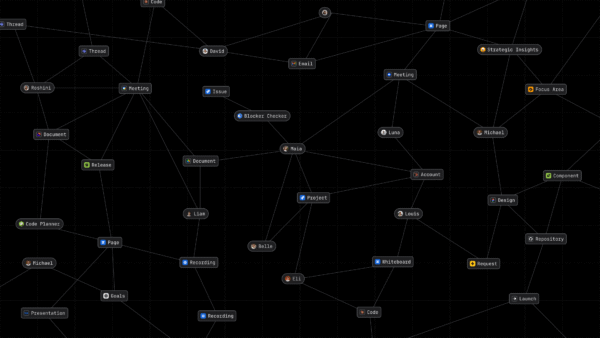
Every piece of work your teams do has people behind it. The Jira issue has an assignee. The design doc has an author. The pull request has reviewers, and the Slack thread has the people deciding what happens next.
The Teamwork Graph already connects that work across Atlassian and the tools you connect to it. But until it knows who those people are, it is missing the thread that ties everything together. Titles, teams, and reporting lines live in your HR system or your identity provider, apart from the work. So the graph can tell that a document exists, but not that it was written by the person who leads the team that owns the project you are asking about.
People data fills in that thread. And it changes more than what you see when you hover over a name. It changes what the Teamwork Graph and Rovo can understand about your work and about you.
Say you just joined a new team and are getting up to speed. Rovo helps you summarize what you’re responsible for, and people context helps you quickly connect with relevant stakeholders. For Example:
“I just joined the payments team. Who should I talk to about redesign priorities and where are we at right now?”
A different type of connector
Most Teamwork Graph connectors bring in the work itself: the documents, work items, and conversations where work happens. People data connectors add the other half: the people doing that work, including who they are, which team they’re on, who they report to, and who they work with.
That makes people data the thread that connects everything else:
- It connects people to their work across tools. The same person is an assignee in Jira, an author in Confluence, an editor in Google Drive, and a reviewer in GitHub. People data helps the Teamwork Graph understand that this is one person, so their work connects across the tools your teams use.
- It connects work across teams and reporting lines. Knowing who is on which team and how teams relate across the organization shows how work actually moves: which teams own what, where they depend on each other, and who sits at each point.
- It connects the graph to you. People context gives Rovo your role and team, so answers fit you better. That is the context Rovo needs to tailor its answers to you.
Better answers for every question
The biggest benefit of people data is one you will not always see. It works behind Rovo’s answers, whether or not your question is about a person.
Ask Rovo “What’s the latest on the checkout redesign?” Without people context, Rovo can find the pages and work items that mention it. With people context, it can also understand which team owns the redesign, who leads it, and which updates come from the people closest to the work. That helps Rovo ground its answer in the most authoritative sources, and point you to the right person to follow up with.
The same context makes answers more personal. Because Rovo knows your role, your team, and who you work with, it can weigh what is most relevant to you. A designer and an engineer asking the same question about a launch need different things, and people context helps Rovo tell the difference.
The result is answers that are more contextual, more personal, and more accurate, for questions about people and for everything else.
The questions you ask every week
Here is what that looks like for questions most teams ask all the time.
| The question | Without people context | With people context |
|---|---|---|
| What’s the latest on the checkout redesign? | Rovo finds the pages and work items that mention it | Rovo also knows who owns it and whose updates matter most, and points you to them |
| Who is this person, and what do they work on? | Look them up in the HR portal, then search for their recent work | Hover over their name anywhere in Atlassian or ask about them in Rovo Chat |
| Who’s blocking my epic and who can I escalate to if necessary? | Open each linked issue to find the blocker and its owner, then track down their manager | Ask Rovo, then open the owner’s org chart from their people card |
| Who leads the payments platform team? | Manually search internal docs | Ask Rovo |
| How do I reach them? | Look up their handle in Slack or Microsoft Teams | Message them directly from their card |
It starts with the people data you already have
People context is built from people data, and most organizations already manage that data in one or more systems.
SCIM provisioning is one of the fastest ways to provide people data to the Teamwork Graph. If your company provisions Atlassian users through an identity provider (IdP) such as Okta, the SCIM data it shares can include manager, title, and other profile details, which will soon be available in the Teamwork Graph.
Learn more about provisioning users with an identity provider.
For richer people data, or to cover everyone when you do not provision users through an IdP, Teamwork Graph connectors bring it in from the systems you already use:
- Microsoft Entra ID and Google Workspace Directory bring in your directory: who works at your company, along with their department, title, and manager. If your organization already uses one of them, it is an easy way to get people context for everyone.
Learn how to connect Microsoft Entra ID.
Learn how to connect Google Workspace Directory. - Workday brings in rich HR data, including titles, departments, and reporting lines, from the system many organizations treat as their source of truth for people.
Learn how to connect Workday. - HRIS S3 covers everything else. If your HR system is one we do not connect to yet, you can provide your people data as flat files. Learn how to connect HRIS S3.
The Teamwork Graph matches the people data you connect to the people in your Atlassian organization, so their context shows up wherever they appear.
Where you see people context
Much of people context works behind the scenes in Rovo, including Rovo Agents, and across Jira and Confluence. But people context isn’t confined to Atlassian; through the Teamwork Graph Model Context Protocol (MCP) server, the same organizational intelligence is available to approved AI tools you connect.
Know who you are working with
You open the launch plan in Confluence. It has an author, a dozen @mentions, and a list of Jira work items with assignees you have never met. Hover over any of those names and the people card shows you who they are at a glance: their title and team, who they report to, and the documents and work items they have been active on recently, including work from connected third-party tools.

The card looks and works the same across Jira, Confluence, and Rovo, so the context is there wherever the name is. When you find the person you need, you can start a conversation in Slack or Microsoft Teams directly from the card.
See how the organization fits together
Halfway through the plan, you spot a dependency on another team. From any people card, open the org chart to see that person’s manager, direct reports, and peers, then move up or down to see how the team is structured. Because the org chart comes from the people data you connect, it reflects your HR system or directory, not a diagram someone has to remember to update. You can see who leads the group, and who else to loop in, before you send that first message.
Ask Rovo about people
Some questions are faster to just ask:
Who does Priya Hansra report to?
Who is on the payments platform team?
Who is the head of product management?
Who can help me unblock the bug I just got assigned?
Ask Rovo Chat who’s blocking a bug you got assigned, and Rovo finds the bug, investigates the blocker, and the answer comes back, including the person’s people card: who they are, what they work on, and a button to message them in Slack or Microsoft Teams. One click and you’re talking to the person who can unblock you.
Coming soon: Rovo will also cite where people facts come from, for example Workday or Microsoft Entra ID, the same way it cites a document or a work item. You will know what an answer is grounded in, and where to go if something needs updating.
Let Rovo Agents handle the routine
Rovo Agents use people context too, so they can automate routine work that depends on knowing who’s on your team. Say you’re a manager who wants a recap the day before sprint retrospectives: what your team worked on, which blockers still need to be resolved, and where the team could improve. Without people data, you’d have to keep a list of your team members for the agent to check, and update it every time someone joins or leaves. With people data, the Teamwork Graph already knows who’s on your team, and that stays current as your team changes, so the agent always reviews the right people’s work.
Bring people context into your favorite AI tools
People context isn’t locked inside Atlassian. By connecting external AI assistants, such as Claude Desktop, ChatGPT, or Gemini, to the Teamwork Graph Model Context Protocol (MCP) server, those models gain the same rich understanding of your organization’s people, teams, and reporting lines.
Instead of pasting org charts or explaining who owns what in every prompt, your AI assistants can query the Teamwork Graph directly to ground their answers in real organizational structure:
“Draft a project kickoff email tailored for Aoife Burke’s direct reports on the checkout team.”
“Who is the engineering lead for payments, and what are their team’s top active Jira epics?”
“Summarize recent architecture decisions made by senior staff on the Payments Platform team.”
- No context-switching or manual prompt setup: External LLMs automatically know who is on which team, who reports to whom, and which contributors are closest to the work.
- Consistent organizational truth: Whether you ask Rovo in Confluence or Claude in your IDE, every assistant references the same synchronized directory and HRIS data.
You stay in control
People data is sensitive, so your organization decides how it is used.
- Admins choose what is connected. Admins connect people data sources in Atlassian Administration, and can disconnect a source at any time.
- Purposeful data. Connectors make standard profile and organizational fields such as name, email, title, department, manager, and status available to all users, but custom and sensitive fields supported for Workday are strictly available within Atlassian Talent with access controls you configure.
- Your source of truth stays in charge. People context syncs from your connected systems, so when someone changes roles or teams there, Atlassian reflects it.
- Answers will show their sources (coming soon). Rovo will cite the people data source behind its answers.
Get started
Connect Workday, Microsoft Entra ID, Google Workspace Directory, or HRIS S3 in Atlassian Administration. Then ask Rovo about a project your team is working on, hover over any name in Confluence or Jira, or try a question like “Who does [colleague] report to?”
Learn how to connect Microsoft Entra ID.