Your AI strategy is only as good as your data security foundation
AI makes your organization’s knowledge easier to find and use. That’s the whole point. But it also means sensitive data moves faster, surfaces in more places, and becomes harder to track.
The pressure to act is real, but the playbook isn’t new. You still need to know where sensitive data lives, govern how it’s being used, and prevent it from unauthorized exposure. AI is now giving you a reason to revisit your data security posture and make sure it’s strong enough to keep up.
The teams getting this right are closing visibility gaps, strengthening existing controls, and adding protections designed for AI. The goal is to build a layered security strategy that understands your data where work is created, not after the fact, so protection is built in from the start. That’s where data loss prevention (DLP) comes in, and why this foundation matters even more for AI.
Build an AI-ready data security foundation
DLP is a security discipline focused on preventing sensitive data from being exposed or misused, and it’s most effective when it’s embedded where work actually happens: in pages, work items, and AI-powered workflows.
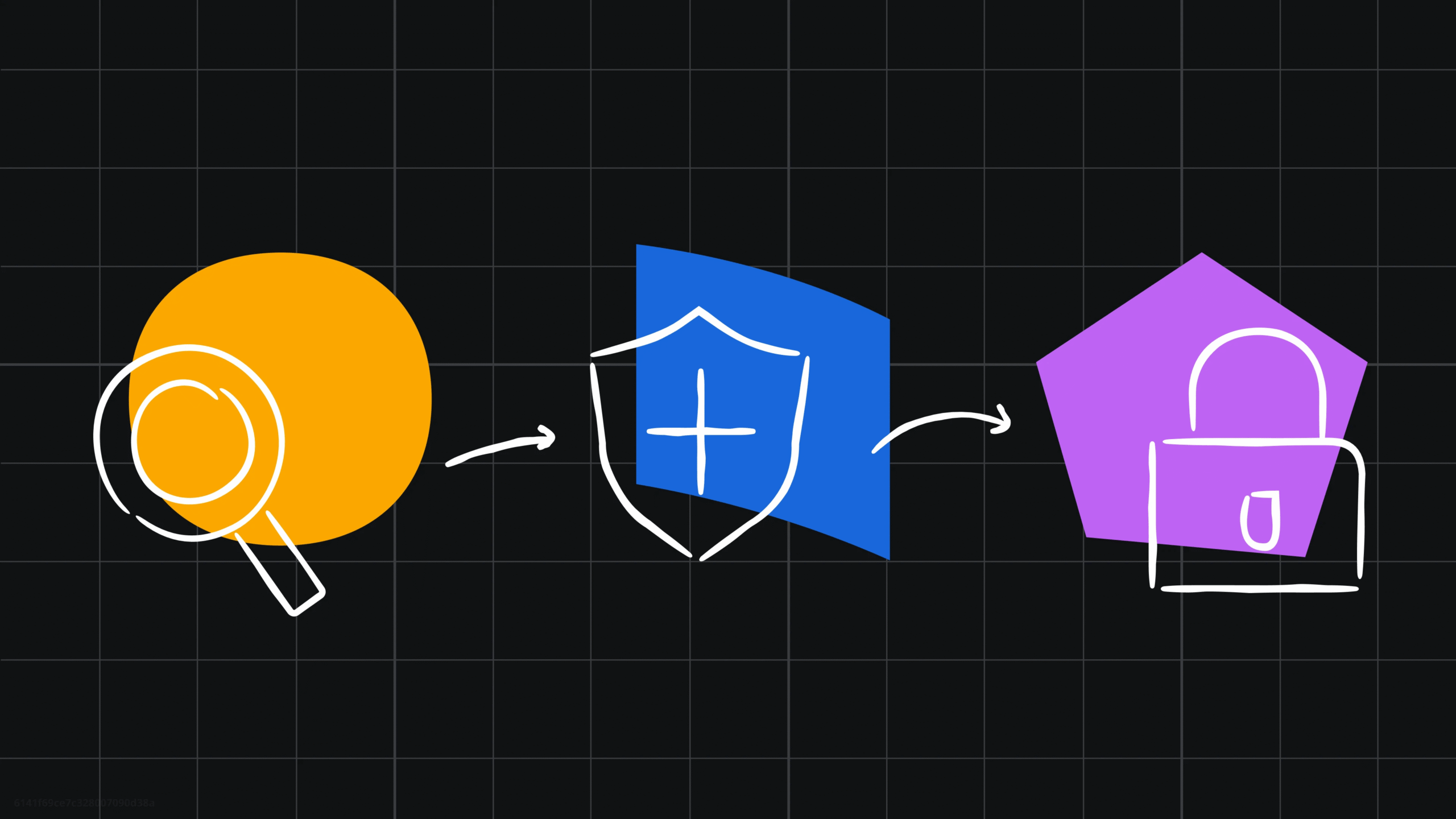
A strong DLP framework helps answer three questions:
- Discover: where does our sensitive data live, and do we have blind spots?
- Classify: what kind of data is it, and how critical is it?
- Control: how do we enforce the right actions based on what we know?
These steps give teams the visibility and control they need to strengthen their foundation for secure AI adoption. Here’s how each one works in practice.
Discover
Teams are shipping fast and creating a lot of new content across spaces, pages, and connected tools. In fact, teams on Atlassian create more than a million Jira work items every day and over two million pieces of content in Confluence every week.
That’s why visibility matters, whether you’re scaling AI, onboarding new teams, or managing years of accumulated content. You need to know where your sensitive data lives, who has access to it, and how it’s being used. You can’t protect what you can’t see, and you definitely don’t want AI or teams surfacing something you didn’t know was there.
With content scanning, available in Atlassian Guard Premium, you can use built-in and custom detections to discover sensitive data where it’s created: across your full history with a full-site scan, and in real time as users save content. Because detection is embedded in the platform, it feeds directly into classification, policy enforcement, and AI controls without requiring a separate integration layer.
Run a full-site scan across Jira and Confluence to discover hidden data
Classify
Once you’ve discovered your data, you need to understand how sensitive it is and protect it accordingly. Data classification helps you apply consistent labels—for example, Public, Internal, Confidential, or Restricted—so each type of data gets the right level of protection. Customer financial records probably belong under Restricted, while next quarter’s marketing plan likely fits under Internal. Without labeling, you risk exposing data to the wrong people, or locking down content so tightly that your teams and AI tools can’t access what they need.
With Guard Premium, you can define rules that automatically classify content based on detections, giving you a foundation to enforce data security policies consistently. Classification labels show up where teams work, so everyone knows how sensitive something is and how to handle it — including when it should be shared with AI tools.

Learn more about how Guard Premium supports data discovery and classification in this Atlassian Community article.
Set up automatic data classification rules for sensitive data
Control
You’ve discovered and labeled your sensitive data; now it’s time to make your governance decisions actionable. Let’s look at an example — say a user has customer financial data sitting in a page in their personal space. Now, you can block it from being shared publicly. Or if someone tries to export a page classified as Confidential to PDF, now you can prevent it before the data leaves your Atlassian apps. With discovery and classification already in place, these protections happen automatically when you set a policy.
With Guard Premium, you can build policies that map directly to your classification levels, so a Confidential page gets treated with more restrictions than an Internal one. That means teams can avoid broad controls that slow collaboration while still giving sensitive information the protection it needs.
This is where your DLP foundation pays off for AI — Guard now extends data security controls into your AI workflows. Rovo Chat security lets you set detections that block sensitive data from being used in prompts or surfacing in responses. Connector data security scans third-party data from tools like Google Drive and prevents it from being ingested into the Teamwork Graph (the data intelligence layer that supports Rovo). When models reach out to query the Teamwork Graph for data across your organization, the sensitive data won’t be there to surface.

These AI controls are in early access now, with more coming as part of Guard’s AI roadmap. Sign up to try them out now!
Set data security policies to protect sensitive data
Build the foundation that keeps you moving forward
Security work is never finished, but it doesn’t have to feel like running uphill either. DLP is one piece of a layered security approach, supporting frameworks like zero trust to stay secure as technology keeps evolving. With a strategy that understands your data as it’s created, your teams will have a secure foundation to adopt AI with confidence.
Strengthen your DLP strategy with Guard Premium
Ready to put the framework into practice for your Atlassian data? Guard Premium gives you full-site content scanning, automatic data classification, data security policies, and protections built specifically for Rovo.

[Using Guard full-site scanning,] we found thousands of detections that could be a violation…We sent users a note letting them know we’d redact the information within 24 hours if no action was taken. We ended up redacting over 60% of occurrences in about 45 minutes. That was a win to keep our data secure.”