If you’re like most people, you don’t remember the exact name of the page you edited three weeks ago—or the precise title of the document someone shared in a chat thread. What you do remember is usually higher level:
- who you collaborated with
- what it was about
- roughly when it happened
- what kind of thing it was (a page, a PDF, a pull request, a message)
That’s the gap structured queries are designed to close.
Structured queries let you search in natural language, while the system reliably extracts filters—like app/source, content type, time range, and people involved—and uses them to retrieve and rank results more accurately.
What are structured queries?
Structured queries = confidently-derived filters + residual query
In other words, you type a normal sentence, the system identifies the parts that can be deterministically converted into filters, and treats whatever remains as a regular text query. There should not be any ambiguity in the query about whether some terms are filters or not.
Example:
Query: “gdrive docs about rovo from Mike”
The system can infer filters like:
- App = GDrive
- Type = document
- User = Mike
And it keeps the residual text query:
- Residual = “rovo”
Definition: Structured queries are natural-language queries where we can deterministically infer filters (app/product, type/sub-type, time, user/activities, and—where supported—product-specific attributes).
Why this matters
When search can reliably understand “who / what / when / where” from the way people naturally ask, it unlocks high-value “hero” workflows—searches that save meaningful time and help teams move faster.
Structured queries are especially useful when:
- the organization spans multiple tools (docs, chat, issue trackers, file storage, etc.)
- queries are ambiguous unless you apply filters
- users often start from partial memory (“I know it exists, but I can’t recall the details”)
Three everyday examples (all in natural language)
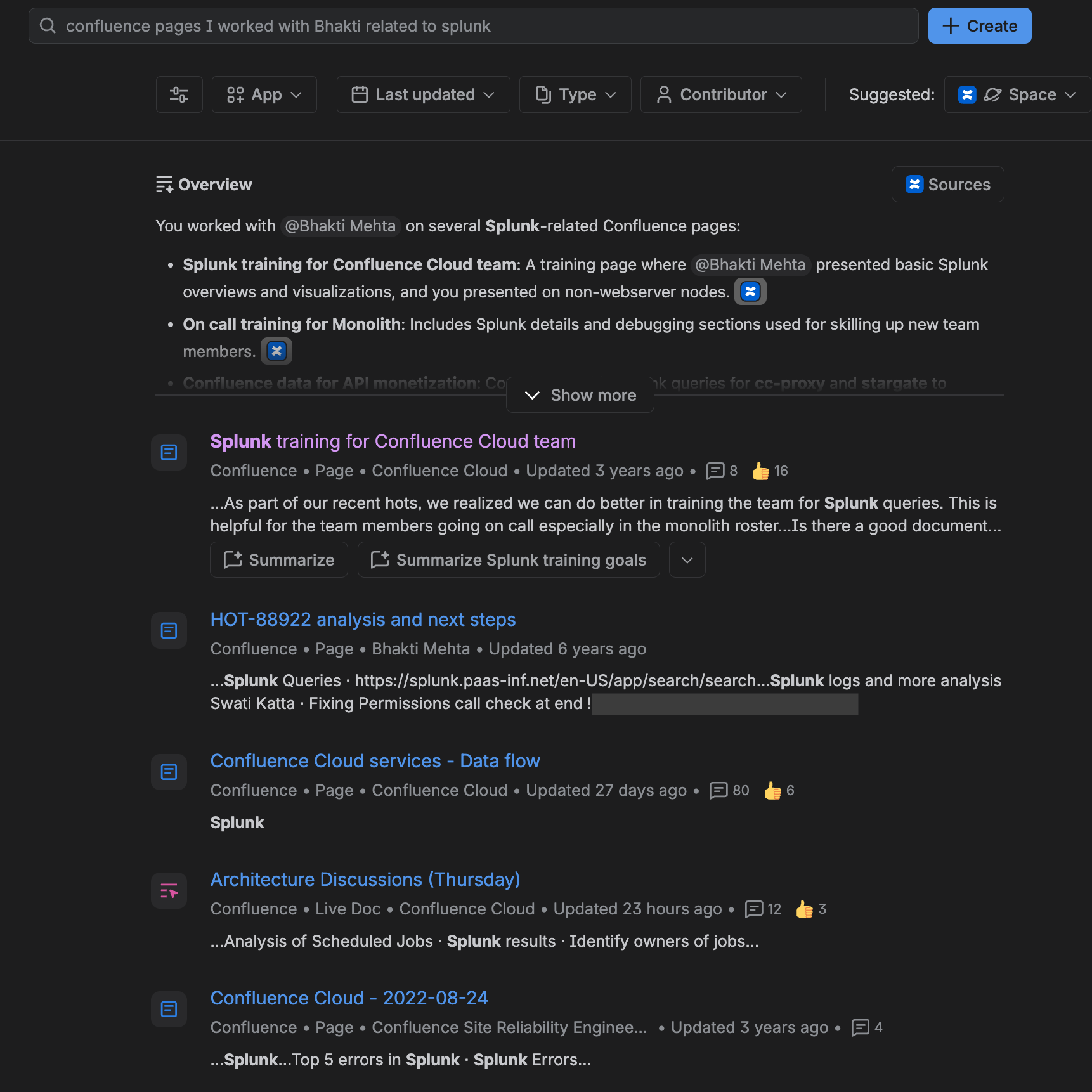
1) “I worked on a Confluence page with Bhakti… it was about Splunk”
You collaborated with someone on a page, but you can’t remember the title or time frame. You try:
“confluence page I worked on with Bhakti related to Splunk”
This query contains several pieces of information that can become filters:
- the app/source (“confluence page”)
- the collaborator (“Bhakti”)
- the topic (“Splunk”)
With filters and ranking working together, the best matching page can rise to the top—even if multiple pages mention “Splunk” or were edited by the same people. We will also fetch the best candidate, by the name Bhakti, who collaborates with you more than others. Full names are more deterministic.
Here, you can see all docs have the topic splunk and all pages are edited by both me and Bhakti.
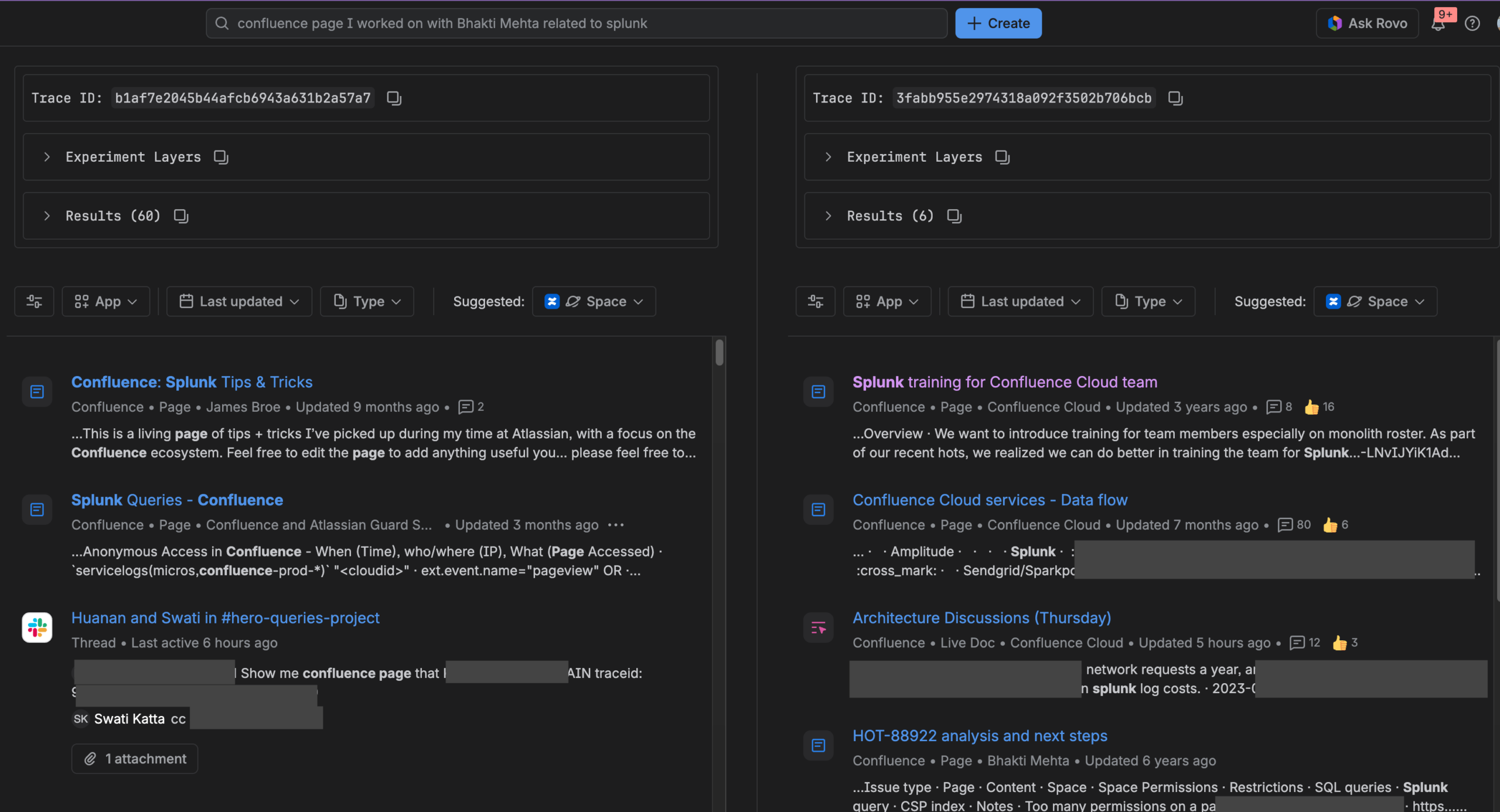
Before and after for comparison (Right side is with Feature enabled)
2) “What PRs did Swati Katta create last month?”
A teammate wants to see pull requests created in a specific time window and searches:
“PRs by Swati Katta this month”
Here the system can infer:
- Type = PRs
- User = Swati Katta
- Time = this month
Often, the residual query is effectively empty—because the filters are the primary intent.
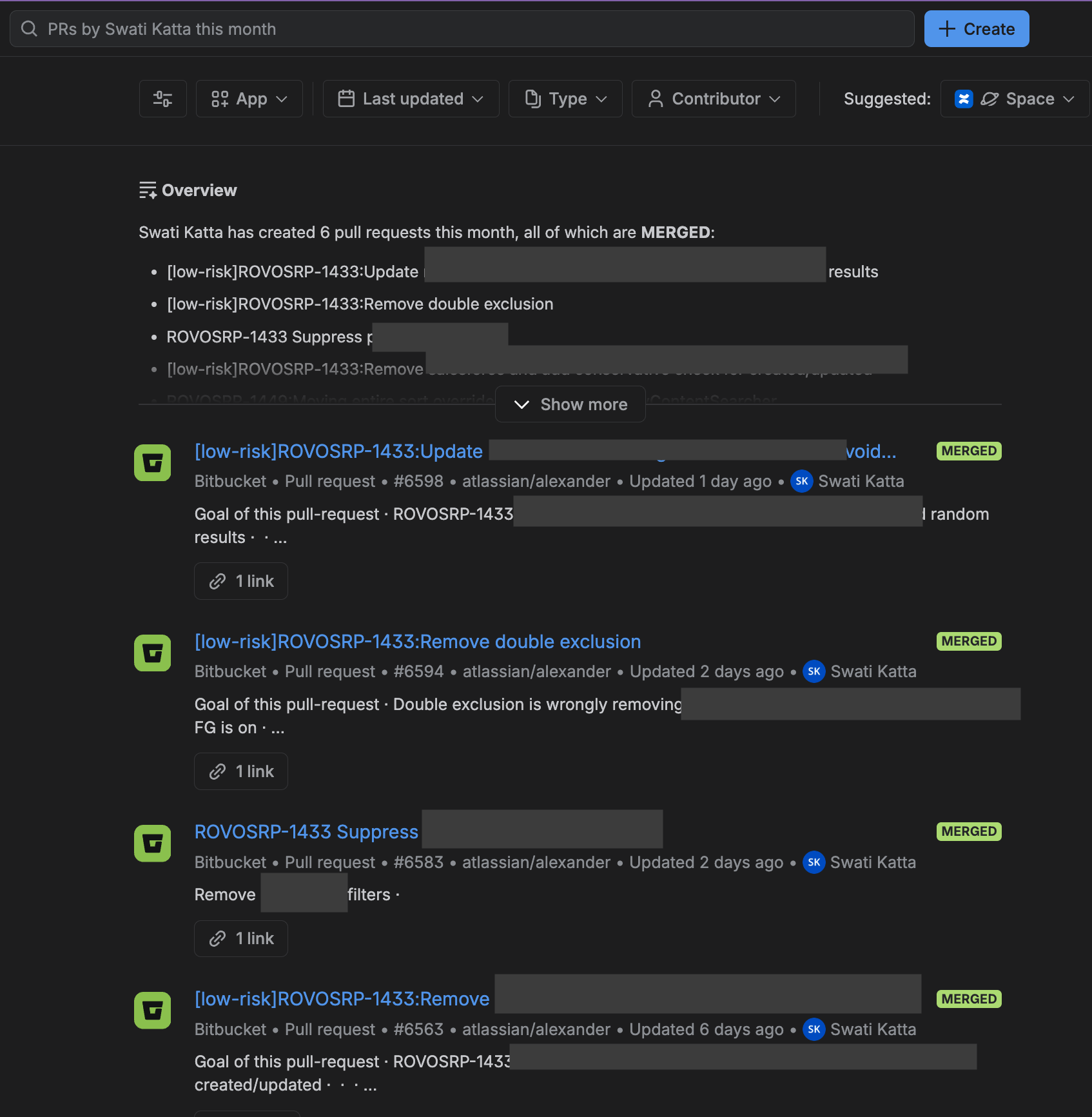
Before and after for comparison (right side is with feature ON)

3) “Show me all recent dsats in #help-searchdsat”
Someone wants recent feedback or issues discussed in a specific channel and searches:
“Show me all recent dsats in #help-searchdsat”
The system can infer:
- Channel =
#help-searchdsat - Time = recent (last 30 days)
- plus the residual signal (“dsats”) to find relevant messages/threads

Before and after for comparison (right side has feature ON)

Where structured queries can work
These query styles can work in multiple experiences that invoke the same underlying search capabilities, including:
- rovo search
- rovo chat
- agents
Which filters can be inferred?
Structured query filters generally fall into two buckets:
Global filters (work across many apps)
These are broadly applicable and tend to be the most reliable:
- App
- Last updated time range
- Type / sub-type
- User (Creator | Editor | Mention variants)
Product-specific filters
We support some filters that are very specific to only selected products:
- Slack/Teams channel filter
- Jira assignee, reporter
And more product-specific filters and new types of user participation eg: viewed, shared, commented, are currently being tested. So, stay tuned.
Closing thought: search should match human memory
People don’t remember work artifacts as perfect titles and exact dates. They remember context. Structured queries aim to bridge that reality: keep the input natural, but make retrieval precise by converting the “certain” parts of your request into filters.
Now that Rovo search supports structrued queries, try writing queries the way you’d ask a teammate:
- “docs Bob updated last week about rovo”
- “my recent PDFs”
- “PRs by Swati last month”
- “messages in #help-search-feedback from the last 2 weeks”
No special syntax—just intent.
Stay tuned for a technical blog post about this coming soon!