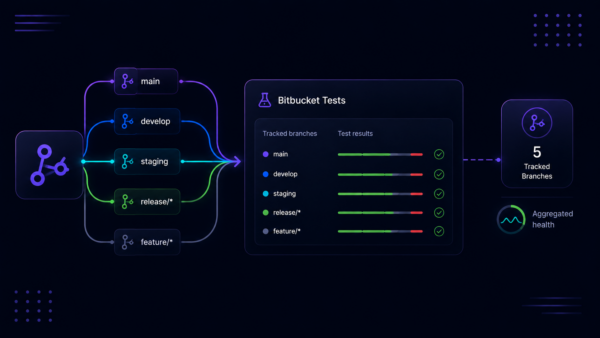
When a team relies on automated tests in CI/CD, knowing that tests ran is only the beginning. Understanding whether the suite is healthy, which tests need attention, and how a specific test has behaved over time — that’s what drives action. Bitbucket Tests is evolving to make those answers easier to find and give you tools to improve your test health.
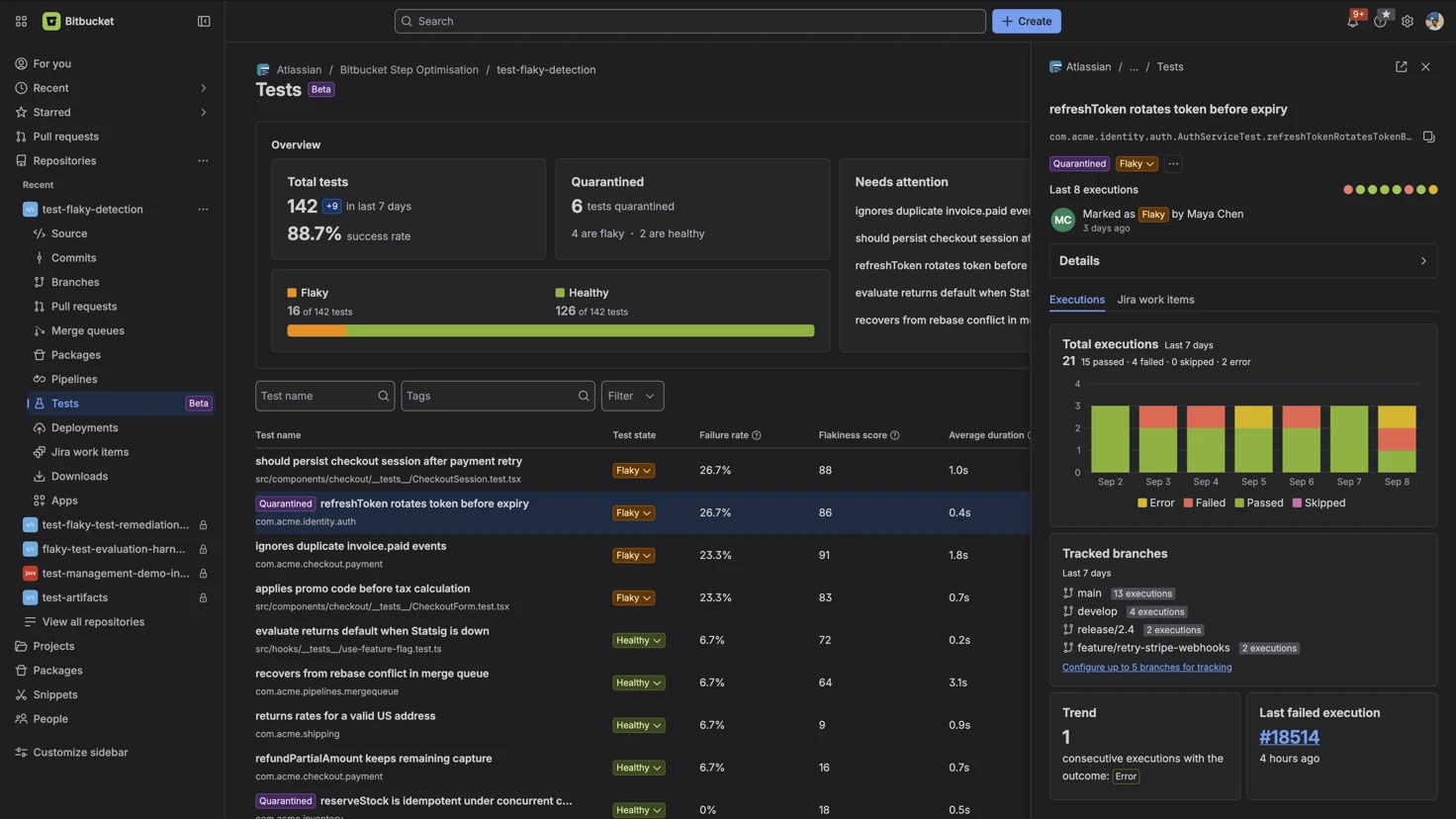
Today, we’re introducing new test health dashboards in Bitbucket Tests, providing visibility into test reliability, historical trends, high-level suite breakdowns (total, healthy, flaky, and quarantined tests), and a dedicated Needs attention card highlighting the top tests impacting suite health.
Bitbucket Tests, currently in beta, is available on Standard and Premium plans.
A dashboard for your full test suite
The new overview dashboard brings useful test health information together in one place. Use it to quickly understand the current state of your suite, review flaky and quarantined tests, and identify where to focus next. Bitbucket Pipelines results now link to Bitbucket Tests as well, where you can select View in Tests to see a test’s history and execution details.
- Test summary: See an at-a-glance view of your tests and their current status.
- Health insights: Identify healthy, flaky, and quarantined tests more easily.
- Execution visibility: Drill down into the executions when you need more details such as a test’s summary or history to investigate failures and track reliability over time.
- Action-oriented navigation: Whether you’re troubleshooting a failure or reviewing an unreliable test, clearer statuses, and more intuitive controls accelerate your triage workflow.
How to get started
1. Make sure your tests run in Bitbucket Pipelines and generate JUnit-compatible test reports. Learn more on how to get started here.
2. Open your repository and select Tests.
3. Start with the overview dashboard to see your suite’s health.

4. Select an individual test to explore its summary and execution history.

5. Use the available filters and navigation to focus on the branch, status, or execution you want to investigate.
Results become available as your pipelines run and publish test reports. If you’re setting up test reporting for the first time, follow our getting started guide here.
Share feedback
We’d like to keep improving Bitbucket Tests based your feedback. Try thus new capability and share your thoughts in the Atlassian Community.