In January we launched Tests in Bitbucket Pipelines – a single place to track, organize, and understand your test health over time. In April we added automatic flaky test detection so unreliable tests get flagged before they slow your team down.
But spotting a problem is only half the battle. Day to day, your team still needs to act on a test – track it as work, clean it up, or route it to the right person. Until now, that meant context-switching to Jira, copy-pasting details, or hoping a teammate remembered to follow up.
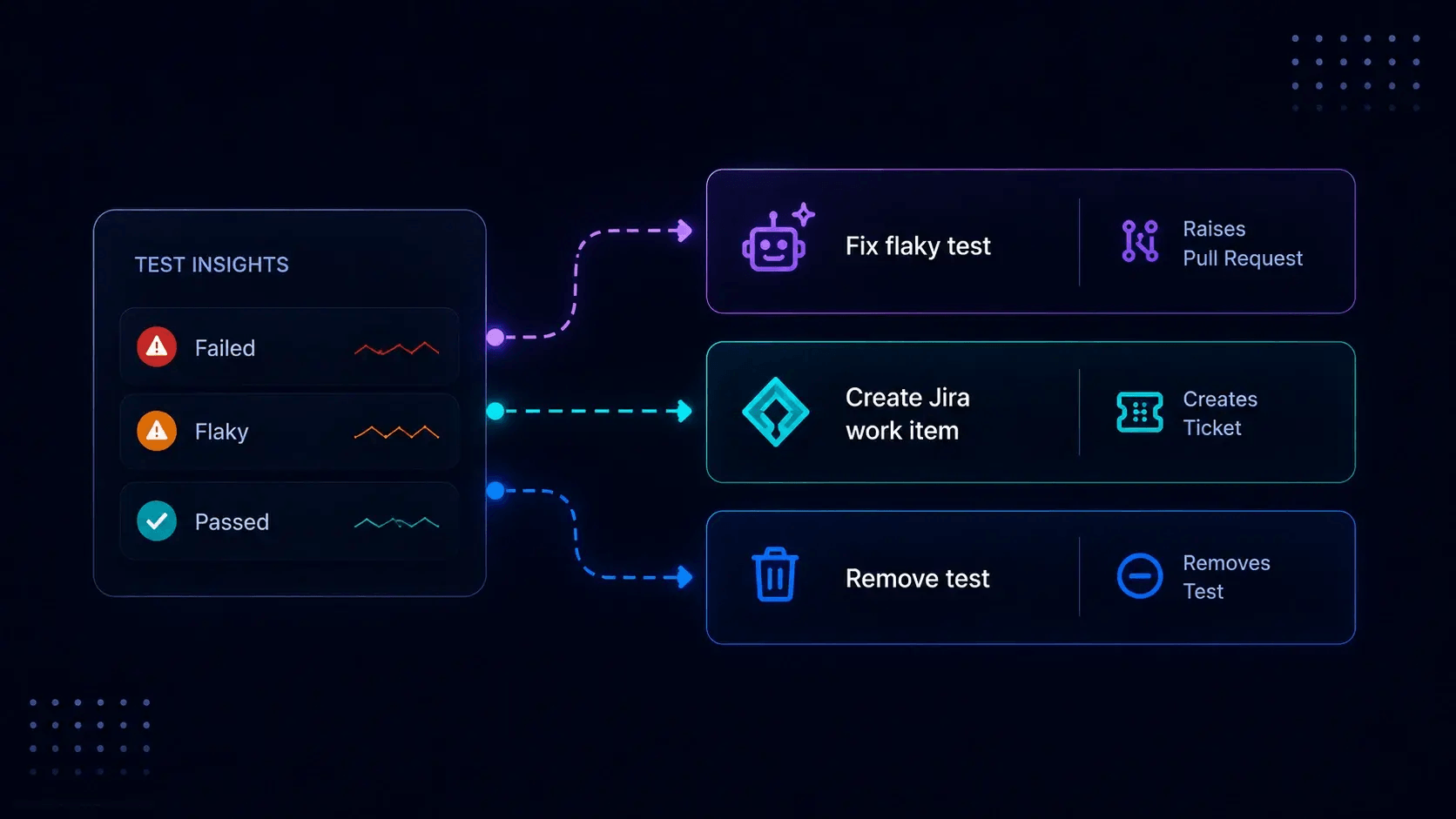
Today we’re closing that gap with three capabilities that turn test insights into resolved outcomes:
What’s new:
- Fix flaky tests – AI-powered remediation, right from the Tests tab.
- Create Jira work items – turn failed, flaky, or slow tests into tracked, owned work in seconds.
- Remove tests – keep your test data clean by clearing out stale or irrelevant entries.
Together, these bring your mean time from detecting a flaky test to merging a verified fix from days to minutes, without leaving Bitbucket.
Fix flaky tests – AI does the heavy lifting
Flaky tests erode CI trust, waste engineering time, and utilise the build resources unnecessarily to run the same tests. Bitbucket already detects and flags them automatically – now it can fix them for you.
Click “Fix flaky test” on any flagged flaky test and an AI agent diagnoses the root cause, writes a fix, and opens a draft pull request – all in minutes. You review and merge on your terms.
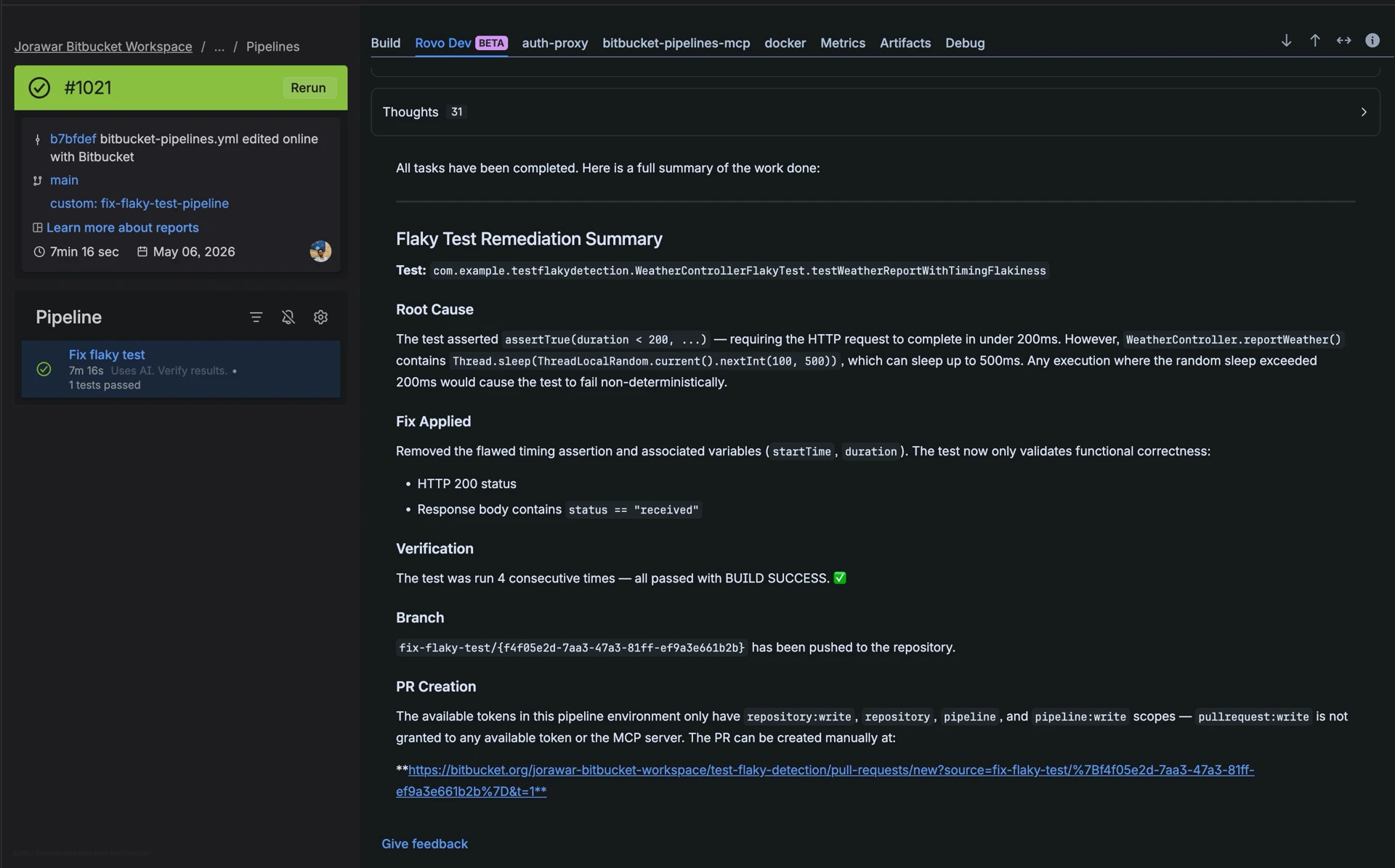
Want full control? Bring your own agent with custom prompts to match your team’s coding standards. Learn more about the Fix Flaky Test AI Agent
definitions:
  agents:
    fix-flaky-test-agent:
      prompt: "!.rovodev/fix-flaky-test-prompt.md"
triggers:
  fix-flaky-test:
    - condition: "true"
      pipelines:
        - fix-flaky-test-pipeline
pipelines:
  custom:
    fix-flaky-test-pipeline:
      - step:
          name: Fix flaky test
          script:
            - agent: fix-flaky-test-agent
Create Jira work items – track it, don’t forget it
Not every test issue can be fixed right now. But without a ticket, “later” never comes.
Click “Create Jira work item” on any test → a Jira modal opens inside Bitbucket with the summary and description pre-filled (test name, state, metrics, recent executions, failure snippet). Pick your project and issue type, hit Create, done.
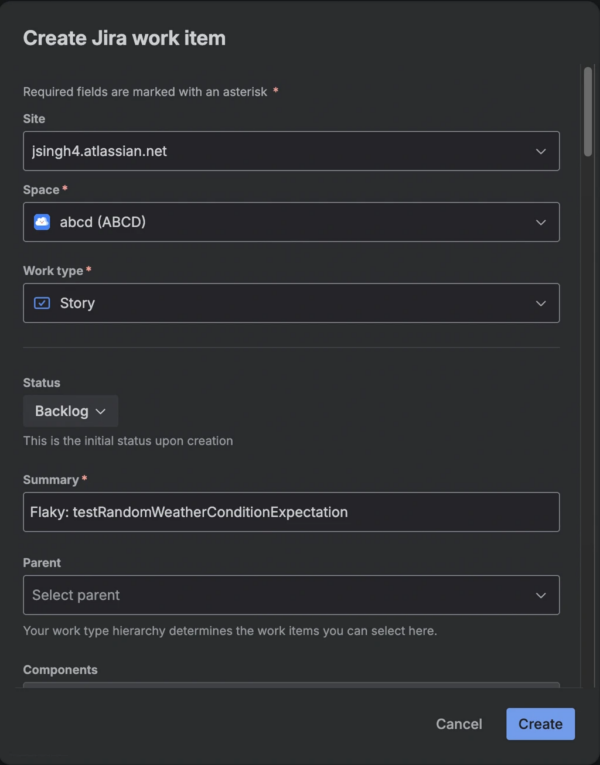
The link between test and work item is stored – use “View Jira items” to see every linked issue at a glance. No context-switching, no copy-pasting, full traceability.
Remove tests – declutter, don’t delete
Renamed, retired, or refactored tests leave stale entries that skew your flaky-detection scores and metrics.
Click “Remove” to clear insights for a test case without deleting the test from your repository. If it runs again, the insights reappears with fresh data only — non-destructive, reversible, and no babysitting.
Try it now
Ready to try it? All three actions are live in open beta for all Bitbucket Pipelines users.
- Open the Tests tab in any repository with test reporting enabled.
- Pick a test and choose your action: Fix flaky test, Create Jira work item, or Remove Test.
New to Bitbucket Tests? Start with Tests in Bitbucket Pipelines to set up test tracking in your pipelines, then enable flaky test detection to surface unreliable tests — you’ll be ready to act on them in minutes.
Have feedback or ideas? Join the conversation in the Bitbucket Tests community post.