


Finding code across your repositories in Bitbucket just got a major upgrade. We’ve rolled out code search in open beta for Bitbucket Cloud: a faster, more integrated search experience built to help you find code across your workspace without interrupting your workflow.
For many developers, search is one of the fastest ways to explore an unfamiliar codebase, investigate an incident, audit API usage, or scope a refactor. We rebuilt Bitbucket’s code search from the ground up to be easier to access, fast, and grounded in search results you can trust.
What’s new
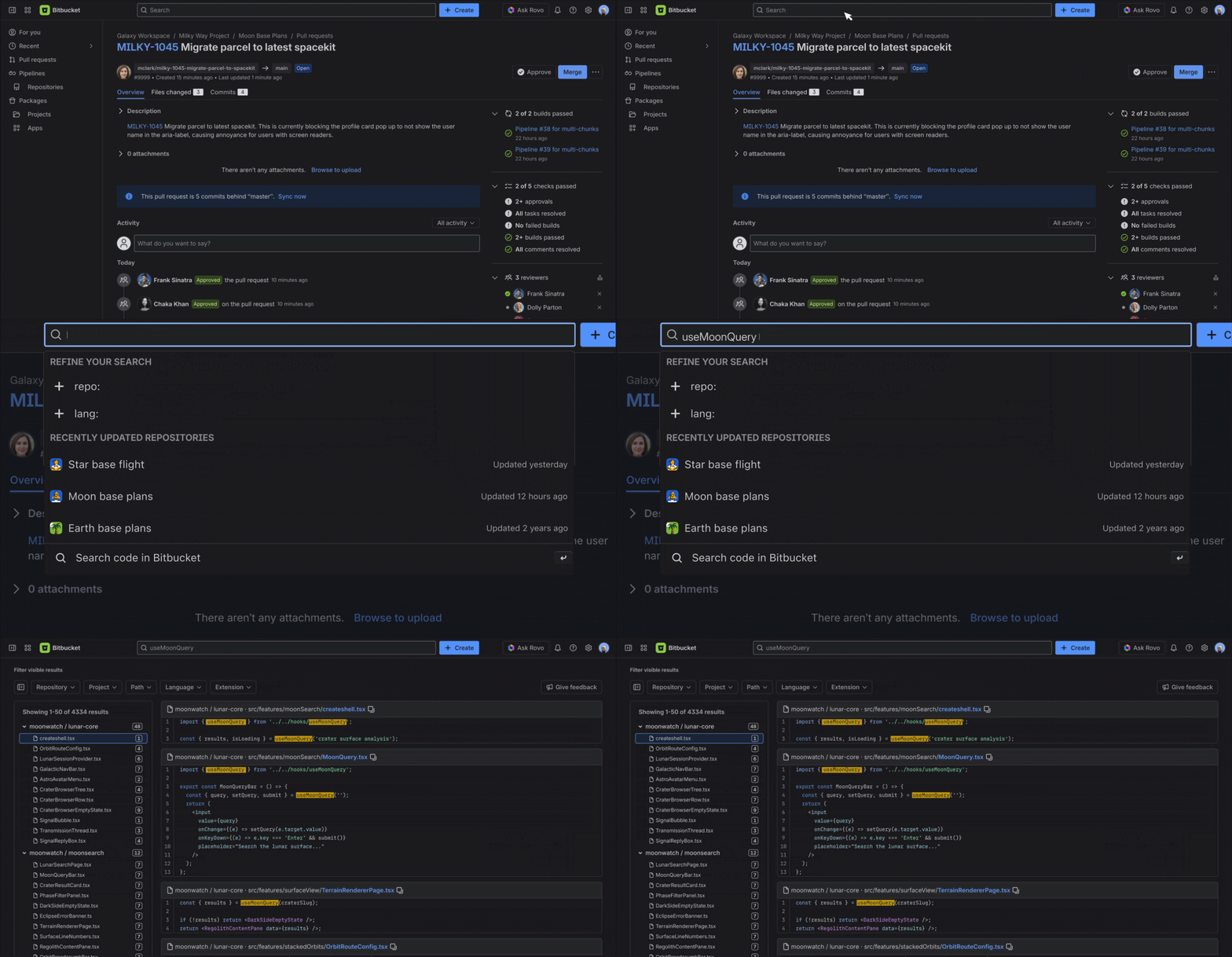
With the new code search, you can initiate a search in Bitbucket and jump straight into a dedicated, full-page results experience designed specifically for reading code.
Search from anywhere
Access code search instantly through a single global entry point across Bitbucket Cloud, then jump straight into a dedicated results view without breaking your workflow.
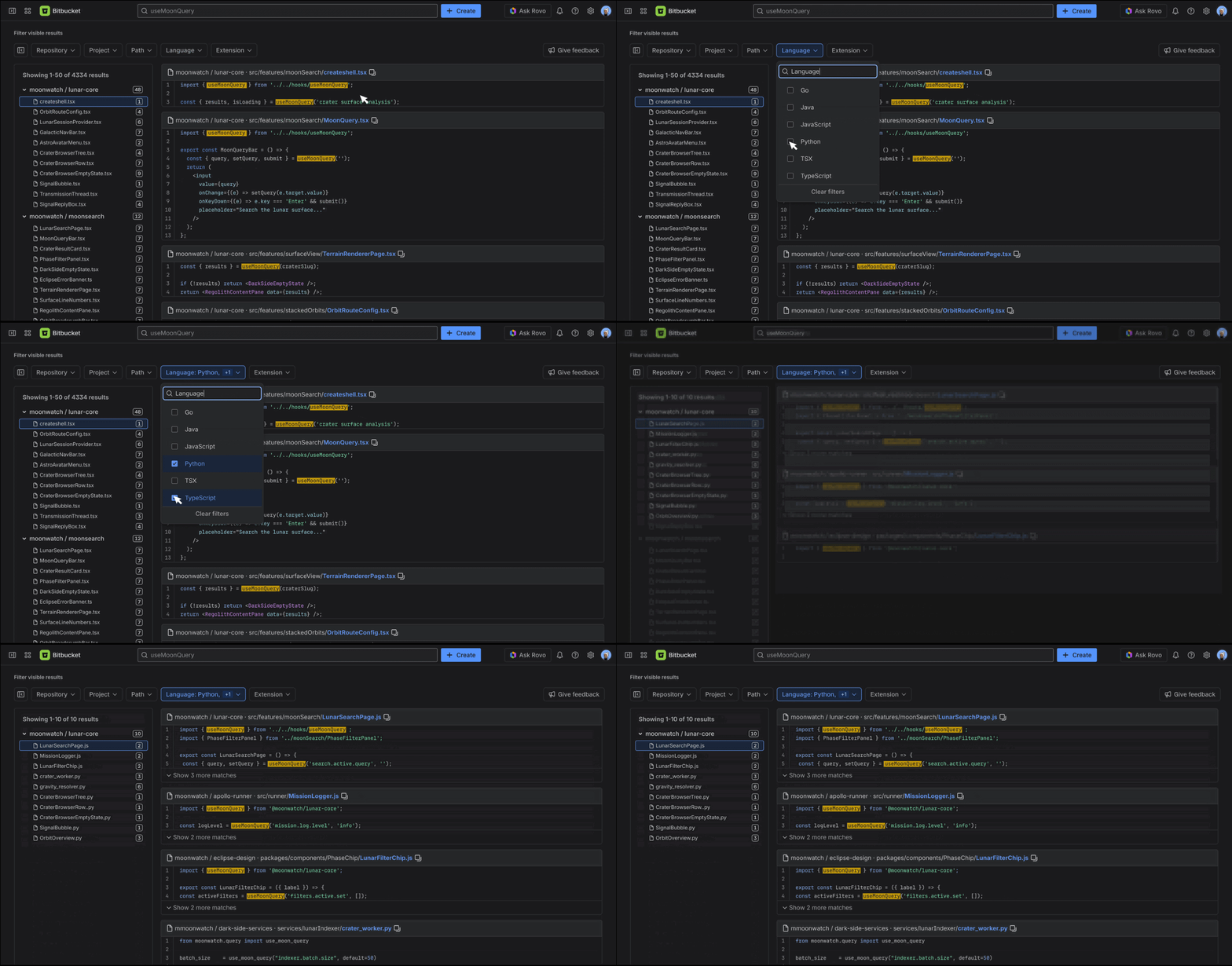
Quick Tips: Finding Repositories vs. Searching Code
To jump directly to a repository: Start typing the repository name in the search bar and select it from the Repositories list in the dropdown (or use ↓ arrow and press Enter / Return).
To search code across all repositories: Type your query and press Enter / Return (or click Search in code). To scope your code search to a specific repository, use the repo: filter (e.g., repo:moonlight-lunar-integration auth).
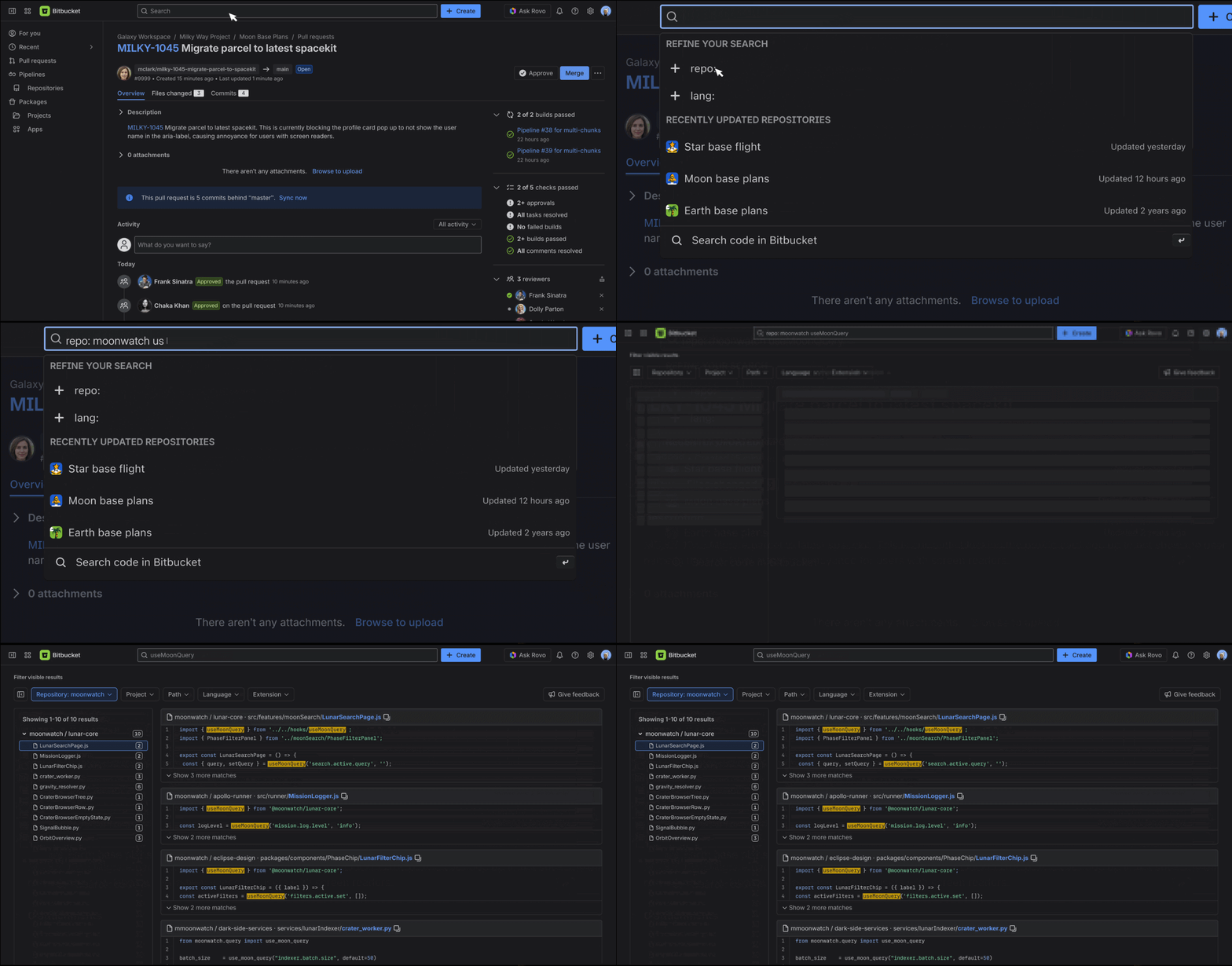
Code-first results and instant file navigation
View syntax-highlighted code matches in context, scan relevant logic at a glance, and use keyboard shortcuts like /, ↑/↓, and Enter to move through results and open files quickly.
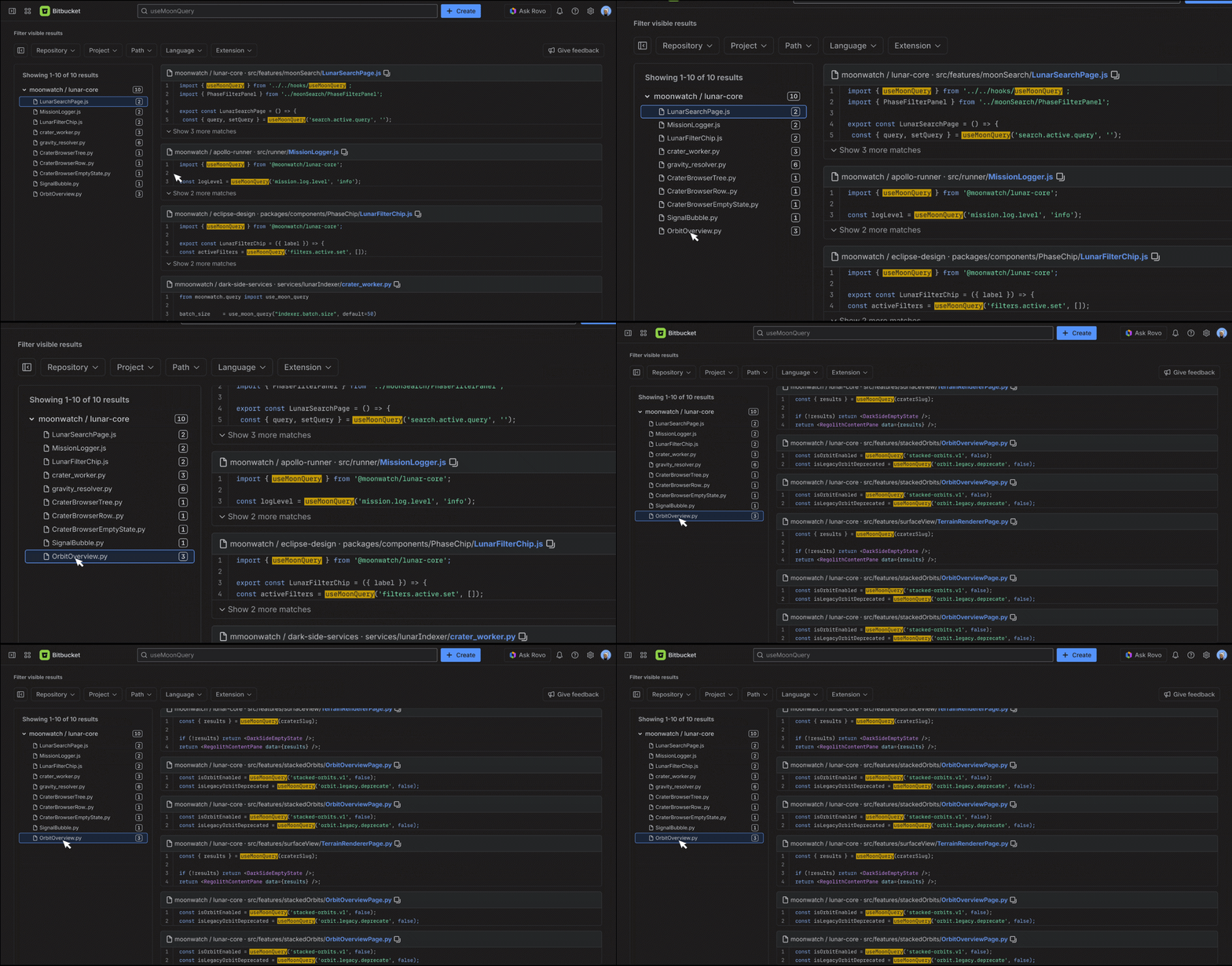
Powerful filters and query refinement
Narrow results by repository, project, language, file path, or extension, with suggestions like repo:, lang:, and path: to help you build more precise searches faster.
Built for everyday developer workflows
The new search experience is tuned for high-frequency developer tasks:
- Exploring unfamiliar codebases during onboarding or cross-team PR reviews.
- Tracing error strings and function calls across distributed repositories and microservices.
- Auditing libraries & API patterns for security reviews, compliance checks, or deprecations.
- Scoping refactors & migrations with accurate, workspace-wide impact estimation.
Open beta, rolling out now
Code search is rolling out progressively across Bitbucket Cloud workspaces. As soon as your workspace is indexed, the new search experience will automatically become available, accompanied by a quick onboarding guide to help you get the most out of it.
Availability will continue to expand across more workspaces over the coming weeks.
To learn more about supported search syntax, shortcuts, and indexing details, check out our Search in Bitbucket Cloud | Bitbucket Cloud | Atlassian Support.
What’s next
This open beta establishes fast, reliable code search in Bitbucket Cloud. As we look ahead, we’re making search smarter by understanding developer intent and expanding how you discover code:
- Intent detection & smart navigation: Search using natural language. Bitbucket will recognize whether you’re looking for exact code or asking a broader question:
- Direct navigation: Type a repository name or common path to navigate directly to it.
- Deterministic code queries: Code queries (e.g.,
repo:backend AuthHandler,path:src/) run instantly in exact code search. - Natural language questions with Atlassian Rovo: Ask conversational questions (e.g., “Where do we handle OAuth token refresh?” or “Who owns the payment webhook service?”) to receive AI-synthesized summaries, code references, and cross-tool context from Jira and Confluence
- Semantic search: Discover relevant logic by concept and meaning rather than exact keywords. Search for patterns like “rate limiting” or “token validation” and surface matching implementations—even if the classes or functions use different names (such as
TokenBucketorverifySession).
We’d love your feedback
Try code search in your workspace and tell us what works well and where we can improve. Use the Give feedback action in the search results view to share ideas, report issues, or suggest improvements.
Ready to search? Open Bitbucket Cloud, press /, and start exploring your codebase.
Happy searching!


