


We’re excited to announce that Rovo Dev is now generally available in VS Code as part of the Atlassian VS Code extension.
The Atlassian VS Code extension already connects your editor to Jira work items, Bitbucket pull requests, and more. Now, we’re building on that foundation with Rovo Dev — a context-aware AI agent that lives right inside your IDE. Rovo Dev brings AI-assistance directly into your IDE, helping you plan, code, review, and ship faster without breaking focus.
Shifting fragmented workflows to focused development
Developers spend a significant part of their day outside their code editor — hunting for ticket details in Jira, searching Confluence for specs, and checking Bitbucket or Github for related changes. When context, documentation, and code history live in separate tools, developers are forced to constantly switch just to understand what they’re working on.
Every tab switch breaks focus. Every search takes time. That fragmentation slows down workflows on a daily basis.
Powered by Atlassian’s Teamwork Graph, Rovo Dev connects to Atlassian context and third-party tools like GitHub through our Jira integration, enabling developers to access work items, documentation, code history, and team knowledge without leaving their editor.
Rovo Dev in VS Code delivers a seamless native experience in your IDE. It lets you search, chat, apply edits, run tests, and prepare commits—automating key parts of your software development workflow directly in VS Code.
With Rovo Dev in VS Code, you can:
- Start your tasks faster: Ask Rovo Dev questions about your codebase, Jira work items, or Confluence docs — without leaving the IDE. Get instant answers about architecture, dependencies, and best practices.
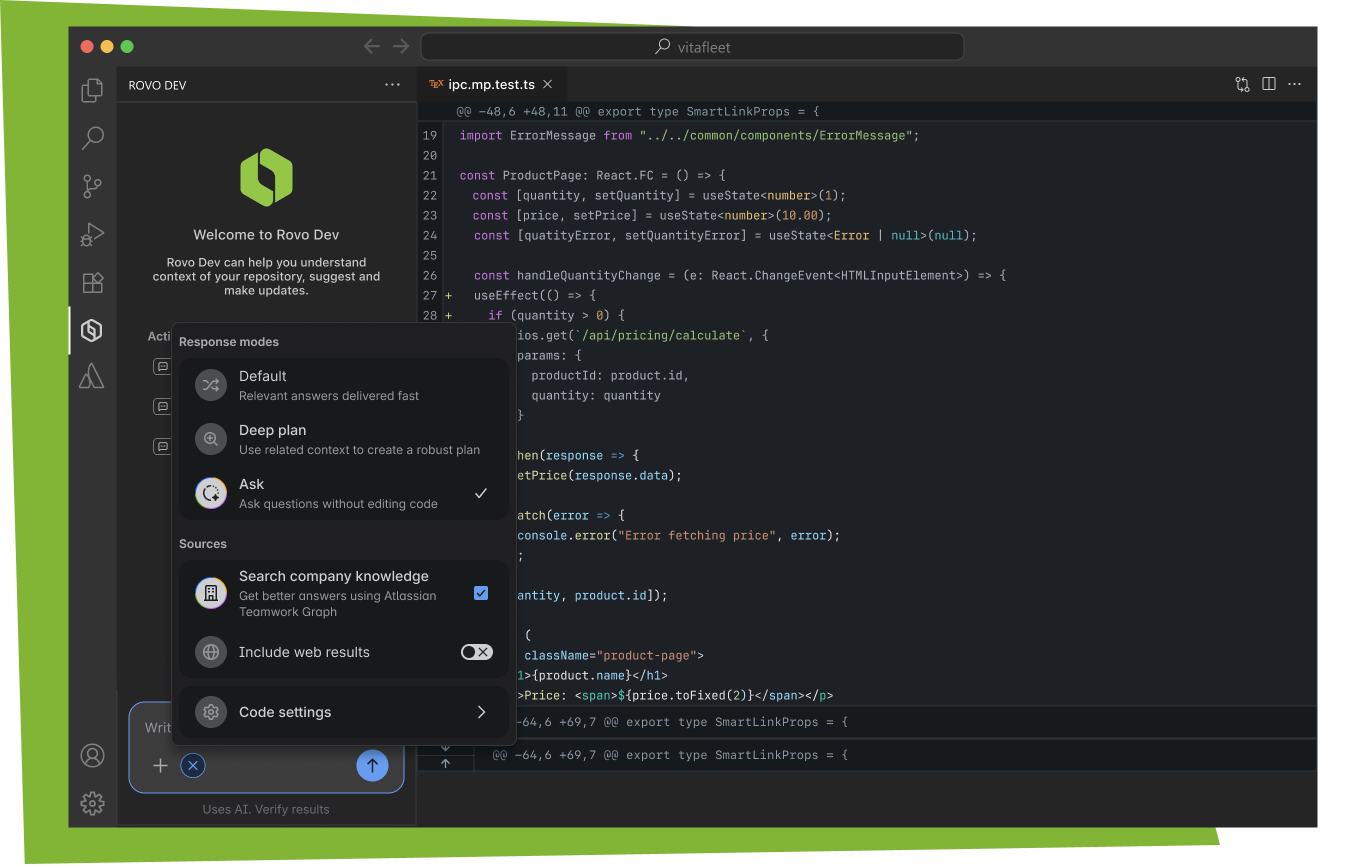
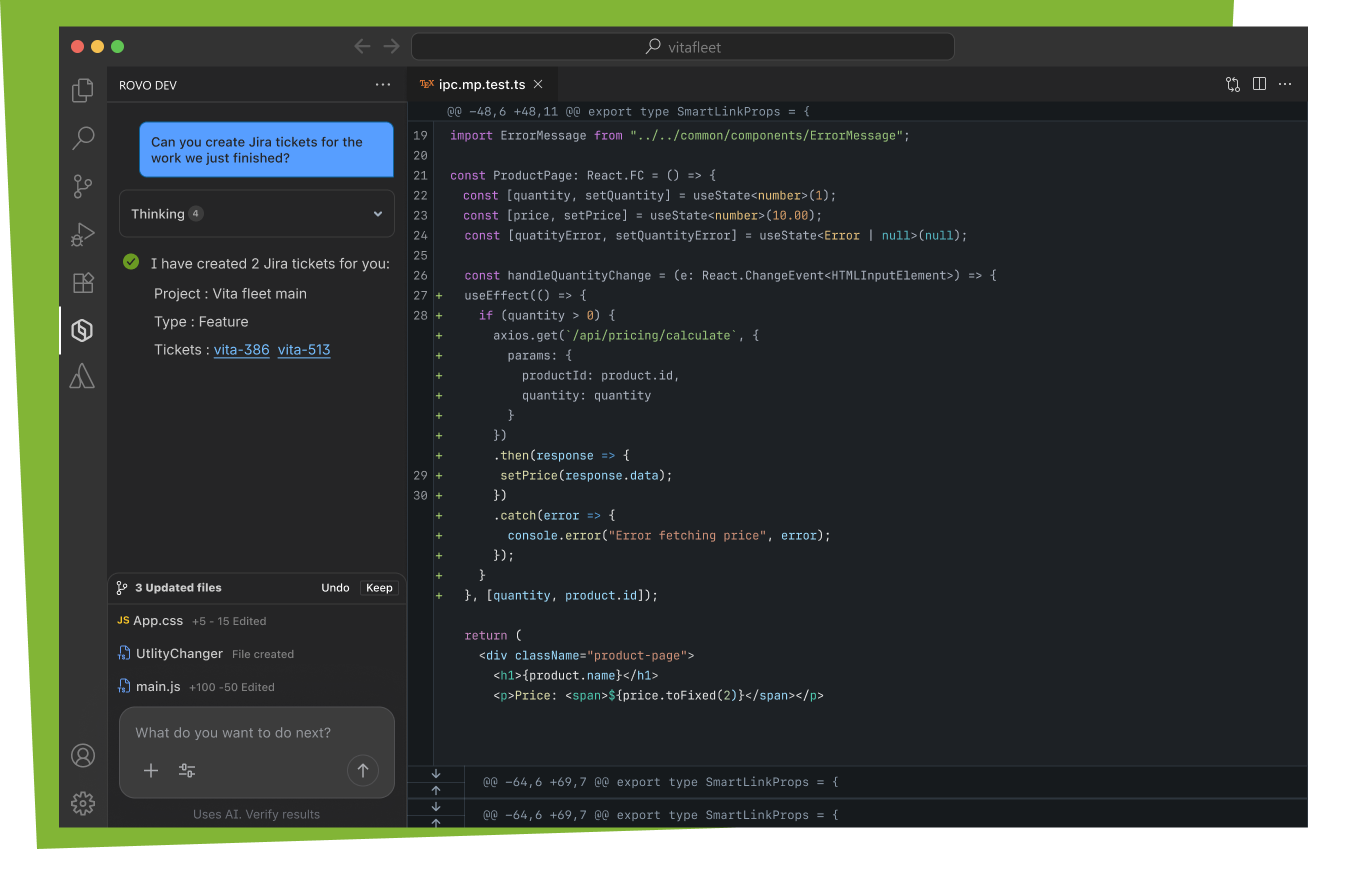
- Automate the busywork: Offload tasks like drafting Jira work items, pull requests, and even code changes to Rovo Dev, which automatically pulls in the right context.
- Stay in your flow: Get work suggestions, view your code reviews, and manage tasks directly from VS Code so you don’t have to break concentration.
- Receive alerts and act on them instantly: View notifications for Jira issues assigned to you, pull request activity, code reviews, and more. Open work items, or reply to comments without leaving your coding environment.
- Leverage organizational context: Built on Atlassian’s Teamwork Graph, Rovo Dev integrates with Atlassian tools like Jira, Confluence, and Bitbucket as well as third-party developer platforms such as GitHub. It draws on team context, documentation, business knowledge, and codebase history to improve quality and speed.
Example workflows
- Tackle existing Jira work items and create new ones: Directly from the IDE, ask Rovo Dev to start working on a Jira ticket you choose, with context pulled from code and other docs.
- Starting on a Jira: “Rovo Dev, let’s plan our approach to Vitafleet-123”

View Jiras: Open the Jira Extension, create a Jira ticket with Rovo Dev.
- Create & Review PRs: Let Rovo Dev help you create PRs, generate descriptions, and suggest reviewers.
- View PRs: View PR reviews created with Rovo Dev within your IDE.
Start your journey of intelligent development in your IDE
We invite you to install the Rovo Dev in VS Code extension today and learn more about additional Rovo Dev capabilities.
Please note: to unlock the full suite of AI-powered features, such as Rovo Dev chat, code search, and smart work suggestions, you need to have Rovo Dev installed and enabled on your site.
Our Sincere Thanks
This GA release isn’t just a milestone for our company; it’s a reflection of the conversations we’ve had with you. To those of you who took the time to leave feedback, you’ve quite literally shaped the product you see today. We’re obsessed with building experiences backed by your voice, not just our assumptions. Thank you for being part of the process—and please, don’t stop now. We’re always listening.


