


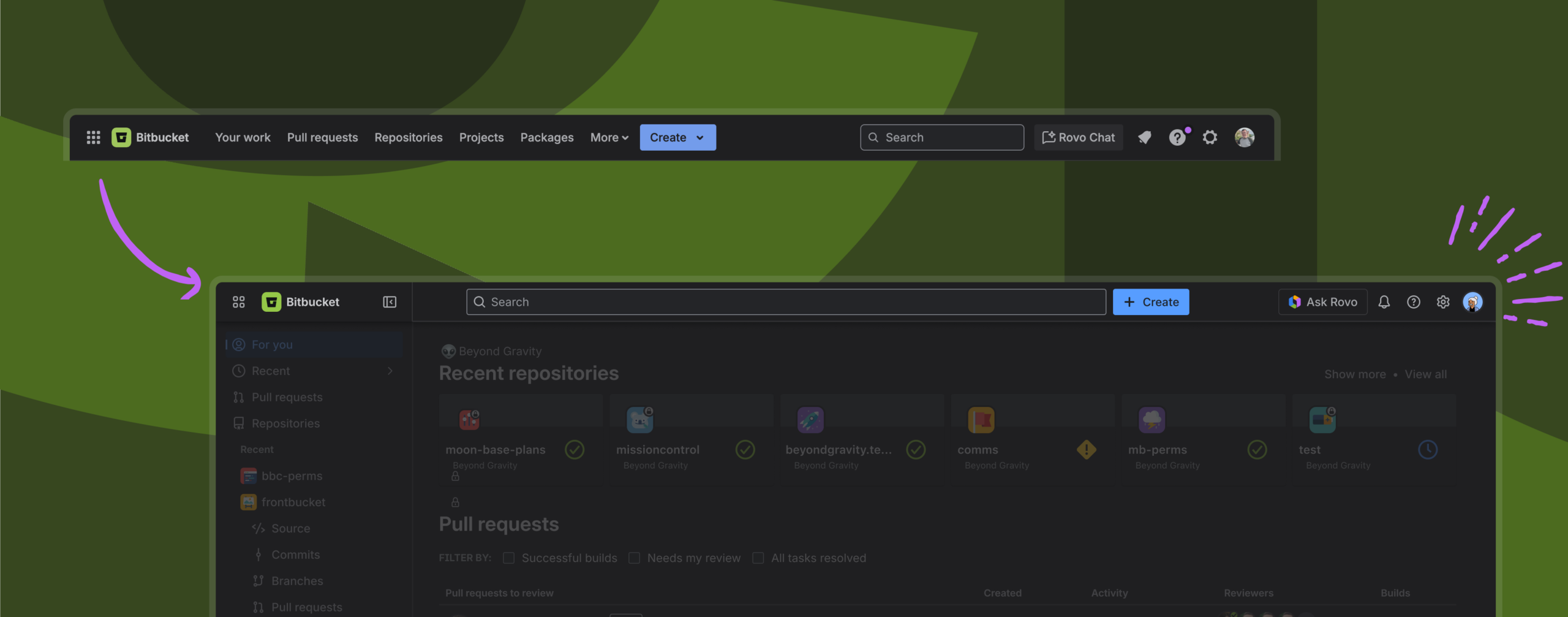
Last month we shared that a new navigation system is coming to Bitbucket, and we know many of you have been eager to see what it looks like. Today, we’re happy to share that the new navigation is available for to all Bitbucket users. This article covers what’s changing in Bitbucket, when it’s happening, and how you can share feedback with us.
What’s changing?
Bitbucket is unifying its navigation design with the rest of the Atlassian platform. This means that when new platform capabilities become available, we can easily bring them to you and your teams in Bitbucket.
Specifically, the new navigation focuses on:
- Customization – Tailor Bitbucket to how you work.
- Ease of use – Get where you need to go faster, with less visual clutter.
- Consistency across Atlassian apps – Enjoy a familiar experience across Atlassian apps like Jira, Confluence, and Atlassian Administration.
A closer look at navigation improvements
Here are some of the key features in Bitbucket’s new navigation.
Simplified top navigation that prioritizes search
The new top navigation makes it easier to access what you’re looking for with fewer clicks while staying in the context of your work. By reducing clutter and friction, teams can stay in flow and focus on what matters most.
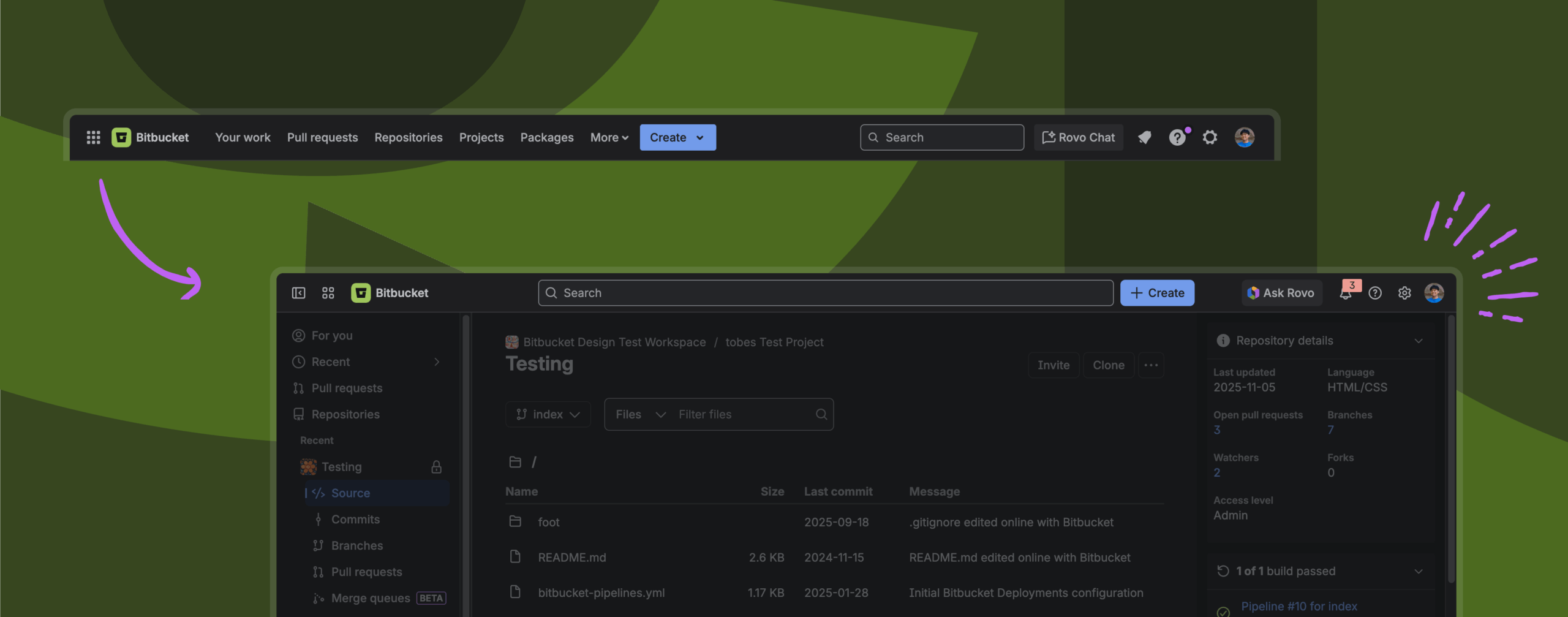
Navigate directly to any repository view, and easily switch to another repository view.
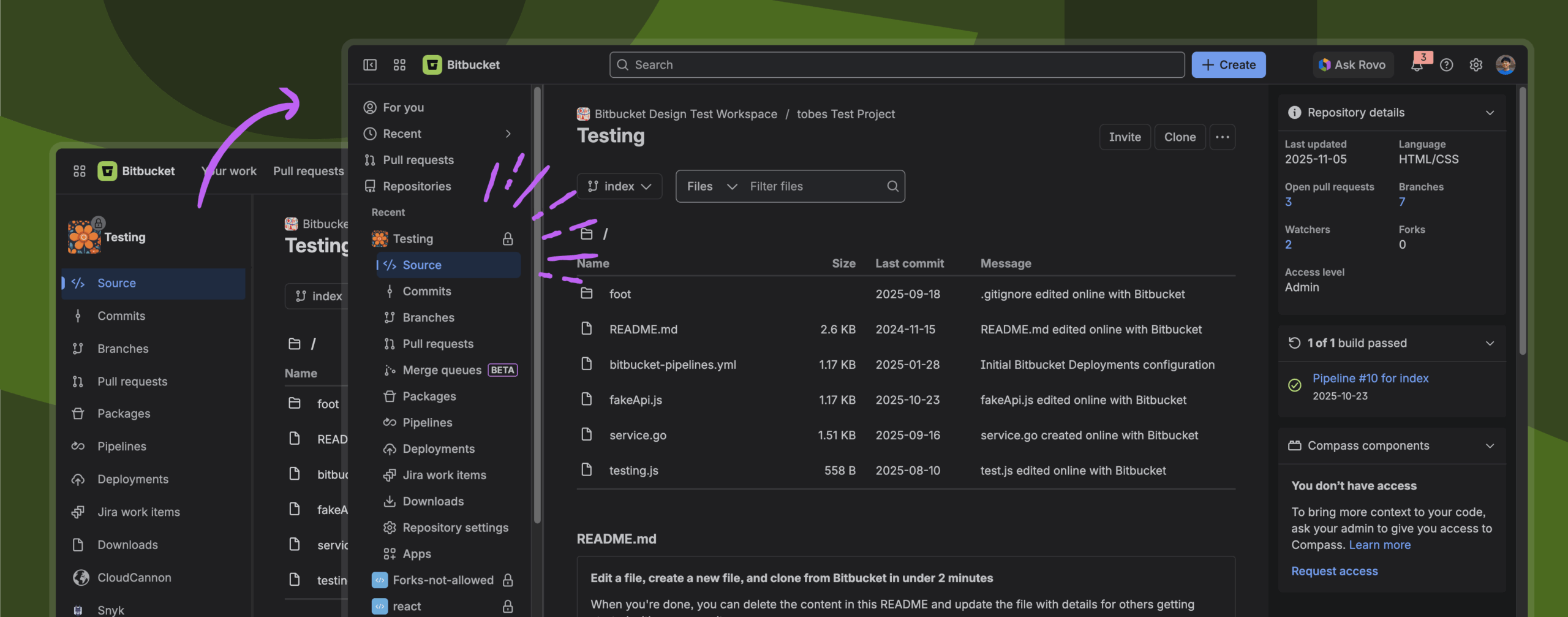
Access to multiple repositories from the sidebar
The left sidebar helps you stay organized and move faster across your work:
- For you – A personalized hub showing your recently viewed repositories, pull requests, and pipelines.
- Recent – A quick way to jump back into repositories you’ve visited.
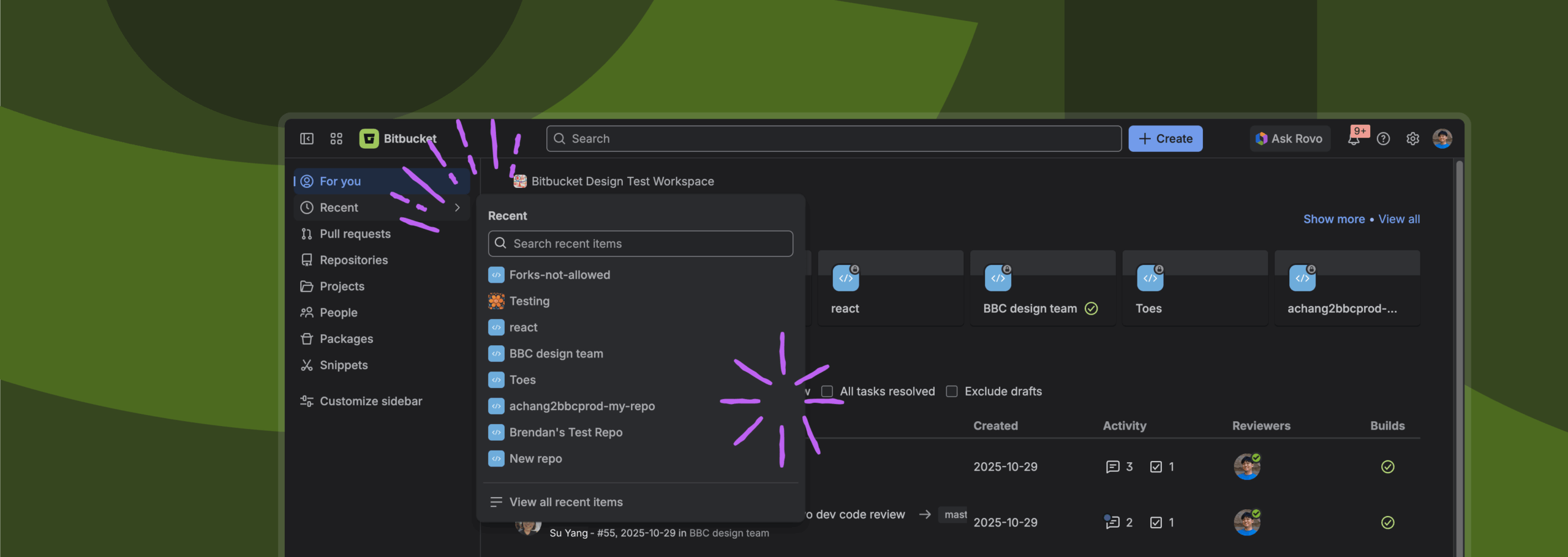
Flexible sidebar sizing
If the sidebar takes up too much space, you can resize or collapse it. When you’re ready to navigate again, simply expand it.
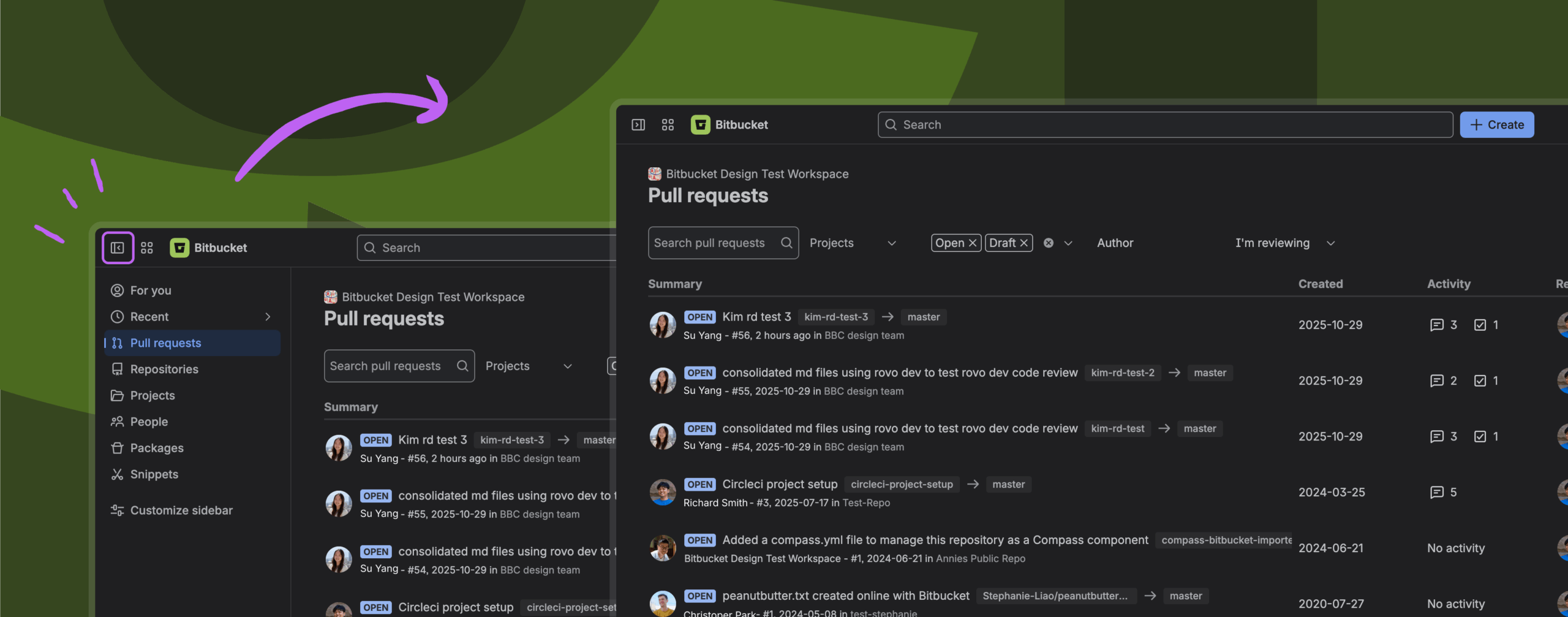
Customize the sidebar for how you work
Choose which navigation items show up, and in what order:
- Select More (…) > Customize sidebar.
- Show, hide, or reorder items to match your workflow.
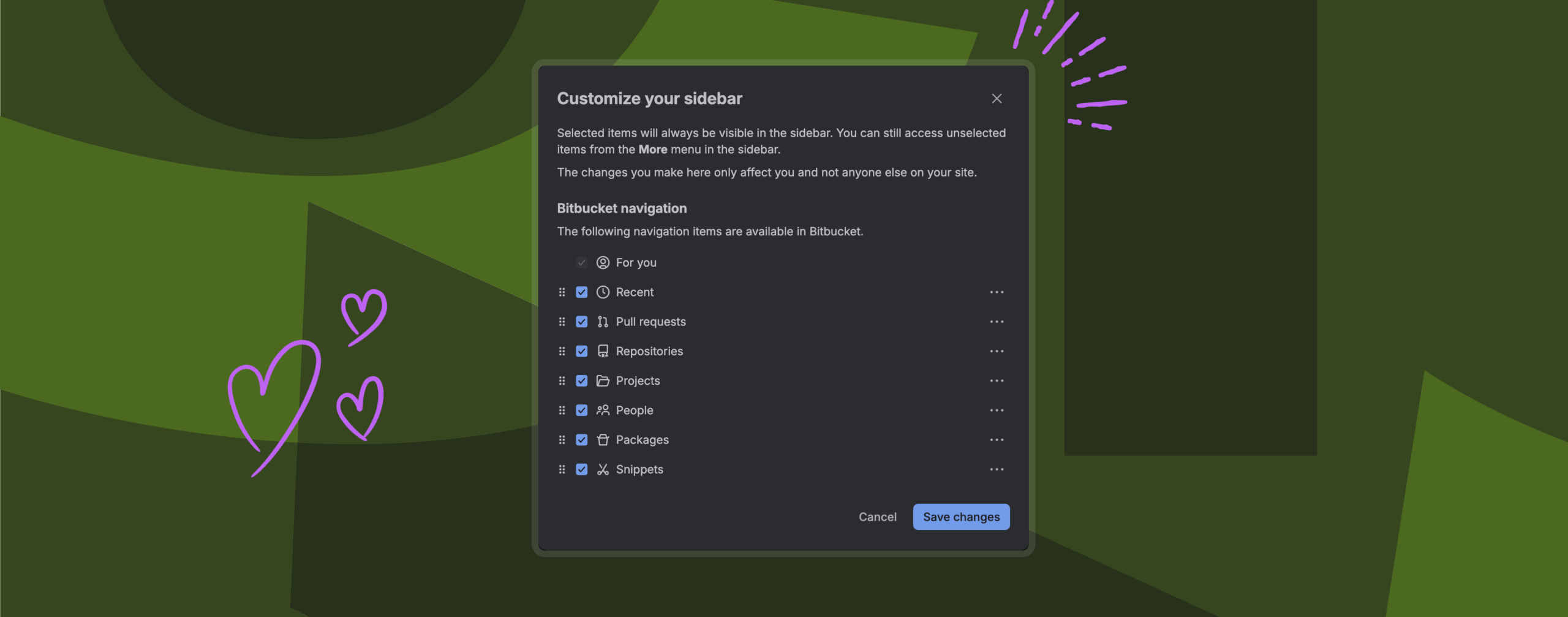
You can access personal and administrative settings through the global settings menu in the top navigation bar.

What to expect
We know you and your teams have carefully built workflows around our apps, so managing change is essential. That’s why we’ll be taking a gradual approach to the rollout, actively listening to feedback and refining the experience along the way.
Starting January 22, 2026, we’ll progressively roll out the new navigation to all Bitbucket users:
- January 22, 2026: All users have the ability to try the new navigation.
- February 10, 2026: We will begin switching users to the new navigation. Users have the ability to go back to the old navigation during this transition period.
- February 26, 2026: End of the transition period, with no more ability to go back to the old navigation.
How can you give feedback?
We’d love to hear from you if you have any feedback or comments about the changes. To send us feedback, select the “Give feedback…” button at the bottom left corner of the new side navigation.


