
Free Intake Form Template
Capture, organize, and prioritize incoming requests with a standardized intake form template.
最适合用于
项目管理
主要功能
待办事项列表
自动化
工作流程
仪表板
What is an intake form template?
An intake form template is a standardized document used to collect important information at the start of a new client relationship, project, request, or service.
It helps teams gather key details, including project scope, in one place to plan resources and start work with clearer direction. Using an intake form template makes information gathering more consistent, efficient, and organized.
Streamlines information gathering
An intake form template gives teams a clear, repeatable way to collect the details they need upfront. Instead of chasing information across emails, calls, or messages, teams gather everything in one organized format. This saves time and makes the intake process more efficient.
Improves planning and alignment
When teams collect the right information early, it’s easier to understand project needs, define scope, and plan resources. A standardized intake form template also reduces confusion by making everyone work from the same set of information.
That stronger alignment leads to smoother execution and better outcomes.
Reduces errors and manual inefficiencies
Digital intake form templates minimize mistakes that happen with handwritten notes, missing fields, or inconsistent documentation. They also reduce administrative work so information is easier to review, store, and share.
This improves accuracy while lowering the time and effort needed to manage intake.
承接表单模板包含哪些内容?

待办事项列表
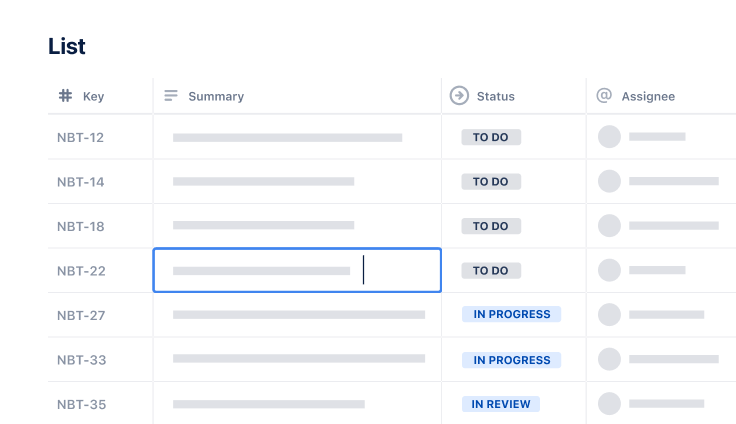
当客户使用承接表单模板提交承接内容后,您可创建事务并将其添加至待办事项列表。待办事项列表集中汇总所有已提交请求。
您可以轻松跟踪和管理项目关键单项任务,确保各团队朝着共同目标有序推进。

自动化
借助工作流自动化功能,您可减少人工分类与表单回复工作,自动分配负责人、设定到期时间或为请求添加标签。节省下来的手动分类时间可专注投入到项目工作中。

工作流
Jira 工作流定义请求的生命周期,从“已提交”、“分类”、“已批准”、“进行中”直至“已完成”。工作流决定请求的处理方式,并简化展示每项请求的当前状态。

仪表板
仪表板可实时查看承接量、瓶颈和处理时长。这有助于您更好地了解可用资源以及如何合理分配资源以实现效率最大化。
如何开始使用承接表单模板
- 1
明确承接表单的用途并创建专属 Jira 项目
开始使用承接表单模板前,首先要明确该承接表单的用途。承接表单将收集哪些类型的工作,以及由谁审核提交的申请。
这是接收提交的申请前必须打好的重要基础。
接下来,创建专属的 Jira 项目,将新增请求与执行类工作区分开。使用专属 Jira Service Management (JSM) 项目处理承接工作,同时通过自动化功能,将审批通过的请求转入 Jira 项目,以实现执行类工作与面向客户的请求相分离。
- 2
自定义承接表单字段以获取关键详细信息
创建专属 Jira 项目并明确承接表单的用途后,即可自定义承接表单字段。这里是您记录所有关键详细信息的地方。
字段区域会显示所选工作类型对应的全部可用字段,直接拖拽字段即可添加至表单。同时应删除任何冗余字段,以便尽可能简化承接表单模板。
要移除某字段,请选择该字段,然后选择移除字段或将其拖回字段区域。
- 3
搭建结构化工作流,以适配您的承接流程
梳理实际业务中的审查流程,并在 Jira 状态中复刻该流程。这样便于查看每项任务和项目的当前状态,确保团队保持同步。
设置明确的审批或驳回阶段,有助于更轻松地管控工作进度。
您可以设置待审批状态,定义审批人,并将审批通过和驳回结果对应到 Jira 的具体状态。制定清晰的决策流程,以简化审批和驳回操作。
- 4
通过自动化路由与优先级排序,简化请求分类
分类往往是客户及项目承接中最耗时的环节之一,因此可通过自动化节省大量时间。设置自动化规则,以自动分配请求或通知审核人员。
您借助 Rovo 从零创建规则,或基于现有模板生成。依据优先级、部门等条件设置规则,以实现更快速、精准的路由。
Jira 自动化功能可简化该流程,节省时间并确保各项事务精准分派至对应团队。
- 5
根据需要跟踪、审查和优化承接工作流
设置好承接工作流后,您需要持续监控该流程,以确定是否需要进行任何改进。使用 Jira 中的仪表板和报告功能来监控您的承接工作流,并识别瓶颈和延误。
发现问题后,您可以着手予以解决。同时,定期审查工作流与自动化规则,是长期提升效率的关键。
若发现流程存在瓶颈或延误,说明需要优化承接工作流及自动化规则。

准备好使用此免费模板了吗?
浏览更多模板,强化团队合作
赋能各团队每一位成员,借助全套现成工作流,在各 Atlassian 应用中无缝搭建、对接并落地您的宏大构想。