



Introduction
Customer support is evolving rapidly, and automation is at the heart of this transformation. At JSM (Jira Service Management), we’ve been working on leveraging AI to streamline support processes and deliver faster, more accurate responses to users. In this article, we’ll walk you through the journey of building the JSM Virtual Agent, its architecture, and the impact it’s making.
What is JSM?
Jira Service Management (JSM) is Atlassian’s AI-powered service management software. With JSM, teams can easily receive, track, manage, and resolve requests from their customers. Customers can submit requests through various channels—email, help centers, embeddable widgets, or even third-party apps like Slack and Microsoft Teams.
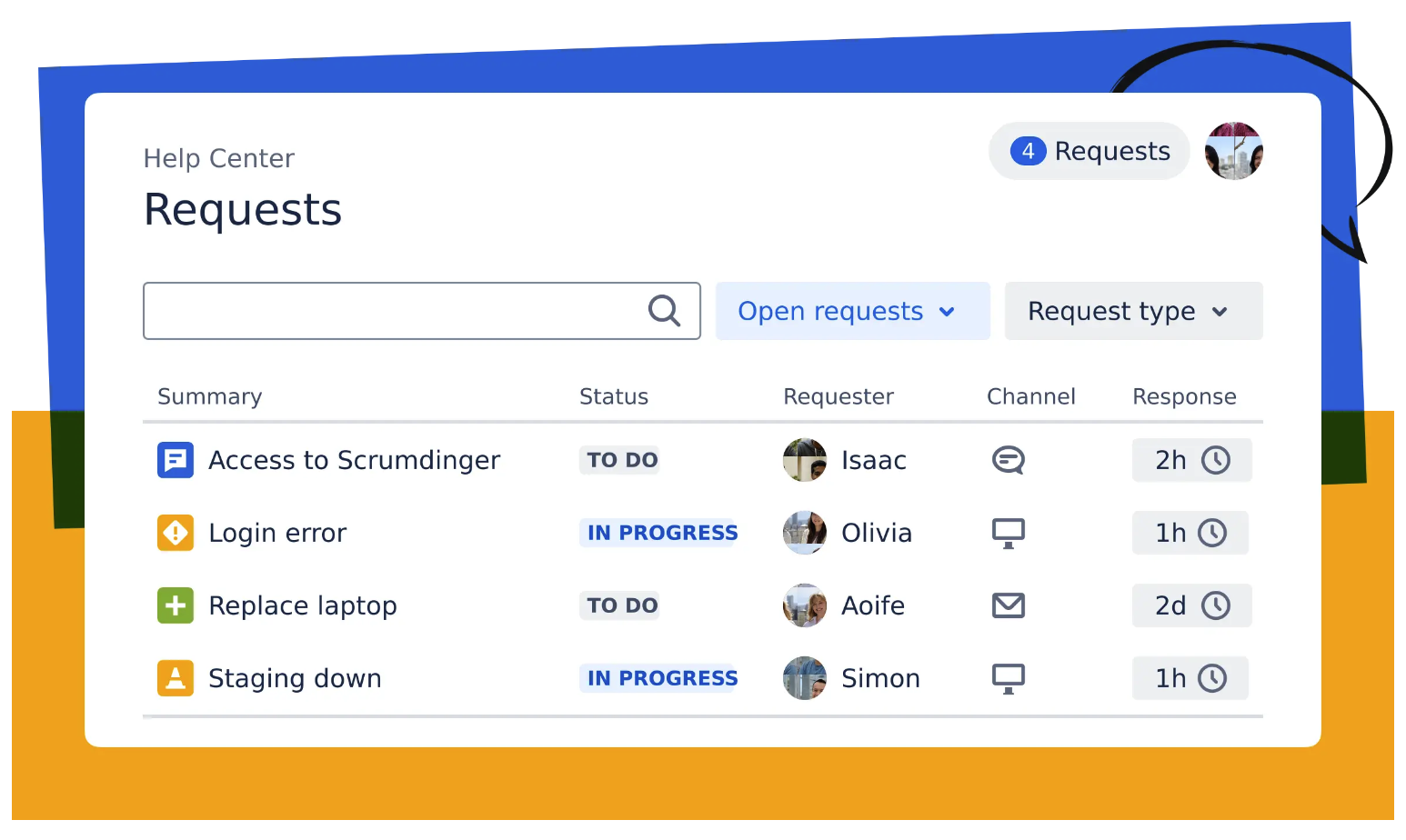
Examples of JSM in action:
- IT Support teams use JSM to handle requests for fixing tech problems or granting access to new software.
- Human Resources teams use it to address benefits, payroll, and company policy queries
JSM Chat Overview
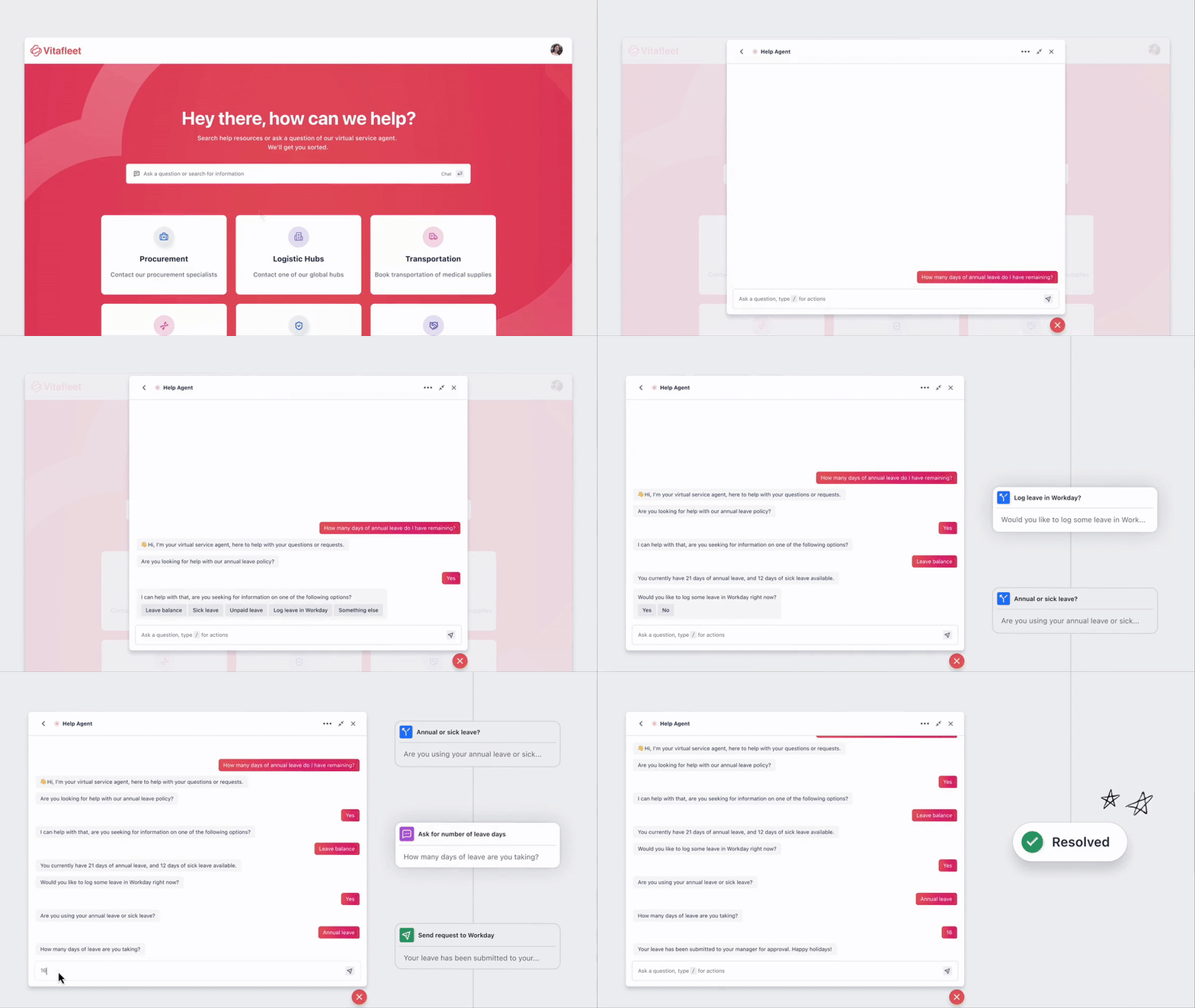
Let’s look at a brief demo of JSM Chat. As shown below, a customer raises a request using the JSM help center, and a Virtual Agent (VA) bot attempts to resolve the query. If the bot cannot resolve the issue, the user can escalate it to a human agent, and a JSM ticket is created on their behalf.
This demo showcases the seamless handoff between the virtual agent and human support, ensuring customers always get the help they need.
Evolution of our chat architecture
Before
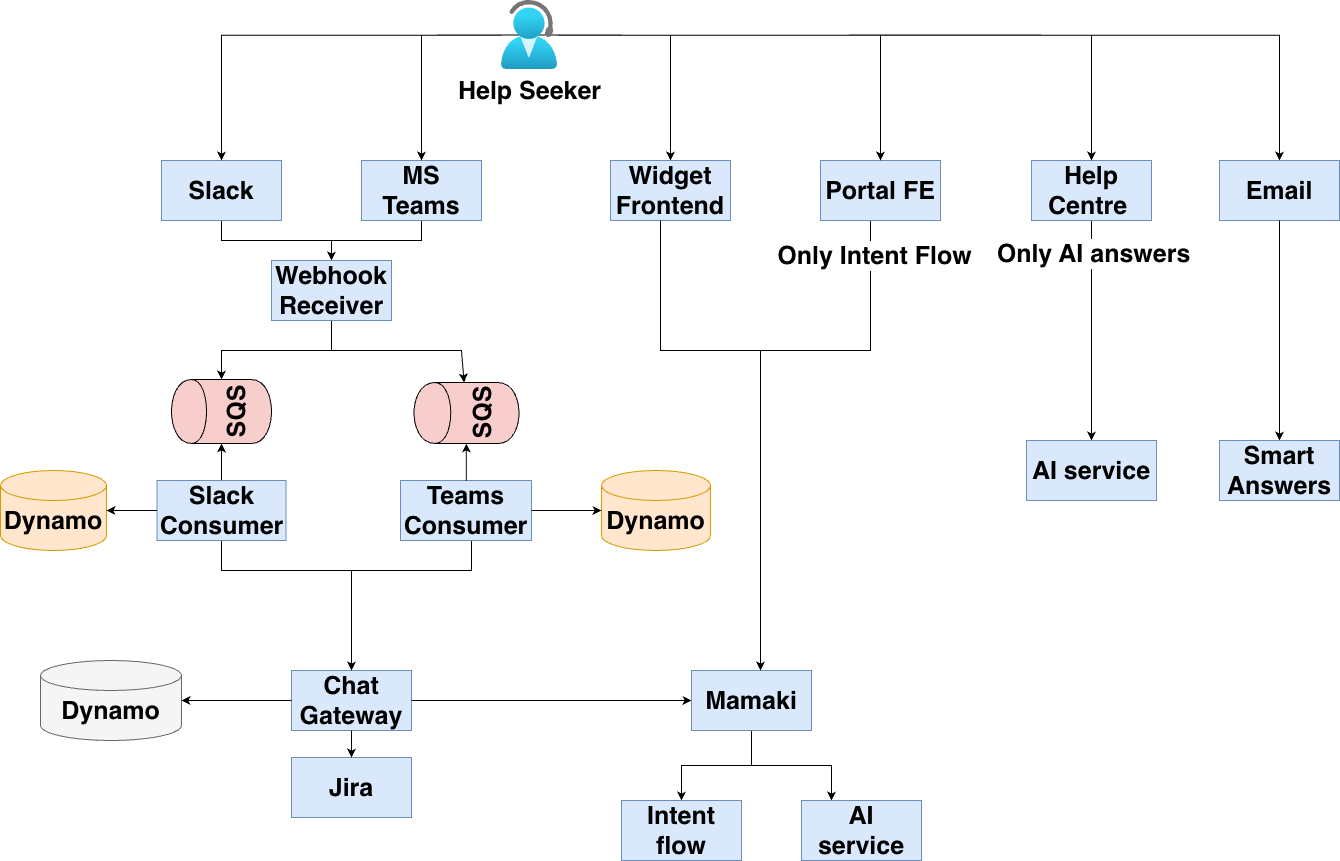
Previously, our chat backend had several limitations. One major drawback was inconsistency in bot responses across different channels. For example, our web-based interfaces—Portal and Help Center—had different backends. Portal only supported intent flow, while Help Center only supported AI answers.
- AI answers were generated using either our own LLM models or third-party LLMs like OpenAI.
- Intent flow was based on similarity matching using string vectorization, allowing admins to preconfigure tree-like flows.
To enable AI answers across all channels, we had to modify six different backends—a significant challenge for our team of 10 dedicated developers.
Now
To address these challenges, we reimagined our chat architecture:
- Channel Categorization: We divided customer channels into streaming (e.g., Help Center, Portal) and non-streaming (e.g., Slack, MS Teams). Streaming channels support real-time, character-by-character AI responses, while non-streaming channels require the full AI answer to be generated before sending.
- Unified Orchestrator: We introduced a single orchestrator service to generate uniform responses across all channels. Now, whether a query comes from Slack, Help Center, or another channel, the orchestrator handles it.
- Data storage: Conversation data (user and AI messages, handlers, ticket links) is securely stored in DynamoDB, adhering to data residency norms.

These diagrams illustrates the progression of our chat architecture, highlighting how we moved from basic scripted responses to a sophisticated AI-driven system. Each stage represents a leap in our ability to understand and resolve customer queries more efficiently.
AI Deep Dive: How the Virtual Agent Works
Deep dive: Routing Strategy

Our routing approach is straightforward:
- For customers with Virtual Assistant (VA) enabled (currently premium Atlassian customers), we first check for an intent match.
- If VA is not enabled, we immediately escalate to a human agent and create a JSM ticket.
- If VA is enabled and we detect a high-confidence intent, we deliver the intent message directly. Otherwise, we fall back to AI-generated answers.
For ongoing conversations, we use the previous handler saved in the database to guide the flow. If the confidence score drops, we transition to AI answers and do not revert to the intent flow.
Deep dive: Query Flow and Formulation
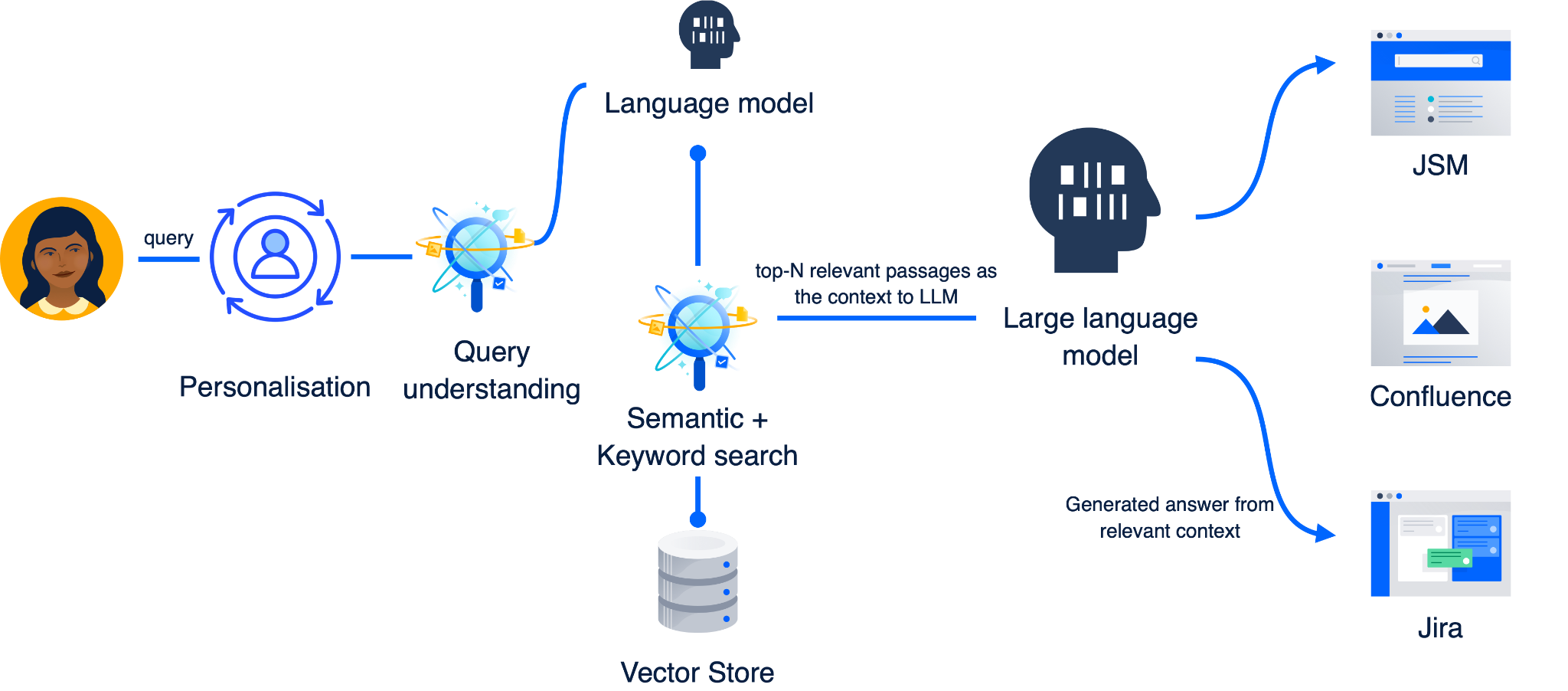
Let’s dive into how a user query is processed end-to-end:
- Personalisation: We enrich the query with user-specific data such as location and profile, making responses more relevant.
- Retrieval-Augmented Generation (RAG): The system supports multiple search sources, including Jira tickets and knowledge bases, to find the best answer.
- No Hallucinations: We’ve implemented safeguards to prevent the AI from generating inaccurate or misleading responses.
This diagram shows the journey of a query from user input, through personalisation and search, to the final AI-generated answer.
Deep Dive: Search and Ranking
Once we’ve generated multiple query variants, the next step is to search our knowledge base (KB) for relevant information. Each variant can return a different set of passages, and the challenge is to extract the most useful ones for the user.
Why do we need to extract the top N passages?
When searching a large KB, the number of hits can be overwhelming, and not all results are equally helpful. Presenting too many options can confuse users, while too few may miss the best answer. To address this, we use a reranking process to ensure only the most relevant passages are considered.

Ranking Mechanism
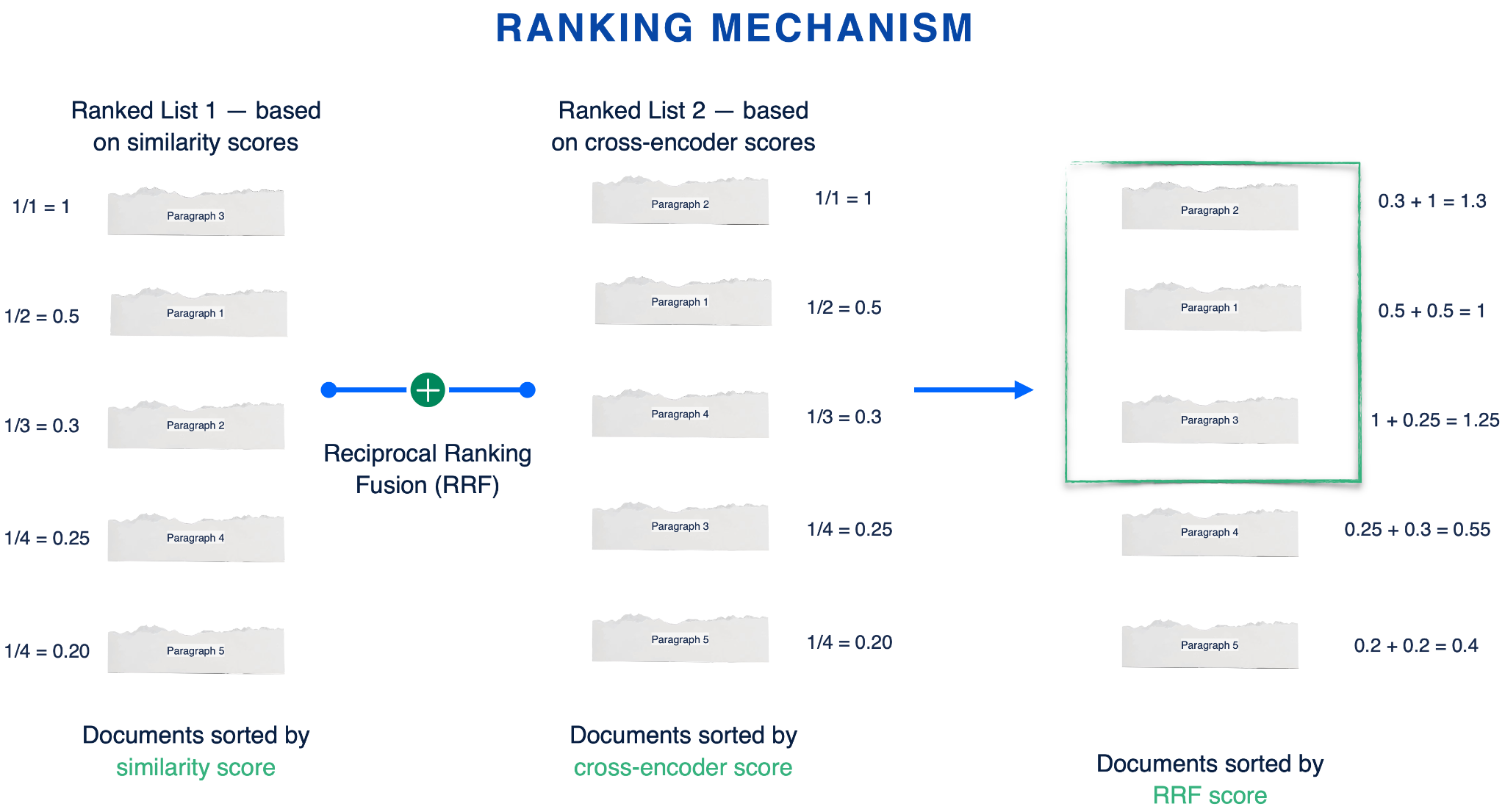
To identify the top N most relevant passages, we employ a combination of ranking scores:
- Similarity Score:
This is a cosine-based score. We generate embeddings for both the query and each passage, then calculate their cosine similarity. The higher the score, the more semantically similar the passage is to the query. - Cross Encoder Score:
Here, we use a BERT-based architecture (cross encoder) to assess the likelihood that a passage contains the answer to the query. This model jointly encodes the query and passage, providing a more nuanced relevance score. - Reciprocal Rank Fusion (RRF):
Once we have both similarity and cross encoder scores, we blend them using RRF. RRF assigns scores to documents based on their positions in each ranking list, then sums those scores to produce a final ranking. This approach is easy to use, scalable, and leverages the strengths of multiple ranking methods.
Impact and Results
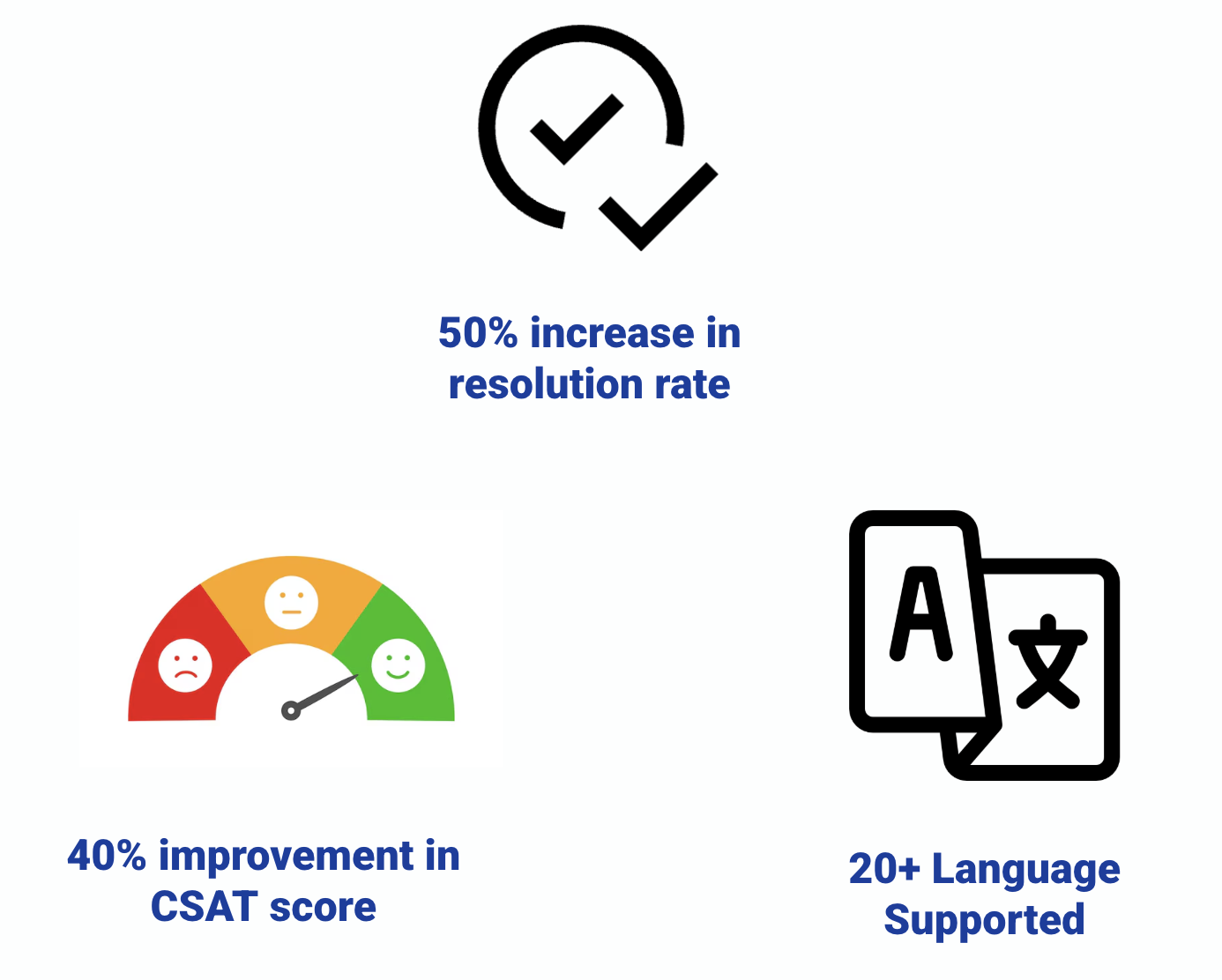
The JSM Virtual Agent has delivered significant results:
- 50% increase in the resolution rate through automation. Almost half of the JSM chat queries are resolved via AI.
- 40% improvement in CSAT Score (Customer Satisfaction)
- 20+ Languages Supported, making support accessible globally
Further Improvements

We’ve also implemented several enhancements to further improve answer quality and user experience:
- Query Variation:
By generating multiple variants of a user’s query, we increase the likelihood of surfacing the right knowledge base articles, regardless of how the original question was phrased. - Vague Query Detection:
If a user’s query is unclear or too broad, our system detects this and prompts the user for clarification, ensuring more precise answers. - Chain-of-Thought (COT) Based Hallucination Detector:
To minimize the risk of AI-generated inaccuracies (“hallucinations”), we use a COT-based detector. This mechanism analyzes the reasoning steps in the AI’s response, flagging and filtering out answers that may be fabricated or unreliable.
Conclusion
AI-powered virtual agents are transforming customer support by providing instant, accurate, and scalable solutions. At JSM, we’re proud of the progress we’ve made and excited about the future of automated support.


