プロダクト ロードマップ
製品機能のアイデアを実現する
用途
ソフトウェア開発
プロジェクト管理
主な機能
Votes, reactions, comments
Delivery progress
製品ロードマップ テンプレートとは
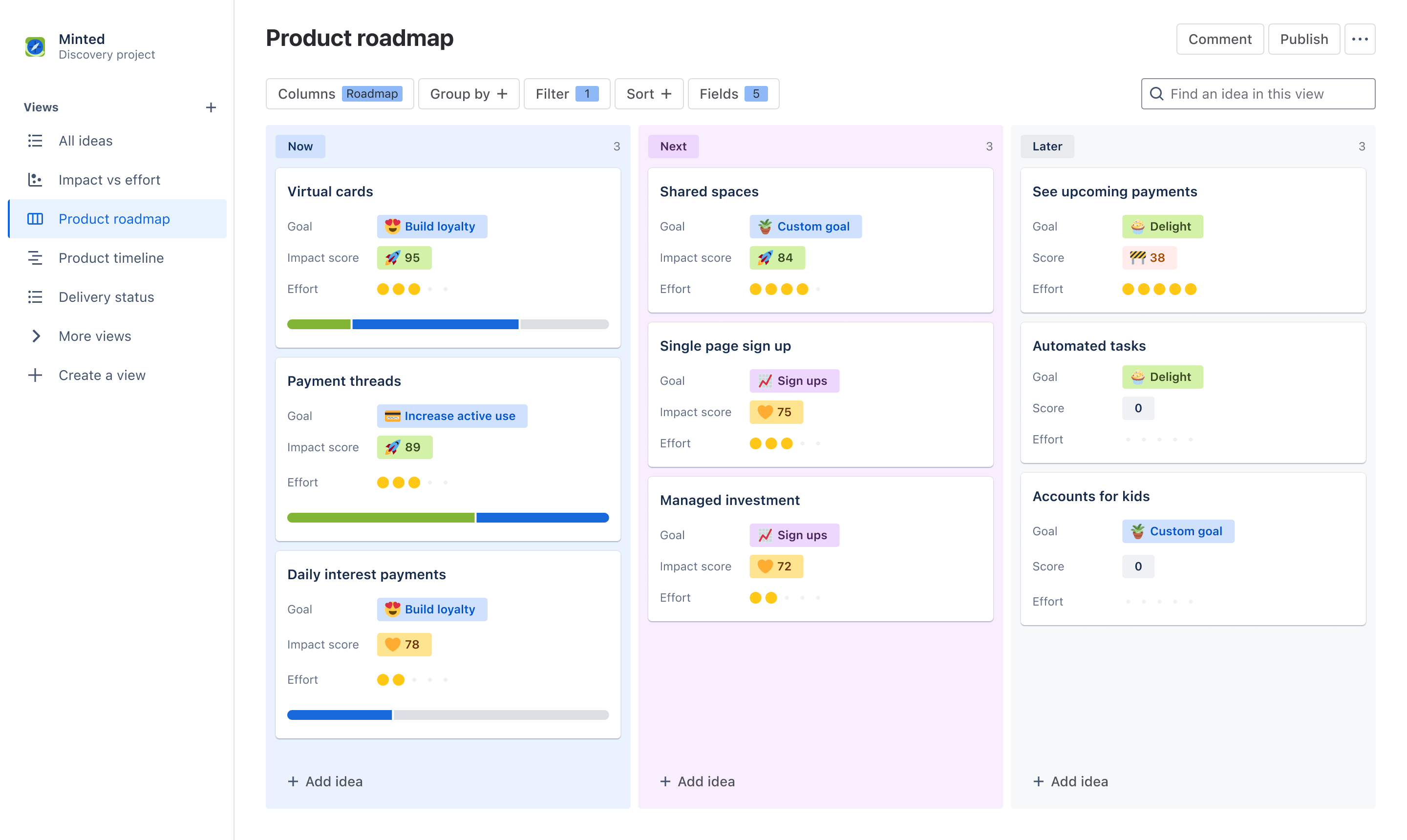
製品ロードマップ テンプレートを使用すると、あらゆる関係者と戦略やビジョンについてコミュニケーションをとってコラボレーションし、足並みを揃えることが容易になります。ボードやタイムラインの形式でインタラクティブなロードマップの概要を作成し、同じデータを使ってあらゆるチームや個人に合わせて情報を調整して時間を節約します。関係者を集めて、投票、リアクション、コメントで生産的な優先順位付けについて議論します。
What does the product roadmap template include?
Create dynamic views
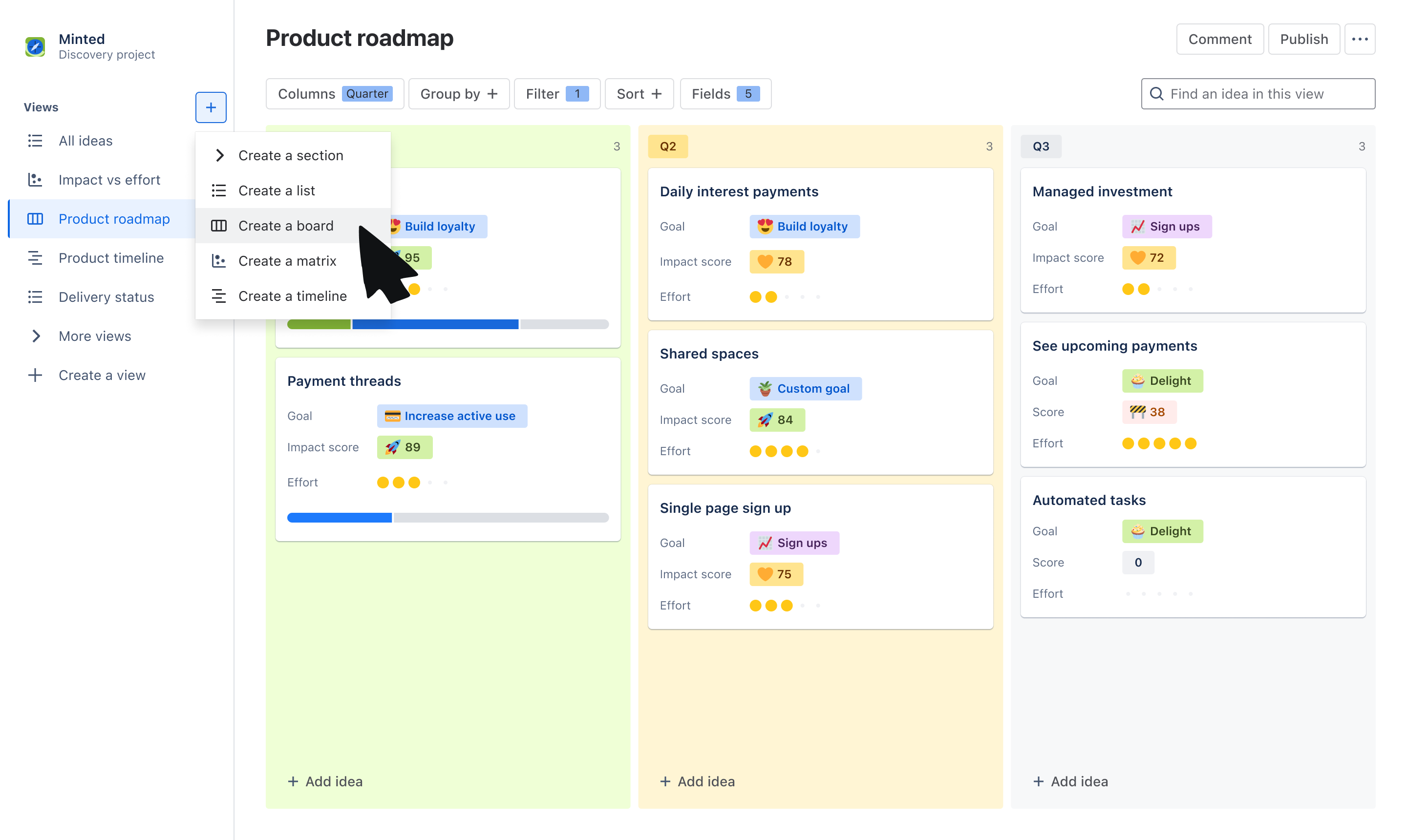
Choose from the board or timeline view to communicate the “what” and “why” behind your roadmap. Use the board view to group ideas by Now, Next, Later, quarters, or other trait. Use a timeline view to plot ideas across a monthly or quarterly timeline.
Tailor information to stakeholders
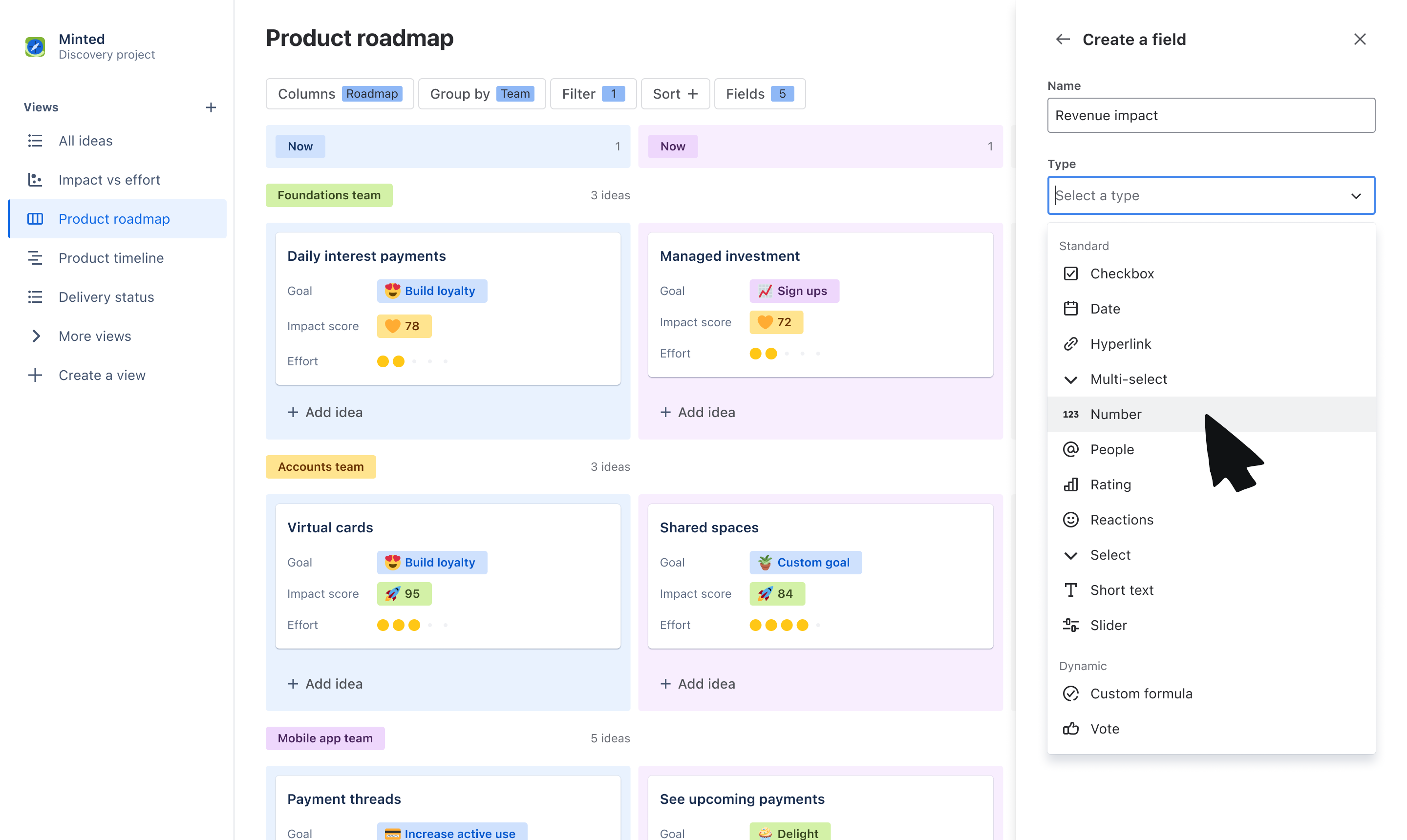
Use custom fields to tailor what you communicate to your audience. Organize ideas into swimlanes based on fields like team or objective, and layer on additional data that stakeholders care about, like related goals, RICE score, and more.
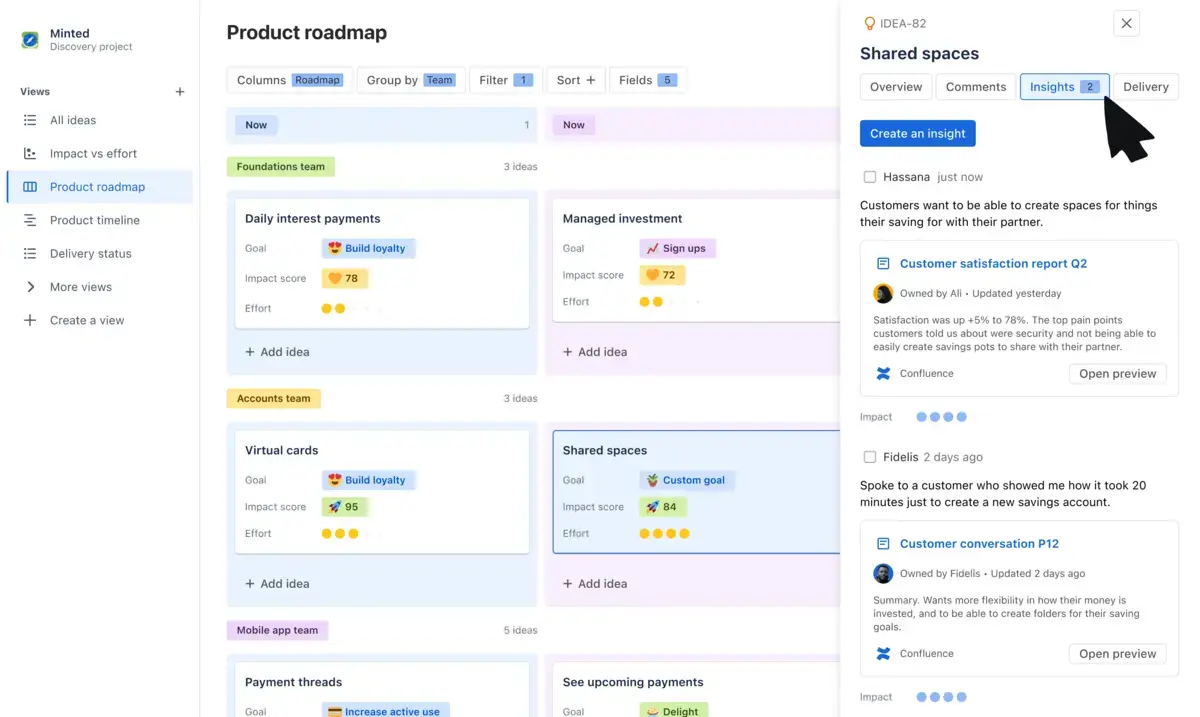
Get buy-in on your roadmap
Make roadmapping collaborative, not complicated. Have productive, two-way discussions on what is being prioritized by collecting feedback through votes, reactions, comments, and customer insights.
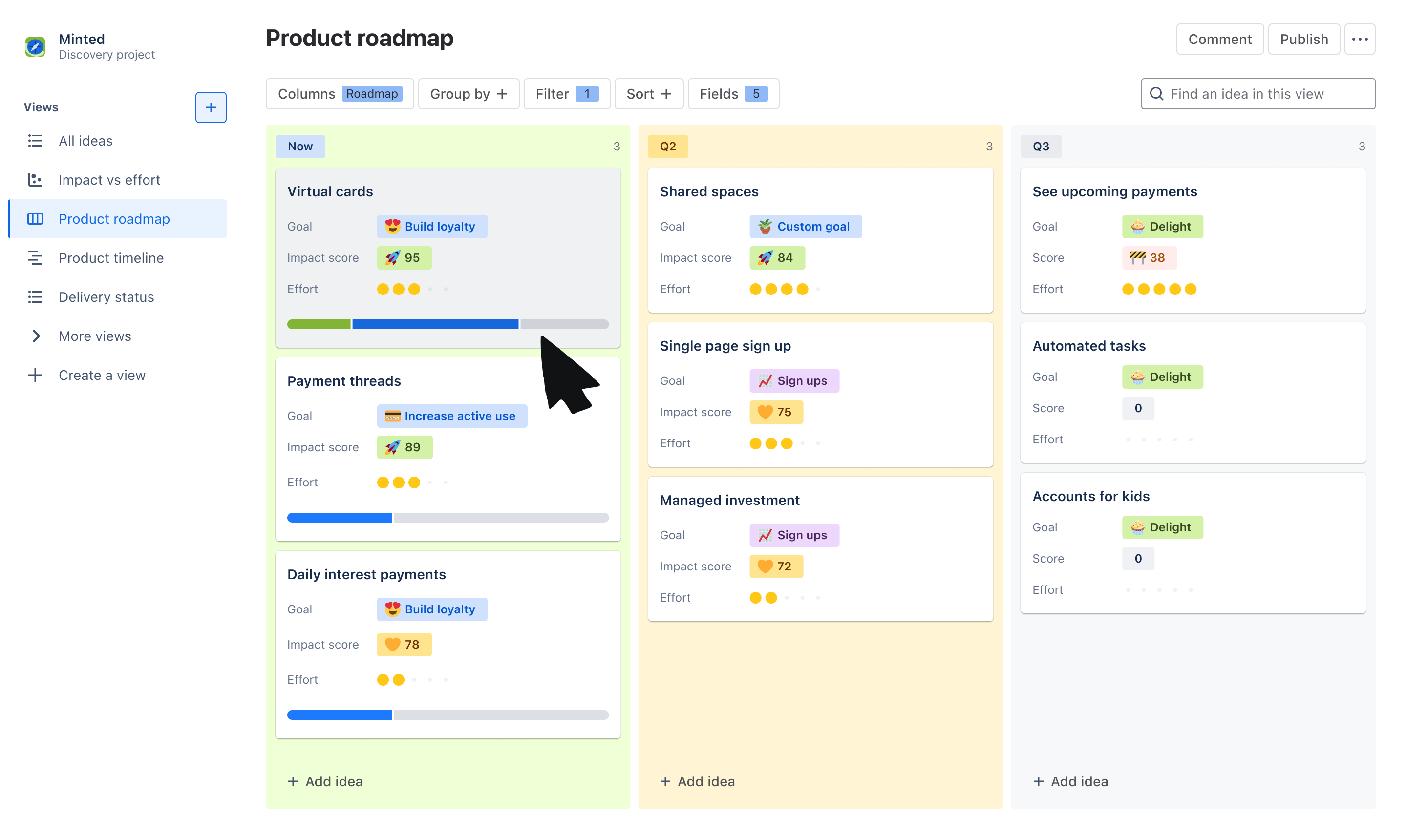
Report on roadmap progress
With a seamless and native integration with Jira, show stakeholders how ideas on your roadmap are progressing to delivery. Link individual ideas to Jira epics and issues and display a progress bar on idea cards for visual updates.
How to get started with the product roadmap template
- 1
Add ideas
The template will default you to a board view, but feel free to switch to a timeline or list view to organize your list of ideas. Add the ideas your team is committing to - these can be problems, opportunities, or solutions.
- 2
Organize ideas using fields
Use our out-of-the-box fields or create your own to help categorize and organize your list of ideas. Create fields such as “Roadmap” with values of Now, Next, and Later to plot ideas on a horizon before committing to a timeline, “Team” to assign ideas to a squad or department, or “Theme” to map ideas to different priorities.
- 3
Customize your view
Use Group by, Sort, and Filter to tailor the information that you show within your roadmap. You can create swim-lanes based Theme using Group by or filter to only show ideas owned by your own squad. Layer on data to idea cards using Fields to show information your audience may care about.
- 4
Engage stakeholders
Share your roadmap to gain feedback and alignment on your strategy. Use fields like Comments, Insights, Votes, and Reactions to collect feedback on the ideas you’ve prioritized from cross-functional teams and leadership.

時間と労力を節約する
ビューを一から作り直すことなく、さまざまな関係者向けにビューをカスタマイズすることで、企業全体のチームに最新情報を伝える時間と労力を節約しましょう。

関係者と協力する
早い段階でチームと関わり、フィードバックやインサイトを収集し、優先順位が変わり次第、最新情報を伝えることで、ビジョンの実現に向けてチームを団結させましょう。

視認性が高まる
ロードマップでどのようなアイデアが優先されるのか、優先される理由とエビデンス、アイデアがいつ形になるのかを誰もが確認できるように、信頼できる唯一の情報源を作成しましょう。
関連テンプレート