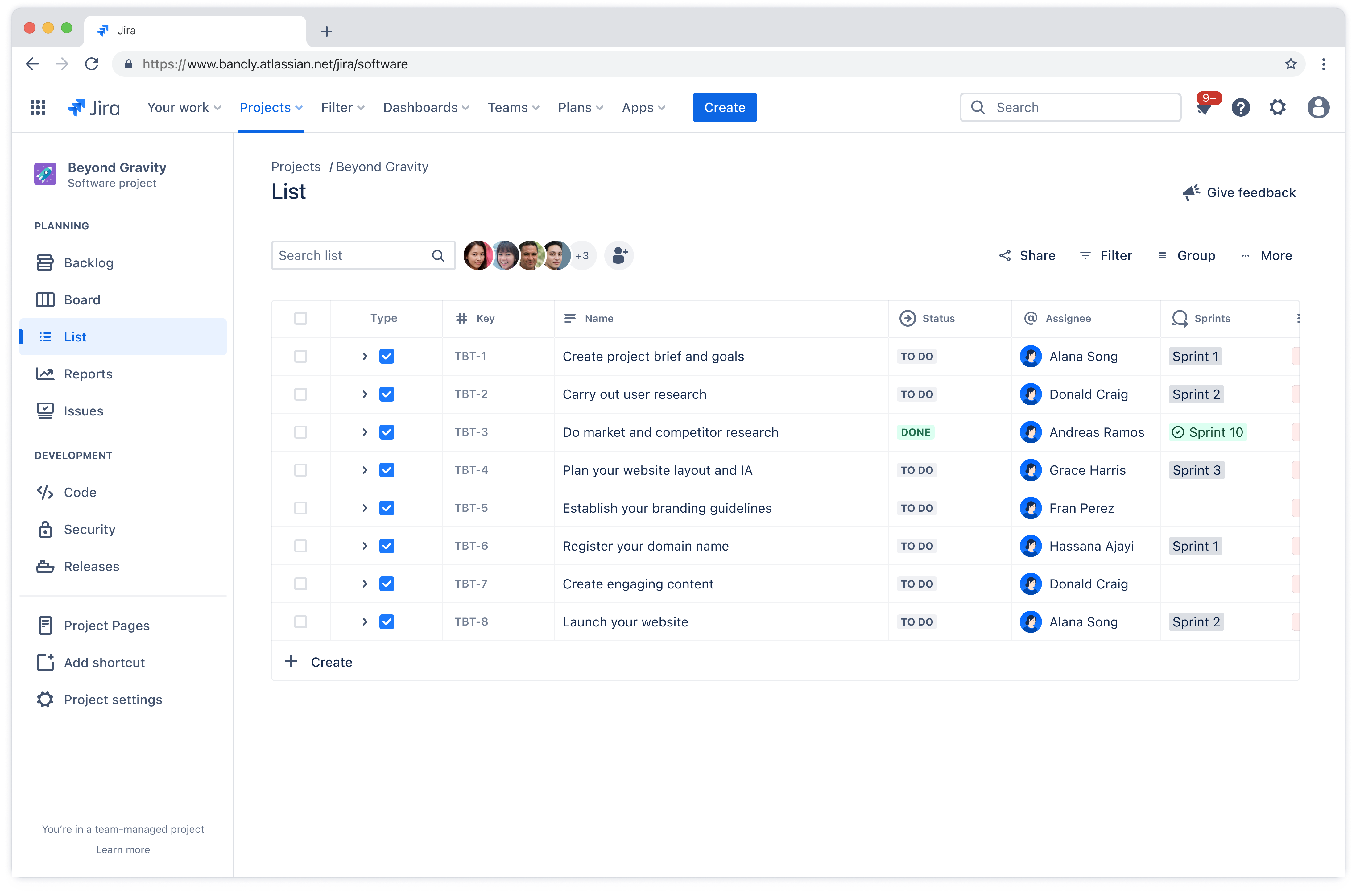
Project list template
Organize tasks, track deadlines, and assign responsibilities in one place. A project list template helps teams manage complex work, reduce miscommunications, and ensure alignment toward project goals.
Ideale per
Gestione dei progetti
FUNZIONALITÀ PRINCIPALI
Gestione dei progetti
Gestione dei progetti Agile
Pianificazione dei progetti
What is a project list template?
A project list template is a framework that helps teams document and manage all the work required to complete a project. It ensures everyone on the team understands what needs to be done, who's responsible, and when things are due.
Using a project list template keeps your projects organized, reducing the risk of missing important tasks or letting deadlines slip through the cracks. A well-organized list makes it simple to monitor progress at a glance.
Team leads can quickly identify what's on track, what's behind schedule, and where bottlenecks are forming. This real-time visibility supports better project fast tracking and decision-making, helping teams adjust before small issues become bigger problems.
Benefits of using a project list template
A project list template delivers concrete advantages that make work smoother from day one:
No more reinventing the wheel: Stop building a new task tracking system every time you start a project. The template is ready to go, so you can jump straight into the actual planning process instead of spending hours setting up spreadsheets or debating which tool to use.
New team members get up to speed faster: When someone joins your project halfway through, they don't need a 90-minute walkthrough to understand what's happening. The standardized format means they can look at the list and immediately see what's done, what's in progress, and what's coming next.
One place for everything: No more confusion around where important documentation is stored. Everyone looks at the same list, which means fewer miscommunications and better project collaboration across the board.
Fewer "what's the status?" interruptions: Stakeholders can check progress themselves instead of pulling team members into meetings or firing off Slack messages. Your team spends less time giving updates and more time actually doing the work.
Decisions happen faster: When information is organized and visible, you don't need to wait for someone to compile a status report before making decisions. You can see what's working and what's not, then act on it.
Who should use a project list template?
Project task list templates work for anyone managing work that involves multiple tasks, deadlines, and people. The structure adapts to different team sizes and industries, making it valuable across various contexts.
Project managers: These professionals coordinate multiple workstreams and need a central place to track everything. Templates help them keep stakeholders informed without constant status meetings.
Marketing teams: Campaigns involve many moving parts across different channels. A project list keeps all the pieces organized from planning through execution.
Software development teams: These teams use templates to track features, bug fixes, and technical debt. The structure helps prioritize what to build next and keeps sprints organized.
Operations teams: Templates help standardize processes across different initiatives. This consistency makes it easier to onboard new team members and maintain quality.
The template scales to fit projects of any size, from a two-week sprint to a year-long initiative.
Types of project list templates
Different teams work in different ways, so various project list template styles have emerged to match those preferences. These include:
Simple to-do lists: These basic templates center on tasks and completion status. They work well for straightforward projects where the main goal is making sure nothing gets forgotten.
Detailed checklists: These include additional fields like priority levels, task dependencies, and notes. Teams that need more context around each task appreciate the extra detail.
Sprint backlogs: These templates organize work into sprints and stories, making them ideal for development teams using iterative approaches. They emphasize flexibility and regular reprioritization, which is essential for agile project management.
Milestone trackers: These focus on deliverables and milestones rather than individual tasks. They're useful for keeping projects aligned with original goals and preventing project scope creep.
Phase-based templates: These break larger initiatives into phases with clear owners and timelines. They work well when you need to show how different workstreams connect, functioning as an action plan that guides execution.
Each template type fits different team needs and workflows. Some teams prefer minimal templates they can customize, while others want comprehensive structures with built-in time management features.
Cosa include il modello di elenco del progetto?

Flussi di lavoro personalizzabili
I flussi di lavoro possono essere adattati con precisione in base alla modalità di lavoro del team. A prescindere dal fatto che tu segua un processo lineare o abbia bisogno di un approccio più flessibile, il modello di elenco del progetto si adatta al flusso di lavoro, anziché costringerti ad applicare una struttura rigida.
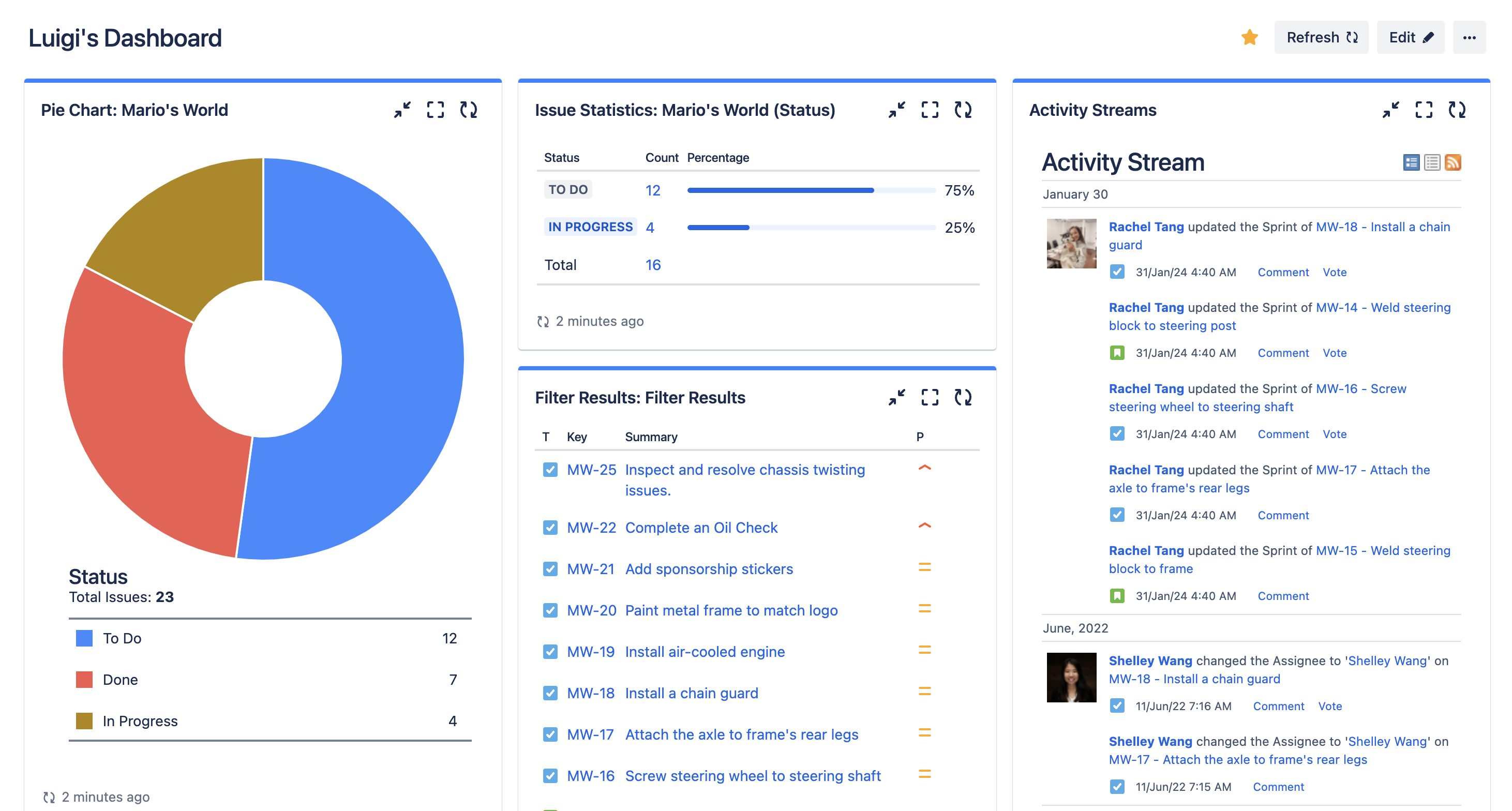
Dashboard
Le dashboard forniscono una visione di alto livello dell'avanzamento del lavoro in tutti i progetti. I leader e gli stakeholder possono comprendere rapidamente lo stato, identificare i rischi e vedere dove vengono spese le risorse. Invece di richiedere aggiornamenti ai singoli membri del team, tutti possono controllare la dashboard e accedere istantaneamente alle informazioni più recenti.

Backlog
Il backlog è dove i futuri lavori aspettano che tutto sia pronto per affrontarli. Aiuta i team a raccogliere idee e richieste senza ingombrare l'elenco del progetto attivo. Quando è il momento di pianificare la fase successiva, il backlog semplifica la verifica delle opzioni e l'assegnazione delle priorità alle seguenti operazioni da svolgere in base agli obiettivi e alla capacità correnti.
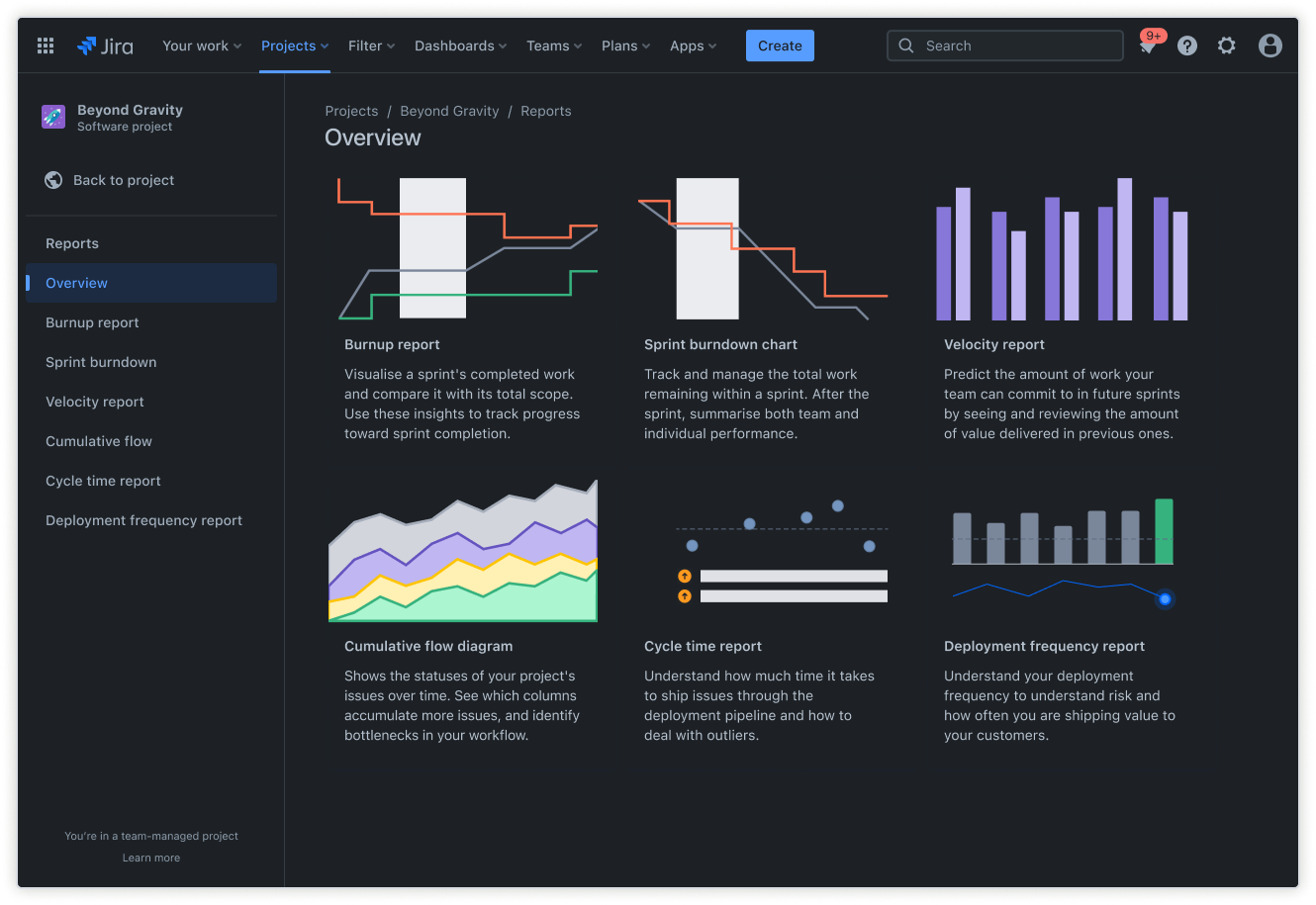
Report
I report offrono informazioni su prestazioni, tempistiche e ostacoli all'avanzamento. Aiutano a individuare schemi come task che immancabilmente richiedono più tempo del previsto o membri del team che potrebbero essere sovraccarichi. Questi dati consentono una migliore pianificazione e stime delle tempistiche del progetto più realistiche per il lavoro futuro.
Come iniziare a usare il modello di elenco del progetto
- 1
Definisci il nome del progetto, i dettagli chiave e il coordinatore progetto
L'assegnazione di un nome al progetto e la definizione di un coordinatore chiariscono la responsabilità e lo scopo. La documentazione anticipata dei dettagli fondamentali garantisce che il team comprenda l'obiettivo, l'ambito e i criteri di successo.
- 2
Configura le categorie di task e mappa le fasi del flusso di lavoro
Suddividi il lavoro nel modello di elenco delle cose da fare del progetto in categorie logiche che abbiano senso per la modalità operativa del team. Definisci fasi del flusso di lavoro che riflettano il percorso effettivo intrapreso dai task dall'inizio al completamento. La suddivisione dei task potrebbe essere semplice, ad esempio "Da fare", "In corso" e "Completato", o potrebbe includere fasi aggiuntive come "Verifica" o "Bloccato", a seconda del processo.
- 3
Assegna ogni task a un membro del team e stabilisci le date di scadenza
L'assegnazione di responsabili chiari per ogni task garantisce che tutti conoscano le proprie responsabilità. Le scadenze creano urgenza e aiutano a definire la corretta sequenza dei lavori. Quando i task hanno sia un responsabile sia una scadenza, la percezione della responsabilità aumenta e il flusso di lavoro procede in modo più prevedibile.
- 4
Organizza l'elenco con etichette, priorità e campi personalizzati
Usa le etichette per classificare i task in base a tema, cliente o qualsiasi altro parametro che faciliti il filtraggio e la creazione di report. In caso di richieste contrastanti, i contrassegni di priorità aiutano i membri del team a concentrarsi sugli elementi più importanti. I campi personalizzati consentono di monitorare informazioni specifiche del progetto come budget, nome del cliente o dipendenze tecniche.
- 5
Monitora l'avanzamento del lavoro e condividi aggiornamenti per mantenere gli stakeholder allineati
Monitora regolarmente l'avanzamento del lavoro con dashboard o report per individuare tempestivamente i problemi. Condividi gli aggiornamenti in maniera proattiva, in modo che gli stakeholder non debbano chiedere informazioni sullo stato. Questa trasparenza crea fiducia e assicura che tutti rimangano allineati man mano che il progetto evolve. Una comunicazione regolare tramite software di gestione dei progetti a pagamento o gratuiti mantiene il lavoro visibile e riduce la necessità di contattare le parti interessate per aggiornarle sullo stato.
Vuoi usare questo modello gratuito?
Scopri altri modelli per potenziare il lavoro di squadra
Fornisci a tutti i membri di ogni team gli strumenti di cui hanno bisogno. Crea, connetti e realizza con facilità le tue idee più grandi in tutte le app Atlassian usando la nostra raccolta completa di flussi di lavoro pronti all'uso.