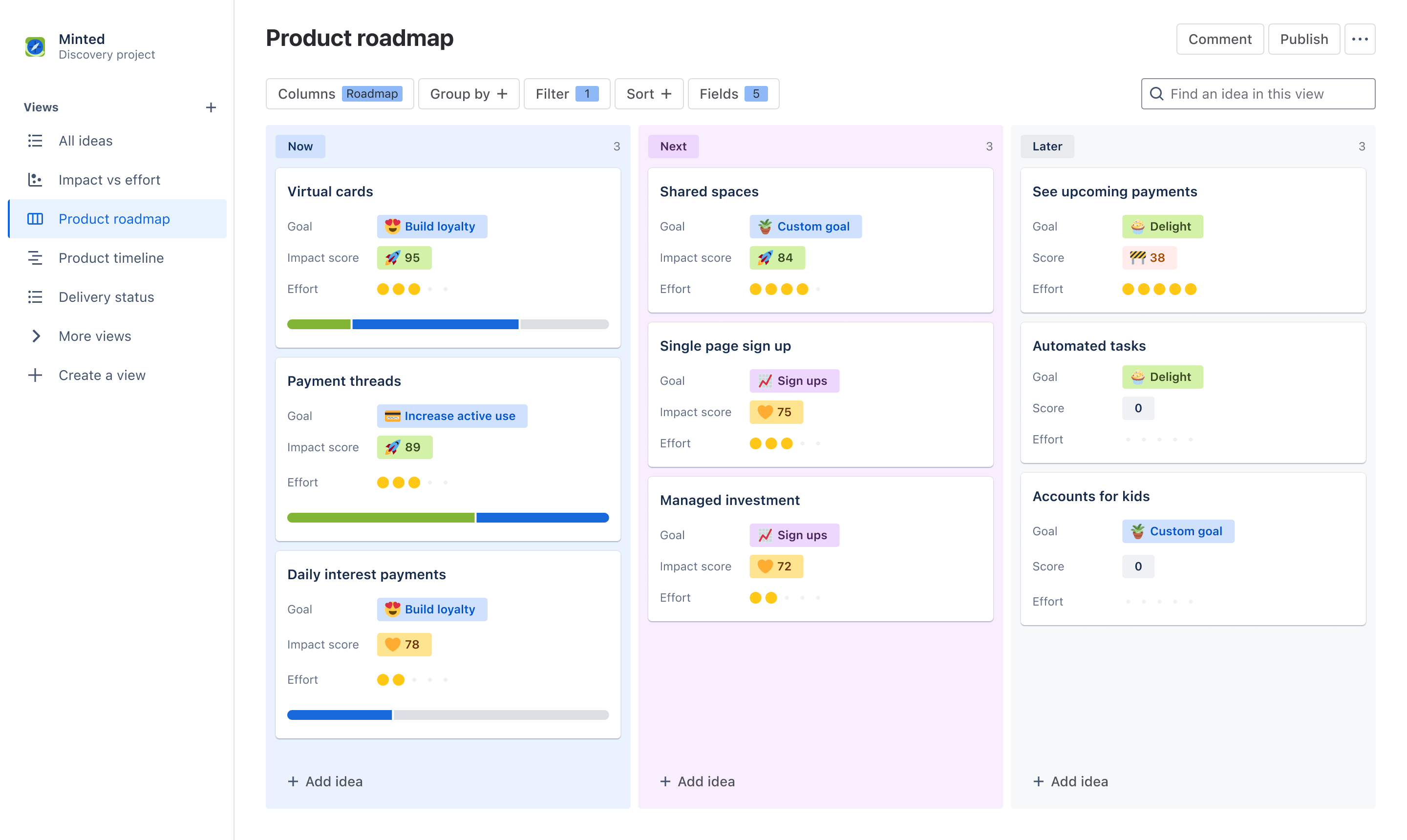
Plan rozwoju produktu
Przenieś funkcje produktów ze sfery pomysłów do rzeczywistości
najlepsze zastosowania:
Tworzenie oprogramowania
Zarządzanie projektami
NAJWAŻNIEJSZE FUNKCJE
Votes, reactions, comments
Delivery progress
Czym jest szablon harmonogram produktu?
Szablon harmonogramu produktu pozwala łatwo komunikować się, współpracować i koordynować strategię i wizję z dowolnymi interesariuszami. Twórz ogólne interaktywne harmonogramy w formacie tablicy lub osi czasu i dostosowuj informacje do dowolnego zespołu lub dowolnej osoby, korzystając z tych samych danych w celu zaoszczędzenia czasu. Zachęcaj interesariuszy do produktywnych dyskusji na temat priorytetów za pomocą głosów, reakcji i komentarzy.
What does the product roadmap template include?
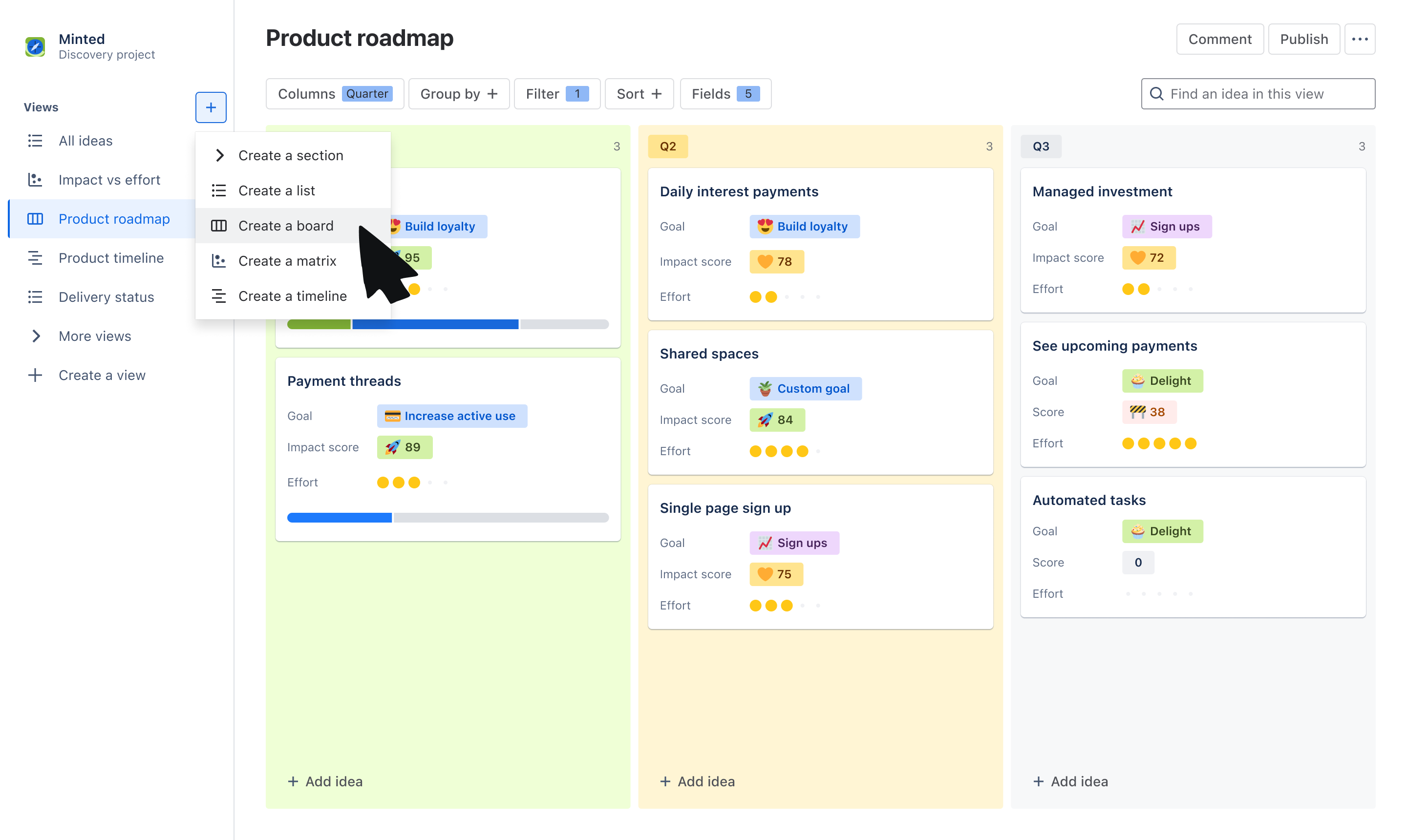
Create dynamic views
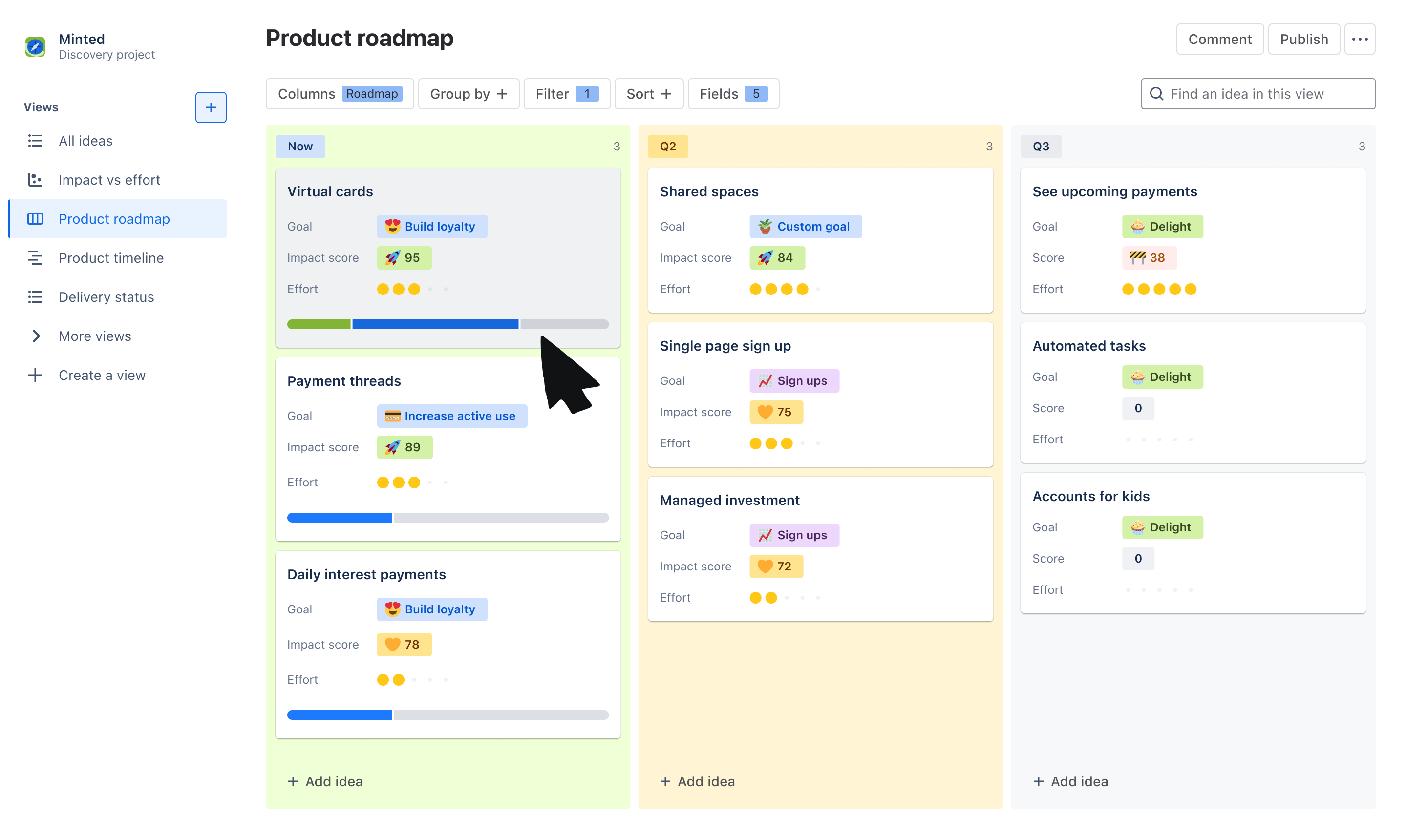
Choose from the board or timeline view to communicate the “what” and “why” behind your roadmap. Use the board view to group ideas by Now, Next, Later, quarters, or other trait. Use a timeline view to plot ideas across a monthly or quarterly timeline.
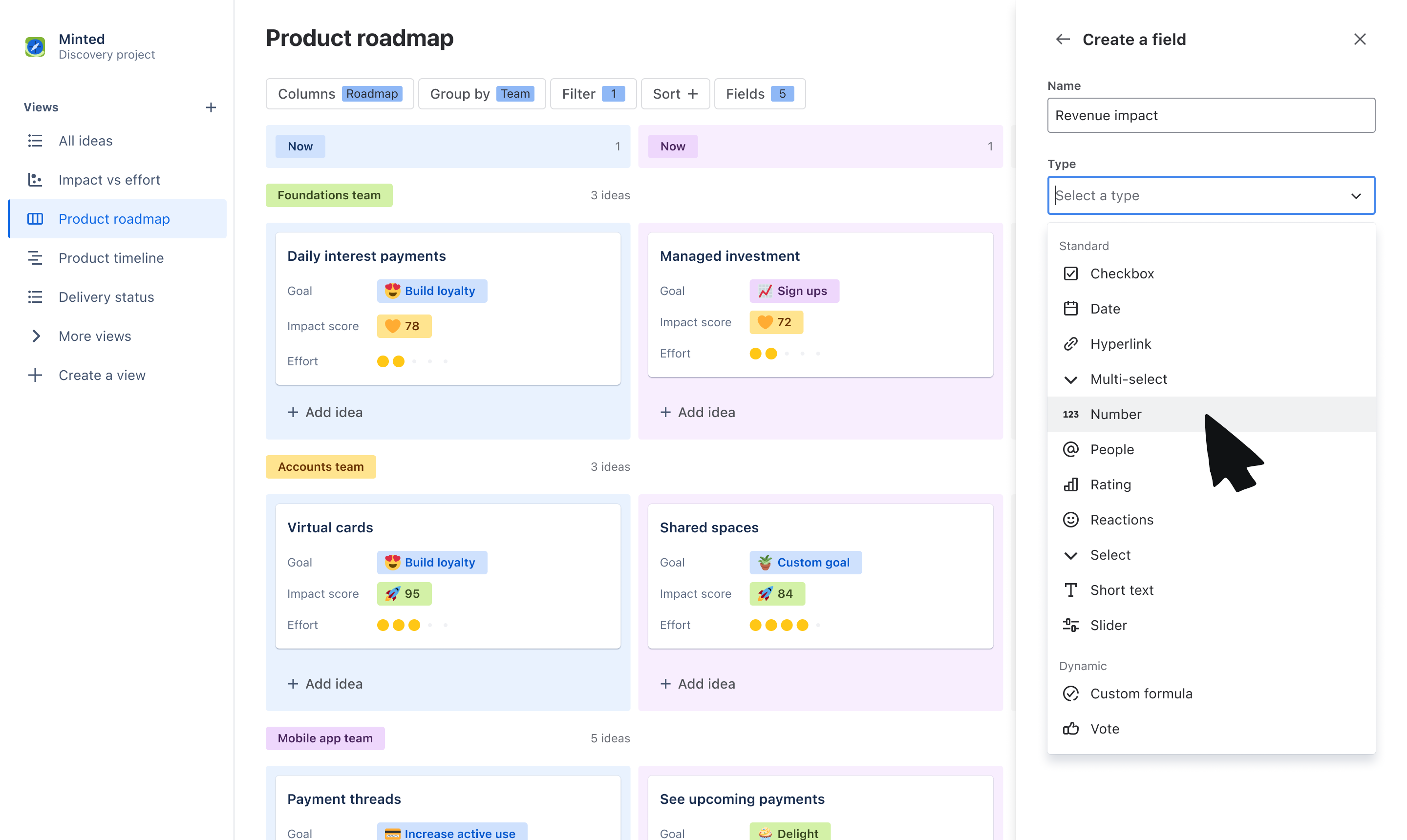
Tailor information to stakeholders
Use custom fields to tailor what you communicate to your audience. Organize ideas into swimlanes based on fields like team or objective, and layer on additional data that stakeholders care about, like related goals, RICE score, and more.
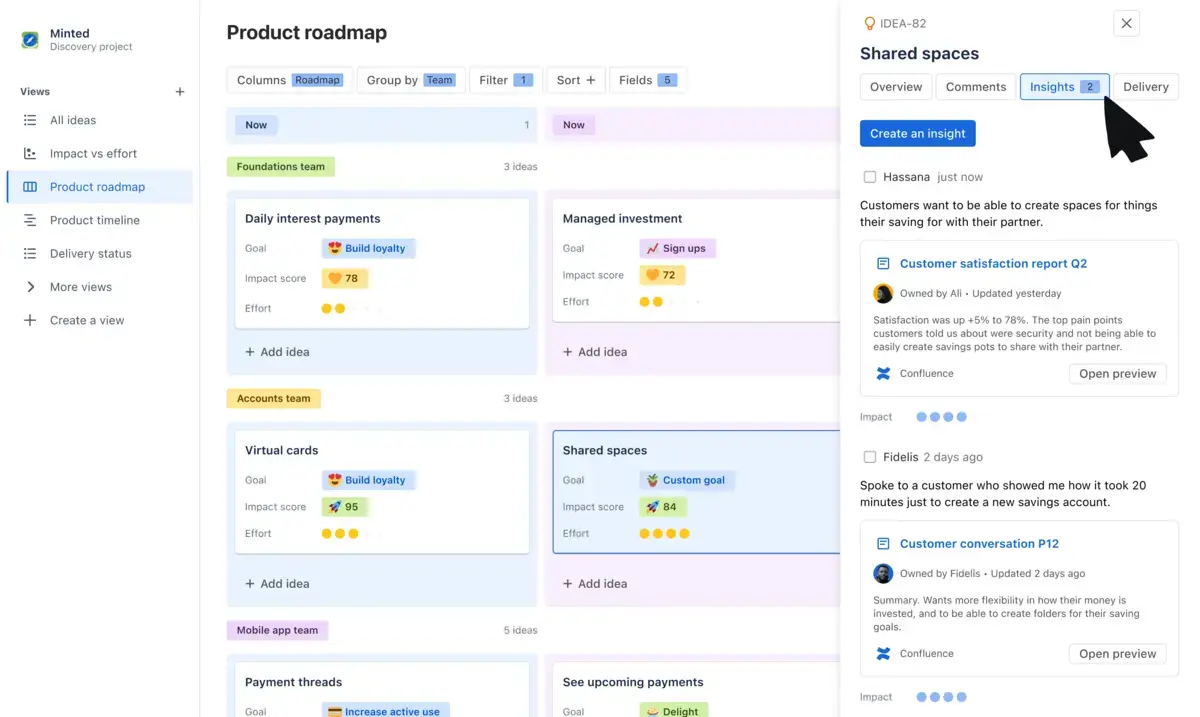
Get buy-in on your roadmap
Make roadmapping collaborative, not complicated. Have productive, two-way discussions on what is being prioritized by collecting feedback through votes, reactions, comments, and customer insights.
Report on roadmap progress
With a seamless and native integration with Jira, show stakeholders how ideas on your roadmap are progressing to delivery. Link individual ideas to Jira epics and issues and display a progress bar on idea cards for visual updates.
How to get started with the product roadmap template
- 1
Add ideas
The template will default you to a board view, but feel free to switch to a timeline or list view to organize your list of ideas. Add the ideas your team is committing to - these can be problems, opportunities, or solutions.
- 2
Organize ideas using fields
Use our out-of-the-box fields or create your own to help categorize and organize your list of ideas. Create fields such as “Roadmap” with values of Now, Next, and Later to plot ideas on a horizon before committing to a timeline, “Team” to assign ideas to a squad or department, or “Theme” to map ideas to different priorities.
- 3
Customize your view
Use Group by, Sort, and Filter to tailor the information that you show within your roadmap. You can create swim-lanes based Theme using Group by or filter to only show ideas owned by your own squad. Layer on data to idea cards using Fields to show information your audience may care about.
- 4
Engage stakeholders
Share your roadmap to gain feedback and alignment on your strategy. Use fields like Comments, Insights, Votes, and Reactions to collect feedback on the ideas you’ve prioritized from cross-functional teams and leadership.

Oszczędzanie czasu i nakładu pracy
Oszczędzaj czas i energię podczas przekazywania zespołom w całej firmie aktualizacji, dostosowując widoki do różnych interesariuszy, bez odtwarzania widoków od podstaw.
Zaangażowanie interesariuszy
Mobilizuj zespoły wokół swojej wizji, angażując je na wczesnym etapie, gromadząc informację zwrotną i analizy oraz informując je o zmianach priorytetów.

Zwiększenie widoczności
Stwórz pojedyncze źródło rzetelnych informacji, aby każdy mógł zobaczyć, jakie pomysły otrzymują priorytet w Twoim harmonogramie, dlaczego z wykorzystaniem dowodów oraz kiedy są one wysyłane.
Powiązane szablony
Tworzenie oprogramowania
Szablon odkrywania produktu
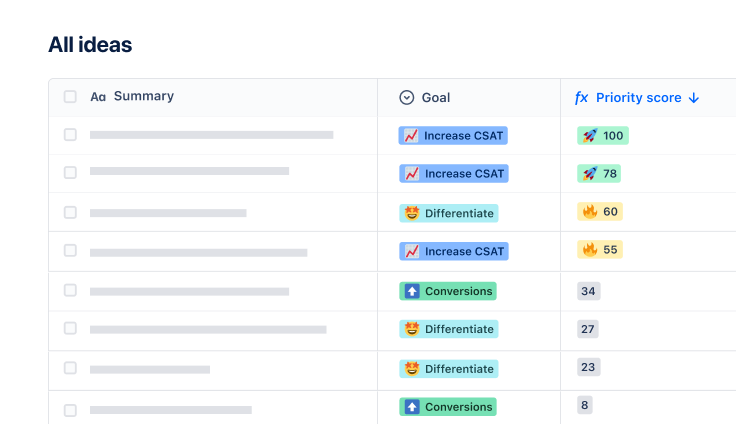
Zarządzaj pomysłami i danymi wejściowymi oraz udostępniaj niestandardowe harmonogramy produktów.