제품 로드맵
제품 기능 아이디어를 실현하세요.
가장 적합한 팀
소프트웨어 개발
프로젝트 관리
주요 기능
Votes, reactions, comments
Delivery progress
제품 로드맵 템플릿이란 무엇입니까?
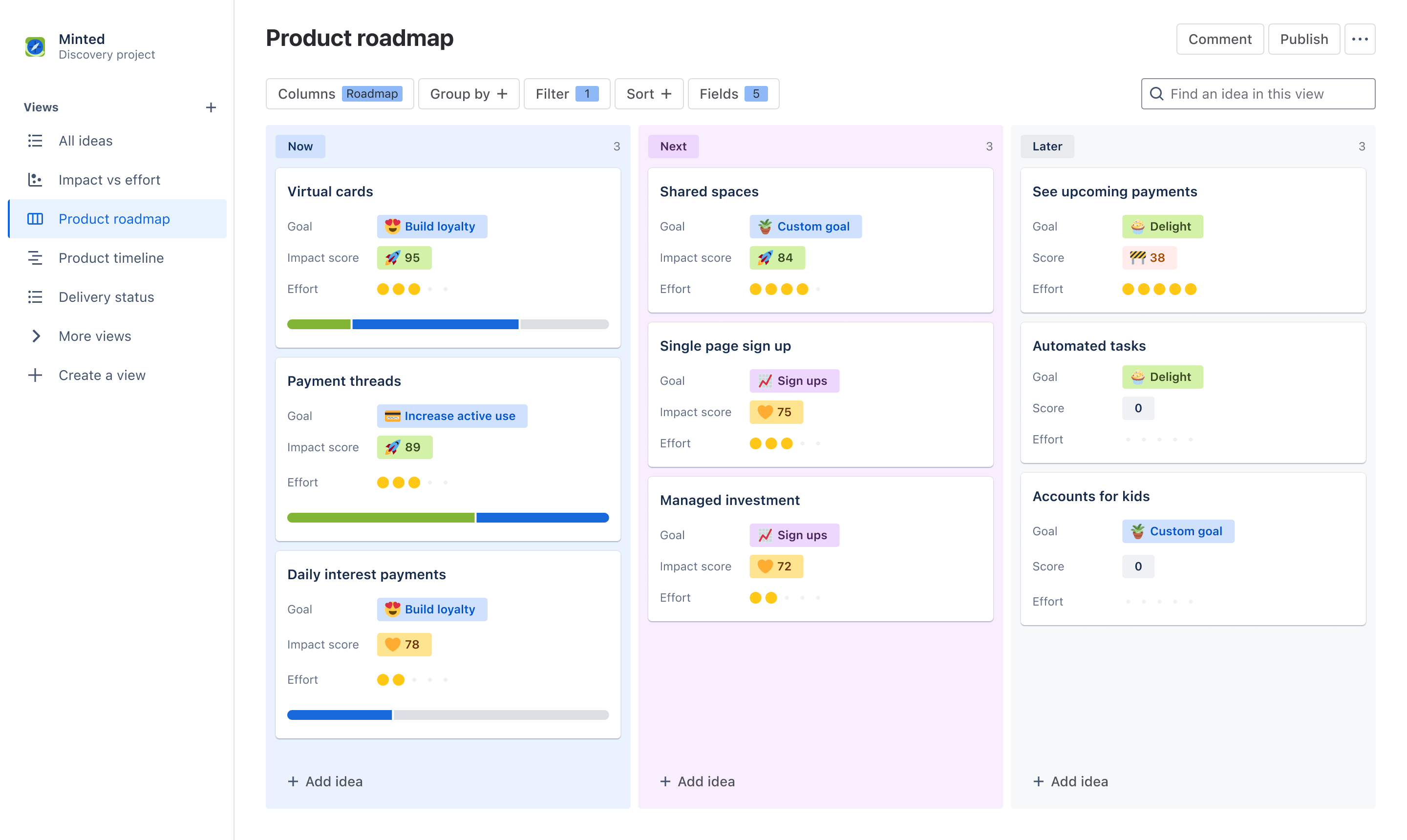
제품 로드맵 템플릿을 사용하면 모든 이해 관계자와 쉽게 커뮤니케이션하고 공동 작업하며 전략 및 비전에 맞춰 정렬할 수 있습니다. 보드 또는 타임라인 형식으로 개략적인 대화형 로드맵을 만들고 같은 데이터를 사용하는 팀 또는 개인에 맞게 정보를 맞춤화하여 시간을 절약하세요. 이해 관계자가 한곳에 모여 투표, 반응 및 댓글을 통해 생산적인 우선순위 지정 논의를 할 수 있도록 지원하세요.
What does the product roadmap template include?
Create dynamic views
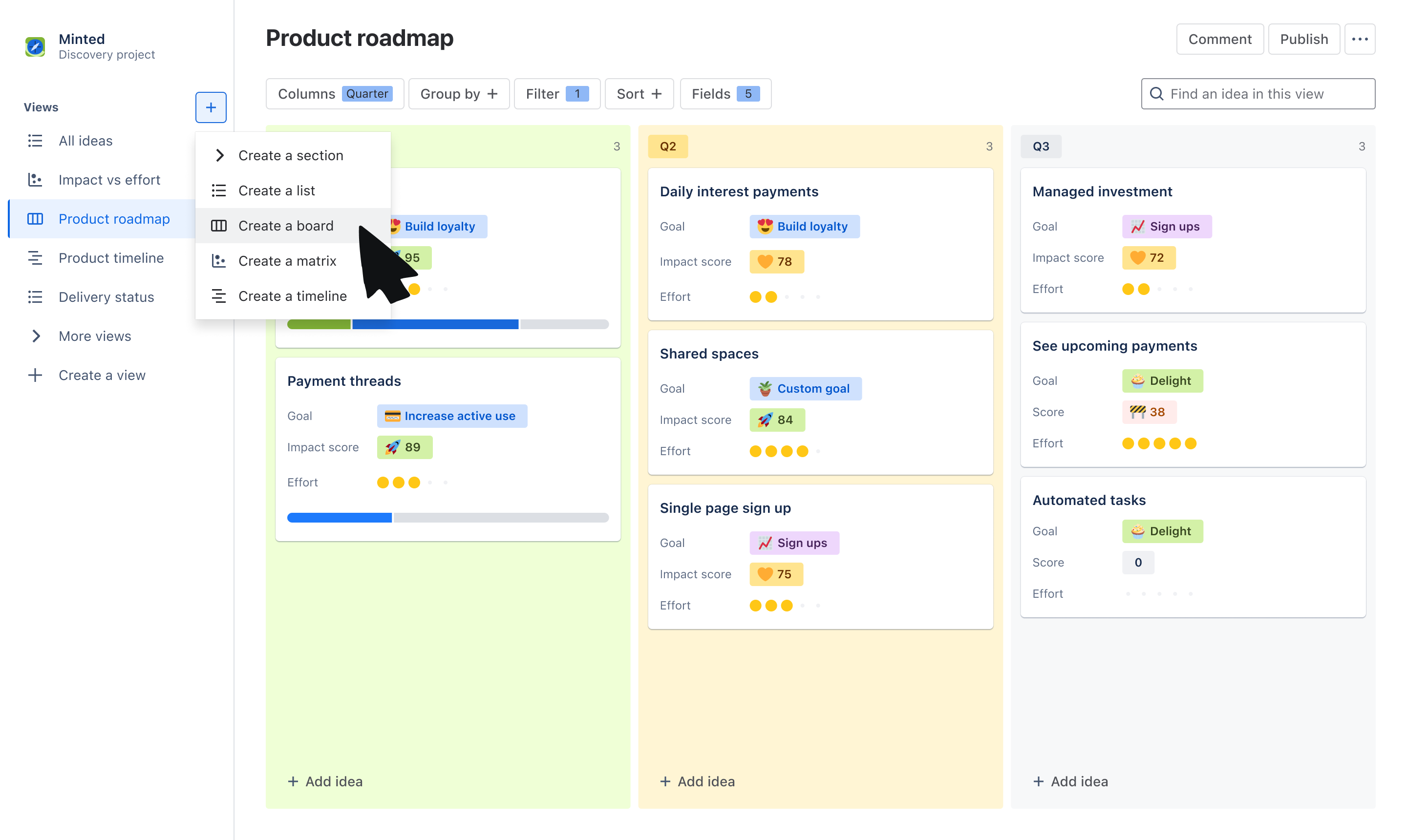
Choose from the board or timeline view to communicate the “what” and “why” behind your roadmap. Use the board view to group ideas by Now, Next, Later, quarters, or other trait. Use a timeline view to plot ideas across a monthly or quarterly timeline.
Tailor information to stakeholders
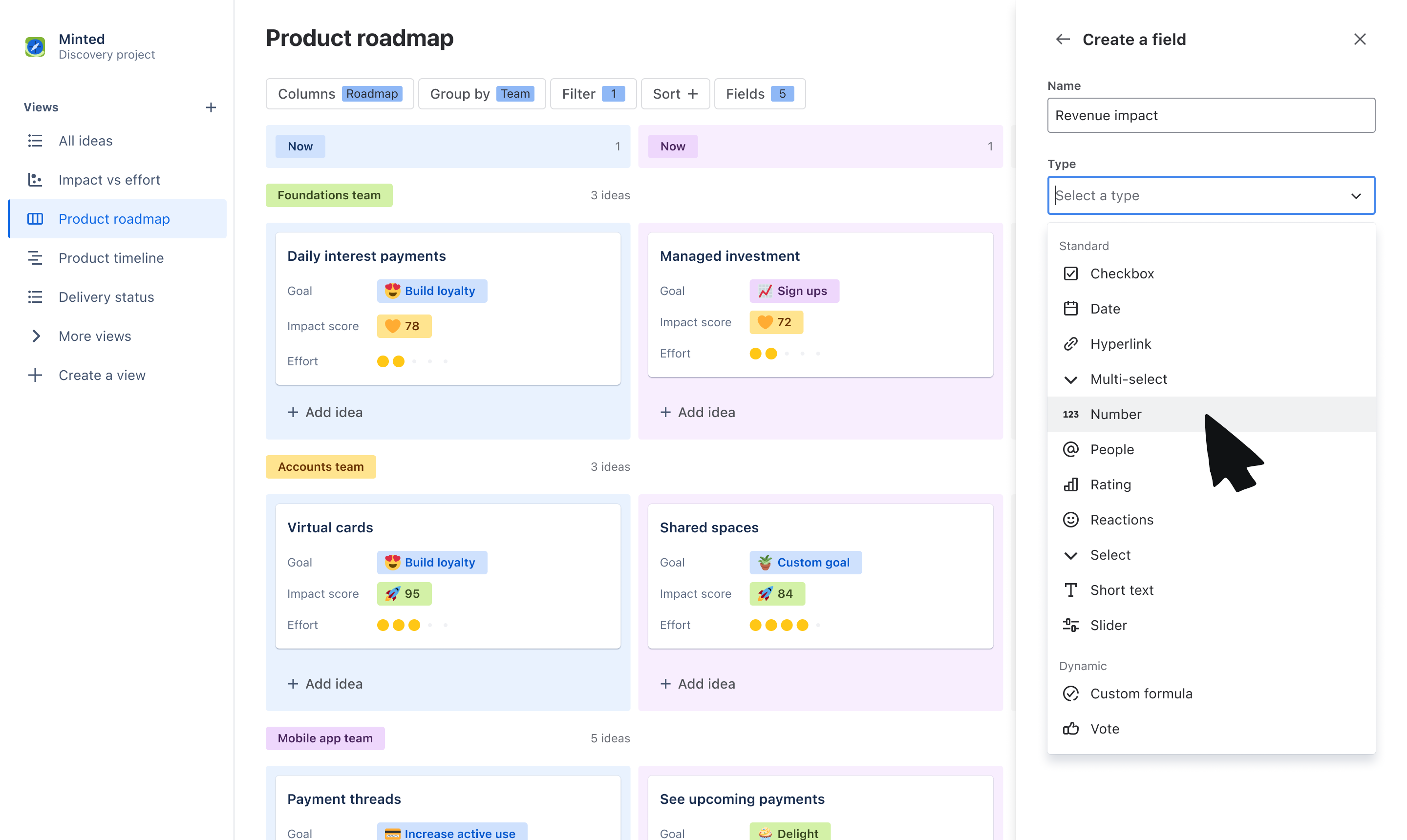
Use custom fields to tailor what you communicate to your audience. Organize ideas into swimlanes based on fields like team or objective, and layer on additional data that stakeholders care about, like related goals, RICE score, and more.
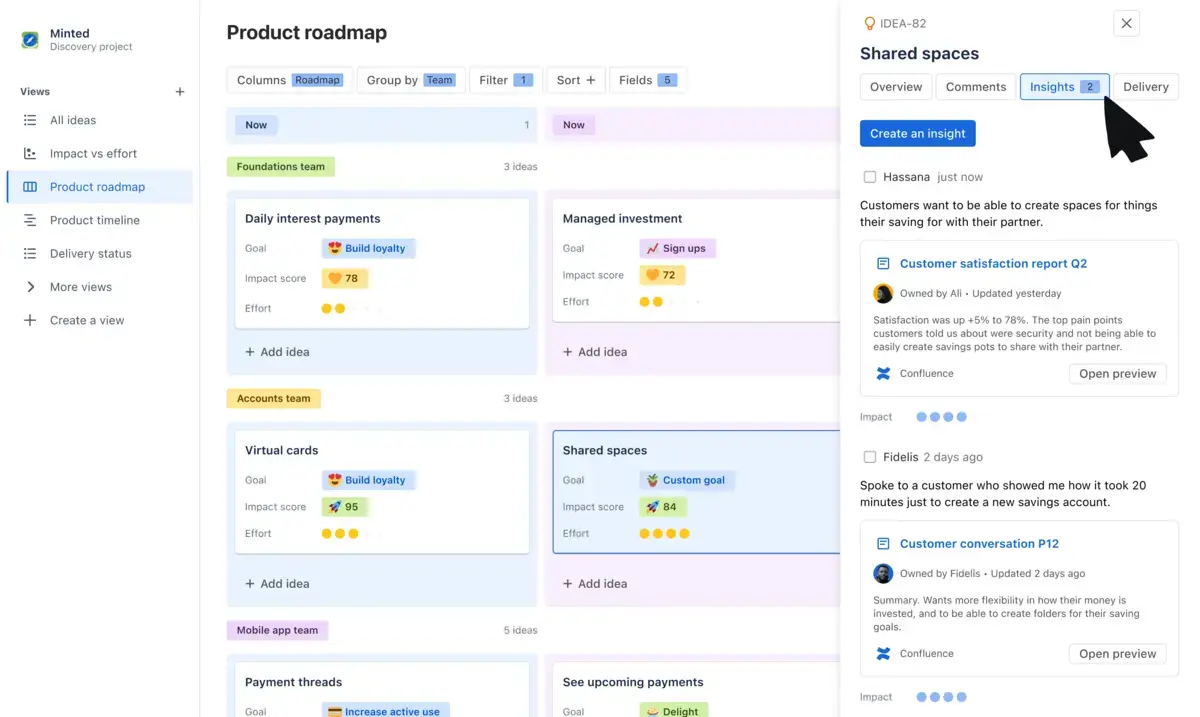
Get buy-in on your roadmap
Make roadmapping collaborative, not complicated. Have productive, two-way discussions on what is being prioritized by collecting feedback through votes, reactions, comments, and customer insights.
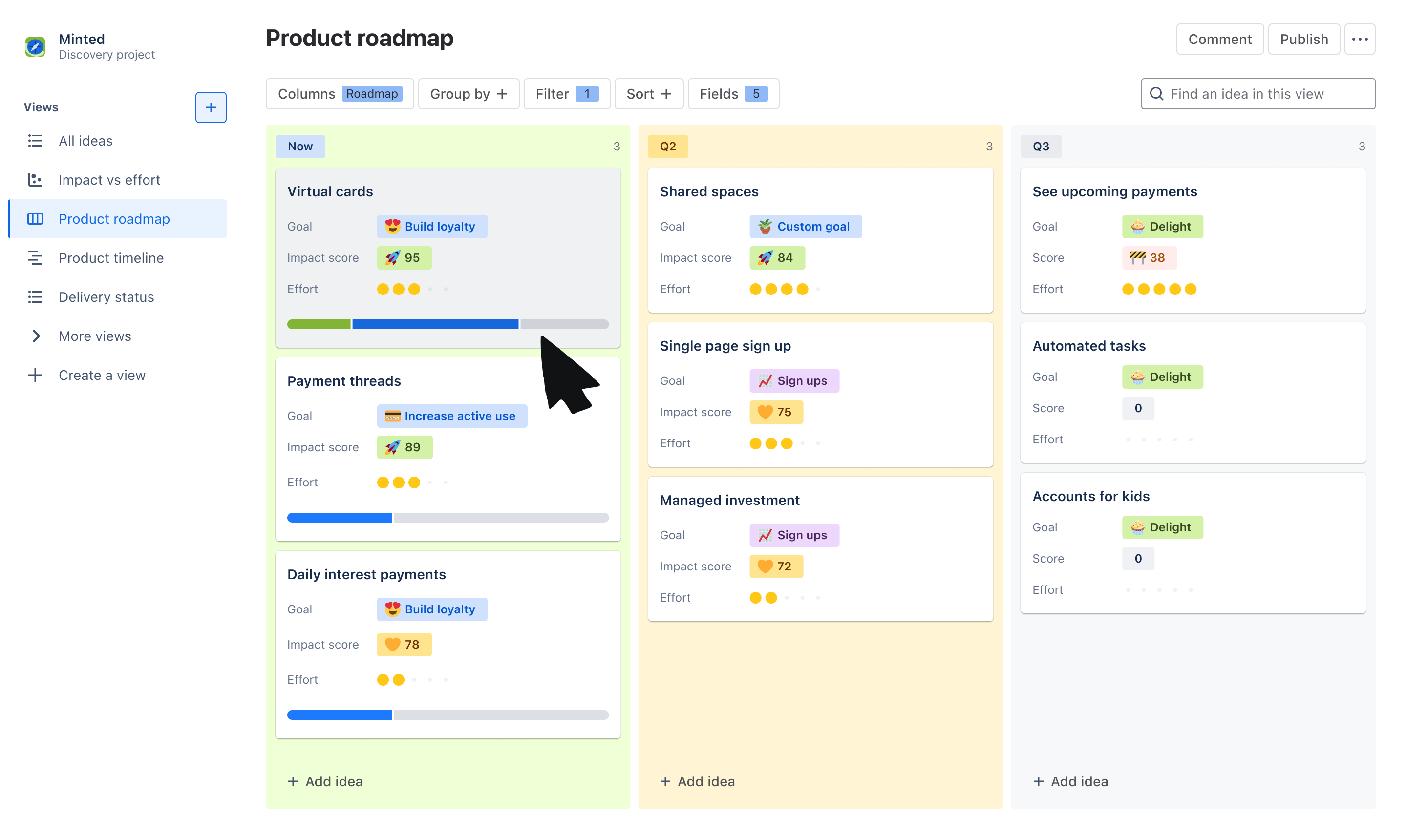
Report on roadmap progress
With a seamless and native integration with Jira, show stakeholders how ideas on your roadmap are progressing to delivery. Link individual ideas to Jira epics and issues and display a progress bar on idea cards for visual updates.
How to get started with the product roadmap template
- 1
Add ideas
The template will default you to a board view, but feel free to switch to a timeline or list view to organize your list of ideas. Add the ideas your team is committing to - these can be problems, opportunities, or solutions.
- 2
Organize ideas using fields
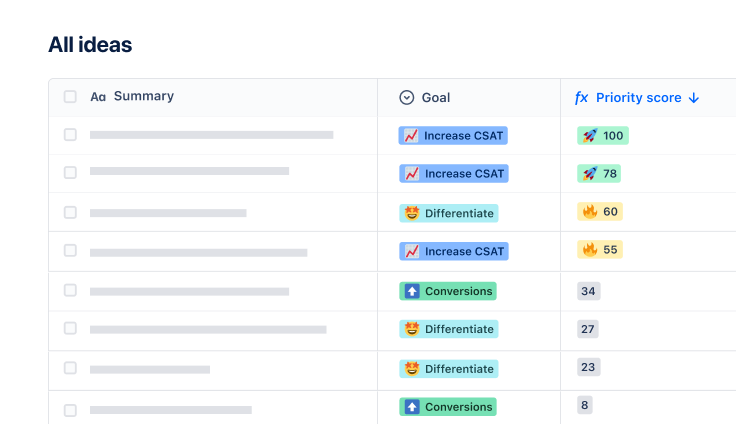
Use our out-of-the-box fields or create your own to help categorize and organize your list of ideas. Create fields such as “Roadmap” with values of Now, Next, and Later to plot ideas on a horizon before committing to a timeline, “Team” to assign ideas to a squad or department, or “Theme” to map ideas to different priorities.
- 3
Customize your view
Use Group by, Sort, and Filter to tailor the information that you show within your roadmap. You can create swim-lanes based Theme using Group by or filter to only show ideas owned by your own squad. Layer on data to idea cards using Fields to show information your audience may care about.
- 4
Engage stakeholders
Share your roadmap to gain feedback and alignment on your strategy. Use fields like Comments, Insights, Votes, and Reactions to collect feedback on the ideas you’ve prioritized from cross-functional teams and leadership.

시간 및 노력 절약
보기를 처음부터 다시 만들 필요 없이 여러 이해 관계자에 맞게 보기를 사용자 지정하여 비즈니스 전반의 팀을 업데이트하는 데 드는 시간 및 노력을 절약하세요.

이해 관계자 참여 유도
팀을 초반에 참여시키고, 피드백 및 인사이트를 수집하며, 우선 순위가 바뀔 때 최신 정보를 제공하여 비전을 중심으로 팀을 결집시키세요.

가시성 개선
로드맵에서 어떤 아이디어가 우선 순위로 지정되는지, 그 이유와 증거는 무엇인지, 아이디어는 언제 제공되는지를 모두가 볼 수 있도록 단일 정보 소스를 만드세요.
관련 템플릿