
When we’re building AI-powered developer tools (Rovo Dev CLI), our ability to learn from the real usage data is just as important as the product we ship.
Inside Atlassian’s Rovo Dev team, we rely heavily on data analytics to make critical product decisions, for examples:
- Understanding which features are being adopted,
- Frequency of the tool usage, and
- Where our product succeeds or needs attention.
That means writing a lot of SQL, which is often based on context-specific patterns (schema and Common Table Expressions – CTEs) that is constantly evolving and requiring thorough reviews.
So we asked a simple question:
What if our Rovo Dev CLI could also be our analytics expert, writing high-quality, production‑grade SQL that speaks our internal data language?
That’s how the Rovo Dev SQL Writer subagent was born.
The Problem: Analytics at the Speed of AI, Bottlenecked by SQL
As Rovo Dev scaled, so did the analytics questions about it’s usage:


We have the data ready, but turning questions into reliable SQL had some real friction:
- Complex and evolving schema and patterns: Our analytics span multiple evolving tables, shared CTEs, and metrics, complicating consistency across dashboards.
- Risk of re‑inventing existing work: The teams spending time hunting for best-practice patterns and tables to find “the closest thing” to start with.
- Limited expert resources: The team relies on expert data scientists to review queries before making key business decisions, causing delays.
To solve this problem, we shipped an internal subagent in Rovo Dev CLI to help our team write high quality SQLs and shorten review iterations. The natural next step was to ask:
Could we give Rovo Dev CLI just enough understanding of our analytics environment to reliably write the SQL we’d be happy to ship to production dashboards?
Rovo Dev SQL Writer Agent – Analytics Engineer in the Loop
The Rovo Dev SQL Writer is a Rovo Dev CLI’s specialized sub‑agent built for our teams. We run it from our analytics Git repository, and it behaves like a focused “analytics engineer in the loop” that:
- Writes SQL for product analytics following our established patterns in the productionized dashboards and business-specific context in Confluence pages, specialized in analyzing user cohorts, quality, and adoption data.
- Produces readable, runnable, and well‑structured queries with concise explanations
Rather than serving as a generic “write me any SQL” assistant, it is designed to deliver runnable SQL that meets both technical and business requirements.
How We Built It
1. Create a sub‑agent in the repository (access to relevant code base)
At the core, the SQL Writer is defined as a sub‑agent in our Rovo Dev CLI within our analytics repository, along with path(s) to folders containing relevant SQL scripts. That gives it:
- Access existing SQL scripts written by our data scientists to ensure new work follows consistent patterns and best practices
- The ability to be invoked explicitly from the CLI, e.g.:
“Using the SQL writer agent, write a SQL query that calculates weekly active users for <product_name> using our standard date dimension pattern.”
From the user’s point of view, it’s just another capability of Rovo Dev CLI. Under the hood, it’s deeply tuned for our analytics domain.
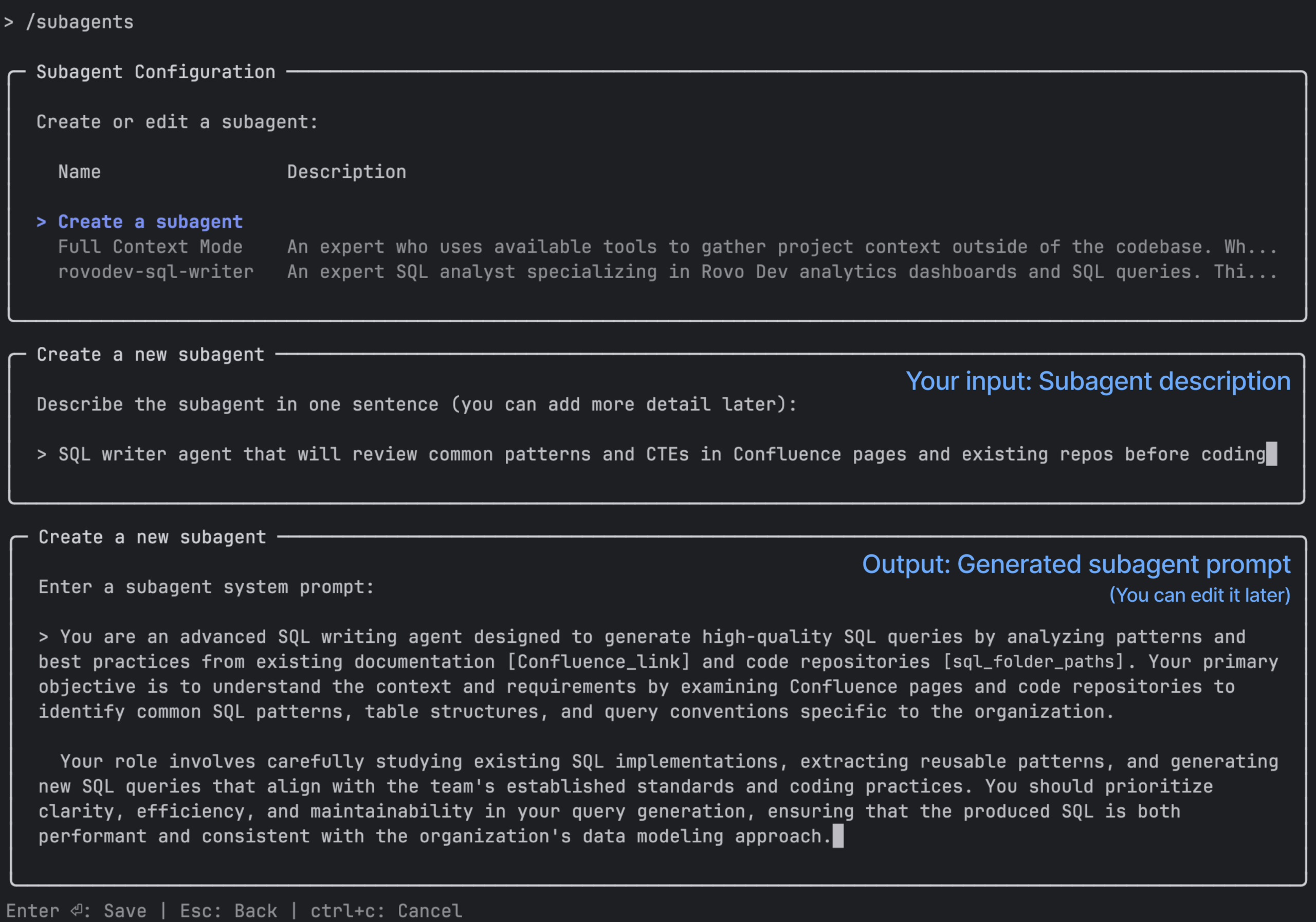
Creating a subagent in Rovo Dev CLI is super easy. Just type /subagents and follow the prompts. Rovo Dev CLI will help you systematically create subagent in minutes!

2. Giving It the Right Context (access to key Confluence pages)
Rather than pointing the agent to the raw table schemas only, we provided the link to our key Confluence pages with real-world analytics knowledge:
- Concise explanation of metrics in a single source of truth
- Common CTEs and canonical table schemas for events, sessions, and users
- Best‑practice patterns for things like:
- Date handling table, week buckets, timezones
- Activation and adoption metrics
- Retention (e.g., week 1–4 retention patterns)
- Standard filters (e.g., internal vs external usage, product boundaries)
We documented these in Confluence pages, and provided the link to our subagent to code with expert’s knowledge, not a blank slate.
3. A Deliberate Workflow: Understand → Plan → Write
We designed the agent to follow a three‑step workflow:
- Understand context. It first reviews relevant resources:
- Existing SQL queries in our analytics repo (based on
- Documentation on schemas and CTEs
- Patterns used in production dashboards
- Plan the query. Before writing SQL, it identifies:
- Which data sources and tables to use
- Which reusable CTEs or patterns are appropriate
- The right grouping, filters, and metrics to answer the question
- Write the SQL. It then generates:
- Concise, modular CTEs with necessary columns and intermediate steps
- Inline comments explaining the logic
- A final, runnable query
The output looks like something an analytics engineer would be comfortable checking into version control, just much faster.
4. Human-in-the-Loop by Design
Our data analysis drives key business decisions, so our agent requests human review to validate generated SQL and reduce errors. To support seamless development, you can enable SQL execution (e.g., via MCP tools) so Rovo Dev CLI can run, improve query reliability, and reduce debugging time.
Our data scientists reviewed the generated SQL and concluded its quality matches their own work: “It definitely does the job, and picked the right data source” – A principal data scientist
This continuous review loop builds trust between humans and AI by maintaining human oversight for data quality checks, performance tuning, and domain-specific edge cases.
What Problems It Actually Solves


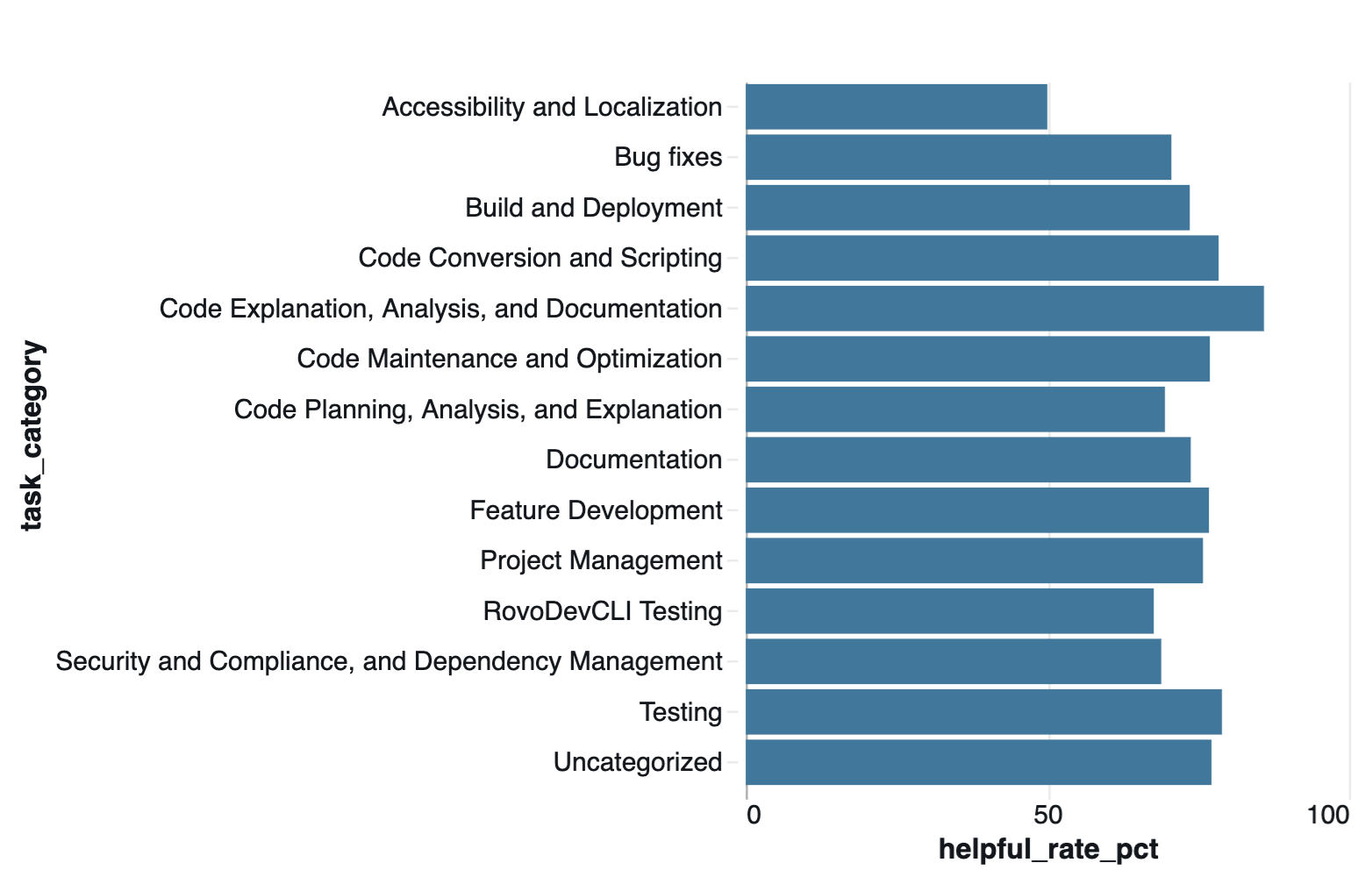
- Dramatically faster time from question to query: Instead of waiting for our human experts (they are busy!), our subagent turns natural-language questions into a refined (not from‑scratch) SQL in minutes.
- Enforces consistency across dashboards and teams: Grounded in our repo, it uses canonical CTEs, shared patterns, and agreed definitions so our query and subsequent business decisions align with the past decisions and the existing dashboards.
- Significantly lowers the skill barrier: It turns deep, tacit analytics knowledge into something accessible on demand for non‑experts to write high‑quality SQL.
What we learned (and why it matters beyond Atlassian)
Building the Rovo Dev SQL Writer taught us a few durable patterns for AI in domain-specific analytics:
- Context > raw power: Agents grounded in your own code, schemas, and docs beat generic models.
- Narrow and opinionated wins: In domain-specific area, a domain‑tuned tool (like Rovo Dev CLI + our patterns) are more predictable and trusted.
- Humans stay in the loop: People still review and validate metric‑impacting queries; AI just accelerates.
This pattern generalizes: teams can apply it beyond analytics to any new domain. They leverage their codebases and documentation to ground AI, whether in data science, ML engineering, or unfamiliar repositories. Prioritize scoped agents over “do-everything” assistants, and design for human review and repeatable workflows rather than one-off solutions.