The Latest and Greatest Bamboo Features

Branch Your Plans Along with Your Code

Branching is embraced by some teams and regarded as a "necessary evil" by others. No matter where you stand on the issue, Bamboo's Plan branching feature is sure to make life a little easier.

Teams using DVCS repositories can have Bamboo automatically detect new branches in their repo within minutes of creation.  When a new branch is found, all Plans associated with that repo are cloned and connected to the new branch, with the option to override Plan variables and advanced repository settings.  

Teams using traditional version control systems can take advantage of quick and easy Plan branching whenever they need it: for release branches, patch branches or developer sandboxes.  Just click a button to create the Plan branch, specify the branch's location in your code repository, and you're off & running!

No matter how your Plan branches are created, they will automatically inherit config changes made to the master Plan for super-low administrative overhead. 

Take the Drudgery Out of Merging

In keeping with the idea that the best way to ease a painful process is to do it frequently, Plan branches connected to DVCS repos can be automatically merged with the main code line in one of two ways.

  • The "Gatekeeper" strategy merges changes on your branch into the mainline and builds the result. If successful, the merged code is committed and pushed to the main line, keeping the whole team in sync.
  • Conversely, the "Build Updater" strategy merges the main line into the branch, and builds the combined code.  The merged code is committed and pushed upon success, in this case to the branch.

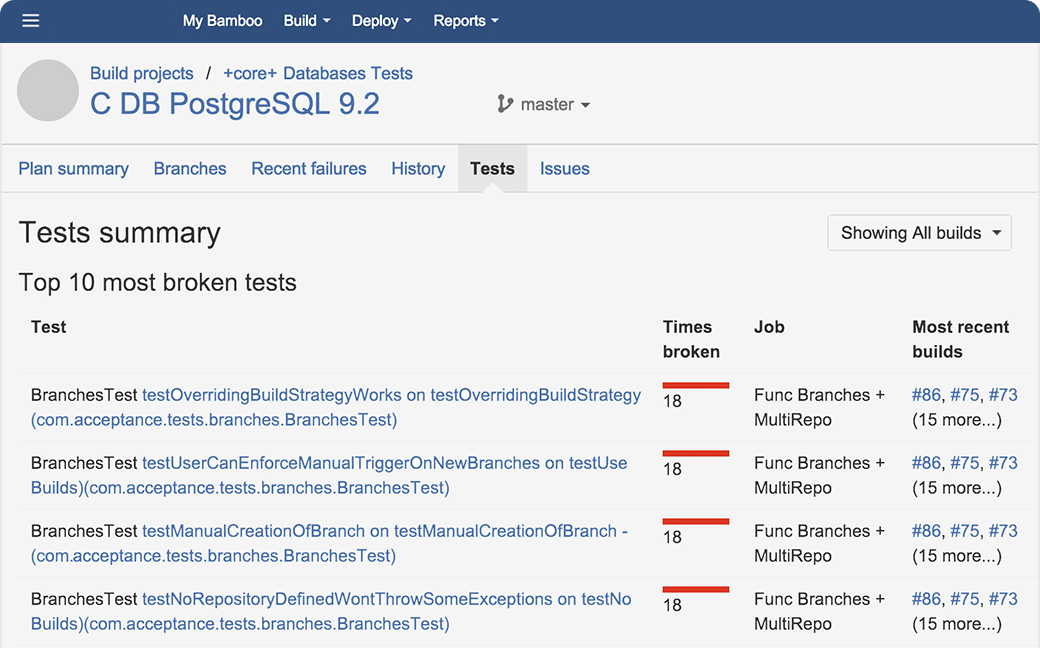
Isolate Troublesome Tests

Breakages that are left visible tend to invite further destruction and neglect, and builds with flaky or ever-failing tests tend to fall into severe decay because breakages become the norm. Bamboo 4's Test Quarantine makes it easier than ever to keep degraded tests out of sight, but not out of mind.

Gone are the days of commenting out test code or manually updating test suite configuration files! Simply hit the Quarantine button next to a failing test, and let Bamboo do the dirty work. Not only that, but you'll see the count of Quarantined tests in every build result as a reminder to reincorporate them into your build.

Efficient User Interface

You asked, and we listened! Bamboo 4 has a cleaner UI and puts you in the driver's seat when it comes to viewing elements of your Plans.

Don't want to see the Plan Navigator all the time? Toggle it (hidden or shown) to keep content-packed pages free of clutter and easy to read. The Plan Statistics panel has undergone a facelift, and underneath that you'll find a list of all branches for the Plan -- complete with build status indicators! We also updated the build history bar on Plan detail and configuration pages giving you a quick-reference for vital stats of the last 10 builds.

Improved Git Supportability and Compatibility

Satisfying many votes from our Git users, Bamboo's integration with Git is now compatible with Git submodules. Git submodules are simply a reference to another repository at a particular snapshot in time.

  • Ruby, Python and Javascript software projects often times have dependencies on third party libraries
  • Java developers need specific versions of a library in java that have not been released

The new support for Git submodules allows you to structure your projects the way you want, and makes it easy to build multi-module projects. The full capabilities of your Git client are now at your disposal for Git-based development. Simple and powerful, just like Git!

Want to learn more about Git submodules? Check out a how-to blog here.

Share Repositories

In our previous Bamboo release, we introduced the ability to monitor and check out code from multiple repositories. Multiple repositories in Bamboo are great for both small projects that wish to build and include externally developed open source software as part of their project, and large projects that consist of multiple modules located in different repositories. Whether you are working on a small or large project, you may be using the same repositories across multiple build plans in Bamboo. Following the DRY (Don't Repeat Yourself) principle, you can now share your repositories across these plans. Bulk manage repositories across multiple plans with a single configuration change. For admins, that means you don't have to edit each plan/job to change a repository. All you have to do is go into the Shared Source Repositories, and make your changes there.

  • Changing working branches: post release, you may want to change the working branch. Now you don't have to go into each job and update the Source URL manually.
  • Changing servers: if you are moving servers and changing base URLs, simply change the base URL in one place.
  • Changing passwords: admins update SCM passwords (every month) as per company policy; now you don't have to edit each plan/job to reflect those changes.

A huge time saver for those trying to keep repositories in sync across multiple plans.

Grow in the Cloud

For those of you taking advantage of elastic agents in the Amazon EC2 cloud, we now have Windows and .NET support.

Growing capacity
Considering growing your Windows instances without having to install Windows? It all comes within an Amazon EC2 image. After the image is spun up, you can be easily connect to your instance with a Windows Remote Desktop application from any operating system.

Windows application testing
Windows instances from Amazon are great for any Windows installer testing. Like a typical VMware image, an EC2 image can easily be discarded after use, which is important because some Windows applications leave too much left over in the registry. If you need to test Internet Explorer for your web front end tests or Microsoft SQL Server for your database backend, it's all possible on Amazon EC2.

Saving installed applications
Just like Linux AMIs, you can install any packages, add software, and make system configurations. Easily save these changes to your new AMI image, which can be added to your Bamboo EC2 Image configuration.

Windows EC2 with Amazon and Bamboo allows for elastic growth to meet your demands. Don't have enough VMWare hardware to go around? Expand your build system into the Amazon cloud, along with Bamboo's elastic agents.

Setting up your elastic agents with Windows? Take a step-by-step walkthorugh and be setup in no time.

"Easy on the Eyes" Emails

There are many options to receive builds notifications in Bamboo - RSS, instant messenger, IDE pop-up, through JIRA and email (the most popular). The goal of all these notifications is to digest the information you need quickly, so you can resolve any issues. The new email template makes it a whole lot easier to find important information about a build at a glance. Identify which test(s) failed, view code changes, and jump to the context of changes directly from the email. Not to mention, it looks and feels like the Bamboo UI.

Agent Security

Sensitive information is now even more secure in Bamboo. Verify that remote agents are allowed to connect to the Bamboo server and prevent unknown agents from connecting to the server. When Agent Security is enabled, agents need to be manually approved by an administrator before they can communicate with the server in any way.

Did you know?

Current Bamboo customers can try a new version for free with a developer license.

Multiple Repository Support

Bamboo's #1 voted feature request has shipped in Bamboo 3.3 - multiple repository support. Monitor and checkout code from multiple repositories including Subversion, Git, Mercurial, CVS, and Perforce. Multiple repositories in Bamboo are great for both small projects that wish to build and include externally developed open source software as part of their project, or larger projects that consist of multiple modules located in different repositories.

  • Easily build large projects: large projects are often composed of smaller, self-contained modules. Build without using externals or submodules with Bamboo!
  • Build on different repositories: Switched version control systems recently? Multiple teams using different version control systems? Use Multiple Repositories to checkout the source(s), build and test just as if all the projects existed in the same repository. 
  • Build binaries for open source projects: if you need to build an open-source library from source to include it in your project, easily do this with Mulitple Repositories and Bamboo's Bitbucket and Github support.
  • Public and Private source: in some scenarios you may have parts of your source code public and other parts of your source within a secure or private location. Bamboo allows for multiple checkouts within a single Job to checkout source from both locations. 

Reload-able Plugins

Don't let installing or updating plugins slow down your Continuous Integration, you can now dynamically install and upgrade Bamboo plugins without restarting your server. This is especially useful for Task plugins as you will not need to interrupt development in order to install or upgrade to the latest and greatest Tasks. 

Improved Personal Dashboard

Use the improved "My Bamboo" dashboard to view your latest chagnes, favourite builds and build history to quickly find the information most relevant to you. The Latest Changes section in your "My Bamboo" dashboard now provides a commit centric view of builds in Bamboo, showing builds in relation to an individual commit and providing a way to assess a level of overall confidence in a commit. Get clear, pinpoint feedback on what builds your commits are impacting.

Upgrade Agents with ease

Bamboo administrators will save valuable time with automatic upgrades of remote agents. No longer do you need to manually upgrade and restart your remote agents with a Bamboo upgrade - it's automatic. Agents now start-up faster, auto update and reload plugins.  

And more...

  • Java 7 Support - Java 7 brings some great additions to the language, and Bamboo 3.3, provides full compatibility with Java 7
  • History friendly tabbed navigation - By loading tabbed content via AJAX, we significantly increased the page-load times so you can browse your build results faster

Release Management

Automate the release process down to the click of a button. Create a release pipeline in Bamboo to automate your release process: use Stages, Jobs, and Tasks to build, run tests, generate release artifacts, publish, and deploy your release. Then initiate your release activity or event directly from JIRA with one-click when you're ready. 

Manual Stages

Manual Stages allow you to interrupt/halt/suspend automatic build execution at a specific Stage in the build plan. For Plan execution to continue, a user must manually trigger the Stage. An example of using this feature is to place a manual stage at the deployment phase to give your QA team a chance to perform a few manual tests before your software goes into production.

Re-run Failed Stages

Builds can fail for all sorts of reasons that are not related to the code (e.g. infrastructure problems). If so, you may want to rerun the Stage that a Plan failed at, rather than start the Plan build from scratch again.

Bamboo 3.2 provides the ability to re-run failed Stages in this release. Any Jobs that failed in the Stage will run again and the exact same data will be used.

Filter your Dashboard

Bamboo now allows you to label your build Plans. Un-clutter the Bamboo Dashboard by filtering to only show plans with labels that you are interested in.

And more...

  •  Improved JIRA integration - delegate user management to JIRA, linking applications more easily
  • EC2 spot instance improvements

Tasks

Builders have been replaced by Tasks. A Job can have any number of Tasks, which are executed against the same working directory in order. This allows you to run a script, call multiple Maven goals, copy some files and run shell scripts as part of the same Job. All existing Builders have been converted to Tasks.

Tasks are implemented as Plugins and we've made it really easy to write Task Plugins.

Parameterized Builds

During the development process there are times when you may want to run a build with customized parameters. These "special builds" can play an important part in the release and deployment process. Bamboo 3.1 allows you to customize build parameters used in substitution at runtime through the UI.

NET Support

With the re-work of Builders into Tasks we've improved the .Net integration with a whole bunch of .Net features including:

  • Visual Studio – Build Visual Studio projects devenv.exe. This Task allows you to switch between different architectures (x86, AMD64, IA32, IA64)
  • MSBuild – Run MSBuild as part of your build
  • NAnt – Execute NAnt targets to build your project

And More...

  • Bitbucket and GitHub connectors – connect directly to your Bitbucket or GitHub projects
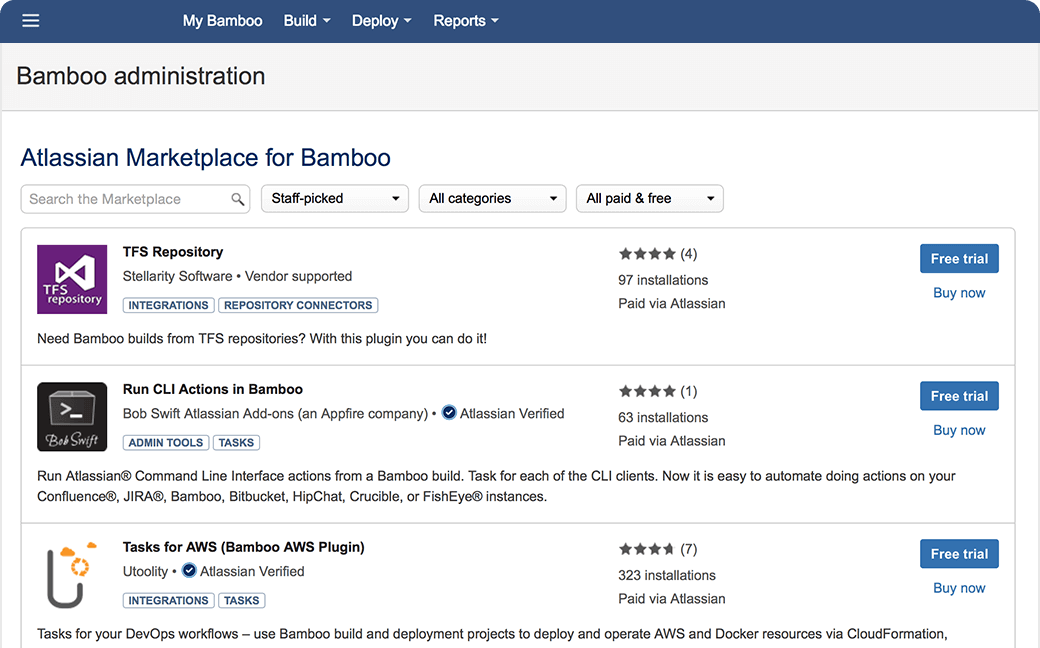
  • Universal Plugin Manager – manage your plugins with ease
  • Support for Amazon EC2 spot instances – bid on unused Amazon EC2 capacity and run builds for a much lower price
  • Gravatar support – see the profile picture of the user who broke the build

Artifact Sharing

Artifacts in Bamboo can be shared between different Stages of the build process. Decrease build time by avoiding costly rebuilds and increase confidence in your deployment by avoiding duplicate artifact creation.

Overhauled UI

To take advantage of the build structure changes in Bamboo 2.7, Plans, Stages, and Jobs, we have overhauled several key sections of Bamboo to find important build information faster.

  • The Plan Navigator not only visualises the Stages and Jobs in your Plan, but also allows you to quickly navigate within the Plan structure. 
  • The Status Ribbon shows you whether a Build was successful or not. Shift over to the History Navigator to view the status of and navigate to, prior and subsequent build results.

Release Management Plugin (Free)

We are happy to announce the updated, Atlassian supported and now free Bamboo Release Management plugin. Combine the build capabilities of Bamboo with the version management of JIRA to complete your release workflow.

Git Support

Bamboo is ready for the future of all source control and now, in addition to Mercurial, supports Git out-of-the-box.

And Heaps More...

  • Scheduled repository polling
  • Configuration changes captured in audit logs
  • Maven 2 Artifact sharing beta

Map Your Build Process

A new build structure allows you to better map your build and release process. Define your complete build process (such as compile, test and deploy) in a single Plan. 

Build steps are mapped to Stages within your plan, were each stage is executed consecutively. Build units within a stage are called Jobs. Jobs can be executed in parallel enabling you to run different suites of test simultaneously or the same test against different environments.

Concurrent Builds

Bamboo concurrent build feature allows you to run a single plan concurrently on multiple agents. No more waiting on plans to finish!

Wallboards

Use the Bamboo Wallboard to display the latest builds results or connect it to JIRA to display your builds along-side GreenHopper burn-down charts, Crucible code reviews and other vital data on your favorite information radiator.

Mercurial Support

If you are using a distributed version control system or thinking of migrating to one Bamboo has you covered with out-of-the-box support for Mercurial (Hg).

And Heaps More...

  • Simplified plan configuration
  • Intuitive breadcrumbs
  • UI improvements - Plan Summary, Plan Build Result
  • And much more

顧客

57 カ国、1,100 社以上が Bamboo を使用しています。顧客をご覧ください。

Bamboo 関連ブログ

(Guest Blog) Announcing the Bamboo-LiveRebel Plugin!

Bamboo just added another great plugin to the family: Bamboo-LiveRebel!  Oliver White from ZeroTurnaroud, makers of LiveRebel, is so excited about this plugin that he wrote up a little sumthin’- ...

Read More at the Dev Tools Blog