Full Features List 150 features. Get comfortable.
Access & Notifications
Integrated Development Environments (IDE)
Manage issues from the following integrated development environments (IDE):
- Eclipse
- IntelliJ
- Visual Studio
- Netbeans
- JDeveloper
- Zend Studio
Mobile Devices
Stay connected even when you are on the move with mobile applications for your Blackberry, iPhone, Android or Windows Mobile device.
Email Notifications
Define personal and project level email notification schemes.
Customizable Email Content
Configure email content and subject lines using a simple templating engine.
Watch Issues
Add yourself or others as a watcher to any issue to receive email updates whenever that issue changes.
Email Subscriptions
Subscribe to custom search filters to receive regular updates of changes in JIRA.
RSS
View new issues or comments from any search filters or activity streams in your favourite RSS reader.
Announcement Banner
Configure an announcement across the top of every page.
Dashboards
Built on OpenSocial
The JIRA Dashboard is an OpenSocial container which means that you can add any gadget built to the OpenSocial specification. This includes all gadgets provided with Atlassian products.
JIRA Wallboards
Turn any JIRA Dashboard into an information radiator using the JIRA Wallboards plugin.
Gadget Subscriptions
Quickly add all gadgets from your Confluence, Bamboo, FishEye or Crucible instance - or from another JIRA instance - by subscribing to another application's gadgets.
Favorites
Organize your favorite dashboards in the dropdown menu for quick access.
Share with Others
Share a dashboard with your team by adding permissions for specific users, groups or project roles to access your dashboard. JIRA lets you preview popular dashboards or search for shared dashboards.
Gadget Directory
Add gadgets to your dashboard by browsing or searching the gadget directory.
Charts from Filters
Create a chart gadget from any search result or saved search filter and add it directly to your dashboard.
Drag 'n drop
Drag gadgets around to organise information on your personal dashboard.
Flexible Layouts
Organize your gadgets into one, two or three column dashboard layouts.
Gadget Menu
Some gadgets provide specific properties or settings for you to edit via the gadget menu. You can also minimize, maximize and control the look and feel of each gadget.
Link to iGoogle or Gmail
Add any gadget from you JIRA Dashboard to your personal OpenSocial dashboards, like iGoogle and Gmail.
Gadgets
What is a Gadget?
The information boxes on the JIRA dashboard are called gadgets. JIRA ships with over 20 pre-installed gadgets.
Wallboards Gadgets
Add any "wallboard-enabled" gadgets to your information radiator using the JIRA Wallboards plugin.
Legacy Portlets
Even if you upgraded from an older version of JIRA, your custom portlets still work using the portlet-to-gadget bridge.
GreenHopper Gadget*
GreenHopper provides a set of gadgets for reporting project status, displaying charts, and powering JIRA Wallboards.
Assigned To Me Gadget
The Assigned To Me gadget displays all open issues in all projects assigned to the current user viewing the dashboard.
Average Age Gadget
The Average Age gadget displays a bar chart showing the average number of days that issues have been unresolved.
Bamboo Charts Gadget*
Create a chart gadget from any search result or saved search filter and add it directly to your dashboard.
Bamboo Plan Summary Chart Gadget*
The Bamboo Plan Summary gadget displays a graphical summary of a build plan.
Issues Statistics Gadget
The Issue Statistics gadget displays the collection of issues returned from a specified filter, broken down by a specified field.
Bamboo Plans Gadget*
The Bamboo Plans gadget displays a list of all plans on a Bamboo server, and each plan's current status.
Bugzilla ID Search Gadget
The Bugzilla ID Search gadget allows the user to search all JIRA issues for references to Bugzilla IDs.
Calendar Gadget**
The Issue Calendar gadget shows issues and versions in a calendar format based on their due date. Calendars can be based on an issue filter or on a project.
Clover Coverage Gadget*
The Clover Coverage gadget displays the Clover coverage of plans from a particular Bamboo server.
Created vs Resolved Gadget
The Created vs Resolved gadget displays a difference chart showing the issues created vs resolved over a given period.
Crucible Charts Gadget*
The Crucible Charts gadget displays various charts showing statistical summaries of code reviews.
Favorite Filters Gadget
The Favorite Filters gadget displays a list of all the issue filters that have currently been added by you as a favorite filter.
Filter Results Gadget
The Filter Results gadget displays the results of a specified issue filter and lets you take action directly from the gadget.
FishEye Charts Gadget*
The FishEye Charts gadget displays two charts showing showing statistics about a given sourcecode repository.
FishEye Recent Changesets Gadget*
The FishEye Recent Changesets gadget displays a number of recent changesets from a FishEye repository.
In Progress Gadget
The In Progress gadget displays all issues that are currently in progress and assigned to the current user viewing the dashboard.
Pie Chart Gadget
The Pie Chart gadget displays displays issues from a project or issue filter, grouped by a statistic type, in pie-chart format. The issues can be grouped by any statistic type (e.g. Status, Priority, Assignee, etc).
Projects Gadget
The Projects gadget provides information and various filters related to a specified project(s).
Quick Links Gadget
The Quick Links gadget displays a number of useful links to issues associated with the current user.
Recently Created Issues Gadget
The Recently Created Issues gadget displays a bar chart showing the rate at which issues are being created, as well as how many of those created issues are resolved.
Resolution Time Gadget
The Resolution Time gadget displays a bar chart showing the average resolution time (in days) of resolved issues.
Road Map Gadget
The Road Map gadget shows versions which are due for release within a specified period of time, and a summary of progress made towards completing the issues in those versions.
Time Since Issues Gadget
The Time Since Issues gadget displays a bar chart showing the number of issues for which your chosen date field (e.g. 'Created', 'Updated', 'Due', 'Resolved', or a custom field) was set on a given date.
Two Dimensional Filter Statistics Gadget
The Two Dimensional Filter Statistics gadget displays statistical data based on a specified filter in a configurable table format.
Introduction Gadget
The Introduction gadget displays a configurable introduction message on the dashboard.
Installation
Get Started For $10
Small teams get preferential treatment at Atlassian: Get JIRA for 10 users for $10 (including full support).
Free For Open Source
Open Source projects and non-profit organizations can obtain free community licenses.
Unlimited Developer Licenses
Commercial license holders can generate developer licenses for staging, testing, development or QA servers.
Install or Hosted Options
Host your own instance behind the firewall or we can host JIRA for you ... it's up to you.
Connect LDAP & Active Directory
Manage users and groups from any number of directories using the User Directories manager.
Connect to JIRA
Connect multiple Atlassian applications to JIRA for user management and authentication.
Mail Configuration Tool
Use simple interface to set up and test your SMTP mail server connections.
Hosted Development Suite
JIRA is fully integrated into Atlassian's JIRA Studio hosted development suite which includes Subversion hosting, Confluence, FishEye and Crucible.
Run As Standalone Application
No need to sweat the details, install JIRA as a standalone application to take advantage of our pre-packaged database and application server. Requires minimal setup.
Deploy On Your Own
Want complete control over your application server? Deploy the JIRA WAR to Tomcat manually.
Built-in Database
JIRA Standalone ships with HSQLDB pre-packaged for evaluation purposes.
Bundled Database Drivers
JIRA includes database drivers to connect with your preferred database:
- SQL Server
- MySQL
- PostgreSQL
- Oracle
- HSQLDB
Built-in Importers
Use built-in importers to migrate issues and projects from other bug trackers including Pivotal Tracker, Bugzilla, FogBugz, Mantis, Trac and more.
Automated Backups
Configure JIRA to automatically create an XML backup of JIRA data on a routine basis.
Note: native database-specific backup tools are recommended for all production environments.
View System Information
Quickly find all system details including configuration, licensing, upgrade history and more.
Database Configuration Tool
Use included GUI application to set up and test your database connection.
Integration
Massive Plugin Ecosystem
JIRA has over 100 plugins that enable you to expand JIRA to fit any special scenario.
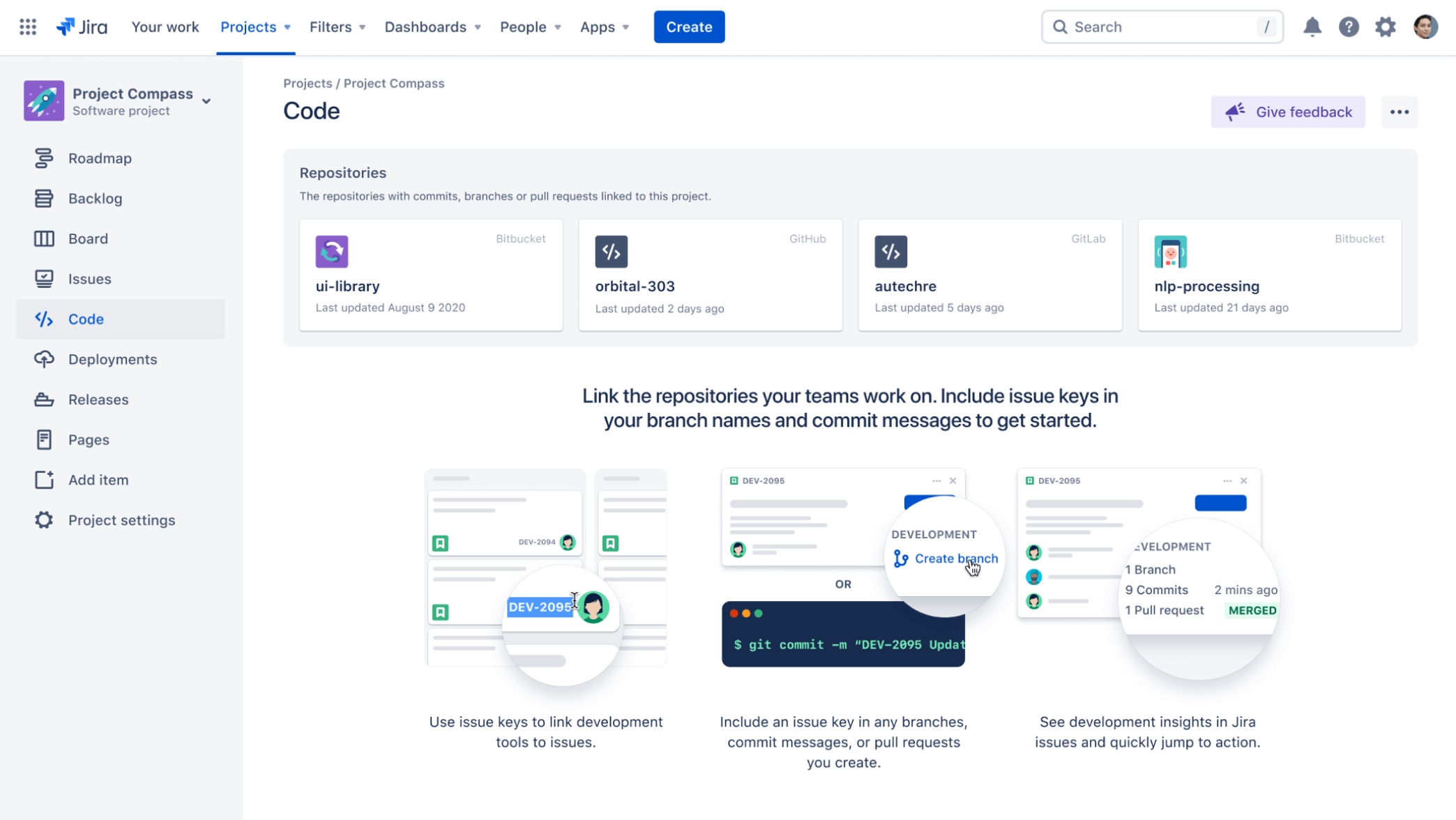
Link Issues to Source Code*
Integrate source code directly into your issues and projects. JIRA supports CVS, Subversion, Perforce, Git, ClearCase, and many more via either native or plugin integration. Using FishEye? JIRA also ships with the FishEye plugin for enhanced source code integration.
Link Issues to Code Reviews*
Using Crucible for peer code review? Take advantage of the FishEye plugin to view recent code review activity for a project and create reviews directly from issues.
Add Agile Project Management*
Add the GreenHopper plugin for agile project management to view JIRA issues as virtual index cards.
Universal Plugin Manager
Discovering, installing and managing plugins from the Atlassian Plugin Exchange is simple and fast with a powerful plugin manager.
Collaborate with Your Wiki*
Connect with Confluence for two-way linking, shared gadgets, JIRA macros in Confluence pages and integrated user management.
Remote APIs
JIRA provides a full set of remote APIs - including REST, SOAP, XML-RPC, and more - and tutorials to help you integrate application with JIRA.
Application Links
Application Links allows you to link your JIRA, Confluence, FishEye, Crucible, Bamboo and Subversion applications.
International
Speaking Your Language
Most user-visible pages in JIRA are internationalized and you can choose from over 14 languages including Chinese, Czech, Danish, English, French, German, Italian, Norweigian, Polish, Portuguese (Brazilian), Russian, Japanese, Slovak and Spanish.
User time zones
See times displayed in your own local time zone. Indicators show whether another user is currently in day or night depending on their set zone.
Translating Resolutions, Priorities, Status and Issue Types
It is possible to specify a translated name and description for the Issue Type, Status, Resolution and Priority fields.
Translating JIRA
Visit Atlassian Translations for the latest available languages or to contribute your own language translations.
Issues
Custom Issue Types
Add and remove fields to define custom issue types to match your development or business processes.
Custom Fields
Choose from over 20 field types to create custom fields for collecting and reporting on the data that matters. Add more field types via plugins.
Custom Resolution Types
Define your own resolution field values in addition to the set of default resolutions.
Bulk Issue Modifications
Perform bulk operations from Issue Navigator include moves, field & status changes, assignments and more.
Issue Level Time-Tracking
Specify work estimates for each issue and log work as you go. JIRA rolls up time tracking data across sub-tasks and maintains the time spent and remaining estimate for tracking and reporting.
Rich Text Comments
Comment on issues using wiki markup to display rich text and images.
Secure Comments
Restrict access to individual comments within an issue.
Create Issues and Comments Via Email
JIRA can be configured to create and comment on issues via email. JIRA can map the key fields including summary, description, and reporter from the email. JIRA can even create accounts if one does not exist and assign the issue to the user cc'ed to the email.
Create Issues Remotely
Create issues remotely using a variety of methods including links, email and programmatic end-points.
Attachments
Attach files and screenshots directly to issues. JIRA highlights the most recent version and provides image thumbnails in both the issue and the activity stream.
Image Gallery
Browse through attached image files using the gallery.
Pluggable Attachments
Third party drawing plugins let you attach mockups, diagrams, screenshots and more.
Moving & Copying Issues
Clone issues within your project or move issues from one project to another.
Vote on Issues
Prioritise the most popular issues based on user voting.
Schedule Issues
Assign a due date to issues in order to schedule tasks and drive reporting. You can search for issues with either fixed or relative date ranges.
Sub-tasks
Create sub-tasks to split any issue into a number of tasks. Add dependencies to ensure all sub-tasks are completed before the parent issue can be closed.
Projects
Summary & Reports
Every project has its own summary page which includes project details, recent activity and shortcuts to reports, filters and creating new issues.
Issues & Filters
View a summary of all issues in a project grouped by Status, as well as reports of all unresolved issues, grouped by Assignee, Priority, Version and Component.
Activity Stream
View project activity in your favourite RSS reader. Comment on issues directly from the project activity stream on the summary page.
Components
Browse a summary for each component , or sub-section, of a project as well as the Issues, Change Log, Road Map and Popular Issues.
Versions
Browse a summary for each version of a project, typically a release or iteration. Also, drill into the Issues, Popular Issues and Builds for any version.
Change Log
The project Change Log shows the resolved issues for the recently released versions of a project.
Import Custom Fields
Import custom fields when importing projects from XML backups.
Release Notes
Generate release notes containing details of all issues fixed in a specific version.
Road Map
The project Road Map shows the issues scheduled for upcoming unreleased versions of a project.
Popular Issues
View the unresolved issues in a project sorted by the number of votes.
Project Avatars
Add an avatar to help identify projects when navigating.
Custom Tabs**
Many JIRA plugins add custom tabs to the project browser, including Burndown charts, Labels and a Calendar.
Agile Tab*
View iteration status and burndown charts in the Agile tab when using the GreenHopper plugin for agile project management.
Personal Roadmap
Quickly view and access all work assigned to you across all projects from your own user profile page.
Builds*
View build plan status and recent build activity for any project with the JIRA Bamboo integration.
Source*
View recent changeset activity for any project if you are using a source-code repository together with Atlassian FishEye.
Reviews*
View recent code review activity for any project if you are using a source-code repository together with Atlassian Crucible.
Easy Administration
Manage project components, versions and details from the project administration screen.
Schemes
Take advantage of schemes to configurable common settings for such things as permissions, notifications, workflows, issue types, issue security and more.
Scheme Tools
Use scheme tools to compare and manage existing permission and notification schemes.
Import Projects
Import issues and related issue data for a single project from XML backups.
Reports & Charts
Workload Pie Chart Report
The Workload Pie Chart Report shows the relative workload for assignees of all issues in a particular project or issue filter.
User Workload Report
The User Workload Report shows how much work a user has been allocated, and how long it should take.
Version Workload Report
The Version Workload Report shows how much outstanding work there is (per user and per issue) before a given version is complete.
Single Level Group By Report
The Single Level Group By Report shows the search results from an issue filter, grouped by a field of your choice.
Created vs Resolved Issues Report
The Created vs Resolved Issues Report shows the number of issues created vs number of issues resolved over a given period of time.
Resolution Time Report
The Resolution Time Report shows the average time taken to resolve issues.
Pie Chart Report
The Pie Chart Report shows the search results from a specified issue filter (or project) in a pie-chart, based on a statistic of your choice.
Average Age Report
The Average Age Report shows the average age (in days) of unresolved issues.
Version Time Tracking Report
The Version Time Tracking Report shows progress towards completing a given version, based on issues' work logs and time estimates.
Recently Created Issues Report
The Recently Created Issues Report shows the rate at which issues are being created.
Time Since Issues Report
The Time Since Issues Report shows the number of issues for which your chosen date field (e.g. 'Created') was set on a given date.
Search
Quick Search
Use the Quick Search in the top navigation bar to quickly find issues and navigate JIRA using smart searches.
Simple Search
Use the Issue Navigator to perform simple searches on common issue attributes. Switch to advanced search to view the underlying JQL for your query.
Configurable Search Results
Configure the Issue Navigator to display the fields of your choice for sorting and reporting.
Bulk Operations
Perform bulk operations - including edits, moves and workflow transitions from any search results set.
Saved Search (Filters)
Save searches as Issue Filters to power email notifications and dashboard gadgets.
Refine Searches
Refine JQL searches using your search history.
Share With Others
Share filters with others by adding permissions for specific users, groups or project roles to access your filter.
Favorite Filters
Search for existing filters and add to your favorites.
Export
Export search results as printable HTML, XML, RSS, Word or Excel documents.
Charts
Generate charts for your dashboard from any search result.
Advanced Search
Use JIRA Query Language (JQL) to create structured queries to search JIRA for issues. A query consists of a field, followed by an operator, followed by a value or function.
Search Status History
Search issue status history using the "WAS" operator for JIRA Query Language.
Auto-Complete
Constructing JQL queries is simple because JIRA will recognise the context and offer a list of "auto-complete" suggestions as you type.
JQL Functions
Use JQL functions for sophisticated queries like finding issues relative to 'lastLogin', 'latestReleasedVersion' or 'endOfMonth', or to find 'membersOf' for fields like Voter and Watcher.
Logical Boolean Operators
Use parentheses in complex JQL statements to enforce the precedence of operators.
Empty Fields
JQL let's you search for Empty and NULL fields.
Negative Expressions
Negate individual operators or entire statements of a JQL query.
Security
Anonymous Access
Allow users to create issues anonymously.
Integrate with LDAP
Integrate JIRA with LDAP for authentication and user management.
Manage Users In Crowd
Atlassian's Crowd identity management system can be integrated with JIRA.
Secure Administrator Sessions
Accessing administrative features requires an additional login. After validation, administrators are given a temporary session that expires after 10 minutes of inactivity.
View Current User Sessions
View a list of all the users currently logged into JIRA.
Users And Groups
Create groups to control access and permissions for collections of users.
Project Roles
Project roles are a flexible way to associate users and/or groups with particular projects and delegate administration and permissions across JIRA.
Project Level Security
Control project level security using either group permissions or project roles.
Issue Level Security
Issue level security allows you to control who can see individual issues within a project. Set access to individual users, groups, project roles or issues roles.
Whitelist For External URLs
Limit the URLs from which users can source content (i.e. for External Gadgets) to be displayed within JIRA.
Workflow
Validators
Check that any user-supplied input is valid before performing a transition.
Visual Workflow Designer
Use the Visual Workflow Designer to view and edit your workflows.
Custom Workflow
Customise workflows by editing an existing workflow or creating one from scratch.
Steps & Transitions
Every workflow is made up of a number of steps connected by transitions.
Conditions
Apply conditions to control who can perform a transition, and under what circumstances.
Post-functions
Carry out any form of processing immediately after a transition is executed.
Custom Events
You can fire a custom event from a transition post-function to perform certain actions.
Schemes
Use schemes to associate workflows with specific issue types and projects.
* Not included with JIRA. Requires integration with separate product(s).
** Not supported by Atlassian. Functionality may be provided by third-party.