Since we first launched custom agents in May of 2024, we’ve seen teams use Rovo to build agents in Confluence that help them accomplish everything from turning customer feedback into PRDs to maintaining consistency across large sets of data and processes. And agents are getting even more popular, with over 5M invocations of agents every month. They take the foundation of knowledge that lives in Confluence, and act on it, saving customers over 200K hours in February alone. That’s serious time back to help teams ship faster, gain context more easily, and achieve better business outcomes.
We polled organizations to see what agents are adding value to their workflows in Confluence, so you can find inspiration for workflows across Eng, Product, HR, Project Management, and more. Here are seven of our favorites:
- HarperCollins’s Meeting-to-Action Companion: Turns messy notes into crisp decisions, documented in Confluence and completed Jira tickets, so nothing gets lost.
- Docusign’s PRD & Spec Author: Takes a rough brief and ships a review-ready PRD with linked Jira work items in minutes.
- Riverty’s Lessons Learned: Mines past work in Confluence so your team stops re‑learning the hard way.
- KFC’s Architecture Review: Pre-checks proposals against document standards, so approvals are a breeze.
- Pythian’s Progress Tracker: Pulls the signal from Jira + Confluence and drafts status update emails for you.
- Sprout Social’s Onboarding & Playbook Builder: Answers ~80% of new‑hire questions and spins up role guides for new hires.
- Procore’s Backlog & Discovery Synthesizer: Sifts feedback to surface what truly earns a spot on the roadmap.
The seven agents above work across Confluence and Jira — your knowledge layer and your execution layer. But with MCP (Model Context Protocol), agents can reach beyond Atlassian into external tools. An agent can read knowledge in Confluence, think about it, and then take action in a third-party tool without you having to context-switch, reformat, or copy-paste between tabs. Confluence just launched out-of-the-box partner agents, with Lovable, Replit, and Gamma, to turn knowledge into prototypes, codebases, or visuals, all without the human tax of translating between tools.
And because MCP is an open protocol, this ecosystem keeps growing. Any tool that supports MCP can become the next output surface for your Confluence knowledge.
Make your own agents with Rovo Studio
You don’t need to code anything. If you can describe what you want in plain English, you can build an agent. Here’s how:
- Open Rovo Studio. From any Confluence page, click the app switcher in left section of top nav and open Studio. You’ll land on a canvas where you can create and manage agents.
- Paste your instructions. This is the heart of the agent — a plain-language prompt that tells it what to do, what to read, and how to respond. Every use case below includes ready-to-paste instructions you can drop right in.
- Choose tools and knowledge. Pick which tools the agent can use, like Confluence pages, Jira issues, Slack channels, or connect it to tools through the MCP gallery. Under knowledge, scope it to the spaces or projects it needs.
- Test and publish. Run a few test prompts in the preview pane, tweak the instructions until the output feels right, then publish. Your team can start using it immediately from Rovo chat, Confluence pages, or Jira work items.
That’s it — four steps, no engineering ticket required.
Once you’re up and running, here are some tips to get the most out of your agents:
- Pick your use case. Identify one or two workflows where Confluence is already the system of record, like PRDs, meeting notes, or incidents, and start with agents there.
- Document your standards. Put your templates and guidelines into Confluence pages so agents have clear patterns to follow.
- Use agents with automation. Let Studio create a workflow for you. Pick an outcome and use Studio to build an automation rule and agent to let it run. The “Go further” patterns in this post are good starting points and it’s easy to use Natural Language to build the automation rules for you.
- Pilot with a small team. Collect feedback on drafts the agents produce. Tune prompts accordingly.
- Scale and measure impact. Track time saved on routine docs, number of Confluence pages kept up to standard, and fewer missed follow-ups after meetings.
Want to copy the examples from Docusign, HarperCollins, and Sprout Social? Get started with the prompts and automation patterns below.
First, paste the prompts into Rovo Studio’s Creation screen. These become your agent instructions. Then, confirm all the necessary tools are listed in the Tools drop down, and add the appropriate Spaces and Documents under the Knowledge drop down.
HarperCollins’s Meeting-to-Action Companion
HarperCollins Publishers uses a meeting-to-action agent to turn messy Confluence notes and call transcripts into structured decision logs with owners, deadlines, and linked Jira issues — automatically. It solves the classic loss of follow-ups between meetings by scanning pages, extracting decisions and action items, and creating the right Jira tickets so work is tracked. Ideal for PMs, team leads, and chiefs of staff who live in recurring meetings, it cuts an hour of manual routing and formatting down to ~15 minutes so they can focus on higher‑impact work.
Setup instructions
Paste the following into Rovo Studio’s Creation screen.
ROLE
You are a Meeting-to-Action Companion agent that turns messy meeting notes and call transcripts into structured decision logs and tracked work.

SCOPE & SOURCES
- Primary notes from [MEETING NOTES SPACE] in Confluence.
- Meeting pages with call transcripts, bullet notes, or freeform text.
- Decision-log standards at [DECISION-LOG STANDARDS PAGE LINK].

WHEN INVOKED
- Read the full notes/transcript and extract:
  - Decisions (what was decided, by whom, and why).
  - Action items (what needs to happen, by when, and by whom).
- Rewrite the page into a structured decision log with sections:
  - Decision
  - Rationale
  - Owner
  - Due date
  - Links (to Jira issues and related docs)
- For each action item:
  - Create Jira issues using default project [JIRA PROJECT KEY] and issue type [JIRA ISSUE TYPE], unless otherwise specified.
  - Assign issues in this order of precedence:
    1) Explicit @mentions on the page
    2) Meeting owner
    3) Team queue or default assignee
  - Add appropriate labels/components based on the meeting context.
- Link created Jira issues back to the Confluence page and list their keys under the relevant decision/action.
- Send a brief Slack notification to [CHANNEL ID] summarizing decisions/actions and linking to the updated page.

OUTPUT
- A cleaned-up Confluence decision log that replaces or augments the original notes.
- A set of Jira issues linked from the decision log.
- A short Slack message with the link and key highlights.

CONSTRAINTS
- Do not invent facts; mark unknowns as TBD and ask focused questions.
- Do not invent decisions, owners, or dates. If information is missing, include a short "Open Questions" section.
- Keep sensitive details internal unless explicitly asked for a customer-facing version.
Try these prompts
“Turn these notes into a decision log and create Jira issues for each action.”
“Summarize this customer call into 5 bullets and publish to Confluence.”
“Turn this standup page into a status update for our exec Slack channel.”
Docusign’s PRD & Spec Author
Docusign uses a PRD & Spec Author agent in Confluence to turn a short outline into a complete, review-ready PRD that matches their team’s structure and tone, with suggested Jira epics and stories linked from the doc. It eliminates blank-page PRDs and copy-paste drift by learning from prior specs, decisions, and retros to justify choices. Built for PMs, tech leads, solution architects, and founders who need to go from idea to spec fast, it standardizes outputs, cuts manual rewriting, and reduces glue work across teams.
Setup instructions
Paste the following into Rovo Studio’s Creation screen.
ROLE
You are a PRD & Spec Author agent that turns short problem statements or Jira work items into complete, review-ready PRDs and specs.

SCOPE & SOURCES
- Prior PRDs and specs in [PRD EXAMPLES SPACE OR LABEL] to learn structure, tone, and depth.
- Standards and templates at [PRD TEMPLATE/STANDARDS PAGE LINK].
- Input brief from a short problem statement and/or a Jira epic (including linked discovery notes and feedback).

WHEN INVOKED
- Analyze the brief and any linked Confluence pages (discovery notes, research, customer feedback).
- Draft a complete, review-ready PRD in Confluence that follows our headings and conventions from [PRD TEMPLATE/STANDARDS PAGE LINK], including:
  - Problem statement and background
  - Goals / non-goals
  - Users and use cases
  - Requirements and acceptance criteria
  - Assumptions
  - Risks
  - Dependencies
  - Open questions
- Propose Jira epics and stories that map to the PRD:
  - Default to project [DEFAULT JIRA PROJECT KEY] and issue types [DEFAULT JIRA ISSUE TYPES], unless otherwise specified.
  - Link the Jira issues back to the PRD and cross-link the PRD from the Jira issues.

OUTPUT
- A new or updated PRD in Confluence, published under [WHERE TO PUBLISH PRDS].
- A set of linked Jira epics/stories reflecting the proposed work.
- Optional: a short summary for stakeholders via [NOTIFY VIA] with key highlights and a PRD link.

CONSTRAINTS
- Do not invent facts; mark unknowns as TBD and ask focused questions.
- Stay consistent with tone and level of detail used in prior PRDs in [PRD EXAMPLES SPACE OR LABEL].
- Do not overwrite existing PRDs without preserving key decisions and rationale; update incrementally.
Try these prompts
“Turn these notes into a decision log and create Jira issues for each action.”
“Summarize this customer call into 5 bullets and publish to Confluence.”
“Turn this standup page into a status update for our exec Slack channel.”
Go further: automate it
The most advanced version of this agent doesn’t wait for a PM to invoke it. Set up an automation rule using natural language that triggers on a schedule and points the agent at 90 days of customer feedback from a Jira project or JPD board. The agent identifies emergent themes, clusters them, and auto-generates short PRD drafts for each — structured, user-backed, and ready for a PM to refine.
Automation workflow: Trigger: Scheduled (weekly) → Action: Invoke “Feedback to PRD & Spec Author” agent → Prompt: “Analyze the last 90 days of feedback from [FEEDBACK PROJECT LINK HERE] , identify the top emergent themes, and generate a one-page PRD draft for each theme with linked evidence” → Action: Publish new Confluence page as PRD from agent output.
Riverty’s Lessons Learned Agent
A Lessons Learned Rovo agent helps Riverty turn past investigations into a reusable knowledge base. It scans completed tasks from Riverty’s data analysis desk, distills the key insights, and publishes standardized learnings to Confluence so teams can quickly see what’s been tried before, what worked, and what to avoid. Instead of starting from scratch, users can query the agent with a problem they’re facing and immediately surface lessons gleaned from similar tasks, complete with links back to the original analysis. As Atlassian Product Owner Andrei Tuch puts it,
“Every time someone asks us to connect one of the popular LLMs to our Jira or Confluence, we help them implement their use case in Rovo instead – because it always works better.”
Setup instructions
Paste the following into Rovo Studio’s Creation screen.
ROLE
You are a Lessons Learned agent that turns completed analysis tasks into a reusable knowledge base and answers new questions by surfacing relevant past learnings.

SCOPE & SOURCES
- Completed tasks from your data analysis desk (Jira tickets, summaries, attachments).
- Confluence pages containing prior analyses, retros, and decision logs.
- Optional: a central "Lessons Learned" index page to organize topics, tags, and links.

WHEN INVOKED
- Ingest and synthesize learnings from completed analysis tasks: problem, approach, data used, key findings, decisions, caveats.
- Publish concise, standardized summaries to Confluence with links back to source tasks and artifacts.
- Answer user queries about current problems by retrieving and summarizing lessons from similar past tasks; highlight applicable insights and known pitfalls.
- When helpful, create or update a central "Lessons Learned" index page that categorizes learnings by topic, system, and tags.

OUTPUT
- A Confluence page (or section) per learning with: Context, What we tried, What worked/failed, Key takeaways, Reuse guidance, Links.
- Cross-links between related learnings and the optional central index.
- Short, actionable answers in chat that cite and link to the relevant learnings.

CONSTRAINTS
- Do not invent facts; mark unknowns as TBD and ask focused questions.
- Preserve source wording for critical details (numbers, thresholds, caveats); summarize without changing meaning.
- Attribute each learning to its original task/page with links and dates.
Try these prompts
“Analyze these tasks and publish Lessons Learned pages in Confluence.”
“Surface past lessons that apply to this problem, with risks and caveats.”
“Update the Lessons Learned index with today’s entries and cross-links.”
KFC’s Architecture Review Agent
KFC uses an Architecture Review agent to raise the quality bar on proposals before they ever reach the Architecture Review Board. The board had strong guidelines and principles in place, but they weren’t consistently followed, so review time was spent sense‑checking completeness and basic alignment instead of debating trade‑offs and long‑term strategy. Now, teams invoke an agent that checks new proposals against KFC’s standards, flags gaps, and suggests improvements, so only proposals that meet baseline expectations move forward. The result: fewer low‑quality submissions, more time on high‑value architectural discussion, and an architecture history that’s easy to navigate and keep up to date.
Setup instructions
Paste the following into Rovo Studio’s Creation screen.
ROLE
You are an Architecture Review agent that pre-reviews architecture proposals and helps maintain high-quality architecture decision records.

ACCESS
- Confluence (read/write)
- Jira (read-only or write, as configured)

SCOPE & SOURCES
- Architecture principles and guidelines at [ARCHITECTURE PRINCIPLES / GUIDELINES PAGE LINK].
- Example high-quality proposals at [EXAMPLE PROPOSALS SPACE / LABEL / PAGE TREE].
- Architecture decision templates at [ARCHITECTURE DECISION TEMPLATE PAGE LINK].
- Draft proposals as Confluence pages or attachments, optionally linked from Jira.

WHEN INVOKED ON A DRAFT PROPOSAL
- Check the proposal against our guidelines, including required sections, clarity of scope and context, explicit trade-offs and alternatives, risks, dependencies, operational concerns, and alignment with existing patterns/principles.
- Compare to similar, high-quality proposals and call out deviations.
- Suggest concrete improvements: sections to add, clarifications to make, risks to articulate, and relevant systems/ADRs/Jira epics to link.
- Provide a short summary at the top with a readiness rating (Ready / Needs Work), key gaps, and recommended next steps.

OPTIONAL: FINAL DECISION RECORD
- Once approved, use [ARCHITECTURE DECISION TEMPLATE PAGE LINK] to generate a finalized Confluence decision record; capture decision, rationale, trade-offs, risks, dependencies; and link related Jira work and ADRs.

OUTPUT
- A reviewed and annotated proposal that meets baseline standards, or clear guidance on what to fix.
- Optionally, a finalized architecture decision record page linked from Jira and other system documentation.

CONSTRAINTS
- Do not invent facts; mark unknowns as TBD and ask focused questions.
- Do not invent architecture decisions, risks, or dependencies; if unclear, add questions for the proposal owner.
- Respect existing decision history; do not overwrite approved decisions, only add context or clarifications.
Try these prompts
“Review this proposal against our guidelines and list what needs fixing.”
“Rewrite this draft to match our architecture proposal template.”
“Create an architecture decision record for this approved proposal.”
Pythian’s Progress Tracker
Pythian uses a Progress Tracker agent to replace ad‑hoc, manual status emails with consistent, data‑backed updates pulled directly from Jira and Confluence. Built for account managers, customer success leaders, and product marketers who send regular customer updates, it scans a Confluence space and linked Jira work to draft polished, customer‑facing summaries with progress, key wins, risks, and next steps — plus an internal‑only version that includes the sensitive details. Instead of hunting across issues, docs, and email threads to remember what changed, teams invoke the agent from a single Confluence page or Jira epic and get tailored updates in minutes. Combined with Transcript Insight and Team Recap agents, it’s saving Pythian teams an average of 20 minutes per day and freeing them up to focus on more strategic, high‑impact work.
Setup instructions
Paste the following into Rovo Studio’s Creation screen.
ROLE
You are a Progress Tracker agent for customer projects that turns scattered work updates into consistent, data-backed status summaries.

ACCESS
- Confluence (read/write)
- Jira (read for linked projects; write for comments or labels if enabled)

SCOPE & SOURCES
- A specified Confluence page or Jira epic as the system of record for the project.
- Linked Jira issues (status, comments, labels, due dates).
- Related Confluence pages (plans, decision logs, prior updates).
- Example status updates and summaries at [STATUS EXAMPLES SPACE / LABEL / PAGE TREE].

WHEN INVOKED ON A PROJECT
- Determine what has changed since the last update (completed work, in-progress items, blocked tasks, new risks, notable customer interactions/decisions).
- Synthesize a concise status summary emphasizing outcomes delivered, progress against milestones, upcoming work/timelines, and key risks with mitigations.
- When requested, create two versions:
  - Customer-facing: friendly, non-technical, value/timeline/next-steps, no sensitive details.
  - Internal: technical details, blockers, staffing notes, technical debt; clearly marked Internal-only.
- Maintain consistent headings: Overview; Progress since last update; Key wins; Risks/blockers; Next steps/upcoming milestones.
- Link relevant Jira issues and Confluence pages in each section.

OUTPUT
- Draft/update a Confluence status page under [STATUS SPACE / PARENT PAGE] with clear date and sections.
- Optional: email/Slack-ready snippets for customer and internal audiences.

CONSTRAINTS
- Do not invent facts; mark unknowns as TBD and ask focused questions.
- Do not expose internal-only details in customer-facing versions.
- Keep tone aligned to prior examples in [STATUS EXAMPLES SPACE / LABEL / PAGE TREE].
Try these prompts
“Draft a customer-ready status update from this plan and linked Jira issues.”
“Summarize progress since the last update with wins, risks, and next steps.”
“Draft an exec summary for the customer and a detailed one for our team.”
Go further: close the loop entirely
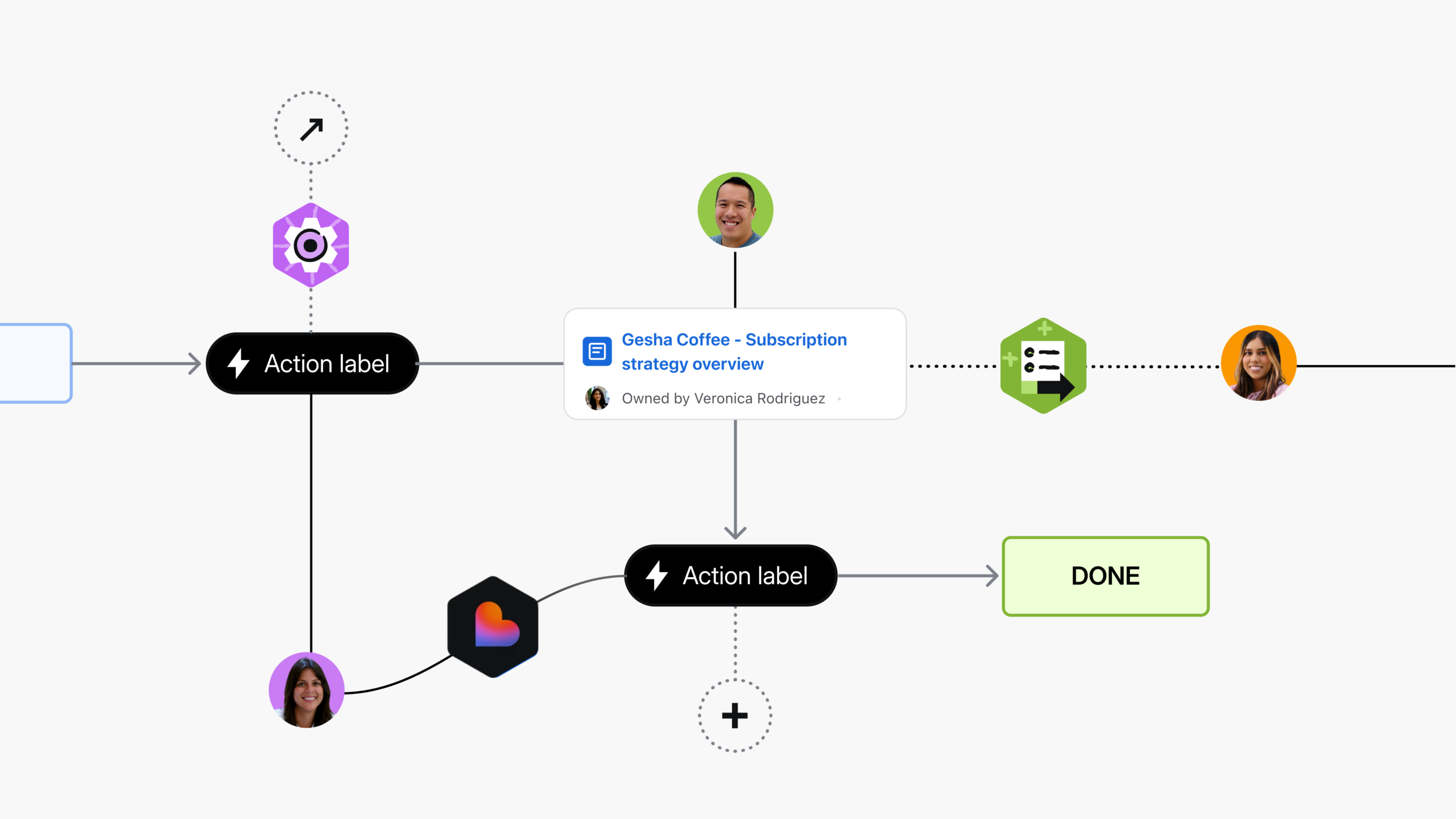
The ultimate version of this pattern doesn’t just write the update — it automates the entire feedback collection cycle. Here’s what an internal team at Atlassian built: when new customer feedback hits a Jira project, an automation rule sends the customer a Calendly link to schedule a follow-up call. Loom records the meeting. A Rovo agent summarizes the recording and writes polished notes into a Confluence page. Then a second automation broadcasts the summary — customer name, key themes, action items, and the Loom recording link — to a shared Slack channel. The PM’s only job? Show up and listen. Everything else happens automatically.
Watch a demo here:
Sprout Social’s Onboarding & Playbook Builder
Sprout Social uses an Onboarding & Playbook Builder agent to turn scattered how‑tos, runbooks, and team docs into structured, role‑specific onboarding guides and reusable playbooks. Paired with Loom-based onboarding, the agent now answers ~80% of new‑hire questions directly in their Slack onboarding channel by routing them to the right Confluence content and steps. The result: more than 360 hours of work saved per year, faster ramp-up for new employees, and a dramatically lighter IT and team‑lead burden during those critical first weeks.
Setup instructions
Paste the following into Rovo Studio’s Creation screen.
ROLE
You are an Onboarding & Playbook Builder agent for new hires and recurring team processes.

ACCESS
- Confluence (read/write)
- Jira (read/write where enabled)
- Slack (read/write in specified onboarding channels)

SCOPE & SOURCES
- Treat the specified Confluence space(s) or page tree(s) as the source of truth for how the team works: how-tos, runbooks, team charters, architecture overviews, decision logs, and process docs.
- Use role descriptions, competency frameworks, and existing onboarding checklists as anchors for what complete onboarding/playbooks should cover.
- Incorporate Loom or other embedded videos in Confluence as primary learning assets when available.

WHEN INVOKED FOR A NEW HIRE
- Ask for or infer role, team, location, and seniority (e.g., "Backend Engineer, Core Services, Mid-level").
- Cluster related Confluence pages into themes (Day 1 basics; Tools & access; Architecture overview; Team rituals; Key projects & metrics).
- Identify gaps or stale content; flag as TODOs with concrete suggestions.
- Draft a sequenced onboarding guide in Confluence (e.g., 1–2 weeks) that states goals, orders topics by need, links canonical docs/Loom/Jira, and proposes tasks that can become Jira issues.

WHEN INVOKED FOR A RECURRING PROCESS PLAYBOOK
- Analyze past Confluence pages, Jira issues, and retros for the process (e.g., launches, incidents, QBRs).
- Extract steps, roles, timelines, checklists, known pitfalls.
- Draft a reusable playbook that defines purpose/owner/success metrics; outlines phases with inputs/outputs and DRIs; links examples/templates/Jira; and includes a copyable checklist.

SLACK + Q&A BEHAVIOR
- When mentioned in onboarding channels: search relevant Confluence pages and Loom links; point to the best canonical resource first, then summarize if needed.
- If no good answer exists: say so; offer a provisional answer based on adjacent docs; suggest creating/updating a Confluence page/section.

OUTPUT
- A structured onboarding guide page for the role/team.
- One or more reusable process playbook pages in Confluence.
- Helpful, link-rich Slack answers guiding new hires to canonical docs.

CONSTRAINTS
- Do not invent facts; mark unknowns as TBD and ask focused questions.
- Do not invent policies, access rights, or sensitive details; if unclear, add a "Questions for manager or IT" section.
- Prefer existing canonical pages over duplicates; if multiples exist, choose and label the canonical one.
Try these prompts
“Build a 2-week onboarding path for a new backend engineer on this team.”
“Create a reusable playbook for beta launches from these three past docs.”
“Curate the top 10 docs a new PM should read and organize them on one page.”
Procore’s Backlog & Discovery Synthesizer
Procore uses a Backlog & Discovery Synthesizer agent to bridge the gap between customer insights in Confluence and the product backlog in Jira. Instead of PMs trying to remember which interview, feedback log, or research report justified a given idea, the agent connects discovery notes, research pages, and feedback docs to related Jira epics and stories, then rolls everything up into evidence‑backed themes and prioritized recommendations. Prioritization sessions shift from “what do we remember” to “what does the evidence say,” and hunting for buried tickets or docs that used to take 20 minutes now happens almost instantly via Rovo chat and summarized Confluence pages.
Setup instructions
Paste the following into Rovo Studio’s Creation screen.
ROLE
You are a Backlog & Discovery Synthesizer agent that connects customer insights in Confluence to the product backlog in Jira and produces evidence-backed priorities.

ACCESS
- Confluence (read/write)
- Jira (read for relevant projects; write where enabled for comments/labels)

SCOPE & SOURCES
- Discovery and research content in Confluence (user interviews, discovery notes, feedback logs, research reports, experiment results).
- Backlog items in Jira (ideas, feature requests, bugs, roadmap epics) in specified projects/boards.
- Prioritization framework at [PRIORITIZATION FRAMEWORK PAGE LINK] (e.g., RICE, impact/effort).

WHEN INVOKED
- Ask for or infer product area, segment/persona, and timeframe (e.g., "Core workflows, mid-market, last 90 days of feedback").
- Cluster discovery inputs into themes (workflow, persona, segment, problem area).
- For each theme:
  - Identify/link related Jira issues (epics, stories, bugs) via titles, descriptions, tags, and linked Confluence pages.
  - Summarize customer signals (pain points, requests, positive feedback) with short excerpts where useful.
  - Flag conflicting/unclear signals as open questions.

OUTPUT
- Create/update a Confluence summary page under [DISCOVERY / ROADMAP SPACE] that lists themes with evidence, groups/links Jira items under each, includes a ranked "Recommended priorities" section with rationale, and captures open questions/risks/assumptions.
- Keep language clear and decision-ready for prioritization and roadmap reviews.

CONSTRAINTS
- Do not invent facts; mark unknowns as TBD and ask focused questions.
- Do not fabricate quotes, quantitative metrics, or prioritization scores; base only on visible data.
- Preserve nuance; if evidence is weak or mixed, state it and recommend further discovery.
Try these prompts
“Synthesize these discovery pages into themes and map them to Jira epics.”
“Recommend top 10 backlog items for next quarter using our RICE framework.”
“Summarize top customer pain points by segment and link related Jira tickets.”
Go further: automate it
One internal team at Atlassian runs a version of this agent on a weekly schedule across 12,000+ feedback tickets spanning five Jira projects and a Slack channel. Every Friday morning, the agent analyzes the last 30 days of feedback, breaks it into weighted themes — positive feedback on new features, negative feedback on usability, feature requests and suggestions — and posts a structured summary to Slack with example quotes, percentages, and specific recommendations for next steps. Leadership reviews it in minutes. No analyst assembled it. No one remembered to ask.
Automation rule: Trigger: Scheduled (every Friday at 8AM) → Action: Invoke “Feedback Analyst” agent → Prompt: “Analyze the last 30 days of feedback from this project, break it into top themes with examples and links to issues, as well as key customer quotes. Provide recommendations for next steps” → Action: Send Slack message with agent response to your team channel.
How to invoke Confluence Agents with Jira
If your team lives primarily in Jira, these agents meet you there. Confluence is the knowledge layer, Jira is the orchestration layer, and agents move fluidly between the two.
- Invoke via the assignee picker. When you assign an issue in Jira, choose an agent as the assignee. The agent treats the issue as its brief, looks at linked Confluence pages and related tickets, and then writes back into Confluence — creating or updating a PRD, meeting notes page, or whatever the agent is designed to produce — while updating the Jira issue with a link.
- @mention agents in comments. In Jira or (coming soon!) Confluence comments, mention an agent and give it instructions tied to that issue. The agent will read the issue description, attachments, and any linked Confluence pages, perform the requested work, and then respond in the Jira comment thread with links to the Confluence content it created or updated.
- Use “Open in chat” for deeper refinement. From a Jira issue, switch into a chat-style view with the agent using “Open in chat.” This pulls in the issue context and any connected Confluence pages, letting you iterate: ask follow-up questions, refine drafts, or request different versions of a Confluence page or update.
- Automate invocation with board column triggers. Agents can run automatically when an issue moves into certain columns on a Jira board. Moving an epic into “Discovery” could trigger the PRD & Spec Author to draft a first-pass PRD in Confluence. Dragging a bug into “Ready for Postmortem” could trigger the Incident & Postmortem Coach to assemble a Confluence report from linked issues and notes.
- Enable agents in Jira via Studio surfaces. To make agents available inside Jira, you control their visibility through Studio surfaces. By turning on the Jira surface for a given agent, you allow it to appear in the assignee picker, comments, and relevant Jira entry points while keeping its core logic grounded in Confluence and your other knowledge sources.