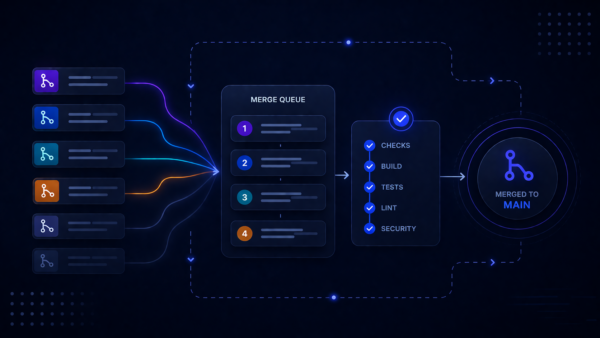
Merge Queues help keep your busy branches stable by testing how changes work together before they’re merged. Today, we’re introducing public APIs for Merge Queues, available to all Standard and Premium workspaces in Bitbucket Cloud.
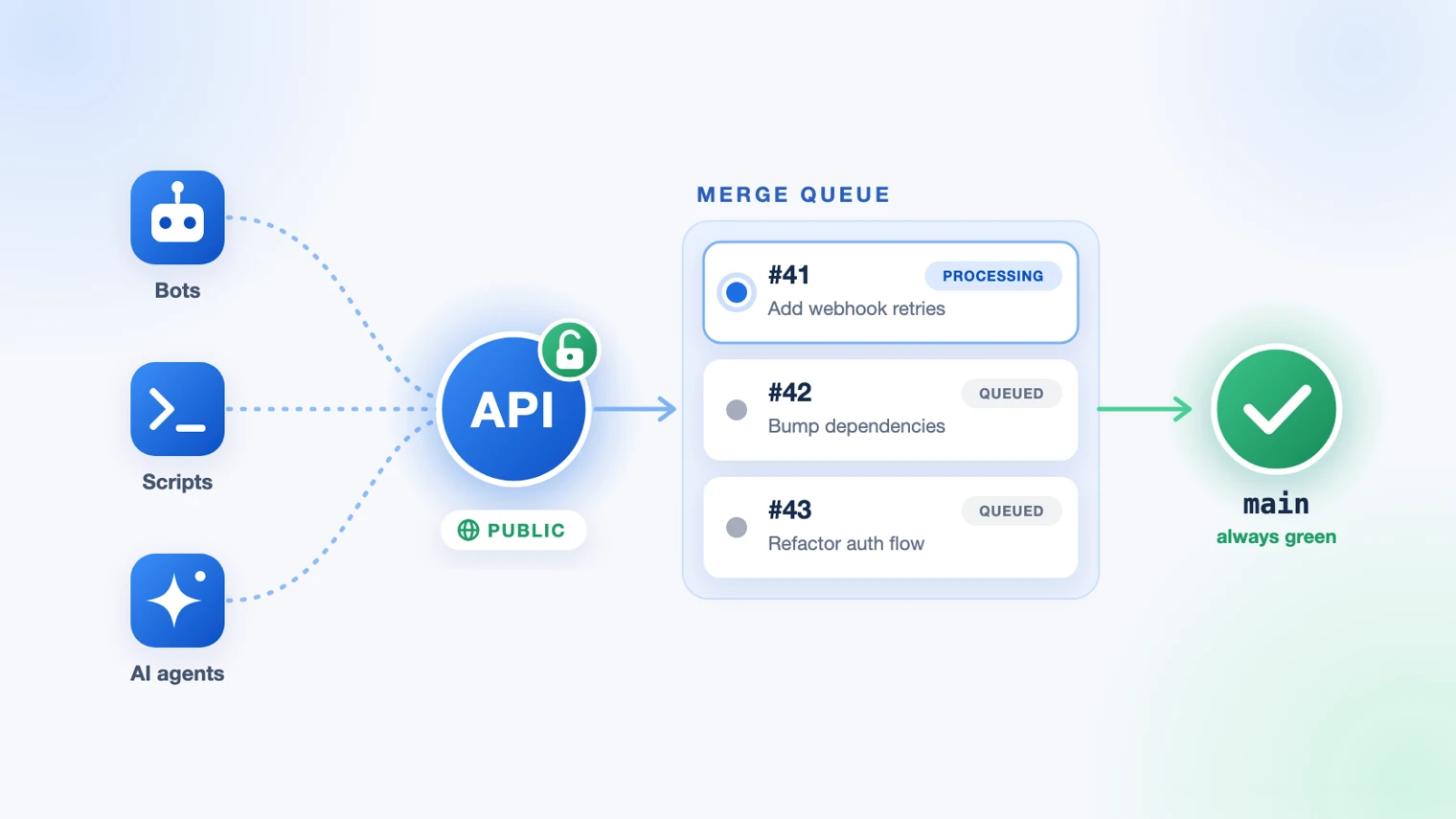
The new APIs let your tools use the existing merge endpoint to queue pull requests, track their progress and respond to the outcome.
What’s new
- Queue pull requests through the merge API. Use the existing merge endpoint to add pull requests to an active merge queue.
- Track progress asynchronously. Receive a task-status URL instead of keeping a request open while validation runs. Agents and pipelines can check back for the result.
- Know exactly what happened. See whether a pull request merged, failed validation, encountered a merge conflict, received a new commit or was removed from the queue. Your tools can use the reason to retry, alert or move on.
- See the whole queue. List queues in a repository, view pull requests in queue order, and check their status and associated pipeline.
What you can build
Here are a few ways you can use the new APIs:
- A release bot that queues changes at any time. Queue a release pull request at 2 a.m. and post the result to Slack when it merges.
- An AI agent that follows through. Your coding agent opens a pull request, waits for approval, adds it to the queue and tells you when the change reaches
main. - A dependency bot that handles failures. Read why an update failed in the queue, then automatically close or retry the pull request.
- A queue dashboard for your team. Show what’s waiting, what’s being validated and what’s next on your team’s wall screen.
Getting started
- Set up a merge queue for your target branch, if you haven’t already. See Manage pull requests with merge queues documentation.
- Create an API token with scopes with
read:repository:bitbucket,read:pullrequest:bitbucketandwrite:pullrequest:bitbucket. OAuth consumers, repository access tokens and Forge apps work too. - Merge as usual. The pull request joins the queue and you get a task-status URL back:
curl -si -u "$EMAIL:$API_TOKEN" -X POST \
"https://api.bitbucket.org/2.0/repositories/{workspace}/{repo_slug}/pullrequests/{pullrequest_id}/merge"
HTTP/2 202
location: .../pullrequests/{pullrequest_id}/merge/task-status/{task_id}- Check on it whenever you like:
curl -s -u "$EMAIL:$API_TOKEN" "<location>"While the pull request is in the queue, you can see where it is:
{
  "task_status": "PENDING",
  "queued_pullrequest": {
    "status": "PROCESSING",
    "rank": 1,
    "pullrequest": { "id": 42, "title": "Bump dependencies" }
  }
}
And when it lands:
{
  "task_status": "SUCCESS",
  "merge_result": { "id": 42, "state": "MERGED" }
}
To list queues, read queue contents or remove a pull request from a queue, see the Merge Queues API reference.
 Share your feedback
We’d love to hear how these APIs are working out for your team. Share your feedback in the Atlassian Community or use the feedback collector form in the Merge Queues user interface.